November 2022

Welcome to the first Brigham Voalté Update! You will be receiving these communications to keep you informed of updates, tips and tricks. For more information and the most up to date information, please visit Voalté | BH IS Portal (partners.org).
November Go-Lives:
Top 5 Voalté Reminders
(1) Messaging "Offline" Users
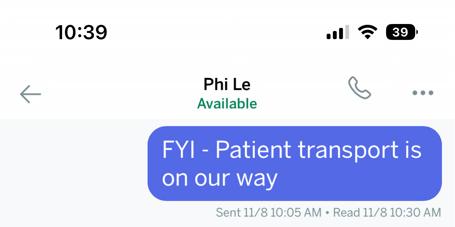
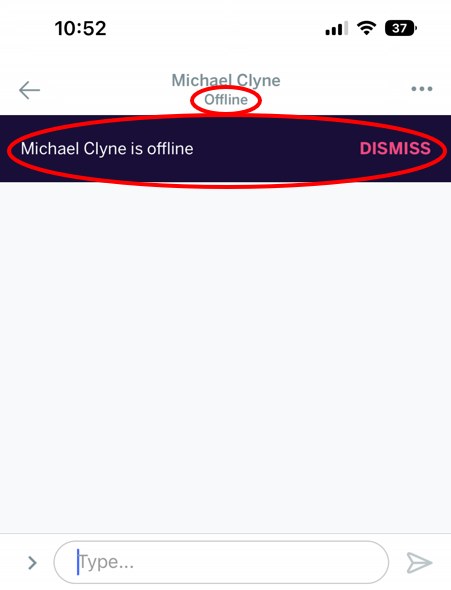
Messages can be sent to offline users, but the message will not be read until the next time the user logs back into Voalté. There is a small purple pop-up alert to remind you the recipient is “Currently Offline” but can be missed.

Users should be aware of recipient’s status before sending messages.

VoalteMe users have the capability to set themselves as “Unavailable” which essentially looks like “Offline” to the sender.

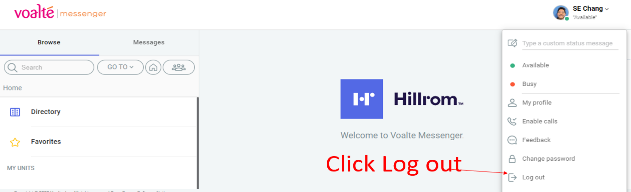
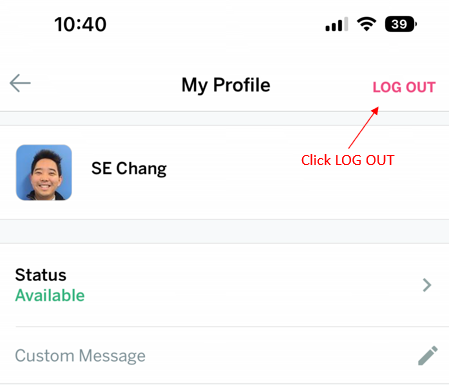
(2) Remind Teams to LOG IN and LOG OUT
All users need to log in at the beginning of their shift and log out at the end of their shift
(3) VoalteOne Phones
Once logged into Voalté on a VoalteOne phone, you will not have to re-enter your password unless there is 12 hours of inactivity. Please remind your staff: Once you have logged into a VoalteOne phone, you need to keep it on you at all times.
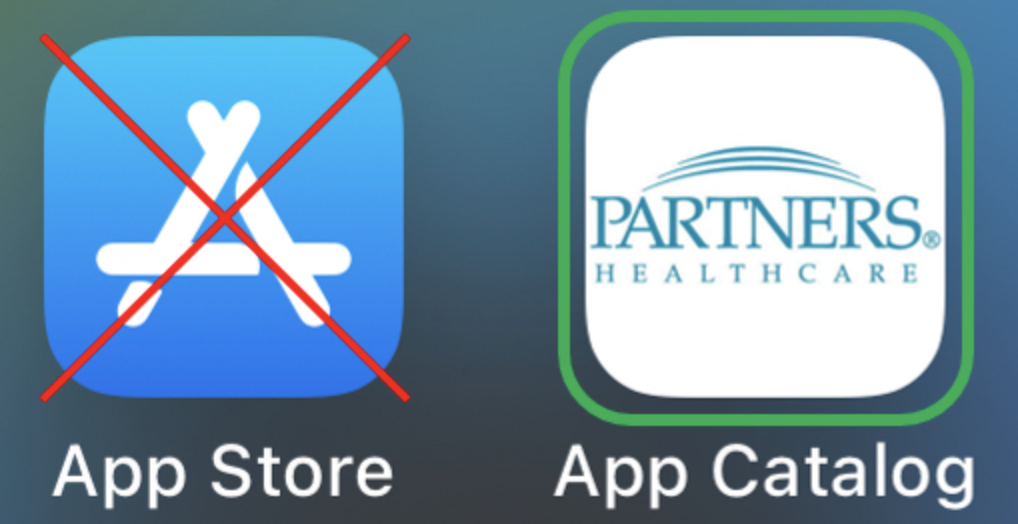
(4) Downloading VoalteMe via App Store vs MGB App Catalog
Please utilize the MGB App Catalog when downloading VoalteMe. For more information, please visit VoalteMe Download Instructions.

VoalteME downloaded from the iOS and Android native app store will not work.
(5) Ongoing Device Tracking
Device tracking is done locally through your check-in and check-out processes. If a VoalteOne device is misplaced, you can open a ticket with bhvoaltesupport@partners.org to identify the last user to log into the device.

NOTE: Voalté team does not have the ability to GPS track or utilize the "Find my iPhone" feature.

If a device is confirmed lost, the Voalté team will assist to lock and wipe the device and report it stolen. A replacement device will need to be purchased by your department.
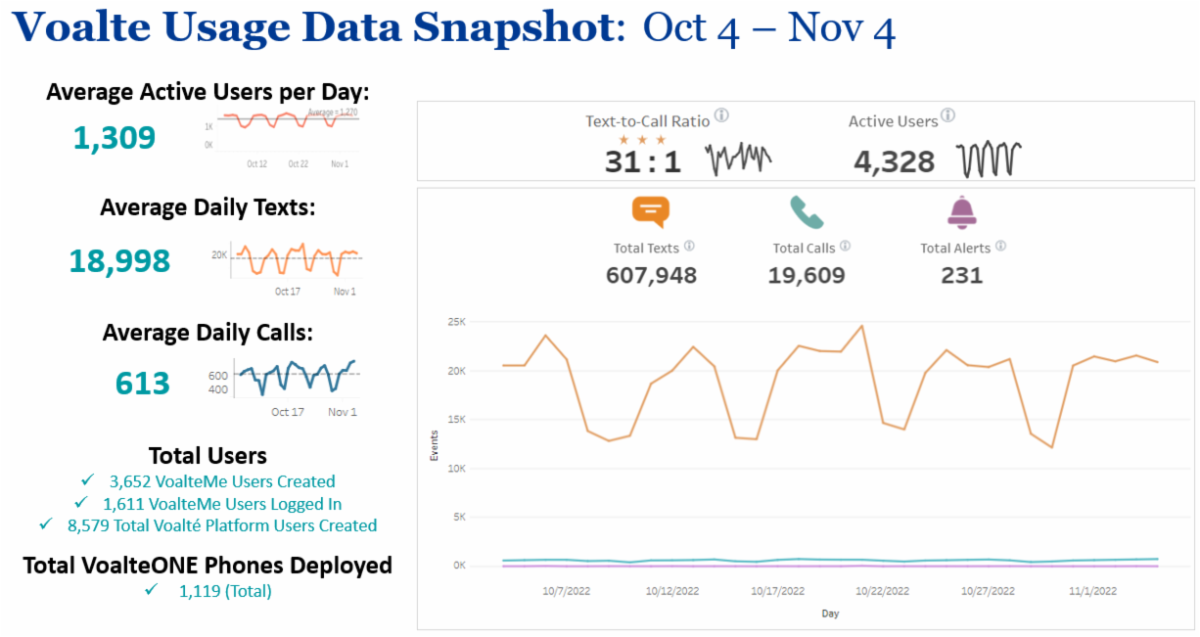
Voalté October Data Snapshot
student_help.jpg
Need Help?
Contact the Service Desk for additional support. For non-urgent issues with Voalté or for any other questions, please open a ticket with the Service Desk using one of the following options: