UMS Logo


December 30, 2025

UMS Information Technology

UMS IT Newsletter

Your Year in Workspace Tech Wrapped
December 2025

Top Ten tips. Three themes. Your year in workplace tech.


What did University of Maine System (UMS) employees need most from workplace tech in 2025? The answer came from what you clicked, saved, and returned to months after publication. From February through November, clear patterns emerged: making tools work together, staying organized, and protecting your time. Here's your year in workplace tech, told through your top 10 tips.

Watch 2025 Highlights

This Year's Milestones

The numbers that tell the story of 2025

282
Poll Responses

104
Resources Shared

50
IT Staff Recognized

These numbers show something important: when content matches real needs, people engage steadily throughout the year. Poll responses that shaped the next newsletter. Resources that solved actual problems. Recognition for work that keeps everything running.

2025 Workplace Tech Insights

01

You wanted tools to work together

Your top clicks were about connecting tools you already use — Keep to Calendar, email in Docs, Zoom in Workspace. Integration mattered more than adding something new.

Staying organized was the real challenge

Chat Spaces for team conversations. Timeline views for schedules. Clear file organization. Four of your top ten clicks solved the daily “where did I put that?” problem.

02
03

You needed control over your time

Custom GPT to automate tasks. Bookable time to automate appointments on your terms. Research on why meeting overload actually matters. Time management wasn't a nice-to-have—it was essential.

You weren't alone in this

282 people across seven campuses asked for help navigating. You clicked the same tips, figured out the same tool landscape, and came back. August guidance was still getting clicks in December.

04

Behind the Insights
Your most-clicked tips in each category

Integration
Tools you already use, working together

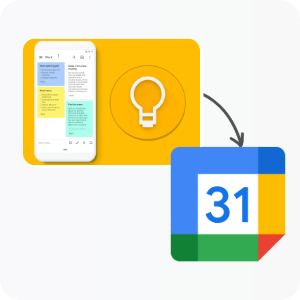
1 Connect Keep to Calendar in Google Workspace
1 Connect Keep to Calendar - Integration Theme
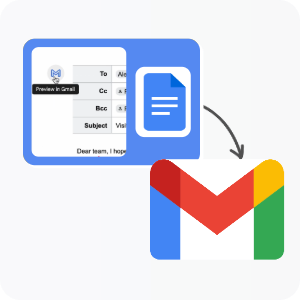
2 Draft Emails in Google Docs
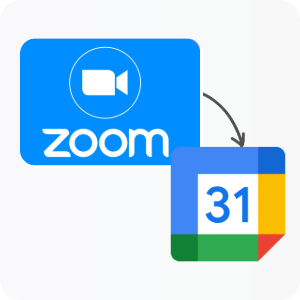
3 Zoom for Calendar in Google Workspace

Organization
Finding what you need, when you need it

1 Create Chat Spaces in Google Workspace
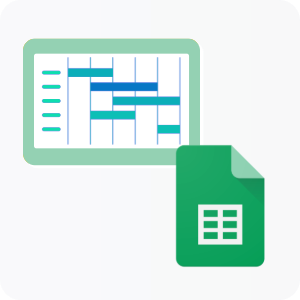
2 Timeline View in Sheets in Google Workspace
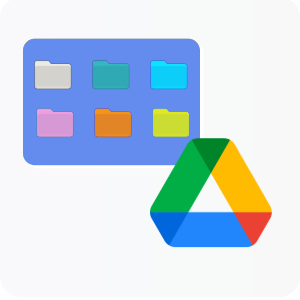
3 Color Code Folders in Drive in Google Workspace

Time Management
Reclaiming time through automation and boundaries

1 Custom GPT Assistant
2 Bookable Time Slots
3 Collaboration Overload

Your Top 10 Tips of 2025

The most-clicked resources across the year
Ranked by total clicks across all 2025 newsletters


1. Connect Notes to Events in Google Keep

Your #1 most-clicked tip of the year

Watch the 2-minute walkthrough →
Integration


2. Google Chat: Create a Space

Solved the "where did we put that?" problem 

Watch the quick setup video →

Organization


3. Draft an Email in Google Docs

Collaboration on sensitive emails without the chaos

Watch the email drafting demo →

Integration


4. Timeline View in Google Sheets

Project timelines for everyone

Watch the timeline tutorial →

Organization


5. Zoom for Google Workspace

Direct integration—one less tab, one less login

Install the Chrome Plugin →

Integration


6. How to Create a Custom GPT

August tutorial, daily clicks through December

Watch the custom GPT tutorial →

Time Management


7. Google Calendar Bookable Appointments

Let people book time automatically, on your terms

Read the appointment schedule guide →
Time Management


8. When to Use OneDrive vs SharePoint

Answered the "which tool for which job" question 

Watch the file storage comparison →

Organization


9. Collaboration Overload Study

Meeting overload, validated by research

Read the study summary →

Time Management


10. Color-Code Google Drive Folders

The dark horse, in Advanced Tips but you found it anyway

Watch the folder organization tips →

Organization

Looking Ahead to 2026


This year showed us what matters: tools that work together, work that's easier to organize, time that's respected. You told us through every click, every poll response, every tip you saved and came back to. That shaped 2025.

There's still time for you to shape 2026. The survey takes 2 minutes. Tell us what topics you need, what's working, and what isn't. Your input builds next year.

Need Tech Support?

UMS IT is here to help! Reach out via email, phone or chat. Walk-in help is also available.


IT Support: UMS IT Support Portal

Email: help@maine.edu

Phone: 1-800-696-4357

LiveChat: IT Support LiveChat


You may also connect with your local campus IT Office

View or Share this Email as Webpage

The University of Maine System is an equal opportunity/affirmative action institution.

For assistance with the ADA accessibility of this message, email ums-it-info@maine.edu

Copyright © 2025 Maine's Public Universities