Community Partners Newsletter
June 8 2022
Hello !

Happy June! This month we're excited to share several updates that are being made to the VSC platform:

  • New photo options for classes (with your selection of photos uploaded!)
  • Updated photos for promotion widget
  • New in Admin Panel: User Advanced Search (see more below)
  • New in User Creation: Facilitator Biography (see more below)
  • New in Admin Panel: Grid Columns (see more below)
  • Zoom special announcement before classes (see more below)

We highly encourage you to join our next New Feature Updates meeting will be on Thursday, June 9th at 12pm EST. This is a great opportunity to hear more about these updates and meet other community admins and discuss any challenges you may have. We will be going over the New Features shown below. You can ask any questions about the New Features at the meeting.

Every month this newsletter will share a highlight of what's going on the VSC, new partners, and important updates.


Trouble viewing this in your email? Click to View as Webpage
Did you see last month's updates?
In the past update:
  • How the new language options function
  • New information columns that appear in administration grid
  • Live Time Reports
New in Admin Panel: User Advanced Search
We're improving the options you have to filter and search for members in the groups that you manage. Now you can search by Name or Email. There are also 3 advanced filters:

  • Status: Active or Inactive
  • Languages: English, Mandarin Chinese, Korean, Russian
  • Zipcode: type in field
New in Admin Panel: Grid Columns
We're improving the quick views of data you can access from the administration panel.
All Grids:
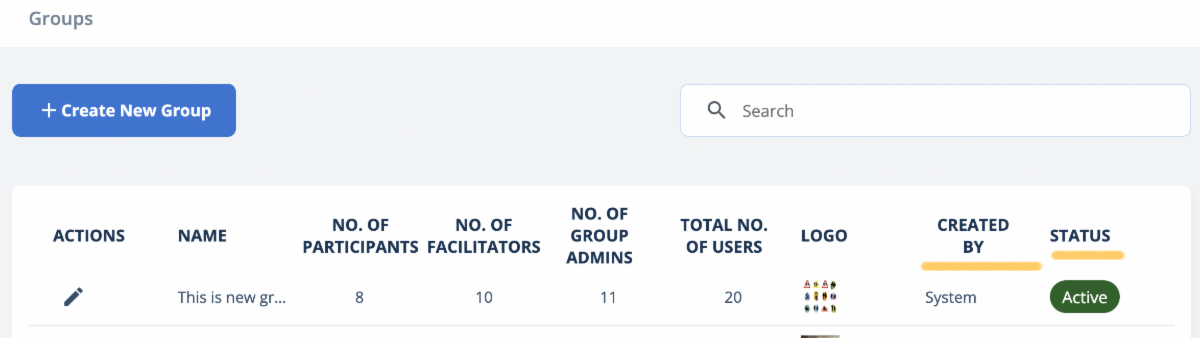
  • Shows created by user account name. If an entry was made before this update, it will show "System". Going forward it will show the person's name.

Group Grid:
  • Active/Inactive now shows in highlighted colors
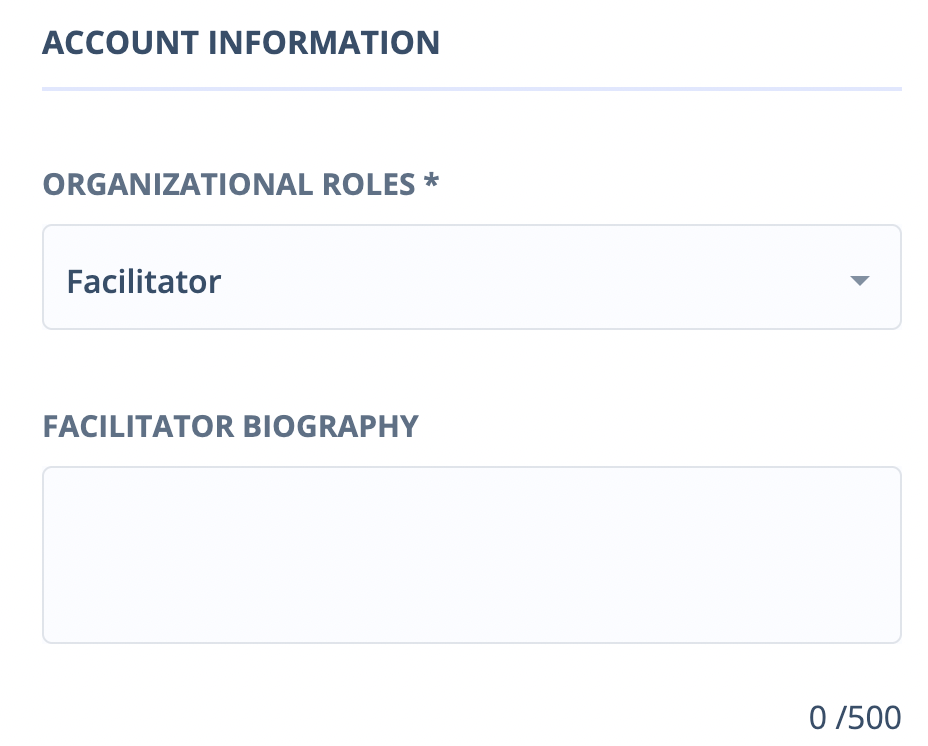
New in User Creation: Facilitator Biography
You can now include a facilitator biography when creating or editing a facilitator account. This will show up in the Class Information page when a member clicks on a particular class.
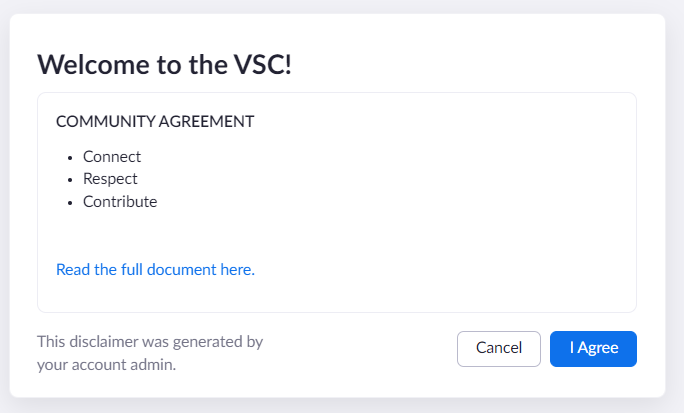
Pop Up Announcement for Zoom Classes
You now have the option to customize a message that pops up before a class that you manage begins. If interested, please contact Hang at hliu@selfhelp.net.
VSC Administration Tips
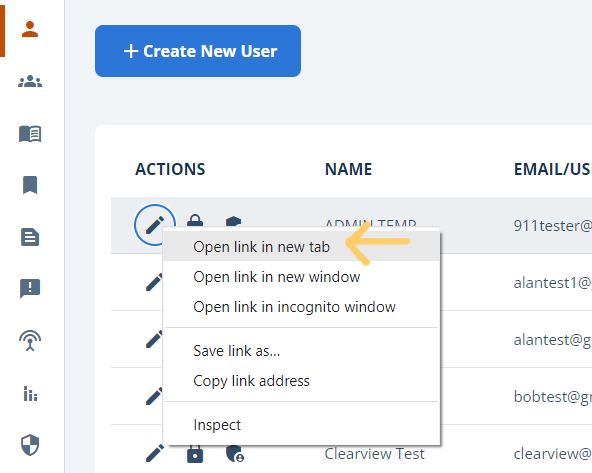
Tip: Need to edit several users/classes in a list?

Now you can right click on an edit (pencil) button and it will open in a new tab. Alternatively hold down the CTRL button when clicking on edit on Windows computer to also open in new tab. On Mac, hold down on Command and click.
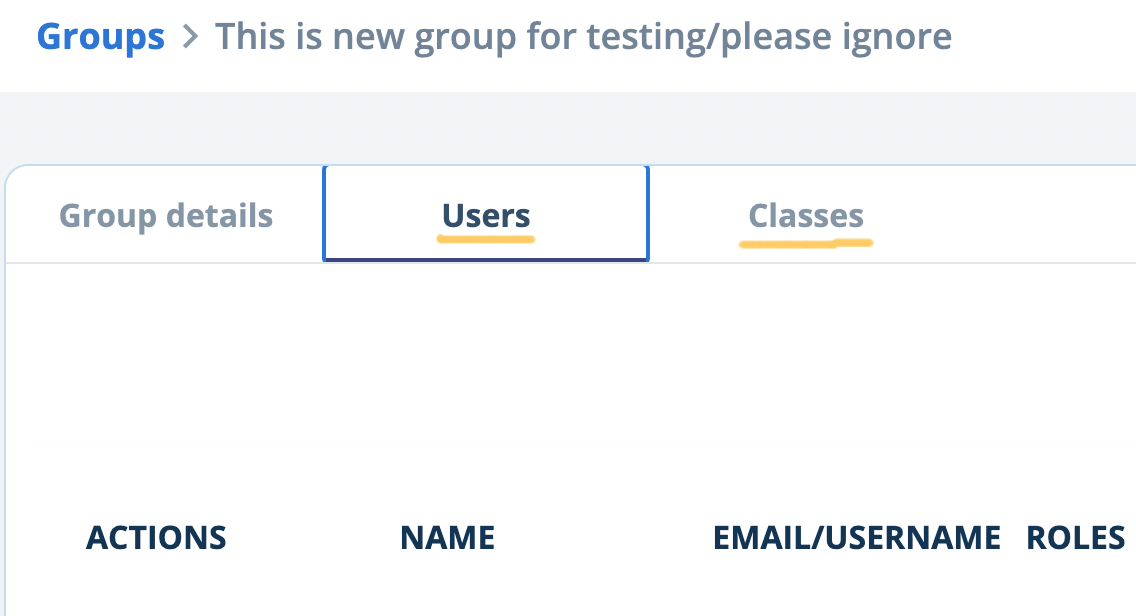
Tip: Want to see the list of Users or Classes* for a Group?

You can now view a list of Users and Classes* by accessing your Group. Click on the edit button next to your Group name and then click on the corresponding tab.

*Classes is a new addition this month.
Newsletter Sign Up Form: Share with a Coworker
Resources
Have a Great Week!
Did you find this newsletter helpful?
Yes
No
Have questions or ideas/feedback for content in this Newsletter?

Email Sara at slouie@selfhelp.net
Virtual Senior Center