We are improving the way that language classes can be shared with groups. We've assessed the various ways you like to manage your groups and the differing needs of admins in distributing classes. Using this, we've created new logic on the VSC that will make sharing language classes easier.
Below is an overview of how the Language Selection options appear and function on the VSC. We encourage you to join the New Feature Updates meeting this month for a more thorough overview.
Class Language: the spoken language that the group will be facilitated in, this can also include:
-
Universal: classes that members can participate in that do not require understanding the language (i.e.: live music and exercise classes).
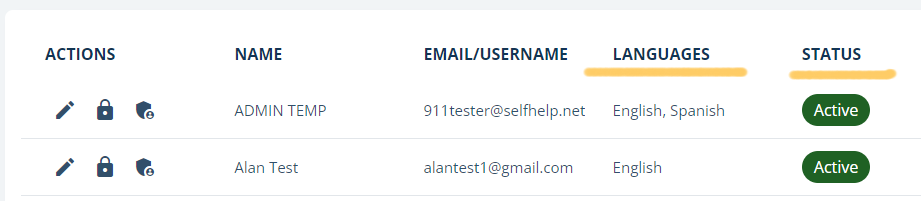
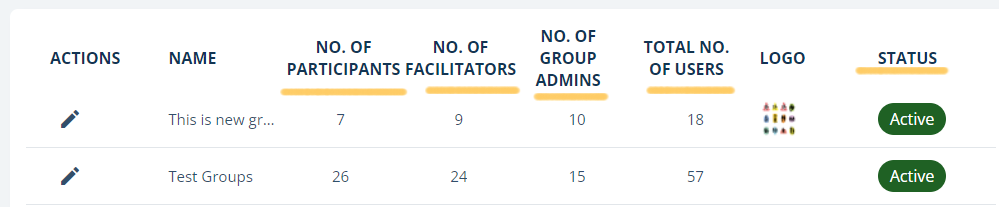
Group Language: languages are pre-selected for members of group can have access to.
User Language: decides which of the selected language classes (defined by the user’s group) will be visible under Today’s Schedule and Classes/Class Library. The user can modify this at anytime. For example, if the group offers English and Spanish, the user can decide to only see English or only see Spanish or both.
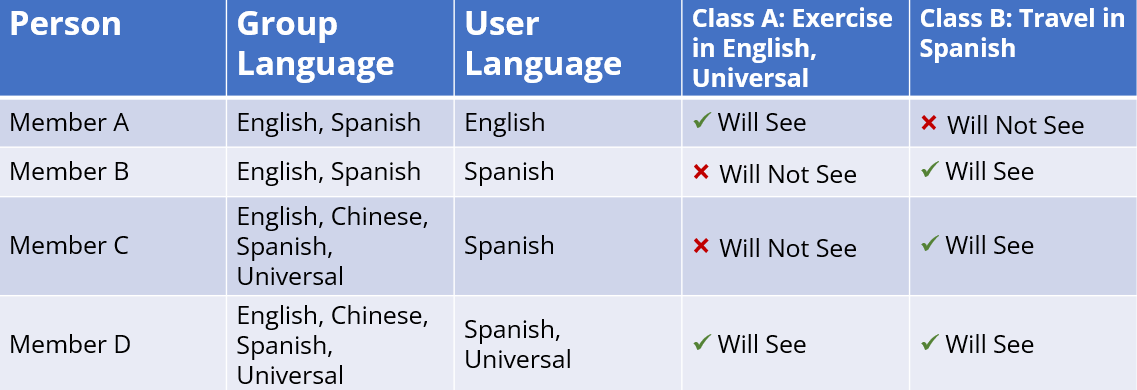
How will this effect a member?
For a member to see a class, the same language must be selected for class, group, and user. See chart below for examples: