Oct. 2024

District Communications will regularly share tips to improve your website. The goal is for site editors to be able to complete many of these updates in 30 minutes to an hour. You can find an archive of these tips and more resources on our Web Content Manager Hub on OneOPS.

Telling Your School's Story - About Us


Imagine – you and your family live in Kansas City, and you suddenly get to move to Omaha for a new job. As you’re trying to plan everything for the move, you’re searching for the right school for your children. What helps you make that decision? 


The content in your school’s About Us channel is one of the first places prospective families, staff and community members visit to learn about your school community. Here are easy updates to help your school share relevant and robust information that’s useful for visitors to your site.


About Your School and History Pages

Your school is more than its past, which is why we have About (School Name) and History pages separated out. For these pages, content should be “evergreen” which means you shouldn’t have to update this content regularly. Avoid sharing facts like enrollment numbers or staff numbers, as this information changes yearly.


Use your About (School Name) page to share the “elevator pitch” for your school. What should prospective families and staff know about your school? Why is your school special? What kind of experiences do you offer for your students? This is also the page to share a photo of your school building or include a bullet point list of quick facts about your school.


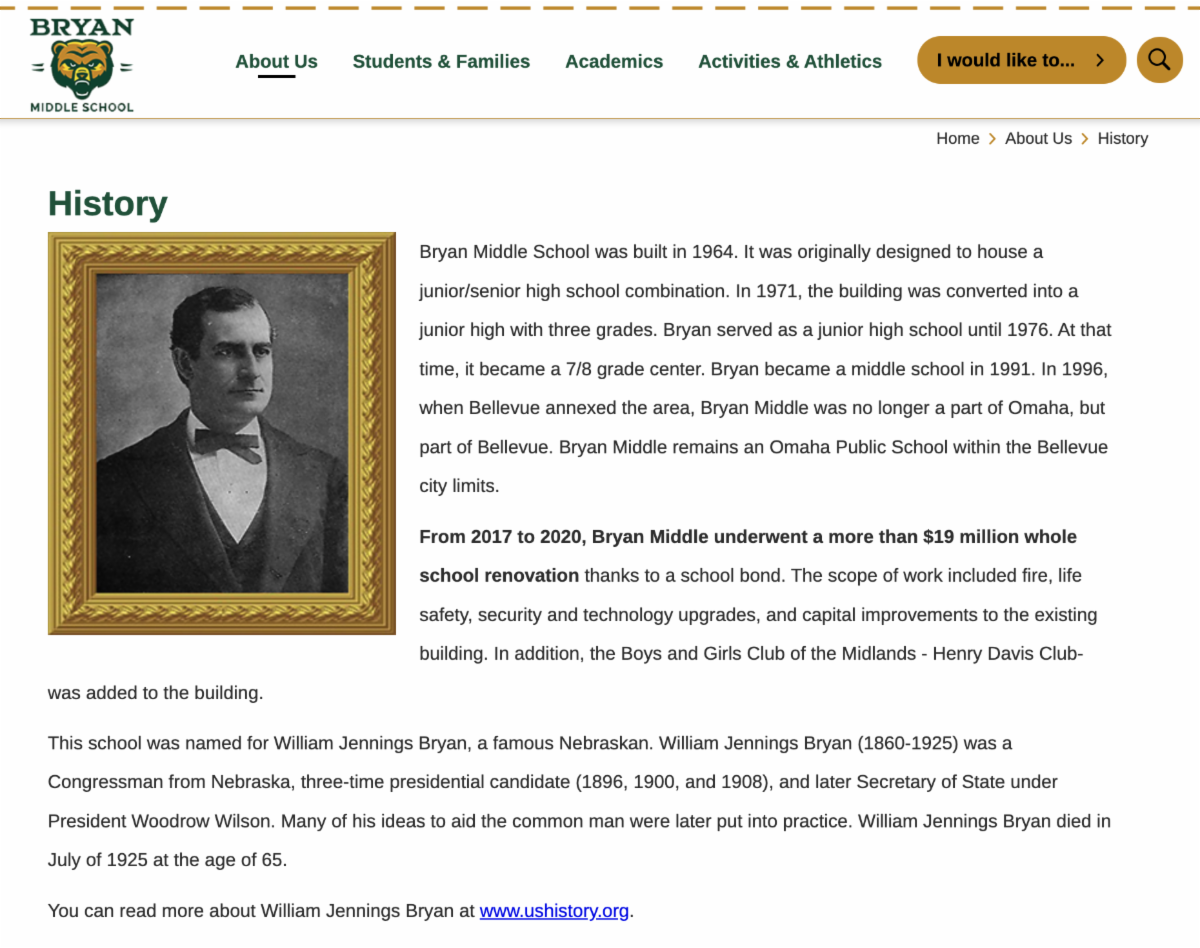
Tell your school’s back story on the History page. This is a place where you can share photos from school archives, a historical timeline, details about building renovations and other relevant information. Once your History page is robustly built out, this page should rarely need edits.


See the Finalsite Help File on the Content App for instructions on using the apps on these pages.

Meet Our Leadership Team

Your school’s principal and assistant principal(s) should be represented on the Meet Our Leadership Team page. Some schools may choose to include other leadership staff such as deans or instructional facilitators. See the Finalsite Help File on the About Teacher App for instructions on the app.

  • Use an About Teacher App for each leadership team member on the page.
  • Include short biographical information for each person. This should be “evergreen” which means you don’t have to update this content regularly.
  • Example: “Ms. Miller has been with Omaha Public Schools since 19XX.” instead of “Ms. Miller has been with Omaha Public Schools for 20 years.”
  • Upload a work-appropriate and properly proportioned photo for each person on the page. Principals should use their district-provided headshot.
  • Include a phone number and email for each staff member in the Details tab. Degrees and certifications are optional.

Documentation Updates

Many schools are updating Title I and/or School Improvement Plan documents on their sites. You do not need to add a new app to update your files. You can upload the new file in the current Document Viewer App on the page. See the Finalsite Help File on the Document Viewer App for instructions on uploading these documents. If feasible, place content on the page directly instead of in PDF form. Images with text should not be placed on website pages.


Staff Directory

District Communications uploaded a staff directory with certificated staff and administration for each school at the beginning of the year. We will refresh your directory for second semester. Check and manually update your directory regularly. Staff directories do not include all staff, just staff members that families will want to or need to contact. See the Finalsite Help File on the Staff Directory App for instructions on updating your directory.

District Communications Support and High School Website Reviews

District Communications will begin reviewing high school sites mid-October. High school Web Community Managers will receive their reviews at the beginning of November. Layne Gabriel will be out Nov. 8-22. Please reach out to District Communications at (531) 299-0221 or Finalsite (wcmsupport@finalsite.com) for your support needs during that time.

Questions? Want feedback? Reach out to Layne Gabriel at elaine.gabriel@ops.org.