Facebook  Twitter  Instagram

SPLAT! - Website Revamp

website.jpg

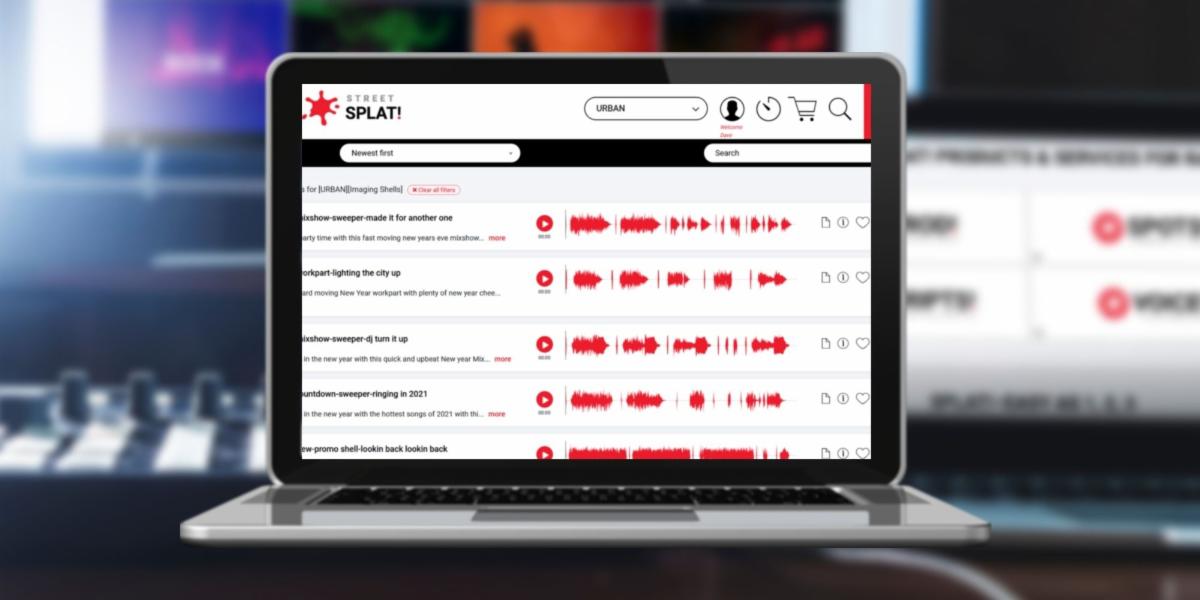
Based on your feedback, we've introduced some changes to the SPLAT! website. These include revised page navigation, better file display, additional icon functionality, and other useful updates.


At your next login, please do a hard refresh of your browser, or clear your browser's cache, to allow changes to display properly on your screen.


See below for a brief rundown of new features and functionality.

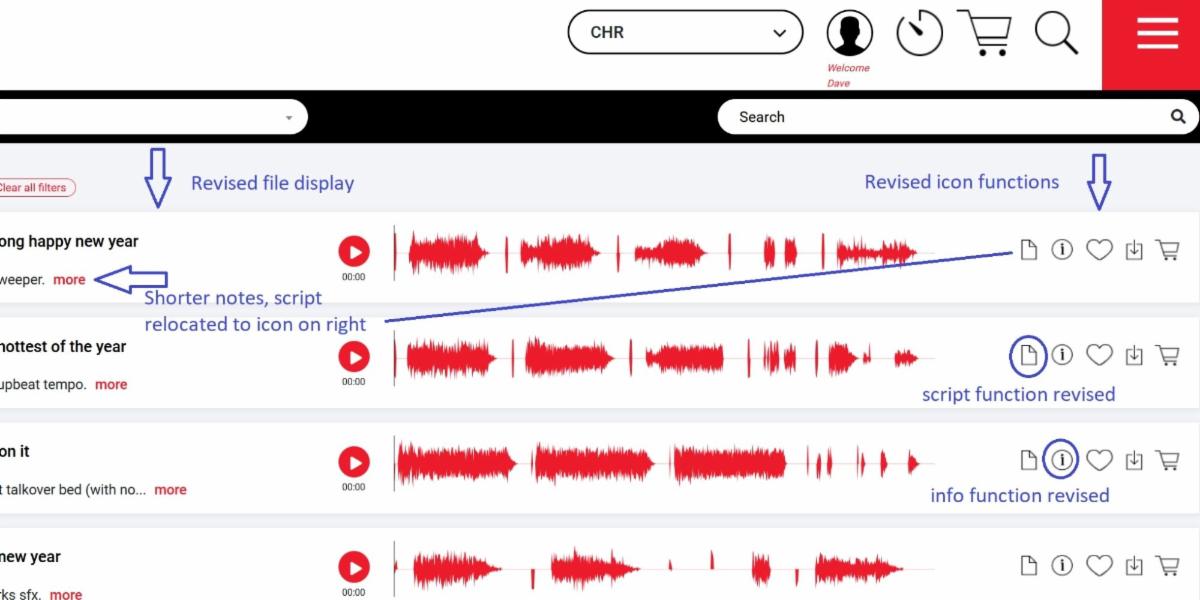
NEW FILE DISPLAY + MORE RESULTS

*Notes are now shorter, new icons take the place of previous displays, more files will load per page, and there's less clutter.

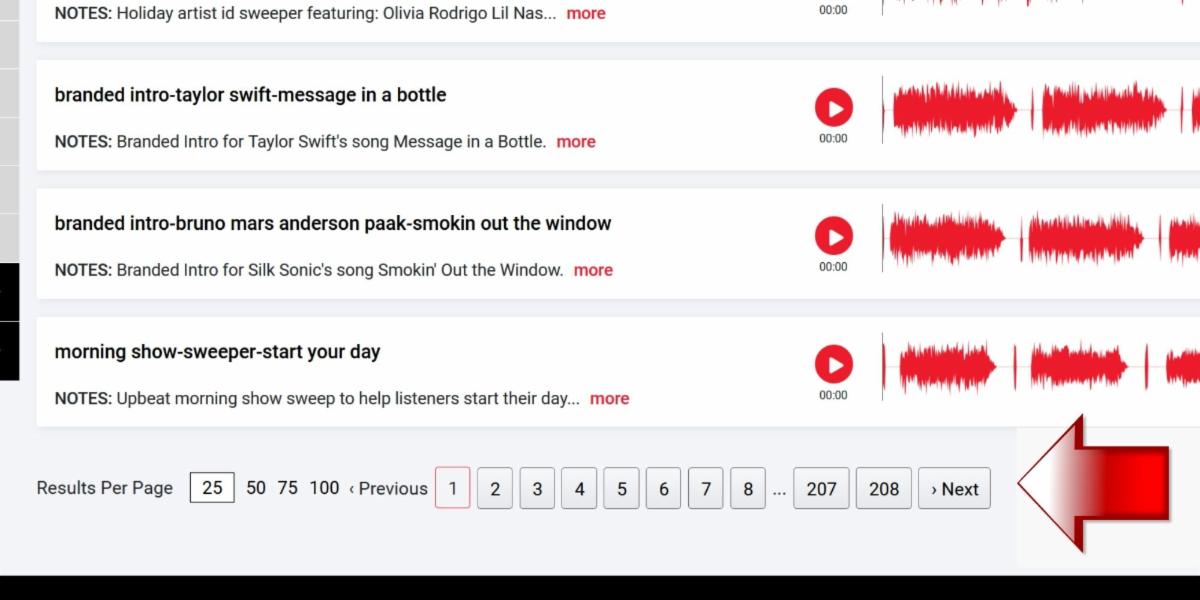
PAGINATION REPLACES INFINITE SCROLL

*The #1 suggestion from users: Infinite scroll has been replaced by pagination, allowing for more files displayed per page, better file recall, and of course, a lot less scrolling.

NEW ICONS REPLACE OLD FUNCTIONS

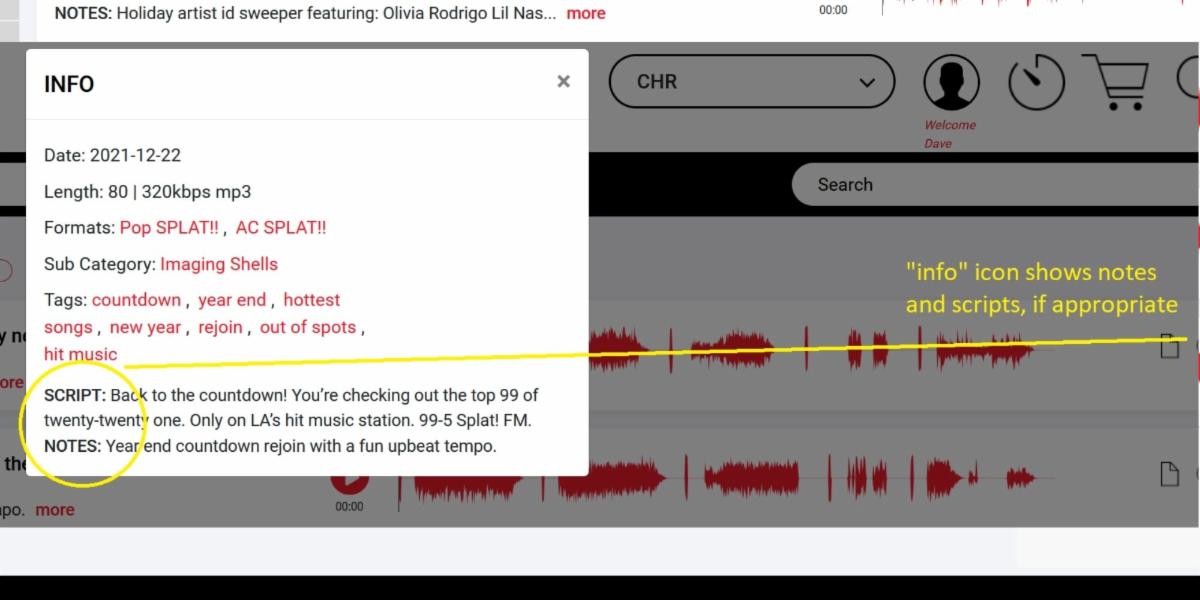
*The "info" icon now enables a pop-up window for quick reference of the file data. (You can still use the "more" option to force an individual page-load of the file if you have time to spare.)

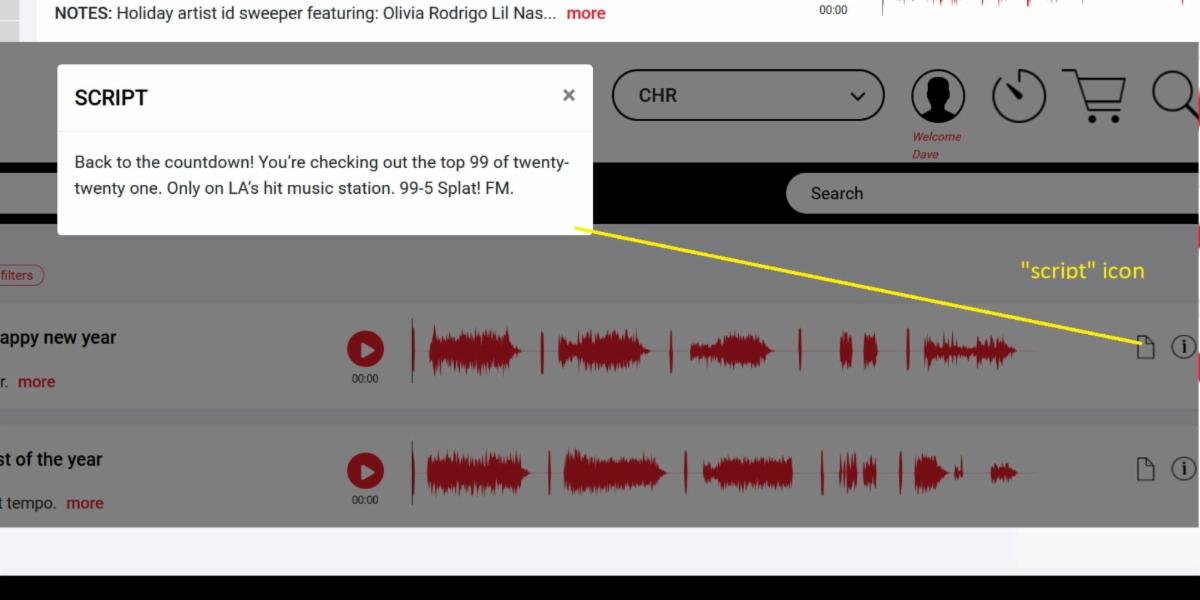
POP-UP SCRIPT FOR QUICK COPY & PASTE

*The "script" icon enables a pop-up window where you can copy and paste the script. The script wording has been removed from the main file display to allow for a cleaner screen.

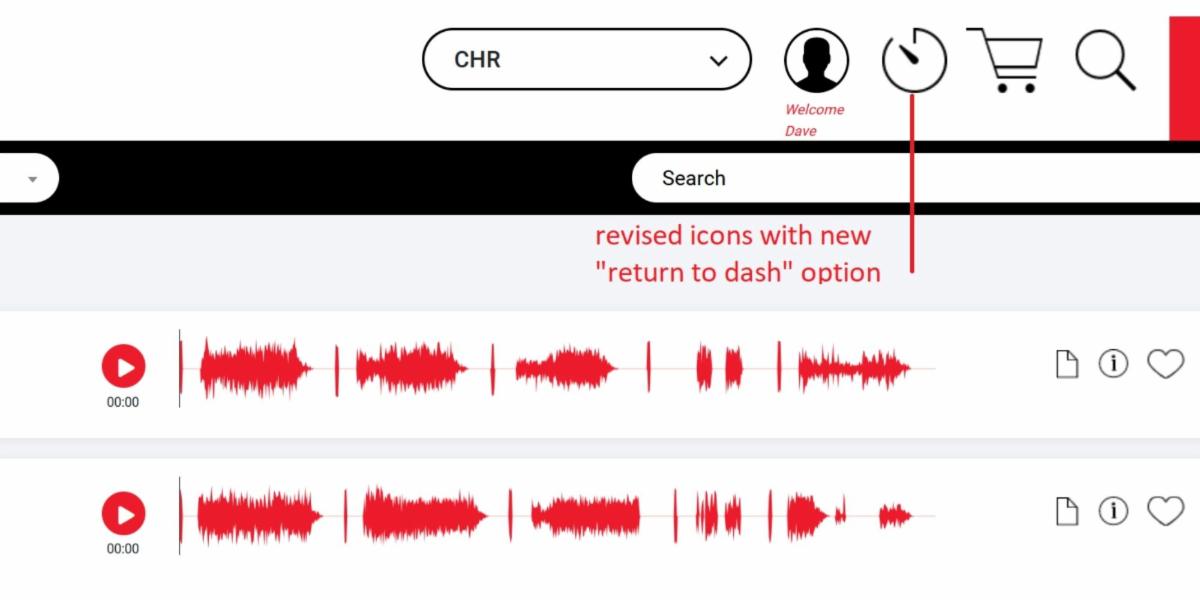
NEW LOGIN LANDING, DASH RETURN OPTION

*At login, you now land directly in the imaging categories instead of the dashboard. You can easily return to dash anytime with the new "dash" icon.

So that's a quick review of just a few of the main changes.


Thanks again for all of your suggestions and great ideas, we've worked hard to make them come to life for you. We hope you enjoy the new features and layout, please let us know what you think, and keep those suggestions coming.


Thanks for reading, thanks for using SPLAT!, and......

Log In Now!