Welcome to Merz!

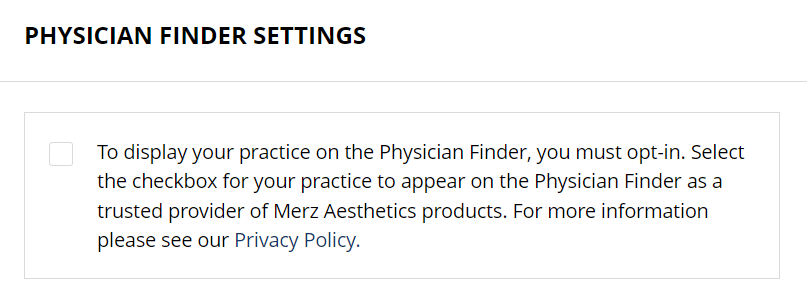
When you have a moment, please register for the Merz Portal by clicking below link. Please have your account number handy, if you don't have your account number please reach out and I will provide. This website has all the things you will need from marketing materials, physician listing on Google (you have to opt in), payment portal, lead tracking, etc.


Please allow 24-72 hours for your registration to be approved.

Click HERE for MERZ Portal

Once your Merz Portal is set up, I recommend checking out each of the following areas:

Physician Finder:

Navigate to: "About My Practice (right of home page)/ "Manage"/"Account Info"

  • Confirm all information is correct
  • Opt-in to Physician Finder
  • Check the box that alerts you when a lead is generated

Manage Users:

Navigate to: "About My Practice (right of home page)/ "Manage"/"Manage Users"

  • Add members of your team and choose their permissions


Social Toolkit

Navigate to: Tools (main menu)/Social Toolkit

  • Choose social media content by brand and post directly to Facebook. Instagram can be copy and paste.
Merz Portal Social Media Toolkit

Any questions on setting up your Merz Portal please reach out to our Merz HUB, they will be happy to walk you through.

Merz HUB Support

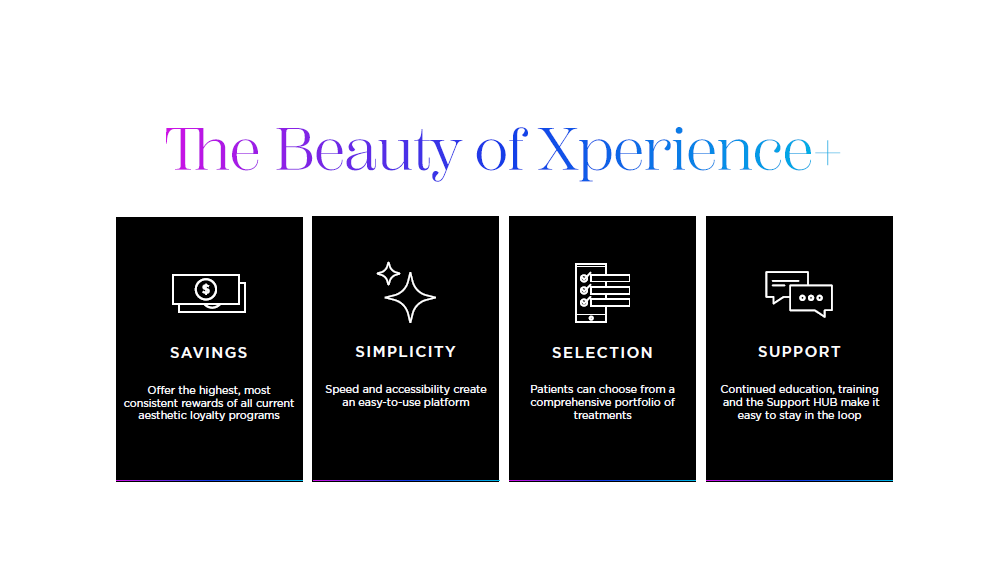
Now let's get your Xperience+ Patient Loyalty Program set up!

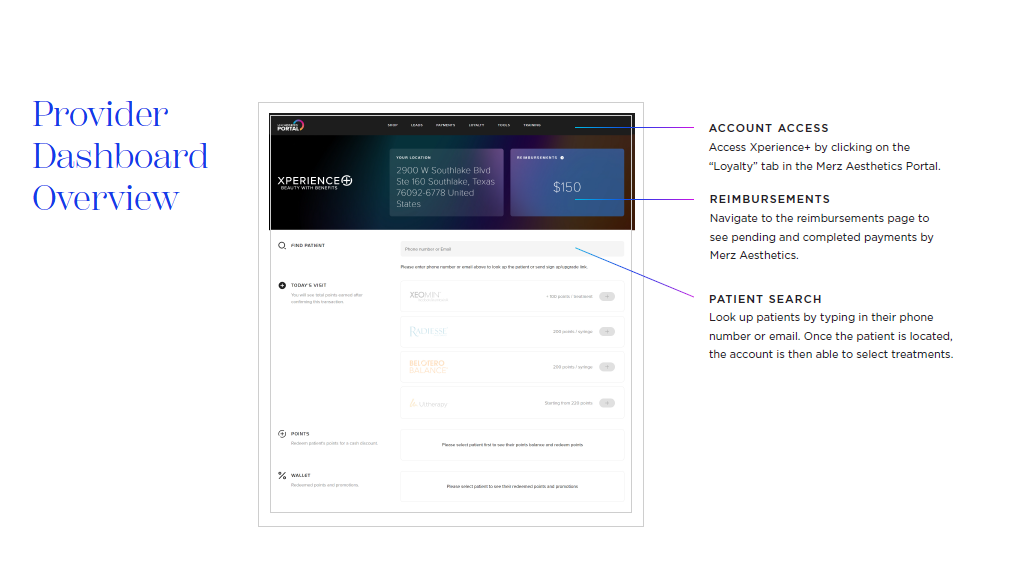
You access the Xperience+ program in your Merz Portal.

From the Menu/Tools Navigate to Loyalty >> Xperience+ 2.0

  • Set up banking information: From there you will need to set up your banking information for the rebate program and Xeomin $50 reimbursements.
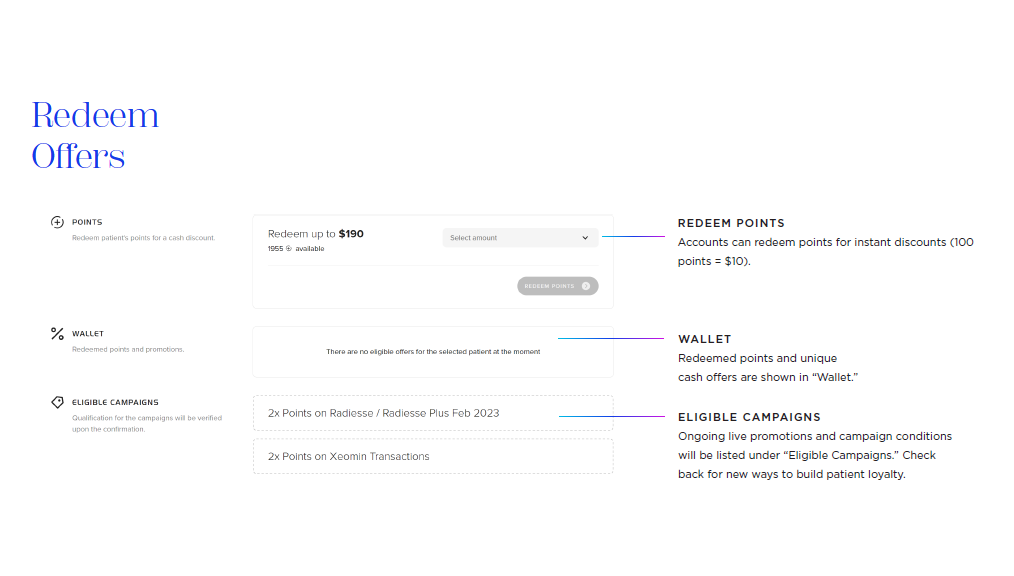
  • Enter Patient Services/Treatments: Once your banking information is set up you will be able to log in Portal >> Xperience+ and start logging in patient visits. Under the Xperience+ you can search a patient by entering their phone number. If they are new to program there will be a prompt that will send the patient a text to complete registration. Once they complete registration, you can enter in their phone number and enter the services given.
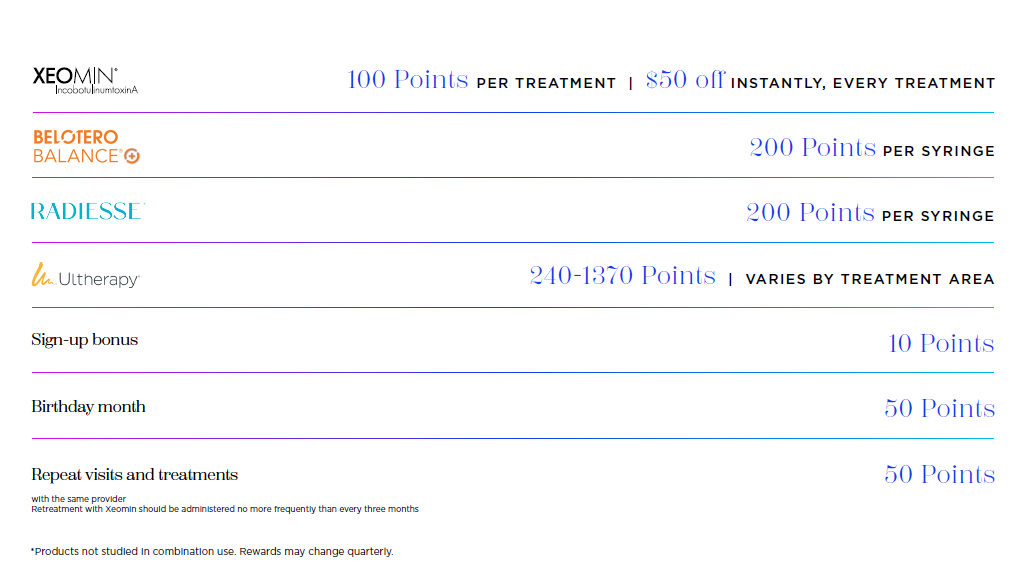
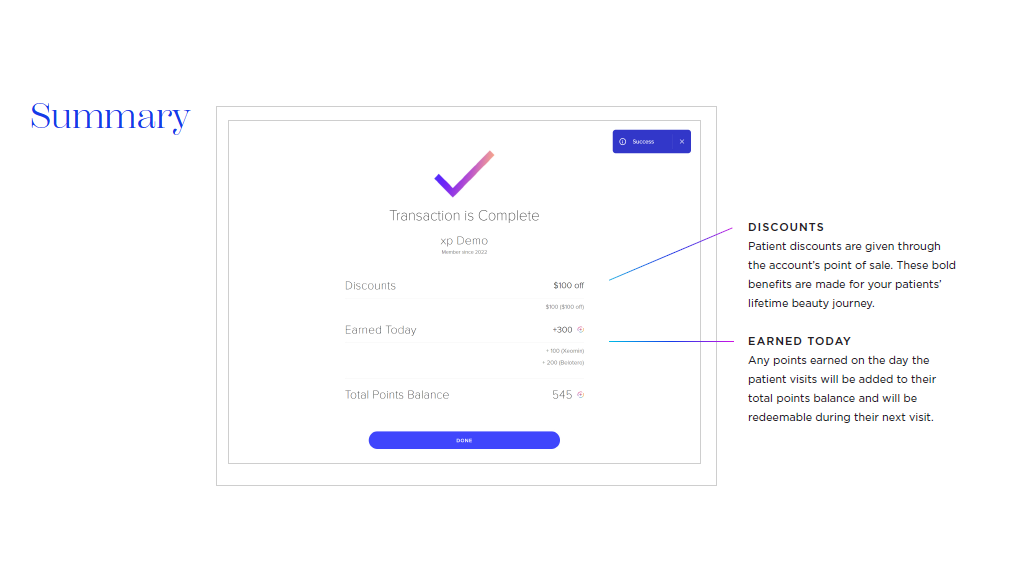
  • If Xeomin was provided the provider with add that service in Xperience+ and give $50 off at time of visit. The provider will then receive reimbursement via the banking institution they entered at registration.

Here are some great training videos

Live Xperience+ Training Video
How to Sign Up
How to sign up patients
How to distribute points and awards
Reimbursements
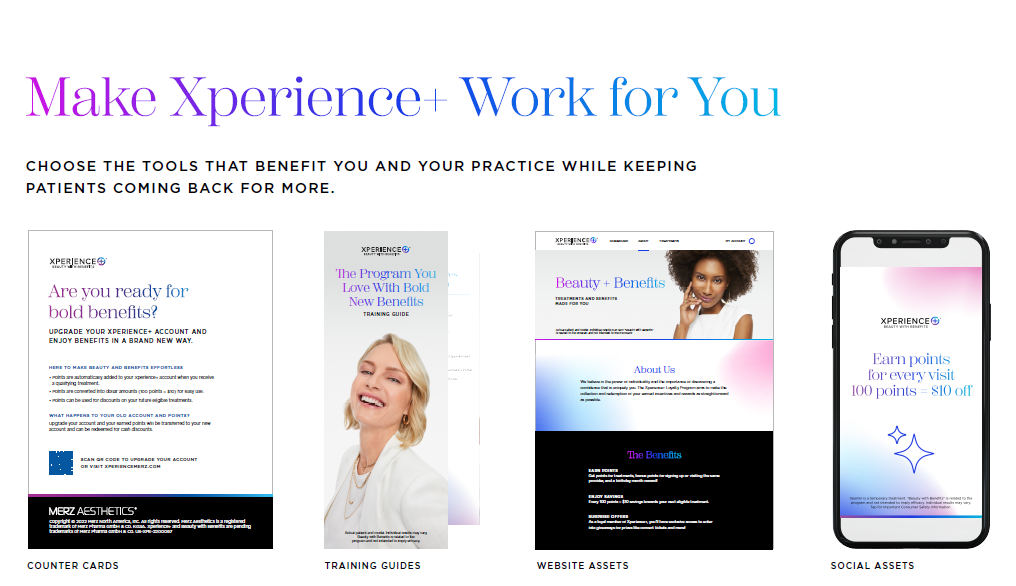
Click HERE for Xeomin Social and Marketing Assets

FAQs:


  • 100 pts is $10 next visit
  • If a patient had points from the old program, can those transfer over to the new XP? Patient point values do carry over from the old system. However, the patient will need to upgrade their legacy account to a 2.0 account in order for points to transfer. (They'll need to use the same email address otherwise it'll create a brand new account instead of upgrading a legacy account). 
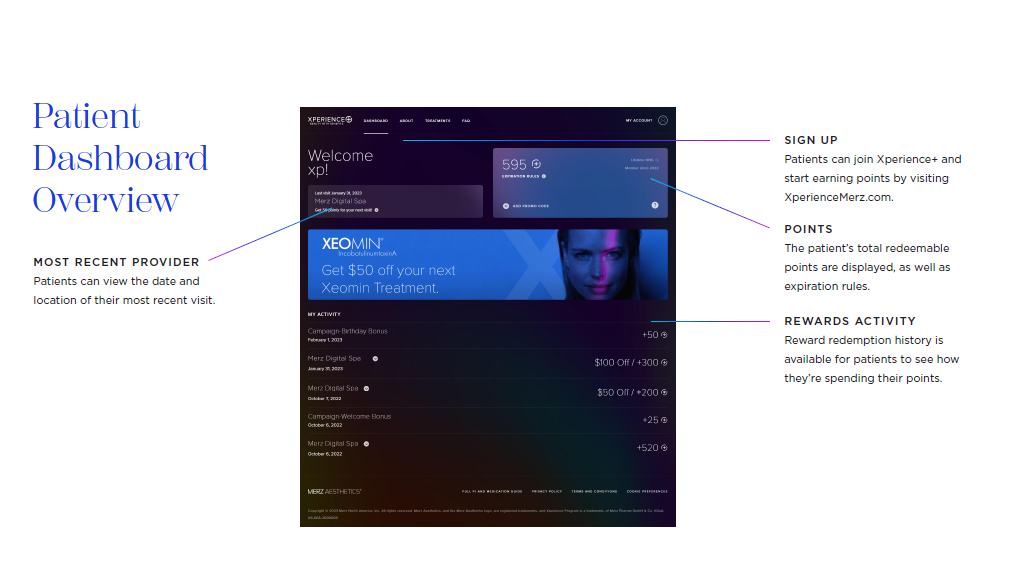
  • Xperience points don't expire for providers right? Just for patients if they have inactivity for 18 months? Exactly right! The reward allocations HCP's use when granting rewards do not expire. Only the patient points do after 18 months of inactivity. 
  • Is there a place in the program where a physician can see all the patients that they entered in for a reward? If an account gets busy and doesn't know for sure if they entered a patient, how can they check to see if the patient was entered? HCP's can see treatments entered by clicking on the "pending reimbursements" box within XP+. They can access it by clicking on the arrow next to "reimbursements" which will then take them to the reimbursements page. However, they are only able to see patients they have given money off to. For example, if a patient came in and only received Radiesse, there is no where in XP+ 2.0 that the HCP would be able to go back and see that transaction if the patient didn't use any points. 
Any issues registering or with the portal call MERZ Customer Support HUB 1-844-637-9482