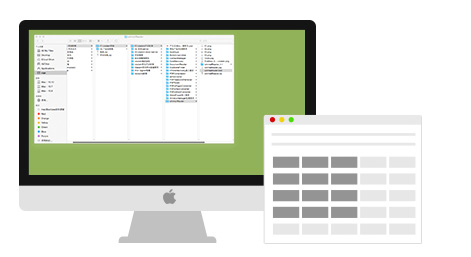
Are jumbles of windows getting in the way of your productivity? WindowManager allows you to easily manage your window positions and sizes with keyboard shortcuts or rapidly draw windows into position using your mouse. It's time to work more efficiently with the help of WindowManager now.
- Keep your workspace organized by snapping windows into various sizes and positions.
- Copy, compare, multitask easily with multiple windows aligned neatly side by side.
- Manage windows by mouse, grid and keyboard shortcuts.
Key Features of WindowManager for Mac:
Automatically Resize Windows When Dragging to Screen Edges (Window Snapping)

WindowManager comes with 7 pre-defined dragging actions by defining the left, right, top edges of your screen as 'hot zones'. When you drag a window to the edge of the screen with WindowManager installed, the window will auto-resize to fill a specific area of the screen. Depending on where you drag a window, you can make it expand vertically, take up the entire screen, or appear side-by-side with another window.
Resize Your Windows with the Innovative Grid System
If you need even more than those standard snap areas, WindowManager also allows you to quickly and efficiently divide your screen into exact portions. All you have to do is click and drag within the display grid interface to select the area that you’d like your window(s) to occupy; your windows will then be resized and moved to that relative position on your screen.
 Be Even More Productive with Keyboard Shortcuts! Be Even More Productive with Keyboard Shortcuts!
If dragging doesn’t float your boat, WindowManager is also accessible through easy to remember and customizable keyboard shortcuts. You can simply highlight the windows and use the menu bar shortcut or keyboard shortcut to instantly snap the window in a specific location on your Mac.
Highly Customizable to Fit the Way You Work with Your Mac
The function and appearance of WindowManager are highly customizable to streamline your individual workflow.
- Set the edges and borders for accessing desktop icons and avoid shadow overlap.
- Set the keyboard shortcuts to display and disable WindowManager app.
- Set to start WindowManager when launch your Mac.
the best window manager. "So easy to use, my 7yr old boy knows how to work this app. This application has all the features I needed to manage Windows perfectly as I work through my day. Saves time, and productivity with such a small price to pay. Most deffinatly one of the best window manager you can buy, hands down I would recommend to all." - Thomas Fred, US Best window snap app for the Mac. "Great app. Works better and smoother than Cinch, as well as a much nicer resize window graphics, along with more options. Don't hesitate to pick this over the rest, this is definitely the best in it's class." - Troy Shafer, US Just what 1 had been missing! "After switching back to the Mac from Windows 7,1 kept finding myself trying to move a window to the side and have it snap into place. This brings that same functionality to OS X and more! Fantastic little application." - Laura Southerland, CA
|