|
We are excited to announce Workday is here and ready for setup!
All employees will need to set up their Workday accounts in order to view paychecks, request time off, clock in/out and more.
Please find instructions below to get started:
-
Visit the Okta homepage at this link.
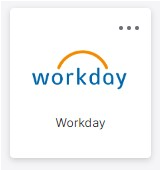
- Click the Workday tile (example pictured below right) which will automatically log you in through Okta.
- Navigate to your personal profile page to review your information. Tasks will also be sent to Workday inboxes for you to complete shortly following our launch.
- Verify your name, email, address, taxes and bank account information.
- Save any changes to your profile.
Please complete setup by Friday, October 4 to ensure paychecks, time entries and other important information is accurate.
If you have any questions about your account, please reach out to your local HR representative for assistance.
|