|
Pinergy 2025: A Year Built for Faster, Smarter MLS Workflows
Reflecting on upgrades that shaped your most efficient year yet
In 2025, our team focused on projects designed to make Pinergy faster, smarter, and easier for you. For major improvements, we introduced a series of AI features in partnership with Restb.ai. This includes an AI listing generator that kicks off listing entry by analyzing your photos and automatically detecting features and amenities. Photos are labeled for you, and features are highlighted in yellow on the listing form. Later in the year, we launched the AI-powered Public Remarks generator, which reviews all listing details and delivers polished remarks in seconds: ready to use, edit, or regenerate. Another major focus was making Pinergy feel like a true mobile app. A real game-changer! It began in April with a new Pinergy Home page just for smartphones, offering modern, icon-based navigation designed to get you wherever you need to go with just a few taps. The smartphone version of Quick Search can use your phone’s location to pinpoint nearby homes, and the new Mobile Search (beta) lets you build search criteria through simple dropdowns and selections. We also enhanced mobile tools so you can edit offline and online listings and post listings directly from your phone. Additional 2025 updates included a redesigned Options & Settings tool, expanded character counts for school fields, room visibility in search results, increased listing cart capacity, a new Recent Views tab showing up to 1,000 properties, and numerous other improvements that cannot be listed here. We can’t wait to bring you even more time-saving, success-driven tools in 2026.
| | |
Free, Unlimited Floor Plans Coming in the New Year
Your new go-to tool for elevating every listing
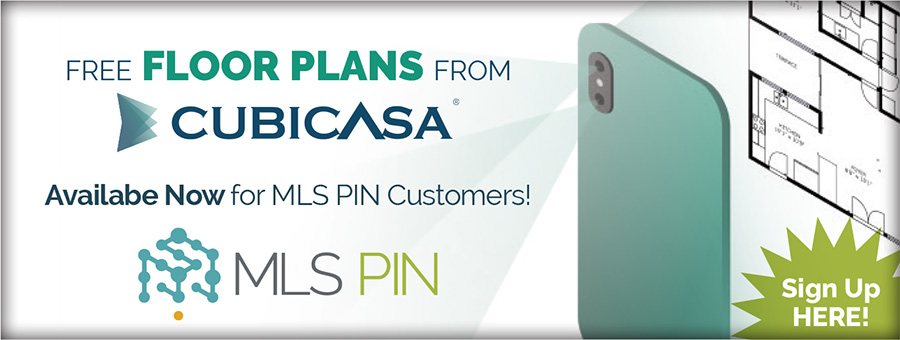
A buyer's interest in floor plans and our new partnership with CubiCasa go hand in hand, giving MLS PIN customers free access to floor plans that anyone can create in five minutes on an Apple or Android phone. This new benefit will be available in 2026. Located in the CubiCasa app, free plans will include black-and-white and 2D options for properties up to 5,000 sq. ft., all delivered within 24 hours. Customers who want to upgrade to plans in 3D or with color, fixtures, furniture, and a faster turnaround time will receive a 15% discount. Watch for emails and updates on the Pinergy homepage in January with more information on how to claim your free account once the benefit is live. We hope this new subscriber perk “floors” you and adds even more appeal to the listings you represent.
| | |
New "Copy Link" Button Helps You Share Listings on Social Media
Social media remains one of the quickest ways to draw attention to your listings. Meta is not allowing direct third-party postings to business pages from sites like Pinergy, but there is now a quick workaround in Pinergy you can use while we work to solve this issue. Your listing’s Social Share window includes a new Copy Link button beside the existing social media icons. Clicking it copies the URL for the public listing details page to your clipboard so you can paste it directly into any site that accepts links. This includes Facebook business pages. Once you have posted your links, you can track the results in your listing’s Marketing Overview. With a new Social Media Shares category called Other, you can now see how many views your manually posted links are generating. It’s a small update, but one that keeps your marketing moving even when a platform puts up roadblocks.
| | |
New ADU Field Added to Pinergy
A helpful new way to pinpoint the homes your clients want
Pinergy’s single-family listings now include a required yes/no field, Accessory Dwelling Unit (ADU), so be sure to update your listings accordingly. As more listings make use of this new field, it will be easier for clients to identify properties that include an ADU. To search for these, navigate to the Advanced Criteria section, select “Accessory Dwelling Unit,” then check the “Yes” box. In Pinergy’s Market Reports, scroll down to the Advanced Criteria section, select “Accessory Dwelling Unit,” enter “Y,” then click the Add button. Pinergy’s line views can display and sort by ADU, and the new field appears in listing detail reports on Pinergy, IDX, and VOW. For general information about Accessory Dwelling Units, visit mass.gov.
| | |
Pinergy Listing Enhancements You’ve Been Asking For
New flooring and power production options that help you showcase listings with more precision
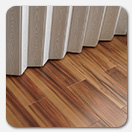
Thanks to your feedback, several new features have been added to Pinergy listings to improve accuracy and highlight key property details. Single-family, condominium, multifamily, and mobile home listings now feature two new flooring options: “Luxury Vinyl Plank / LVP” and “Luxury Vinyl Tile / LVT.” These same property types also have a new Power Production field, Approximate Monthly Lease Payment, which becomes required when any “3rd Party Owned” Power Production Type is selected. These enhancements are designed to help you showcase your listings more effectively and make it easier for homebuyers to find the perfect match.
| | |
New Listing Document Options Added
Easily attach home inspection documents using the Type of Document dropdown
In response to your feedback, we’ve added two new options to your listing’s attached documents. The Type of Document dropdown now includes “MA Mandatory Residential Home Inspection Disclosure.” It also includes “Residential Home Inspection,” intended for out-of-state listings. Need a quick refresher? Visit Attaching Documents to Listings to see outlined steps on how to add documents to your listing.
| | |
A Clearer, More Organized Look for Recent Searches
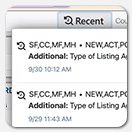
You may have already noticed a helpful update in Pinergy: a new layout for your Recent Searches. Clicking the Recent Searches button in the top-right corner now opens a clearer, more structured view of your past criteria. Recent searches now show the date of the search, property type, status, addresses, towns, and additional criteria such as interior features and waterfront. The improved layout makes it easier to scan, and the new “i” icon provides added details that may help you quickly reload a prior search. It is a simple update that makes returning to your frequently-used searches smoother and more efficient.
| | |
Make Your Tools Page Work the Way You Do
Are there Pinergy tools you use more frequently than others or some you don’t use at all? If so, then tailor the Tools page in Pinergy to match the way you work. From your PC, sign in to Pinergy and navigate to the Tools section. Click the “move” icon in the upper-left corner of a tool tile to drag-and-drop it to another position. Hover over an unused tile and select the “hide” icon in the upper-right corner to hide it. Change your mind? Select “Show All” in the upper-right corner of the page to display all tiles, hidden or not, and click the tile’s “unhide” icon to show it again. Your changes are saved automatically, and they will be updated on the Tools page of your mobile device as well. View our brief Customizing Pinergy’s Tools Page video and shape your Tools page into a setup that feels perfectly your own.
| | |
Make Use of Your Listing’s Marketing Overview Report
The Marketing Overview report brings your listing’s activity and market history together in one place. In Pinergy, navigate to Listings and click a listing’s Marketing Overview button. You’ll find status and price changes, scheduled open houses, and viewing history across VOW (by Contacts), MLS (by agents), Pinergy IDX, and social media. The report also displays virtual tours and photos. Thinking about adjusting the price? The Price Change Reflection tool lets you preview different list prices and how many new or total Contact matches your listing would have at each price. The results are added to the report, which you can print and use with your seller when discussing your marketing strategy.
| | |
Pinergy in Your Pocket
MLS on the go, anytime, anywhere
At MLS PIN, we have always focused on giving you seamless access to Pinergy wherever your day takes you. We started with a mobile website that brought core features like searching and hot sheets to your phone. Today, most of Pinergy is mobile-friendly. You can search listings, run hot sheets, and manage your inventory and contacts from any device. This year, we’ve taken mobile a step further by optimizing key areas specifically for smartphones. When you sign in to Pinergy at pinergy.mlspin.com using your phone, you’ll see an improved Home page, Quick Search, and Mobile Search (beta), all designed to feel faster and more intuitive on a smaller screen. More mobile improvements are already in development. Responsive Pinergy is still available, but we’re confident you’ll appreciate the added usability of these new smartphone-focused features. Pinergy continues to evolve with the way you work, and we’re committed to enhancing your mobile MLS experience.
| | |
Reminder: Compensation Offers No Longer Allowed in Pinergy
As of September 2, 2025, participants and subscribers are no longer able to make or share offers of compensation in Pinergy. This applies to the listing itself and any related photos, documents, or other attached materials. Listings also may not reference a broker’s or seller’s willingness to offer or pay compensation. We appreciate your partnership as we move forward with this important Rules and Regulations update.
| | |
Reporting Listings as Under Agreement: A Quick Reminder
Subscribers must report a listing as Under Agreement within 24 hours, excluding weekends and holidays, once a signed, enforceable offer to purchase or a purchase and sale agreement is received (whichever occurs first). If the seller has instructed you to continue showings for backup offers, please mark the listing as Contingent (CTG). Otherwise, the status should be marked Under Agreement (UAG). Thank you for your careful reporting and for helping keep Pinergy a reliable resource for everyone.
| | |
DepositLink Help Center: Quick Answers for Faster Payments
Secure, fast, and convenient. That is the promise of DepositLink, the service that streamlines requesting and sending common real estate payments. Even better, brokers and agents use it at no cost. To help you get started, DepositLink has launched a new Help Center filled with articles, videos, FAQs, flyers, and more. This includes dedicated How to Videos that show you step-by-step how to request earnest money, commissions, rental deposits, and other common real estate payments. You can access DepositLink in Pinergy’s Quick Links, in Tools, and within your listings in Listings Manager.
| | |
Rental Beast Offers Resources to Help You Finish the Year Strong
Rental Beast is your connection to the rental market, and they offer several resources to support your business as you close out the year. Their new downloadable playbook outlines how to find high-demand rental opportunities and build stronger relationships with landlords and investors. Open the playbook to uncover new opportunities and strengthen your network. You can also learn more about rental pricing in their article, “How to Set Competitive Rental Prices with CMA Tools,” which explains how to use Rental Beast’s rental-focused CMA tool to build credibility and guide clients with confidence. Rental Beast’s Apply Now tool helps you manage rental applications and is available in Pinergy’s Quick Links, Tools, and listing details.
| | |
Employee Spotlight
Lisa Mazur, Software Quality Assurance Analyst
Before any new Pinergy feature goes live, a team of experts puts it through its paces, and for the past two years, one of those experts has been Lisa Mazur, Software Quality Assurance Analyst. Lisa tests new features, writes and executes test cases, and reports any usability issues to Development so that, by the time you see a feature, it delivers the best possible user experience. Pinergy’s many mobile-only enhancements certainly kept her busy in 2025. Before joining MLS PIN, she worked for a materials research company as an Administrative Assistant to the Director of Materials Research. She loves her work here, especially learning the system’s capabilities and being part of a company that makes employees feel like family. Outside the office, Lisa can often be found on the pickleball court or kayaking with her husband and teenage sons, hiking, or traveling, with her most memorable trip being a visit to Russia through a Boston-based travel company where she once worked. MLS PIN is grateful for Lisa’s dedication, attention to detail, and the care she brings to making Pinergy an even more powerful and user-friendly solution.
| | | | |