|
MLS PIN Listing Certification: What You Need to Know
As we approach the finalization of our settlement, we want to provide you with helpful resources to support your success and ensure compliance with our updated Rules and Regulations (for details, check the email we sent August 28, or view the web version HERE). Our updated compensation rules now require an agent's certification when posting a new listing into the Pinergy platform. We’ve prepared several options for how you can meet this requirement with your seller, depending on your preferred listing process. We’ve revised the MLS PIN Exclusive Sale and Listing Agreement Form to include language confirming that your seller has been notified of and agrees to the new rules. The MLS PIN Exclusive Sale and Listing Agreement Addendum has also been updated to incorporate the required certification language. Finally, for agents who do not use the MLS PIN Exclusive Sale and Listing Agreement Form or the MLS PIN Exclusive Sale and Listing Agreement Addendum, we’ve created a new, standalone MLS PIN Exclusive Sale and Listing Agreement Compensation Certification Addendum that can be used with your seller. If none of the above options suit your business practices, you may incorporate the certification language from the standalone addendum into your own listing documents, including your state association, local association, and brokerage-specific forms. We recommend consulting your attorney to ensure the language is used correctly and complies with applicable laws and regulations. As we complete this transition, thank you for your attention to these important updates.
| | |
A Summary of Recent Changes to Residential Rental Listings in Pinergy
In response to Massachusetts legislation that went into effect on August 1, 2025, changes were made to Pinergy’s Residential Rental listings. On the evening of July 31, 2025, three fields were removed from the online input form: List Brokerage Fee Required from Tenant, List Brokerage Fee Amount, and Cooperating Compensation. For Residential Rental listings that were on the market, under agreement, or recently expired or canceled (going back ten days), List Brokerage Fee Required was set to “No” and the List Brokerage Fee Amount and Cooperating Compensation fields were cleared. On August 18, 2025, these three fields were completely removed from Pinergy and no longer appear anywhere in the system. For more information about the new legislation, please visit Mass.gov.
| | |
A Wicked Smart Update: Try Pinergy’s New AI-Generated Public Remarks
Pinergy has already incorporated AI in photo-based listing generation. Now you can use AI to quickly generate Public Remarks for your new and existing single-family, condominium, multifamily, mobile home, and rental listings! Make AI work for you: When editing your listing information, click the AI Generate Remarks button (next to the Clear button) for the Public Remarks field. Restb.ai’s AI technology will analyze your listing information and generate an engaging description of the property. You’ll have options to re-generate the remarks for another version and, of course, you’ll be able to edit the text manually to add your own personal touches before saving your changes. This flyer shows all the ways to use AI when generating listings in Pinergy. AI can be a real time-saver: Harness its power when creating listings in Pinergy!
| | |
More Room in Pinergy for Your Listings’ Schools
Schools are so important to many buyers. By popular request, we’ve doubled the size of the Grade School, Middle School, and High School fields for listings in Pinergy. These fields now can handle up to 30 characters each, so longer school names or multiple schools can be included when needed. Pinergy is back to school!
| | |
Photo Summary View Updated to List All Rooms
We’ve been on a roll lately with Pinergy improvements that save you time. One recent update: Pinergy’s Photo Summary view for single-family, condominium, mobile home, and residential rental listings has been updated to list all the rooms that are specified in a listing. This list appears right before the public remarks, making it quick and easy to see existing rooms—without having to view separate detail reports for each listing in your search results. This new feature can be especially useful when scanning for properties that include a den, a home office, a loft, or other special rooms. How’s that for convenient?
| | |
Pinergy’s Listing Carts Have Doubled in Size. Here’s What You Can Do with All Those Listings!
Ever wish you had more room in your Pinergy listing cart? Great news: We’ve increased the maximum size of Pinergy’s listing carts, from 500 to 1,000 listings each (the same number of listings that can be displayed in Pinergy’s Search Results). Remember, you can create and name up to 100 carts (each holding up to 1,000 listings), and you can add listings to a cart from virtually anywhere in Pinergy. Listing carts have access to all the options found in Pinergy’s Search Results (Stats, View, Email, Print, PDF, Map, Recommend, Download, Directions, and Cloud CMA) plus options for removing listings from a cart and adding listings to another cart. You might create a cart to hold a client’s favorite listings. You might make one to collect comps for a CMA (you can add listings from a cart to a Pinergy CMA or send listings from a cart to Cloud CMA). Whatever the reason, whenever you want to organize and work with a group of listings, take advantage of Pinergy’s (now larger) listing carts!
| | |
"Quick Search" Enhancements for Your Mobile Phone
We recently introduced a new Pinergy interface optimized for mobile phones. (Sign in at pinergy.mlspin.com from your mobile phone to try it out.) Along with a new Home page, there is a new Quick Search, and when you select it, you can switch between search modes by tapping an icon in the upper-right corner of the page. You can search for nearby listings or by address. To speed up subsequent searching, Pinergy now retains the last-used value for “miles” (for “nearby” searches) and your latest selections for property types, statuses, and off-market timeframe. This and other features make the new Quick Search quicker and easier to use when working on your mobile phone. And watch for other mobile-phone enhancements coming to Pinergy, like the new Mobile Search scheduled to be released in beta at the end of September.
| | |
Cool Tips for Automating Hot Sheets in Pinergy
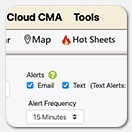
Did you know that you can set up your hot sheets to run automatically and notify you of new results via email and/or text alerts? Edit your hot sheet and look for the Alerts settings at the top of the page. Choose how you would like to be notified and how frequently you want Pinergy to run the hot sheet for you. (If you see that text alerts are unavailable, select “Unavailable” to authorize Pinergy to send text messages to your mobile phone.) Save your hot sheet, and Pinergy will keep you up to date with the status changes you want to see. View our brief Responsive Hot Sheets video and our Hot Sheets Quick Tips flyer for more details.
| | |
Find It Fast with Pinergy’s Power Search
What’s the quickest way to search for listings? Pinergy’s Power Search. Located at the top of every Pinergy page, Power Search lets you enter a property address or one or more MLS numbers. As you type an address, Pinergy will suggest matching addresses. Select any suggested address to find all listings for that specific address or select the blue magnifying glass icon to find all listings matching your partial address. Power Search searches Pinergy’s entire listing database, including off-market listings, to quickly give you a thorough overview of matching listings (reaching back to the early 1990s), but you can refine your search criteria by selecting the Edit Search button at the top of your search results. When entering MLS numbers into Power Search, separate multiple list numbers with commas and select the magnifying glass icon to find those listings. Whether using your desktop computer or mobile device, Pinergy’s Power Search can save you both time and effort when searching for listings by address or MLS number.
| | |
Show the Data You Want to See
Customizing Pinergy's Line Views
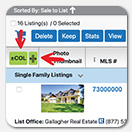
Would you like a one-line summary view that displays and sorts by fields you choose, fields like sale-to-list price ratio, total parking spaces, or even waterfront? And maybe without a Media/Events column? The line views in Pinergy’s search results have some awesome features you might have missed! You can add/remove/resize columns, sort by multiple fields, and save your custom views for future use. Here’s how: Select a line view (e.g., 1-Line) and click either the gray Sort button or the green COL button. In the Add/Remove Data Columns tab that appears, specify the columns you want displayed and their order of appearance. In the Advanced Sorting tab, specify the sort fields, the sort order, and the respective sort directions (ascending or descending) for each field. Click the Apply & Close button to see your customized view. In any line view, clicking the three vertical dots in the column header will present the option to remove that column. If the field is sortable, it also will allow you to sort (ascending or descending) by that one field. Clicking the name in the header lets you drag the column to another location in the view. You can modify column widths by clicking the green “resize columns” button (next to the green COL button). Click the gear icon to save and name your view. You also may reset the view to undo your changes. When working with a saved view, clicking the gear icon will provide options to overwrite the view, save it as a new view, rename the view, delete the view, and undo all changes. Whenever a line view is selected, your customized views will be waiting for you in the Custom View dropdown, ready to save you time and help you find the perfect property!
| | |
MLS PIN Now Requires Two New Disclosures in Exclusive Listing Agreements
Before you can post a listing to Pinergy, you must have a signed, exclusive listing agreement with the seller of that property. Under our updated Rules and Regulations, the listing agreement now must contain two additional disclosures: (1) that MLS PIN does not require the seller to offer compensation to cooperating brokers, either directly or through buyers; and (2) that while a cooperating broker may request compensation from the seller, the seller is not obligated to accede to the request. See (HERE) for the options you have for incorporating the required language into your listing agreements.
| | |
Rental Beast Webinar Helps You Build a Buyer Pipeline
Fall is one of the busiest and most profitable rental seasons of the year. Rental Beast is here to help you help those renters, and their “Rental Beast Tools” webinar (Tuesday, October 7, at 12:00 p.m.) can get you started. Learn how top agents are using Rental Beast to dominate the rental market, lock in commissions now, and build a buyer pipeline that pays out for months and years to come. Rental Beast’s “Apply Now” tool is a FREE member benefit through MLS PIN that keeps you at the center of the transaction. Discover Rental Beast in Quick Links on Pinergy’s Home page, in listing details for rental properties, and in Pinergy’s Tools.
| | |
New Customer Satisfaction Surveys: Help Us Improve Your Experience
We're committed to continuously improving our customer care. If you reach out to our Customer Care team, you may receive a brief email survey about your experience. It takes less than a minute to complete, and your feedback is incredibly valuable to us. Please take a moment to click the link and share your thoughts. Your input helps us enhance our service, ensuring future interactions are even more efficient and helpful.
| | |
Employee Spotlight
Stephanie Keithan, Quality Assurance Administrator
Stephanie Keithan joined us nearly two years ago as a Quality Assurance Administrator, a role that is essential to maintaining customer confidence in data integrity and rules and regulations compliance. Her daily responsibilities include reviewing listings for accuracy, adherence to standards, and overall quality, as well as resolving issues and answering questions to help ensure smooth transactions for our customers. Before joining MLS PIN, Stephanie held various administrative and data-focused positions, where she developed a strong background in quality assurance, data analysis, and client support, experiences that provided a solid foundation for her current work. She values the teamwork and support at MLS PIN and enjoys applying her attention to detail to problem solving. With no two days ever quite the same, Stephanie finds her role both engaging and rewarding. Outside of work, Stephanie enjoys spending time with family and friends, traveling to new places, attending her kids’ sporting events, and experimenting with new recipes. Her creative hobbies, including crafting, decorating, and DIY projects, offer a perfect balance to the administrating required in her role. The creative outlets provide the perfect way to unwind after focused work, a balance that helps keep her sharp and energized.
| | | | |