Help Desk

ITS Units

Contact Us

Subscribe

Cybersecurity Note — Be Smart!

As classes begin, cybercriminals target the campus community with scams aimed at stealing money and account credentials. Phishing scams are designed to provoke an immediate response. To stay safe:

  • Be cautious of unsolicited offers.
  • Use your ETSU email only for ETSU-related purposes.
  • Never share your ETSU password (the ITS Help Desk will never ask for it).
  • Report suspicious emails using the Phish Alert Button in Outlook.

Please exercise caution when something seems too good to be true or pressures you to act quickly. For examples of phishing emails received at ETSU, visit the Phish Checker & Mobile Security Checklist. Email the ITS Help Desk if you have questions about an email or feel your account may have been compromised.

For additional tips, visit the Cybersecurity Awareness page.

Upgrade to Windows 11

Before November 15

Microsoft will end support for Windows 10 on October 14, 2025. To ensure security and compatibility, ETSU will block all Windows 10 devices from connecting to the campus network starting November 15, 2025. This change applies to both students and employees. Faculty and staff using Windows 10 should upgrade to Windows 11 as soon as possible to avoid disruptions. For information and instructions, visit the Windows 11 upgrade page. Students may contact the ITS Help Desk for assistance.


New AI Features

in Panopto

We’re excited to announce that Panopto now includes new AI-powered tools to make your video experience smarter and more efficient. These features can help you quickly search within videos, generate summaries, and improve accessibility for your audience. You can turn these features on or off at any time, giving you full control over your recordings. To learn how to use these tools effectively, explore the Online Panopto Training Course for step-by-step guidance, tips, and best practices.


Pearson Widget Update in D2L

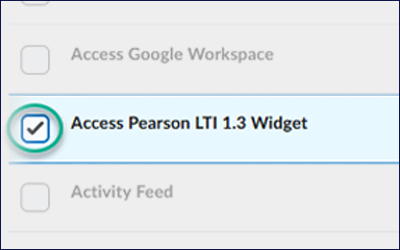
The Pearson LTI 1.1 tool is no longer available for pairing new courses. Faculty using this widget in their courses will need to update to the new LTI 1.3 version. You can view this step-by-step guide to upgrade your course widget.

Zoom Recordings in Panopto

All Zoom recordings are automatically moved to Panopto, where they can be viewed, shared, edited, and analytics reviewed. Panopto is the long-term home for your recordings, making it simple to manage and use your content.

Voyager Training

and Support

In July, the campus community was introduced to the Voyager system. Support remains available through the Voyager training website, which offers numerous pre-built guides to assist with navigating system processes. Additional assistance is available through the ITS Help Desk.

Voyager Training for Returning/New Faculty

In September, the Voyager team will host two Voyager 101 training webinars with live demonstrations of key tasks and workflows, plus Virtual Open Labs for real-time support. Registration and details are available on the faculty training page, and a recording is posted for those unable to attend a session.

Digital Signage Requests

If you have any university events or announcements to promote on the campus displays and screensavers, please use the Digital Signage Content Request Form to submit them for dissemination.

Computing Technology Services

Computing Technology Services, a team within ITS, installs, maintains, and regularly updates hardware and software on desktop and laptop computers across campus and off-campus sites. The team helps faculty and staff select and purchase standard or specialized computers, manages a four-year replacement program for desktops and laptops, and supports printer installation and troubleshooting. All ETSU computer purchases go through ITS for approval, include warranties, and aim to ensure reliable, up-to-date technology campus wide.

FEATURED WORKSHOP

D2L Assessments

September 17 @ 11:30 AM

In Brightspace, learn how to create, manage, and grade quizzes that support diverse learning and instructional preferences. This virtual workshop will guide you through key assessment features and give you hands-on experience building your own quiz in a D2L test course.

ADDITIONAL WORKSHOPS

Copyright and Fair Use

September 3 @ 10:00 AM

Explore how to use resources in your class while observing copyright law. This virtual workshop will cover what qualifies as fair use, common pitfalls, and best practices.

The Importance of Low-Stakes Knowledge Checks in D2L

September 16 @ 10:00 AM

Discover how to design quick, effective assessments that boost engagement, provide instant feedback, and reduce the pressure of high-stakes testing. You’ll see how to seamlessly integrate knowledge checks into your content to improve learning outcomes and identify challenges early.

To view a full list of workshops, visit the ATS Training page.

Missed a workshop? Recordings of previous workshops are available in

The Resource Hub! Check out the workshops from August 2025:

TECHNOLOGY RESOURCES

Technology In Action

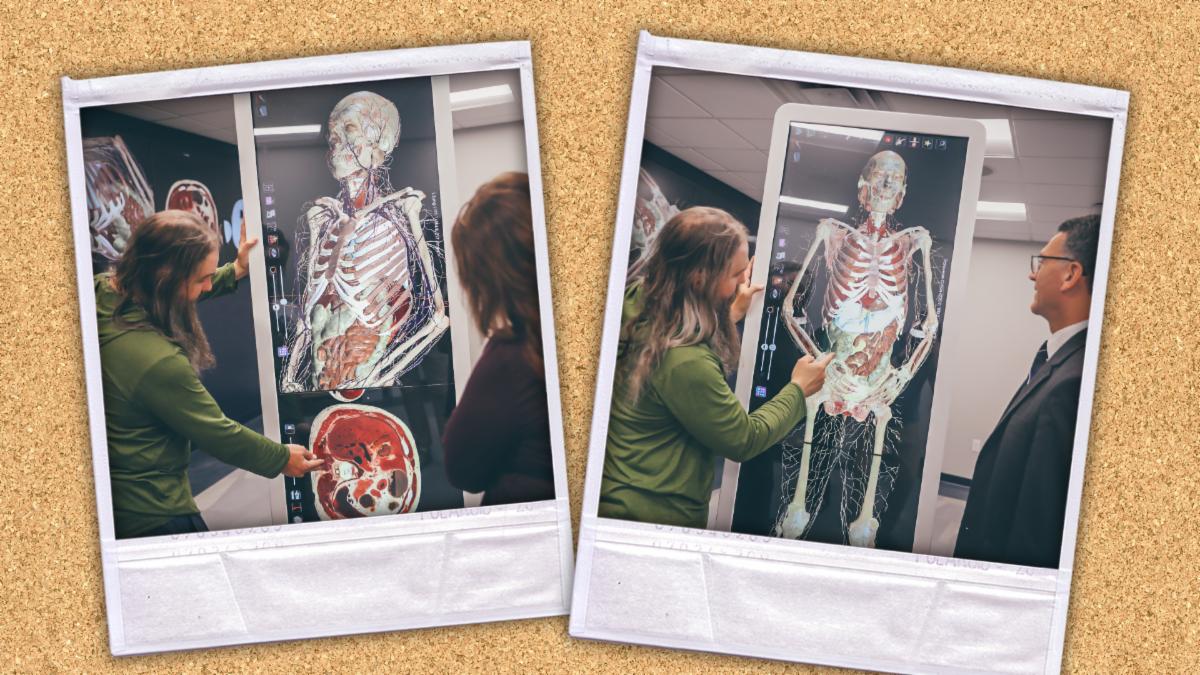
With help from the ITS Special Projects team, College of Nursing students are kicking off Fall 2025 with a new Anatomage table, a powerful virtual dissection platform that transforms anatomy education. The ITS Special Projects team works closely with academic units to install and maintain academic technology equipment across ETSU’s campuses.

For Students

For Employees

Subscribe to receive future ITS Newsletters in your inbox.