The Burlington Township School District will develop the intellectual, creative, and social potential of each child through an active partnership with all members of the community.
Click here for the student schedule and tutorials.
New Announcements
Artsonia
The art department is pleased to announce that once again it has teamed up with Artsonia to showcase its students' artwork on the Internet for the 2020/2021 school year.. Artsonia is the world's largest online art museum with thousands of artwork by students in over 100 countries. Last year our students published over 3,000 pieces of artwork!
A technician will be stationed at a HelpDesk line to assist parents and students with some technical support during virtual instruction. The goal here is to provide an avenue for parents and students to get quick technical support that might prevent the student from their virtual assignments. The major areas of focus for this are:
Providing assistance with Google Apps and Chromebooks
Student Password resets.
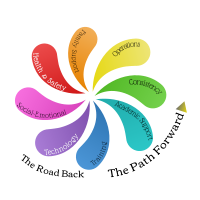
Information on applications and other materials found in "The Road Back and The Path Forward" Resource Manual.
Families may call (609) 387-3955 x7075 or email helpdesk@burltwpsch.org for assistance. The HelpDesk is available Monday through Friday from 8:00am to 1:00pm, during regular school instruction days.
Return to In-Person Instruction
Please take a moment to review the following letter for important information associated with the return of in-person instruction at Fountain Woods School.
We understand that life can be stressful and make us feel overwhelmed. We created this virtual calming room to provide you with strategies to help you cope and overcome those difficulties. Many of us find the calm in music or sounds, visual relaxation or guided meditation. Find which one best suits your needs. Always remember we are here to support you.
Tech Tip
To sign into a chromebook, follow these steps:
Click Add Person in the bottom left corner.
Enter your username.
Enter your password.
When you are finished with the chromebook, close the chromebook and charge it.
When you reopen the chromebook, you will just have to enter your password.
You do not need to sign out or turn off the chromebook.