|
One Cool Tip Newsletter
August 14, 2026
| Your daily dose of tech-savvy brilliance! | |
😀Greetings! Happy Friday Funday, Cool Tipper!
Get ready to streamline your digital life with simple, actionable tips delivered straight to your inbox.
Cool Tip Theme: Slow Roads
New here? Subscribe to the One Cool Tip Newsletter for daily updates. It's FREE!
| |
3️⃣
If you enjoy the One Cool Tip newsletter, please forward this newsletter to THREE friends or colleagues or share it on social media using the links below.
Leave a $$$ Tip!
Share this One Cool Tip Newsletter!
| | |
🚨Did a Past Data Breach Affect You?🚨
You Could Be Entitled to Compensation
Data breach settlements are becoming increasingly common, and they can sometimes put money back in consumers' pockets.
Consumers impacted by the 2023 Comcast Xfinity data breach may potentially be able to claim compensation for documented losses.
Some claims may qualify for reimbursement of up to $10,000, while other affected customers may be eligible for a smaller cash payment without proving losses.
If you've received a data breach notification in the past, don't ignore it or throw it away.
Keep those notices in a safe place and pay attention to any settlement information that follows.
Taking a few minutes to review your eligibility could be worth more than you think.
And in Other News...
- Disney's Next Big Story Might Start With a Game
Disney says gaming is becoming an increasingly important part of how fans discover and experience its favorite characters and worlds.
Rather than simply adapting movies into games, the company is focusing on creating original stories designed specifically for interactive experiences.
Disney believes games are also helping introduce younger audiences to brands like Marvel, Star Wars, Pixar, and Disney in new ways.
The company is investing in everything from mobile games to large-scale interactive worlds where fans can play, create, and connect with others.
This means the future of entertainment may be much more interactive than traditional TV and movies alone.
As gaming continues to grow, don't be surprised if your next favorite Disney story begins with a controller instead of a cinema screen.
| |
| 🤔 How would you use Slow Roads? | | | | |
Help support One Cool Tip. Use this Amazon link when you shop online.
Check out these Cool Deals:
| | |
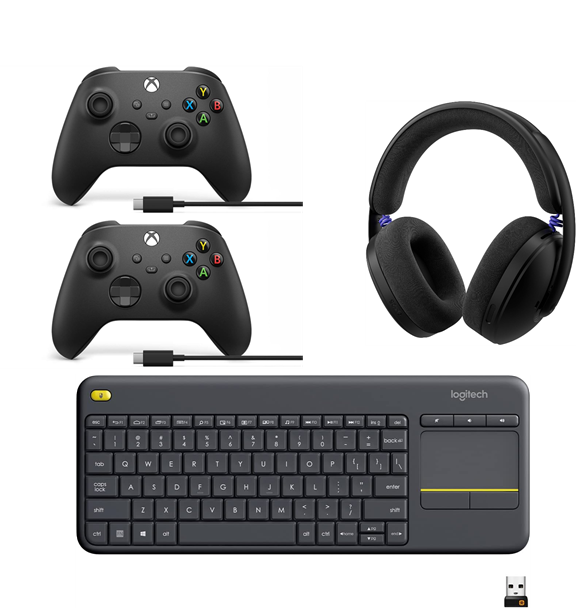
🎮 Xbox Wireless Controller with USB-C Cable (2 pack): Bluetooth and wired connectivity provide a more comfortable alternative to keyboard steering on compatible computers.
Overall Pick. Now $114.99. 4.5 Stars. Check it out on Amazon!
🎧 Logitech G325 LIGHTSPEED Headset: Its lightweight wireless design works well for pairing a scenic drive with music or ambient sound.
Save 13%. Now $69.99. 4.2 Stars. Check it out on Amazon!
💻 Logitech K400 Plus Wireless Touch Keyboard: The compact keyboard and integrated touchpad can control a browser-based drive from a couch or recliner.
Save 14%. Now $29.99. 4.4 Stars. Check it out on Amazon!
*Prices accurate when originally published.
One Cool Tip may earn a commission from qualifying purchases.
| | |
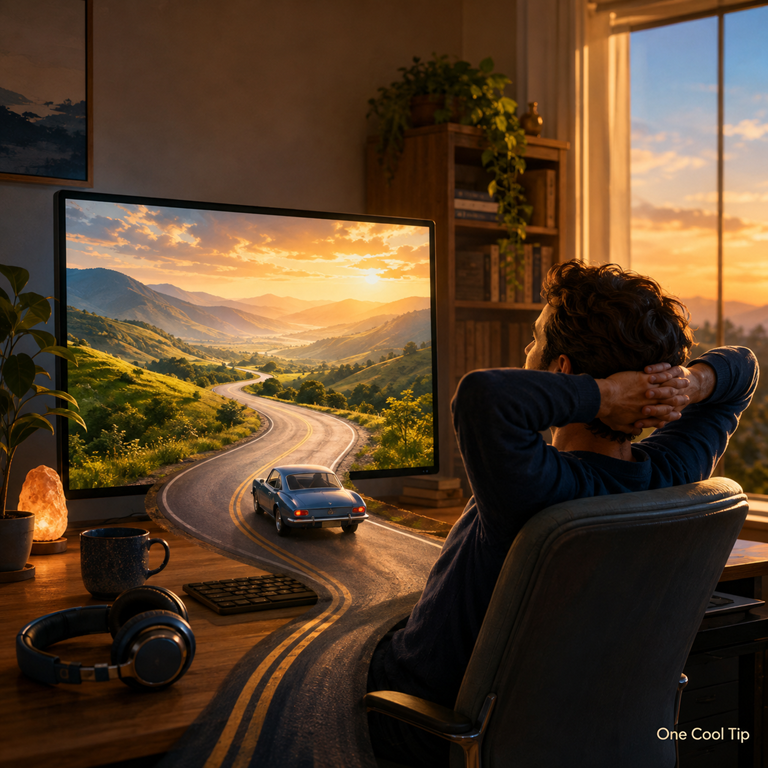
Take a Peaceful Drive With Slow Roads
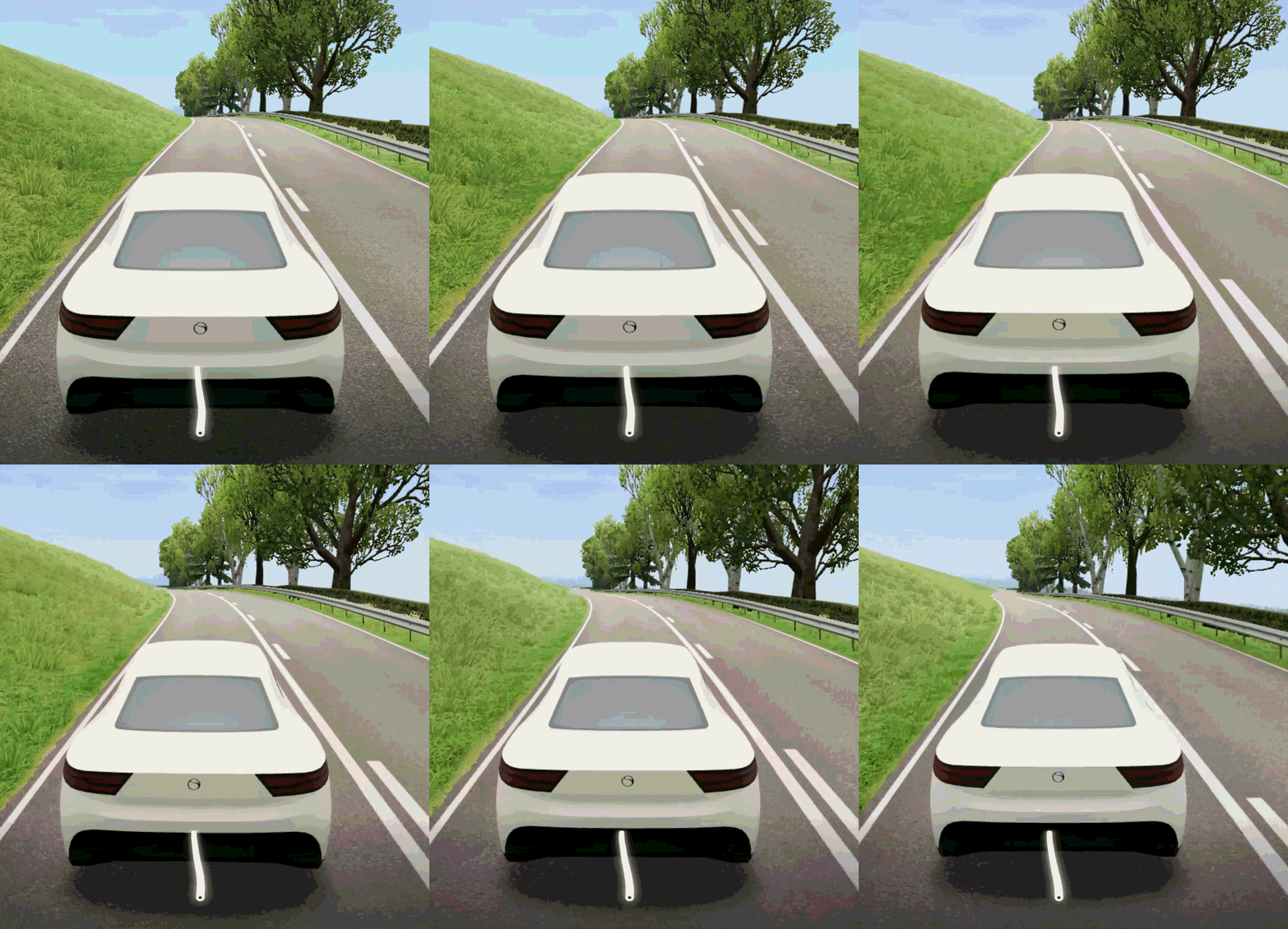
Slow Roads turns your web browser into an endless scenic drive with no races, deadlines, or destinations. Choose a vehicle, customize the surroundings, and take a leisurely digital road trip whenever you need a change of pace.
Most online games demand quick reflexes, complicated controls, or a commitment to winning.
Here’s a Cool Tip: Take a five-minute drive on Slow Roads.
Slow Roads asks much less of you: choose a vehicle, point it toward the horizon, and drive.
The free web experience generates new roads and scenery as you travel.
There is no fixed route to memorize, no leaderboard to climb, and no finish line to cross.
You can control the vehicle, activate one of the driving-assistance modes, adjust the environment, or simply watch the landscape roll past.
There is no account to create and no software to install when you use the browser version.
It feels less like a traditional racing game and more like a miniature road trip waiting in a browser tab.
What Is Slow Roads?
Slow Roads is a single-player driving experience created by Topograph Interactive.
The free version runs as a WebGL application, allowing a compatible browser to render the three-dimensional scenery using your device’s graphics hardware.
The roads and surrounding terrain are procedurally generated.
Instead of loading one predetermined map, the software creates additional sections of the world as you travel.
A seed identifies each generated world, allowing you to return to a particular landscape later.
The game includes several vehicles, environmental controls, road configurations, camera views, graphics settings, controller support, and hands-free driving options.
You can select different locations, road styles, seasons, weather conditions, and times of day.
The free browser edition remains available at SlowRoads.io.
A paid, downloadable Web Edition is also available through itch.io for Windows, macOS, and Linux.
The downloadable edition uses higher-resolution assets and can run offline, but it does not contain additional gameplay features.
What You’ll Gain
- Explore continuously generated roads and landscapes.
- Customize the vehicle, road, season, weather, and visual quality.
- Take a short break without installing another app.
- Use hands-free driving when you would rather watch than steer.
Step-by-Step Instructions
Here's how to do it.
Web
-
Open a current web browser and visit SlowRoads.io.
-
Select Begin to load the driving experience.
-
Choose your world, style, vehicle, and other available options.
-
Open the control guide to review the current keyboard, controller, or touch commands.
-
Start driving with the displayed controls. Standard keyboard configurations generally support the arrow keys or W, A, S, and D for basic driving.
-
Open Settings to adjust graphics, sound, controls, camera behavior, accessibility, and performance.
-
Activate a driving-assistance mode if you want Slow Roads to control steering, acceleration, or both.
| | |
iPhone, iPad, and Android
-
The official browser game supports touch input.
-
Open SlowRoads.io in a mobile browser, select Begin, and use the controls displayed on the screen.
-
Performance depends on the device, browser, graphics settings, and complexity of the generated scene. Reducing the visual quality may improve performance on older mobile devices.
Pros and Cons
Pros:
-
Instant access: The free edition runs in a browser without requiring an installation or account.
-
No advertising: The developer says the browser edition will remain free and ad-free.
-
Flexible controls: Drive with a keyboard, touch controls, a compatible controller, or driving-assistance features.
-
Extensive customization: Change the road, environment, season, weather, vehicle, camera, and graphics.
-
Limited data collection: The official privacy policy says the game has no analytics, advertising, or personal-data collection.
Cons:
-
Potentially demanding graphics: Older computers and mobile devices may struggle with higher visual settings.
-
Little traditional gameplay: The browser edition does not center on races, scores, missions, or campaign progression.
-
Variable browser compatibility: WebGL settings, extensions, hardware acceleration, or organizational restrictions may prevent the game from loading correctly.
-
Still under development: The developer warns that users may encounter bugs, and some forthcoming features will be exclusive to the Steam edition.
Feature Access
-
Free browser edition: Available at SlowRoads.io without an account or subscription.
-
Mobile browser access: Touch controls are supported in the official web edition.
-
Downloadable Web Edition: Available from itch.io for Windows, macOS, and Linux.
-
Steam demo: Available through the official Steam listing.
-
Full Steam edition: Listed for Windows and Linux with an expected August 2026 release.
-
Managed devices: Workplace, school, firewall, browser, or administrator policies may block access.
Score
Criterion | Score (0–10) | Justification
Value | 9
The free edition provides a polished and approachable experience without requiring an account, subscription, or installation.
Usability | 8
Starting a drive is easy, although mobile controls and graphics performance vary by device.
Wow Factor | 9
The continuously generated three-dimensional scenery remains an impressive demonstration of what a browser can do.
Total: 26/30 | 🌟Excellent
Slow Roads is an excellent browser escape that proves a digital break does not need a feed, score, or destination.
Key Takeaways
Slow Roads provides an open-ended driving experience directly in a web browser without requiring an account or installation.
Its customizable environments, simple controls, and optional autodrive make it suitable as a casual game, short digital break, or animated background experience.
Cool Tip Snapshot
-
Feature Name: Slow Roads
-
Platform(s): Web browsers on Windows, macOS, Linux, iPhone, iPad, and Android
-
Quick Benefit: Take a customizable scenic drive without installing an app
-
Best For: Short breaks, casual driving, ambient scenery, and relaxation
-
Access Type: Free
-
Difficulty: Easy
Try It Yourself
Visit SlowRoads.io and take a five-minute drive today.
Tell us which scenery and vehicle you chose, subscribe to the One Cool Tip newsletter, and share this article with your family, friends, and coworkers.
READ MORE
Read the Full Cool Tip.
| | |
Check Out These Cool Tips & Tricks
-
Start Simple: Begin with the default road and vehicle so you can learn the steering before changing the environment. Click Begin and drive for a minute before opening the settings.
-
Lower Graphics: Reduce visual quality if the road stutters or your device becomes warm. Open Settings, select the graphics controls, and lower the most demanding options.
-
Use Autodrive: Let the software handle the road when you want scenery instead of gameplay. Open the driving assistance controls and activate your preferred autodrive mode.
-
Save Seeds: Keep the seed from a particularly attractive world so you can revisit it. Copy the value from the Seed field into a note.
-
Change Views: Try different camera positions to find the most comfortable perspective. Open the camera controls or use the currently assigned camera shortcut shown in Controls.
-
Add Music: Create your own soundtrack in a separate browser tab or music app. Start the playlist first, then return to Slow Roads and adjust its sound level.
-
Try a Controller: A game controller provides finer steering than many laptop keyboards. Connect the controller, reload the game if necessary, and check Settings > Controls > Controller.
-
Hide Clutter: Remove the interface when you want an unobstructed view. Use the interface visibility control listed in the game’s Controls panel.
-
Avoid Imitations: Several unrelated sites use variations of the Slow Roads name. Enter slowroads.io directly to reach the official free edition.
-
Take Five: Use Slow Roads as a timed break instead of leaving it open indefinitely. Set a five-minute timer, take a drive, and return to your next task refreshed.
| | ICYMI - In Case You Missed It ... | | | | |
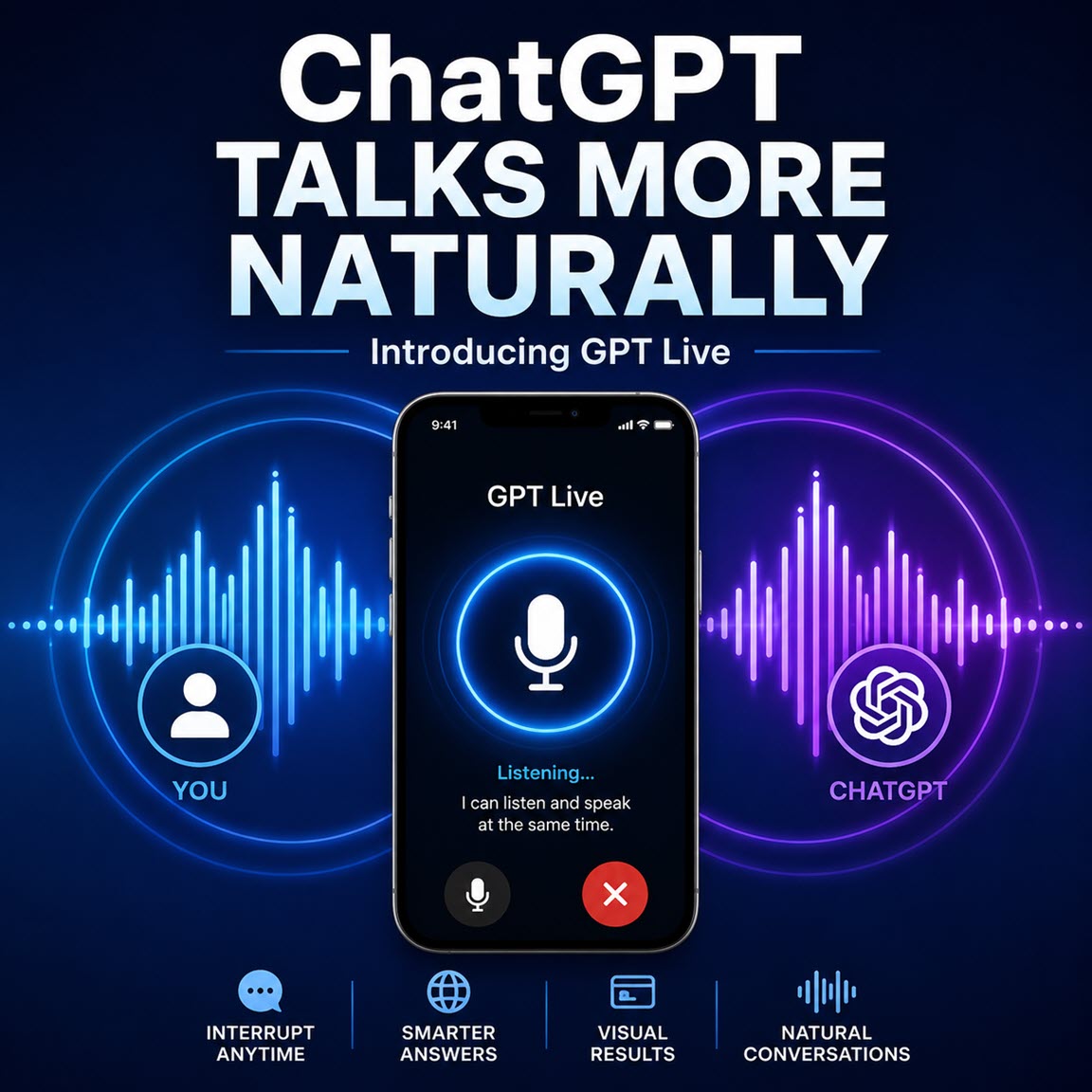
GPT Live Makes ChatGPT Voice Feel More Natural
GPT Live makes talking with ChatGPT feel less like issuing voice commands and more like having a flowing conversation. It listens while it speaks, handles interruptions more naturally, and can draw on search and reasoning tools without ending the conversation.
Read the Full Version.
Read the Newsletter Version.
| | |
Tomorrow's Cool Tip is waiting to amaze you.
Until then, go forth and conquer the tech world with your newfound knowledge!
Be sure to visit www.OneCoolTip.com for Cool Tech Tips for a Cooler Life!
And if you Like One Cool Tip, please support with TipJar!
Enjoy!
Rodger
Chief Cool Tipper
onecooltip.com@gmail.com
| |
| What do you think of today's OneCoolTip newsletter?
| | | | Connect with One Cool Tip!! | | |
|
As an Amazon Associate, One Cool Tip may earn a small commission from qualifying purchases.
Our media content is intended solely for informational purposes only. Please do not construe anything here as legal, tax, investment, financial, marital or other advice.
Copyright © 2026 | www.OneCoolTip.com | All Rights Reserved
|
| | | |