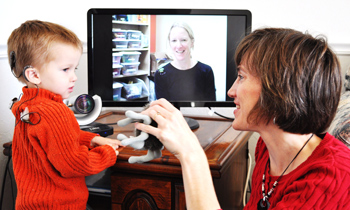
Video-Based Telehealth Accessibility for Deaf and Hard of Hearing Patients
The COVID-19 pandemic has accelerated the use of telehealth. Accessibility features in telehealth video-based platforms are crucial in assuring that deaf and hard of hearing (DHH) individuals have access to quality healthcare while maintaining safety during the pandemic. A coalition of deaf and hard of hearing advocacy organizations, deaf healthcare providers, and other experts worked together to provide these guidelines.
ED Covid Handbook: Roadmap to Reopening Safely and Meeting All Students’ Needs
This guide provides specifics strategies to address the extraordinary disruption created by COVID-19 for students, educators, and parents — especially for historically underserved students and communities that preliminary data suggest have been hit hardest by the pandemic.
Participants may attend any part of the training; however, those who wish to become an education advocate must attend both morning and afternoon sessions and complete the self-paced portion of the training. More information about the self-paced portion of training will be provided upon registration.
Family Employment Awareness Training (FEAT) - 6 part virtual series
"I appreciate you being there. It helped tremendously! We just never had any guidance in that area before."
~ Kansas parent
Opportunities to Support Families Together
Dillons will make a donation to Families Together every time you shop if you select us as your charity of choice. Visitwww.dillons.com/communityrewards.Choose Families Together Inc. ( LJ162) Select "Families Together Inc."
Amazon Smiles - Support Families Together, Inc. by shopping at www.smile.amazon.com. Amazon will donate 0.5% of the price of your eligible AmazonSmile purchases to Families Together, Inc.
Sign in with your Amazon ID and password. Under the heading "Select a Charity" choose "Pick your own Charitable Organization". In the box, type Families Together Inc. Be sure to choose Families Together Inc. - Wichita.
You can now shop AmazonSmiles from your mobile Amazon App!
Simply follow these instructions to turn on AmazonSmile and start generating donations.
Open the Amazon Shopping app on your device.
Go into the main menu of the Amazon Shopping app and tap into 'Settings'.
Tap 'AmazonSmile' and follow the on-screen instructions to complete the process.