|
ChatGPT Voice Is Now Built Directly Into the Main Chat Window
A more natural way to interact, without switching modes ChatGPT now lets you talk, listen, and type in the same window. There’s no separate voice interface anymore, giving users a more fluid way to chat hands-free.
Have you ever tried using ChatGPT voice mode, only to find yourself bouncing between a keyboard interface and a separate voice screen?
Here's a Cool Tip: Try the improved ChatGPT Voice Mode, now integrated into the chat window.
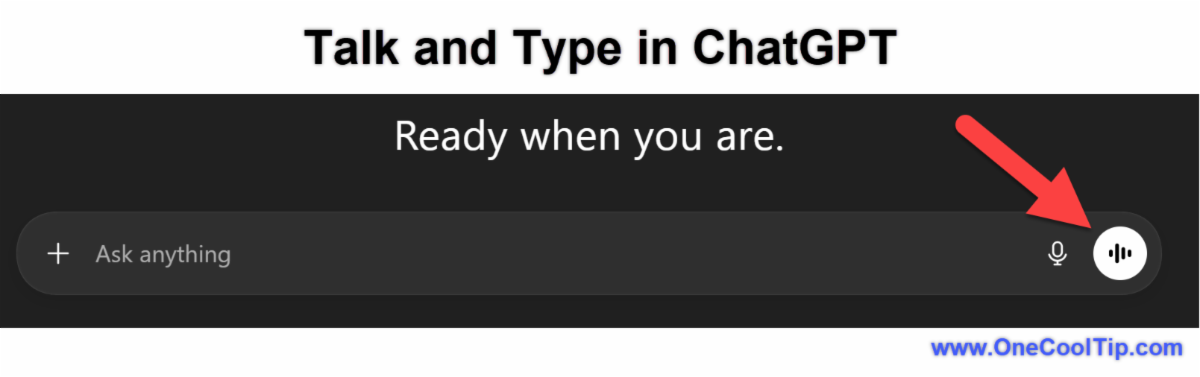
Voice mode now runs directly inside the main chat experience, right where you already type.
The change seems small at first, but it eliminates friction and turns ChatGPT into something closer to an interactive assistant you can talk to instantly, while still viewing the written transcript.
This shift matters because people are increasingly blending voice and writing; dictating messages, asking questions verbally, then refining the output with typed edits.
Having a single unified window meets that workflow head-on.
Feature Explanation
ChatGPT voice used to be its own interface.
When users tapped the microphone icon, the app would shift into a full-screen “voice conversation” area.
That screen stored interactions separately and could feel disconnected from normal chat history.
Now, voice mode simply lives alongside typed messages.
The microphone icon stays visible throughout the chat, and transcripts appear inline next to the conversation, just like typed prompts.
You speak. ChatGPT replies aloud.
The written conversation stays intact.
Conversations become searchable, editable, and referenceable, whether spoken or typed.
Voice mode is available in the primary chat interface for most users and is currently rolling out across mobile and web.
What You’ll Gain
Quick Wins from Unified Voice Mode:
- Hands-free interaction when multitasking.
- Editable transcripts for follow-up refinement.
- Seamless switching between speaking and typing.
- Better continuity in long conversations.
Step-by-Step Instructions
Here's how to do it.
Web (Edge, Chrome, Safari)
-
Open ChatGPT at www.ChatGPT.com.
-
Start a new or select any existing conversation.
-
Click the microphone icon next to the message box.
-
Begin speaking; a live transcript will appear inline.
-
Ensure your speaker volume in up!
|