One Cool Tip Newsletter

September 18, 2026

Your daily dose of tech-savvy brilliance!

😀Greetings! Happy Friday Funday, Cool Tipper!


Get ready to streamline your digital life with simple, actionable tips delivered straight to your inbox.


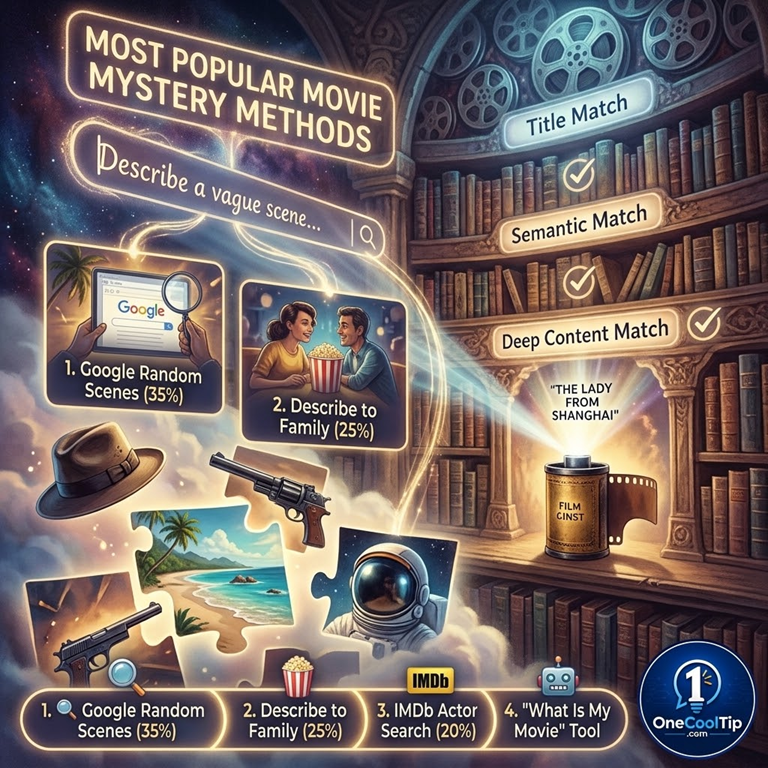
Cool Tip Theme: What is My Movie


Forgot a movie title? Describe a scene, actor, quote, or plot detail and let WhatIsMyMovie.com search for likely matches in seconds.


New here? Subscribe to the One Cool Tip Newsletter for daily updates. It's FREE!

3️⃣

If you enjoy the One Cool Tip newsletter, please forward this newsletter to THREE friends or colleagues or share it on social media using the links below.


Leave a $$$ Tip!


Share this One Cool Tip Newsletter!

X Share This Email
LinkedIn Share This Email
Pinterest Share This Email

🚨Free Movies and TV? The Hidden Cost Could Be Your Privacy🚨


That free streaming app offering the latest movies and TV shows may not be as harmless as it seems.


Some illegal streaming apps can contain malware that steals personal information, tracks your online activity, or even gives criminals access to your devices.


Unlike legitimate streaming services, unauthorized apps often skip important security protections and software reviews.


Before installing any streaming app, download it only from trusted sources and take a moment to check reviews and the developer's information.


If an app promises premium content for free, that's a major red flag.


Sticking with legitimate streaming services may cost a little more, but it can help protect your personal information, devices, and online accounts.


A free app is never really free if it ends up compromising your security.


And in Other News...

Here's a fun web game I created using ChatGPT: Dunk Your Favorite President. If you can. Dunk the President (there are several presidents, select New Figure to change the dunkee!)

Cool Tip Poll

🤔 When you can’t remember a movie title, what is your go-to move?

Cool Deals of the Day

Help support One Cool Tip. Use this Amazon link when you shop online.


Check out these Cool Deals:

📺 Roku Streaming Stick 4K: A compact 4K streamer with broad app support for watching the movie after you identify it. 

Save 32%. Now $54.77. 4.7 Stars. Check it out on Amazon!


🔥 Amazon Fire TV Stick 4K Plus: Adds voice-assisted search and 4K streaming to a compatible television. 

Save 20%. Now $39.99. 4.6 Stars. Check it out on Amazon!


🍿 Presto PopLite Hot Air Popcorn Popper: Makes a simple movie-night snack without requiring cooking oil in the popping chamber.

Save 10%. Now $31.49. 4.4 Stars. Check it out on Amazon!


*Prices accurate when originally published.

One Cool Tip may earn a commission from qualifying purchases.

Fuel Your Adventure

Try Big Mike's Jerky!


bigmikesjerky.com


Now on TikTok!


Today's Cool Tip

Find a Forgotten Movie by Describing What You Remember


You remember the chase, the strange ending, or one perfect line, but not the movie title. WhatIsMyMovie.com lets you search using those scattered details instead of forcing you to know the exact name.


You can picture the scene perfectly: a photographer watches his neighbors through a window, begins to suspect a murder, and cannot leave his apartment. 


The title, however, refuses to surface.


A conventional search engine may solve the mystery, but it can also bury the answer beneath streaming pages, reviews, social posts, and loosely related results. 


Here’s a Cool Tip: Describe the scene and rediscover the title.


WhatIsMyMovie.com takes a more focused approach. 


Describe what you remember, and the site searches for movies that match the plot, people, genre, setting, or quoted dialogue.


How WhatIsMyMovie Works


WhatIsMyMovie is a specialized movie discovery site. 


Its search box accepts ordinary language, including a rough plot description such as “a photographer in a wheelchair spies on his neighbors,” as well as titles, genres, directors, and actors. 


The site also recommends placing exact quotations and full actor names inside quotation marks.


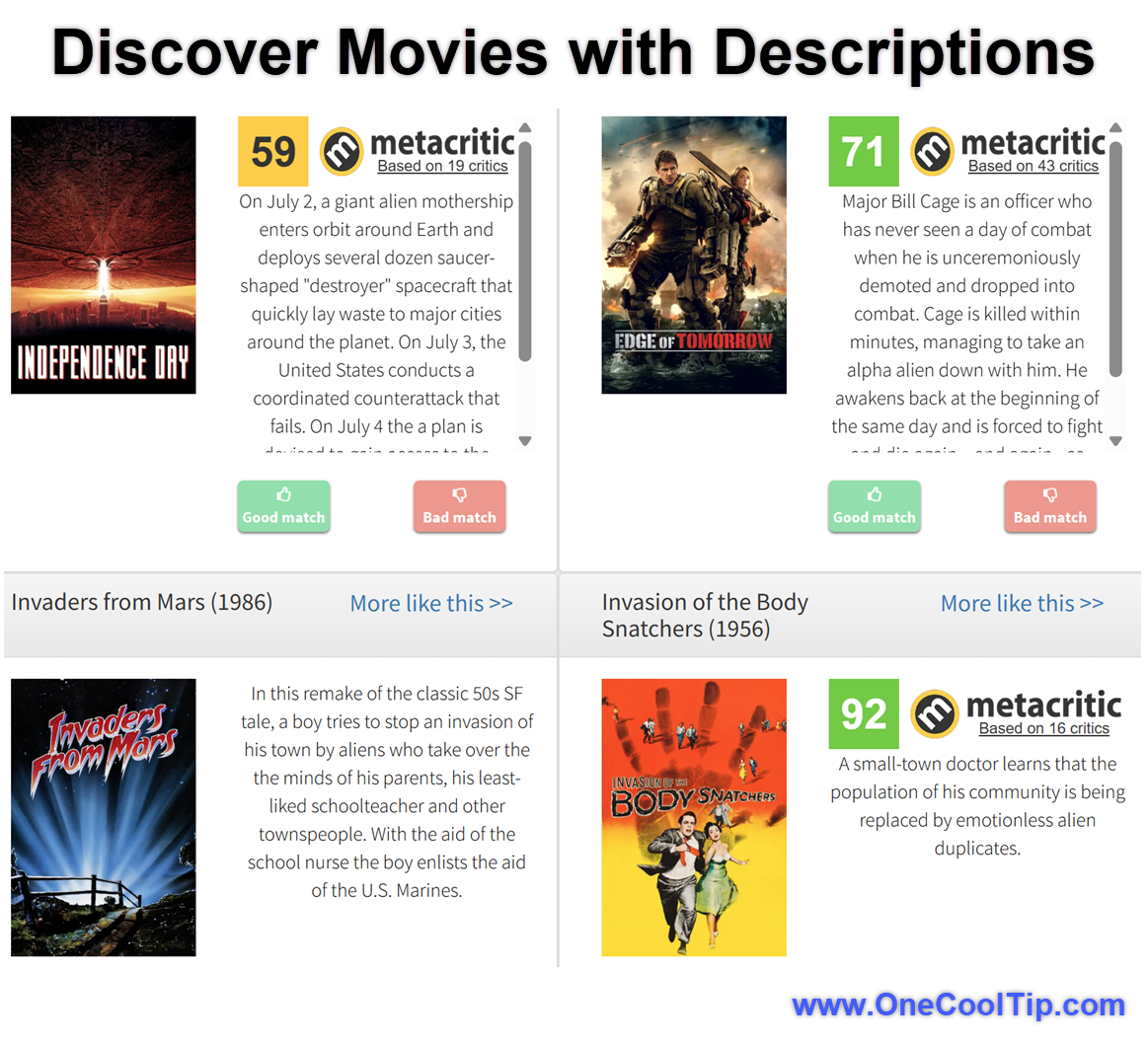
Results appear as movie cards with titles, release years, summaries, and, for some films, external ratings. 


A More like this link can turn one promising result into a trail of related choices.


This matters because human memory rarely works like a database. 


We may retain an image, a setting, or an emotional beat while losing the exact wording that a title-based catalog expects. 


A descriptive search gives those fragments somewhere useful to go.


The tool is especially handy for families settling an old movie debate, travelers recalling something watched on a flight, educators looking for a film that fits a topic, and anyone trying to identify a half-remembered childhood favorite. 


It is a focused discovery aid, not a streaming guide. 


After identifying the title, use a separate service to check where it is legally available.


What You’ll Gain


  • Find likely titles from partial memories instead of exact keywords.
  • Narrow a search with a scene, actor, director, genre, or quotation.
  • Compare multiple candidates using release years and plot summaries.
  • Start instantly without creating an account.


Step-by-Step Instructions


Here's how to do it.


Web/Desktop


  1. Open WhatIsMyMovie.com in a current web browser. 
  2. Enter the strongest details you remember. Begin with the unusual event, setting, profession, object, or relationship. For example: photographer with a broken leg watches neighbors and suspects murder.
  3. Submit the search. 
  4. Read the first several summaries instead of assuming the first result is correct. 
  5. If the answer is missing, revise the description. Add a decade, location, actor, or genre, or remove a detail you are unsure about.
  6. If you remember an exact line, place it in quotation marks. 
  7. When one result feels close, select More like this to explore related films.


fig. 1 - Discover Movies with Descriptions - Whatismymovie

Pros and Cons


Pros:


  • Natural descriptions work: You do not need the exact title or formal plot summary.
  • Several search paths: Plot details, genres, actors, directors, and exact quotations can all help.
  • Low friction: The verified search flow requires no account or subscription.
  • Useful discovery tools: Result summaries and More like this help distinguish similar movies.
  • Cross-platform access: The website can be opened from desktop and mobile browsers.


Cons:


  • Results depend on the clues: A common phrase such as “a man saves the world” may be nearly useless.
  • Memories can mislead the search: Combining scenes from two films may prevent a strong match.
  • Coverage is not documented: The official site does not publish a current catalog size, supported-language list, or update schedule.
  • It does not answer the next question: The site identifies movies, but it is not presented as a current streaming-availability guide.


Feature Access


  • WhatIsMyMovie.com is live on the web.
  • The site does not list a paid plan.
  • Use it through a browser on Windows, macOS, iPhone, iPad, Android, or another device capable of loading the site. 


Score

Criterion | Score (0–10) |  Justification
Value |  8
It addresses a specific and surprisingly persistent problem with less friction than a broad search. Its value drops when the memory is vague or the title is outside the catalog.
Usability |  9
One search box and no required account make it immediately approachable. Refining weak clues still requires some experimentation.
Wow Factor |  7
Descriptive movie search still feels clever when it identifies a title from one odd scene, although natural-language search is no longer novel by itself.
Total: 24/30 | 👍 Good 
WhatIsMyMovie earns a strong Good rating because it turns fuzzy memories into useful leads with almost no setup.
Compared with a general web search, it offers a cleaner movie-first result set; compared with a streaming guide, it is better at identifying the title but weaker at telling you where to watch it.


Key Takeaways


Start with the strangest detail you remember, not a long summary full of uncertain facts. 


Then refine the search with an actor, era, location, genre, or quoted line until one result clearly fits.


Cool Tip Snapshot


  • Feature Name: WhatIsMyMovie.com descriptive search.
  • Platform(s): Web browser.
  • Quick Benefit: Find a forgotten movie from partial details.
  • Best For: Families, travelers, educators, students, and movie fans.
  • Access Type: Free web access in the verified search flow.
  • Difficulty: Easy.


Try It Yourself


Describe a movie you have been trying to remember at WhatIsMyMovie.com, then tell us whether it found the right title. 


Subscribe to the One Cool Tip newsletter and share this Cool Tip with family, friends, and coworkers who love solving movie mysteries.


READ MORE


Read the Full Cool Tip.

Check Out These Cool Tips & Tricks


  • Lead Specific: Unusual objects, jobs, and locations separate one movie from hundreds of similar plots. Begin with the strangest detail you remember.


  • Trim Guesses: An incorrect actor or decade can push the right answer away. Remove any clue you are not confident about and search again.


  • Quote It: Exact dialogue can identify a movie quickly when the wording is accurate. Put a remembered line in quotation marks.


  • Name Fully: Full actor names reduce ambiguity. Enter the complete name in quotation marks when possible.


  • Add Context: A setting or era can sharpen an otherwise generic plot. Add terms such as Victorian London, 1980s, or submarine.


  • Change Angles: One memory can be expressed as plot, character, or setting. Rewrite the same scene from a different angle if the first search fails.


  • Search Shorter: Long descriptions accumulate errors and generic words. Reduce the query to the two or three strongest clues.


  • Check Years: Remakes and similarly titled films are easy to confuse. Compare the release year and synopsis before declaring a match.


  • Explore Similar: A near match may lead to the correct film. Use More like this on a promising result.


  • Verify Elsewhere: Search results are leads, not proof. Confirm the title, cast, and plot in a second reputable movie database.

ICYMI - In Case You Missed It ...

Connect Everyday Apps to Google Gemini and Cut Daily Task Friction


Connecting third-party apps directly to Google Gemini lets you book tickets, discover local events, review meeting notes, and manage files without hopping between separate tabs.  Here is how to link newly added apps, configure individual permissions, and call any connected service directly from your prompt window.


Read the Full Version.


Read the Newsletter Version.

Looking for your next adventure?


Call Denise at Travel For You.

314.660.3039


Sign Up for the Monthly Newsletter


http://www.travelforyouvacations.com/


https://www.facebook.com/TRAVEL.FOR.U/


See You Tomorrow

Tomorrow's Cool Tip is waiting to amaze you.


Until then, go forth and conquer the tech world with your newfound knowledge!


Be sure to visit www.OneCoolTip.com for Cool Tech Tips for a Cooler Life!


And if you Like One Cool Tip, please support with TipJar!


Enjoy!


Rodger

Chief Cool Tipper

onecooltip.com@gmail.com


What Do You Think?

What do you think of today's OneCoolTip newsletter?
Positive        Neutral        Negative
X Share This Email
LinkedIn Share This Email

Connect with One Cool Tip!

Facebook  X  Instagram  Web  Pinterest  YouTube  LinkedIn
 

As an Amazon Associate, One Cool Tip may earn a small commission from qualifying purchases.


Our media content is intended solely for informational purposes. Please do not construe anything here as legal, tax, investment, financial, marital or other advice.


Copyright © 2026 | www.OneCoolTip.com | All Rights Reserved