Public Service Announcement: Can we stop being tricked into subscriptions?

Simon, in search of romance, signed up to a dating website subscription for a year. Luckily for him, within months he met the "love of his life". But without him realising it, his membership had been automatically renewed. He was shocked to find he was being chased for £358 and threatened with a debt collection agency.


Nope, no misspellings - this article is from the BBC, but it also applies to the US and other global citizens.


Many of us have fallen prey to the so-called subscription trap - signing up to a free trial and then forgetting to cancel it leading to ongoing payments for services we don't use.


How to avoid getting trapped into a subscription payment

  • Know what you're signing up for - before signing up to anything, make sure you know what you will actually get, how long you're committing to and what it will cost. There should be no pre-ticked boxes* for any payments, as they aren't allowed in the UK*.
  • Set a reminder (calendar, reminder app, etc.)- If you sign up for a subscription with a free introductory period, set a reminder for a week (or a few days if the trial is for one week) before the free period ends so you don't forget to cancel. Editor's note - when you enroll, you usually get a confirmation email with how to cancel - save this email!
  • Check your bank account and/or credit cards - look for payments to subscriptions you don't want and contact the company to cancel them.


For the full article, click here.

FALL CLASSES NOW OPEN FOR REGISTRATION
REGISTER FOR HUNTINGTON LAB CLASSES

FSL SeniorNet at Family Service League, Olsten Family Center

790 Park Avenue, Huntington, NY 11743 1-631-470-6757

Classes are listed chronologically.

Number of lessons in parentheses and start date indicated.

Where Are My Files? Taking photos has become so easy, and so much fun! Hundreds, or even thousands of our saved and treasured photos can be spread across multiple devices and platforms, causing a frustrating dilemma! Starts October 10 Learn more ...

  • Smartphone Photography (4) - Sept 7
  • PC Computing Basics 1 (4) - Oct 5
  • Where Are My Photos? (3) - Oct 10
  • Photoshop Elements: Photo Editing & Project Creating (5) - Oct 11
  • Exploring Files & Folders with Windows 11 (3) - Oct 11
  • iPhone: Getting Started (2) - Oct 12
  • Android Phone (4) - Oct 16
  • iPhone: What's Next (2) - Oct 26
  • Facebook (3) - Nov 6
  • Windows 11: An Introduction (2) - Nov 7
  • Apple's iCloud: An Introduction (2) - Nov 9
  • Smartphone Photography (4) - Nov 14
  • Mac Computer Basics 1 (4) - Nov 15
  • PC Computing Basics 2 (5) - Nov 21
  • Windows 11: Advanced (2) - Nov 27
REGISTER FOR BAY SHORE ANNEX

FSL SeniorNet at Family Service League, South Shore Iovino Family Center

1444 Fifth Avenue, Bay Shore, NY 11706 1-631-647-3100

Classes are listed chronologically.

Number of lessons in parentheses and start date indicated.

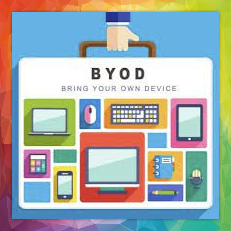
BRING YOUR DEVICE DILEMMAS

& IN-PERSON REGISTRATION DAY

Tuesday, Sept 12 10 AM to 12 PM


Bring your own device and join us for answers to your Windows, Mac, iPhone, iPad, Android phone questions.

Assistance provided in 30-minute time slots,

on a first-come first-served basis.

  • iPhone: Getting Started (2) - Oct 3
  • iPhone: What's Next (2) - Oct 17
  • Apple's iCloud: An Introduction (2) - Oct 31
  • Master the Google Cloud (2) - Nov 14
REGISTER FOR BLUE POINT COTTAGE

Town of Brookhaven, FSL SeniorNet @ Henrietta Acampora Cottage

39 Montauk Highway, Blue Point, NY 11715 1-631-470-6922

Classes are listed chronologically.

Number of lessons in parentheses and start date indicated.

  • Mac Computer Basics 1 (4) - Sept 28
  • PC Computing Basics 1 (4) - Oct 26
  • Facebook (3) - Nov 30
FREE WEBINARS & SEMINARS

Webinars are held over Zoom,

Seminars are at local libraries.

  • Android Phone: Getting Started Webinar on Sept 11
  • Windows 10: Survey of Settings & Desktop Webinar on Sept 13
  • Windows 11: An Introduction Webinar on Sep 20
  • Traveling with Your Smartphone Webinar on Sept 28
  • Smartphone Photography Webinar on Oct 3
  • iPhone & iPad: Widgets & Shortcuts Webinar on Oct 5
PRIVATE INSTRUCTION INFORMATION
IMPORTANT STUFF TO KNOW!

ALL CLASSES:

Registration is open until 10 AM sharp one day before the start of a class.

To participate in our classes, register and pay online with a credit or debit card. If you prefer to pay by check or cash, contact the office at 631-470-6757, or register in person at Open House in Huntington, Bay Shore, & Blue Point.


ONLINE CLASSES:

To participate in our online courses, you need to download Zoom on your computing device*. The Zoom link will be included in the confirmation sent by ezregister.com. The teacher will also send the Zoom link and manual before the class.


WEBINARS ARE ONLINE:

Registration is open until one hour prior to the webinar's start time.

The Zoom link will be included in the confirmation sent by ezregister.com. The teacher will also send the Zoom link and handout before the webinar.


SEMINARS ARE IN-PERSON & LIBRARY HOSTED:

Registration is managed by our host library. Their registration link will be provided on their website, our email blasts, and our webpage.


SOLD OUT:

Please call 631-470-6757 or send an email to fslseniornet@fsl-li.org

to receive an email with information as to when the course (webinar, seminar, class or workshop) is offered again. Please include the name of the course you are interested in.


COMPUTING DEVICES:

Computing devices include Windows and Mac Desktops & Laptops,

iPads, and Android Tablets. It is NOT recommended to Zoom using your smartphone due to the smaller screen size.


ZOOM HELP IS AVAILABLE:

 If you need instructions on downloading and using Zoom, click here:

HOW TO JOIN A ZOOM CHAT. 


REGISTRATION PROCESS
SeniorNet Community Programs
COMPUTER DONATION / REFURBISHMENT PROGRAM
TECH CONNECT LIBRARY
FSL SENIORNET WEBSITE
FAMILY SERVICE LEAGUE WEBSITE