One Cool Tip Newsletter

July 14, 2026

Your daily dose of tech-savvy brilliance!

😀Greetings! Happy Tuesday, Cool Tipper!


Get ready to streamline your digital life with simple, actionable tips delivered straight to your inbox.


Cool Tip Theme: GPT Live


New here? Subscribe to the One Cool Tip Newsletter for daily updates. It's FREE!

3️⃣

If you enjoy the One Cool Tip newsletter, please forward this newsletter to THREE friends or colleagues or share it on social media using the links below.


Leave a $$$ Tip!


Share this One Cool Tip Newsletter!

X Share This Email
LinkedIn Share This Email
Pinterest Share This Email

🚨 Fake Bank Fraud Calls Are Getting Smarter🚨


Even experienced journalists can be fooled by today's sophisticated scams.


CBS News correspondent Matt Gutman recently shared how a caller claiming to be from his bank's fraud department nearly convinced him to withdraw all the money from his account to help "catch fraudsters."


The scammer sounded credible, provided a name and badge ID, and knew personal details that made the story seem legitimate.


The red flag came when Gutman was told not to tell bank employees what he was doing because they "might be in on it."


Fortunately, he recognized the warning signs before handing over any money.


The takeaway:


If someone calls claiming to be from your bank, hang up and call the number on the back of your card.


Remember that a legitimate bank will never ask you to withdraw your money to stop fraud.


And in Other News...


Apple Sues OpenAI Over Alleged Trade Secret Theft


Apple has filed a lawsuit (pdf) against OpenAI, claiming the AI company improperly obtained confidential Apple trade secrets related to hardware development.


According to the complaint, Apple alleges that former employees who joined OpenAI shared sensitive information that could help accelerate OpenAI's consumer hardware ambitions.


OpenAI has denied the allegations, stating it has no interest in other companies' trade secrets and remains focused on building innovative technology.


The case could become a closely watched legal battle as competition in AI and next-generation devices continues to intensify.


Cool Deals of the Day

Help support One Cool Tip. Use this Amazon link when you shop online.


Check out these Cool Deals:

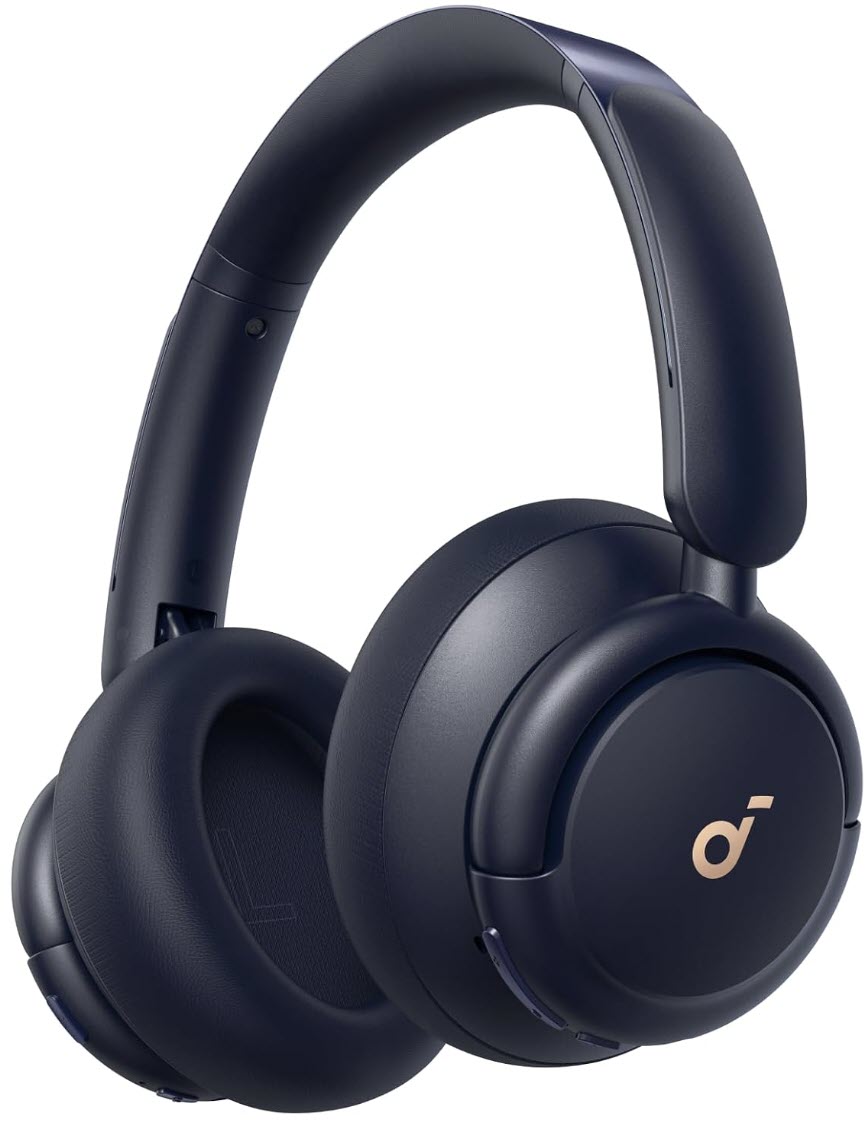
🎧 Soundcore Q30 Active Noise-Cancelling Headphones: Noise cancellation and a built-in microphone can make Voice conversations easier to hear in busy environments.

Save 30%. $59.99. 4.4 Stars. Check it out on Amazon!


🎙️ Logitech H390 USB Headset: A wired USB connection and adjustable boom microphone make this a practical option for GPT Live through a desktop browser.

$24.05. 4.3 Stars. Check it out on Amazon!


📱 Lamicall Adjustable Phone Stand: A stand keeps the ChatGPT interface visible while you talk, review visual cards, or attach an image.

$9.99. 4.8 Stars. Check it out on Amazon!


🔋 Anker Nano 10,000mAh Power Bank: A compact power bank can help prevent extended Voice sessions from draining your phone while traveling.

$49.99. 4.5 Stars. Check it out on Amazon!


*Prices accurate when originally published.

One Cool Tip may earn a commission from qualifying purchases.

Fuel Your Adventure

Try Big Mike's Jerky!


bigmikesjerky.com


Now on TikTok!


Today's Cool Tip

GPT Live Makes ChatGPT Voice Feel More Natural


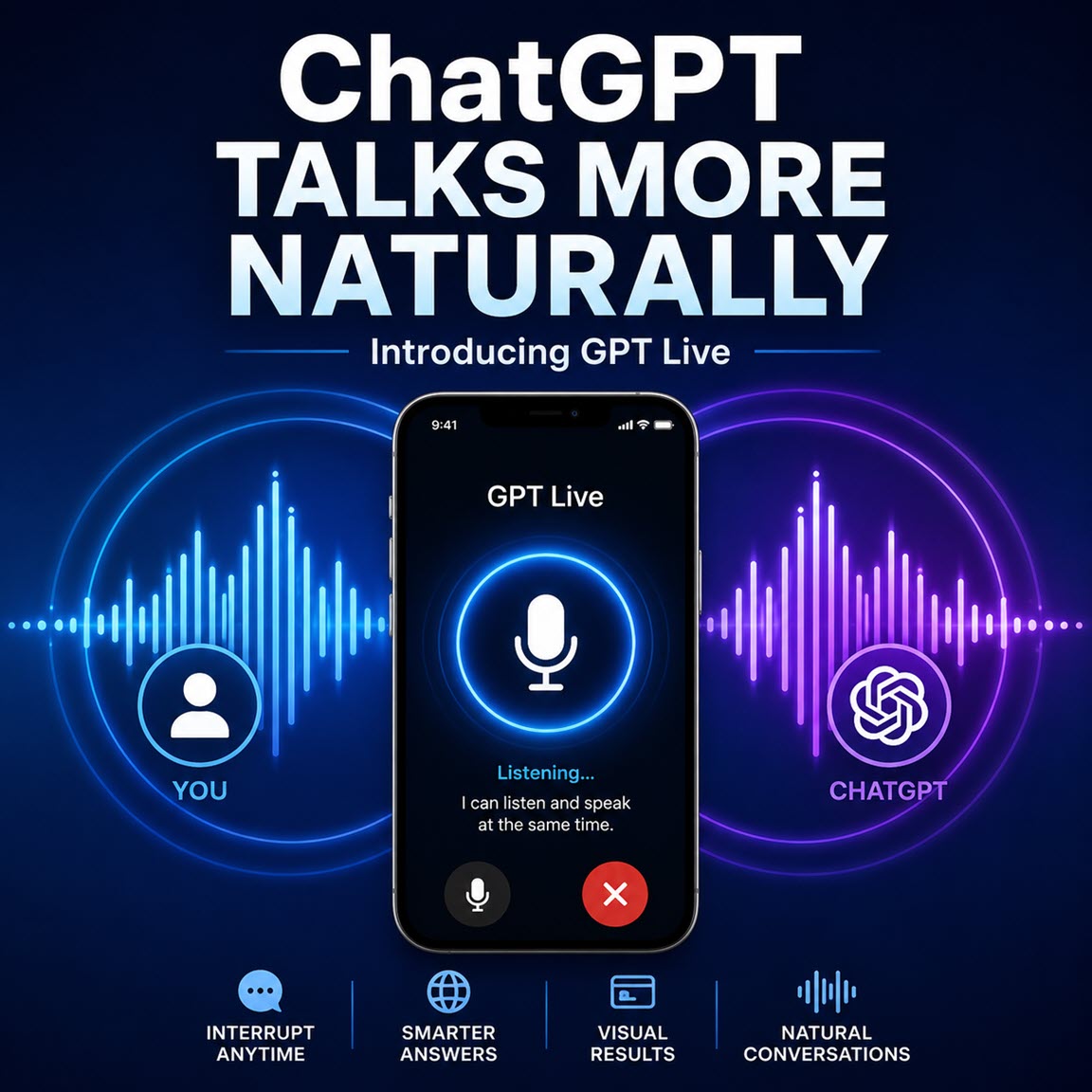
GPT Live makes talking with ChatGPT feel less like issuing voice commands and more like having a flowing conversation. It listens while it speaks, handles interruptions more naturally, and can draw on search and reasoning tools without ending the conversation.


Have you ever paused while talking to ChatGPT, only to have it assume you were finished and start answering?


That awkward rhythm has long separated AI voice assistants from real conversations. 


Most voice systems wait for silence, process what you said, and then respond. 


Even ChatGPT’s Advanced Voice Mode primarily worked through distinct conversational turns.


Here’s a Cool Tip: Switch ChatGPT Voice to Live for more natural conversations.


GPT Live changes that pattern.


Introduced by OpenAI on July 8, 2026, GPT Live uses a full-duplex audio architecture. 


In plain English, it can listen and speak at the same time. 


That allows it to handle interruptions, brief pauses, corrections, and quick follow-up questions more naturally.


Feature Explanation


GPT Live is the technology powering the latest ChatGPT Voice experience.


Because the system continues listening while it responds, you can interrupt an answer, clarify your request, or ask ChatGPT to wait while you think. 


It can also acknowledge that it is listening without taking over the conversation.


GPT Live separates the live audio conversation from more demanding processing. 


When a question requires web search, deeper reasoning, or another supported capability, it can delegate that work to a separate model and return the result to the conversation.


GPT Live used GPT-5.5 as its supporting model at launch. 


OpenAI intends to update that supporting model as newer frontier models become available. 


The specific background model may therefore change without requiring users to select a different Voice option.


GPT Live can also use ChatGPT Search and Memory, display supported visual results, and work with typed text and images in the same chat when those features are available for your account.


What You’ll Gain


  • Hold more natural conversations without waiting for rigid turns.
  • Interrupt an answer to correct or redirect ChatGPT.
  • Continue talking while ChatGPT handles supported searches or reasoning tasks.
  • Combine spoken questions, typed messages, images, Memory, and visual results.


Step-by-Step Instructions


Here's how to do it.


Web/Desktop Browser


  1. Visit ChatGPT.com and sign in.
  2. Select your profile icon.
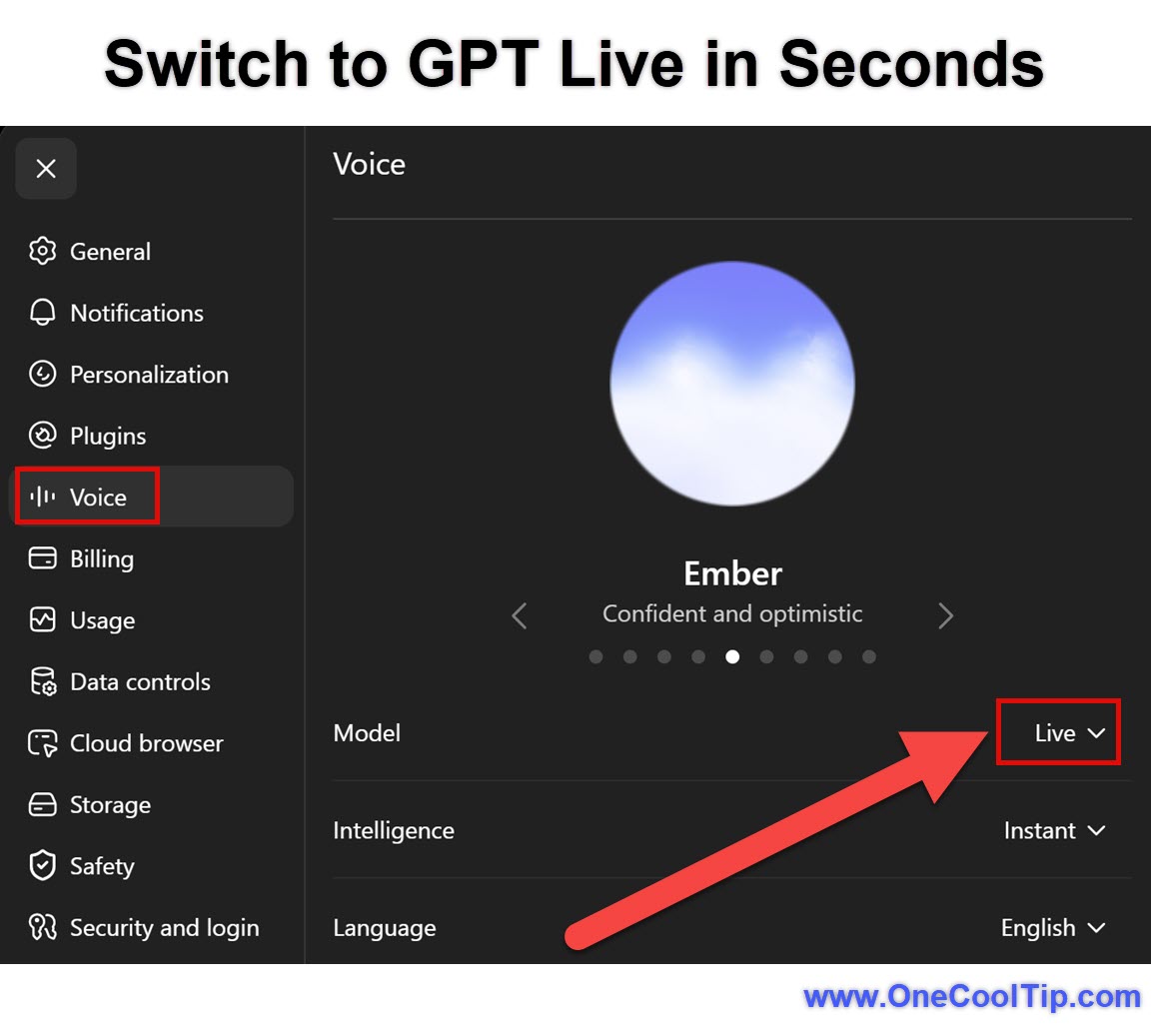
  3. Open Settings > Voice.
  4. Select Live if it appears as an available option.
  5. Return to a conversation.
  6. Select the Voice icon in the prompt window.
  7. Allow your browser to use the microphone if prompted.
  8. Begin speaking after the Voice interface opens.
  9. Select the microphone control to mute yourself or the exit control to end the conversation.
  10. Live responses appear as text while ChatGPT speaks. 
  11. After you end the Voice session, a transcript is added to the conversation in your chat history.


fig. 1 - Switch to GPT Live in Seconds

Cool Example: 


Ask, “Help me organize my priorities for the week.” While ChatGPT answers, interrupt with, “Focus only on tasks I can finish today.” GPT Live should adjust to your latest instruction without making you wait for the original response to finish.


Windows


  • GPT Live is not initially available in the ChatGPT Windows desktop application.
  • Windows users can access it through ChatGPT.com in a supported web browser by following the Web/Desktop Browser instructions.


macOS


  • GPT Live is not initially available in the ChatGPT Mac desktop application.
  • Mac users can access it through ChatGPT.com in a supported web browser.


iPhone and iPad


  1. Update the ChatGPT app through the App Store.
  2. Open ChatGPT and select your profile icon.
  3. Open Settings > Voice.
  4. Select Live if it is available.
  5. Return to a conversation and tap the Voice icon.
  6. Allow microphone access if prompted.
  7. Choose a preferred voice if this is your first Voice conversation.
  8. Begin speaking.
  9. Use the microphone control to mute yourself or the exit control to end the conversation.


Android


  1. Update ChatGPT through Google Play.
  2. Open ChatGPT and select your profile icon.
  3. Open Settings > Voice.
  4. Select Live if available.
  5. Return to a chat and tap the Voice icon.
  6. Grant microphone permission if requested.
  7. Choose a preferred voice if prompted.
  8. Begin speaking.
  9. Use the microphone and exit controls to manage the session.
  10. Availability may vary by account, plan, region, and app version.


Pros and Cons


Pros:


  • More natural pacing: GPT Live is less likely to treat every brief pause as the end of your question.
  • Easier interruptions: You can correct a detail or redirect the conversation while ChatGPT is speaking.
  • Hands-free help: Talk through ideas while walking, cooking, organizing files, or working away from a keyboard.
  • Mixed input support: Add typed text or an image without beginning a separate conversation.
  • Visual responses: Supported answers can display visual cards for information such as weather, stocks, sports, and maps.


Cons:


  • Limited launch platforms: GPT Live is not initially available in the ChatGPT Windows or Mac desktop applications.
  • No video or screen sharing: Those features remain available through Advanced Voice Mode for eligible mobile subscribers.
  • No organizational workspace access: Business, Enterprise, and Edu workspaces are excluded at launch.
  • Not designed for groups: Several people talking near the microphone may confuse the system.
  • Transcripts are not exact: The saved text may not reproduce every spoken word.


Feature Access


GPT Live is rolling out globally through ChatGPT.com and the ChatGPT applications for iOS and Android.


Consumer paid plans use GPT-Live-1, while Free accounts use GPT-Live-1 mini. 


Availability may vary by region, account, plan, and application version. Voice usage limits also vary by plan and may change.


At launch, Live is not available in:


  • ChatGPT Business workspaces.
  • ChatGPT Enterprise workspaces.
  • ChatGPT Edu workspaces.
  • Temporary Chats.
  • ChatGPT desktop applications.
  • ChatGPT Work.
  • Codex.
  • Custom GPTs.
  • Connected apps or plugins.


Live also does not initially support video or screen sharing. 


Advanced Voice remains available to eligible users who need those features.


Score

Criterion | Score (0–10) |  Justification
Value |  9
GPT Live addresses familiar Voice problems, especially awkward pauses, interruptions, and rigid turn-taking.
Usability |  8
Starting a conversation is easy, but the gradual rollout and lack of desktop-app support may confuse users.
Wow Factor |  9
The ability to listen and speak simultaneously produces a noticeably more natural form of AI interaction.
Total: 26/30 |  🌟 Excellent
GPT Live is one of the most significant improvements yet to ChatGPT Voice, provided your account and preferred platform support it. Compared with Advanced Voice Mode, Live offers more fluid turn-taking and stronger access to search and reasoning.  Advanced Voice currently retains the advantage when you need video or screen sharing.


Key Takeaways


GPT Live makes ChatGPT easier to talk with by reducing awkward pauses and allowing interruptions, corrections, and longer spoken explanations.


It is rolling out through ChatGPT on the web, iPhone, iPad, and Android for eligible personal accounts. 


Desktop applications, organizational workspaces, Temporary Chats, custom GPTs, and connected apps are not supported at launch.


Cool Tip Snapshot


  • Feature Name: GPT Live.
  • Platform(s): ChatGPT.com, iPhone, iPad, and Android.
  • Quick Benefit: More natural and responsive Voice conversations.
  • Best For: Brainstorming, planning, learning, travel, accessibility, and hands-free help.
  • Access Type: Free, Subscription, Rolling Out.
  • Difficulty: Easy.


Try It Yourself


Open ChatGPT, select Settings > Voice > Live, and try holding a natural conversation without waiting for perfect pauses. 


Share your experience in the comments, subscribe to the One Cool Tip newsletter, and send this Cool Tip to family, friends, and coworkers who use ChatGPT.


READ MORE


Read the Full Cool Tip.

Check Out These Cool Tips & Tricks


  • Set the Pace: Ask GPT Live to speak faster or more slowly. Say, “Speak more slowly,” or, “Give me the quick version.”


  • Wait Mode: Ask GPT Live not to answer while you think aloud. Begin with, “Wait until I ask you to respond.”


  • Interrupt Freely: You do not have to wait for ChatGPT to finish a long response. Begin speaking and state your correction or follow-up question.


  • Use Headphones: Headphones reduce feedback and make it easier for ChatGPT to distinguish your voice from its own audio. Connect wired or Bluetooth headphones before starting Voice.


  • Add Images: Live can work with supported images in the same conversation. Select the add button and attach an image while Voice is active.


  • Mix Inputs: Type names, addresses, model numbers, or technical terms that Voice may mishear. Enter the information in the message bar and then continue speaking.


  • Review Results: Voice transcripts may not reproduce every spoken word. Open the saved conversation and verify important names, dates, prices, and instructions.


  • Reduce Noise: Background conversations can cause unwanted interruptions. Move to a quieter location or enable Voice Isolation on a supported iPhone.


  • Switch Modes: Live, Advanced, and Standard serve different purposes when they are available. Open Settings > Voice and select the option that best fits the task.


  • Protect Privacy: Review Settings > Data Controls before discussing private information. Disable model-improvement options when they are not appropriate for your use.

ICYMI - In Case You Missed It ...

Create Custom Merch Fast With Alexa for Shopping


Amazon’s new Alexa for Shopping feature lets U.S. customers turn simple prompts into custom merchandise designs. It lowers the barrier for creating one-off shirts, hoodies, tumblers, and water bottles without needing design software.


Read the Full Cool Tip.


Read the Newsletter Version.

Looking for your next adventure?


Call Denise at Travel For You.

314.660.3039


Sign Up for the Monthly Newsletter


http://www.travelforyouvacations.com/


https://www.facebook.com/TRAVEL.FOR.U/


See You Tomorrow

Tomorrow's Cool Tip is waiting to amaze you.


Until then, go forth and conquer the tech world with your newfound knowledge!


Be sure to visit www.OneCoolTip.com for Cool Tech Tips for a Cooler Life!


And if you Like One Cool Tip, please support with TipJar!


Enjoy!


Rodger

Chief Cool Tipper

onecooltip.com@gmail.com


What Do You Think?

What do you think of today's OneCoolTip newsletter?
Positive        Neutral        Negative
X Share This Email
LinkedIn Share This Email

Connect with One Cool Tip!!

Facebook  X  Instagram  Web  Pinterest  YouTube  LinkedIn
 

As an Amazon Associate, One Cool Tip may earn a small commission from qualifying purchases.


Our media content is intended solely for informational purposes only. Please do not construe anything here as legal, tax, investment, financial, marital or other advice.


Copyright © 2026 | www.OneCoolTip.com | All Rights Reserved