Tech / Internet News & Tips - December 2023

  • How to recognize and avoid the social engineering scam called "pig butchering"


  • Why Microsoft is pushing their "Edge" browser


  • Scams on the increase: Your scam resource is right here


  • We can help you save money on your telecom bill


  • Our Computer Maintenance Plan now offers VIP pricing for In-Home service calls


Computer Techs Help Key

Reno's PC & Technology Help Experts since 2003 


Affordable PC Repair - Experienced IT Consultants 

In-Home Service & Remote Support


No Geek Speak: Local techs that speak 

a language you can understand


Support for Windows - macOS - iOS - Android


How to recognize and avoid the social engineering scam called "pig butchering"

The scam may start with a simple text or email message that initially seems directed to someone else, but responding to such messages can lead down a "rabbit hole" where most victims lose thousands of dollars. With worldwide communication at our fingertips these days, it's easy for scammers to target anyone - and it may start with a simple message saying "Hi". "Pig butchering" is a complex and evolving social scam that preys on victims through manipulative online relationships. Here's the details that you need to know so that you don't become a victim:

Click to read the article...
 

Why Microsoft wants you to use their "Edge" browser

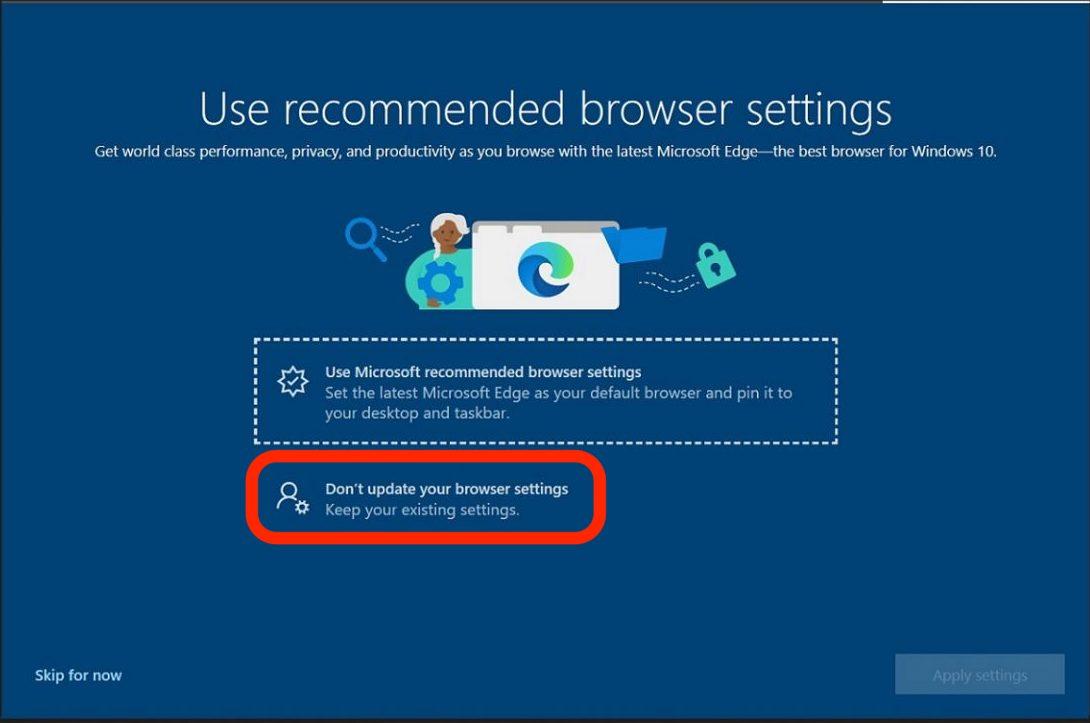
Microsoft has been aggressively coercing people to use their “Edge” browser by making it a recommended or default choice after Windows updates. Perhaps you’re used to using Google Chrome or Mozilla Firefox – and that’s OK. You can say “no” to Microsoft’s solicitations if you read and select carefully, and watch for dark patterns on their selection screens.


Here are several reasons why Microsoft wants people to use the Edge browser:

Click to read the article...


Scams on the rise: Your scam resource is right here

Even though we spread the word about scams every month in this newsletter, several times per month we are called to help people recover from a scam. Most scams are easy to detect if you SLOW DOWN and carefully read what the email or text message is saying. Bad grammar, misspellings, and bogus email addresses or phone numbers are in nearly all scams. Unfortunately scammers also still call and leave voicemail messages too.


Don't get ripped-off this holiday season and in the new year. Please take a few moments to review the scam information that we post on our website - a resource you should review any time you may be considering acting upon an unsolicited email, text message or phone call. Click the button below to visit our website, and bookmark/favorite it for future easy access.

 
scams.CTreno.com
 

Our Computer Maintenance Plan now offers VIP pricing for In-Home service calls

Since 2003 clients regularly ask us for a way to keep their computers secure and up-to-date, and not have to worry about the seemingly constant barrage of updates. With websites getting hacked on a daily basis, and the increasing chance of your personal information being lost or compromised, it's more important than ever to keep your computer up-to-date and maintained.


With the Computer Techs Maintenance Plan, we will maintain, update and check the security on your computer on a convenient quarterly schedule. Service can be performed via a Remote Support session which takes about an hour. Services include:

Read about our Computer Maintenance Plan with VIP pricing...
 

We can help you save money on your telecom bill

phone-laptop-man.jpg

If you're trying to save money on your telecom bill(s) - we can help! Should you "cut the cord" on your TV service? Can you save money on your internet, home phone and/or mobile phone services?


We can sit down with you, examine what you're paying now, and help you save money. We can go through the pros and cons of cutting (or adding) services based on your specific needs.

Contact us today about saving money on your telecom bill(s)...
 

Visit our YouTube Video Playlist to Learn About the Latest Scams and Computer/Internet Tips

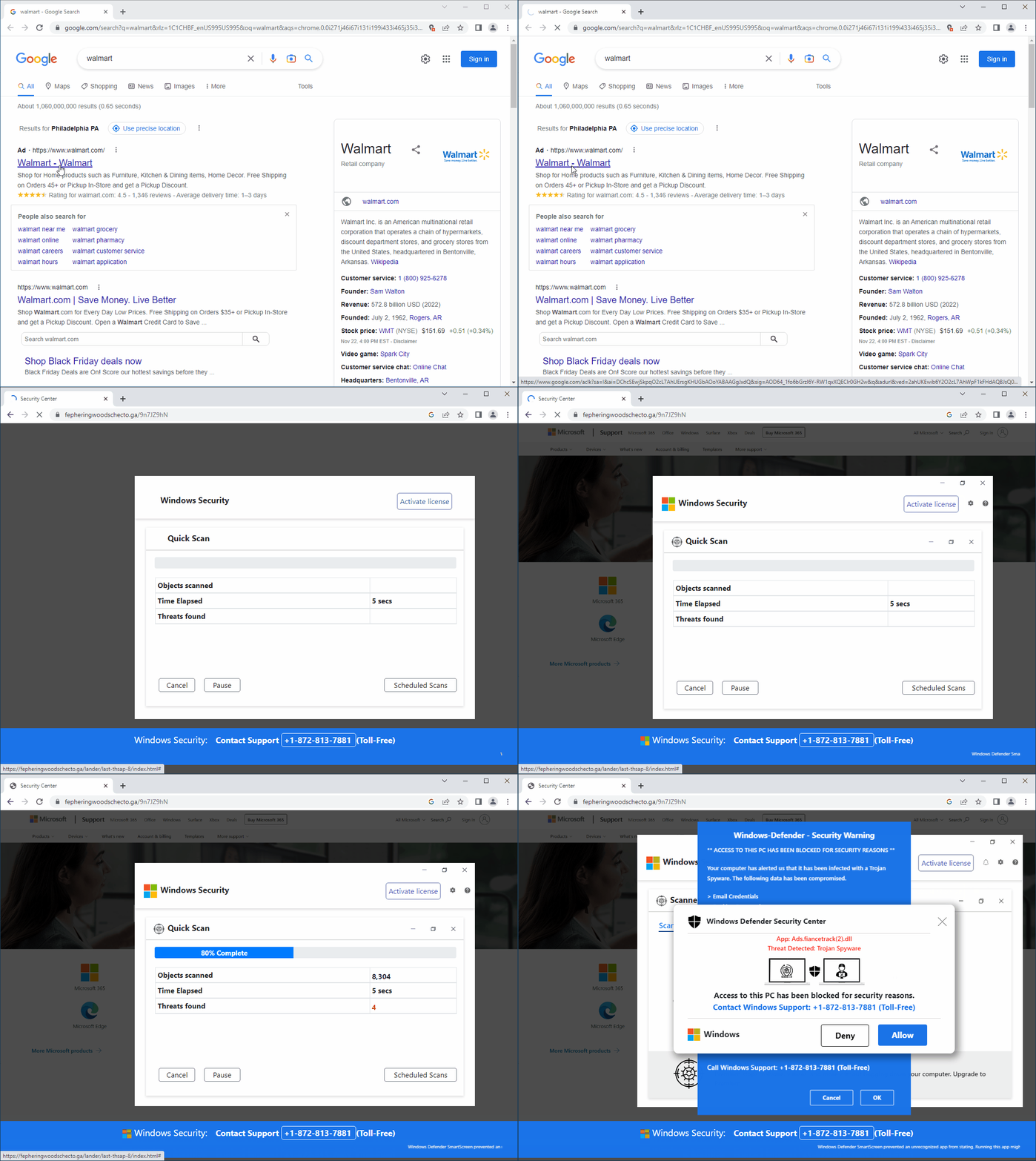
Watch our featured video showing a fake security pop-up telling you that your PC has been blocked, and to call the number presented for "Windows Support". As mentioned before, you should NEVER call a number that pops up on your screen. In the video we show you how to close out of these pop-ups whenever they occur.

Visit YouTube.CTreno.com ...
 
Click to CONTACT US

Connect with us!

Facebook  Twitter  Web  YouTube