Dear District 113 Community, | |
“It’s the final countdown!” We are so excited to welcome everyone back for the 2025-2026 school year! Many of our staff have been busy all summer working to prepare for a great year ahead. As you prepare for the school year, I’ve included some important informational items and changes for the upcoming year for you to know that affect the entire district. Principals recently shared more detailed, school-specific information to families regarding the opening of school.
The transition to a new school or a new school year can bring a range of emotions, from sad to nervous to joyous, or a mix of all of them. Students, families, and staff often experience these emotions. I do, as well, although I am very excited to start the school year. I have missed your energy, inspiration, and presence. I want to emphasize that District 113 welcomes everyone, and we will continue to foster an environment of access, belonging, and achievement in our buildings and on our campuses. I am looking forward to seeing our halls full again with the smiling faces of our students and staff in the coming days and engaging with our parents and caregivers at various events in support of students. Thank you for making District 113 a special place to learn, grow, and engage.
Dr. Chala Holland
Superintendent of Schools
| | The District 113 Strategic Plan | | |
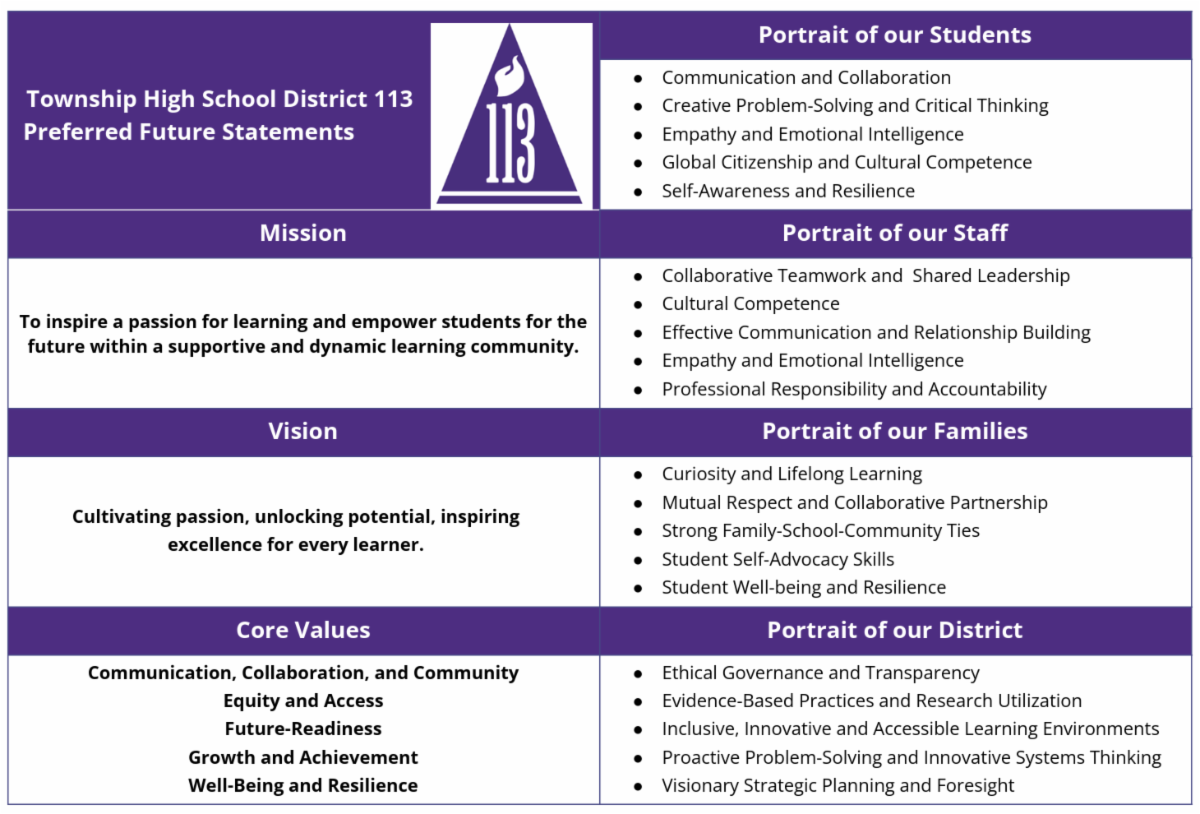
Our district administration, including several new team members, has been working hard alongside our building administration to finalize the implementation details of our strategic plan. On August 5, we will share a Board update outlining our efforts to solidify goals, performance indicators, establish structures, and prioritize strategies that will guide this plan’s implementation. We are also working on developing accountability measures for all, with progress monitoring and scheduling of communication to ensure that our community is informed of our efforts and the progress we are making. We will continue to engage our stakeholders in this iterative process. Please look for opportunities to share your input along the way. For more information, visit the strategic plan section of the district website.
| |
District 113 Free Vaccine Clinic for
D113 Students Only
| | |
In conjunction with the Illinois Department of Public Health (IDPH) and IDPH provider Chicago Internal Medicine Practice and Research (CIMPAR), District 113 is offering a free vaccine clinic for D113 students. All school-required vaccines will be available. The clinic will be held on Saturday, August 2, from 9:00 a.m. to 3:00 p.m. at the Highland Park High School Cafeteria. Parent/guardian authorization is required. To register, scan the QR code below or show up prepared to complete the registration process upon arrival. For more information, see this communication.
| | Cell Phone and Bring Your Own Device (BYOD) Changes | |
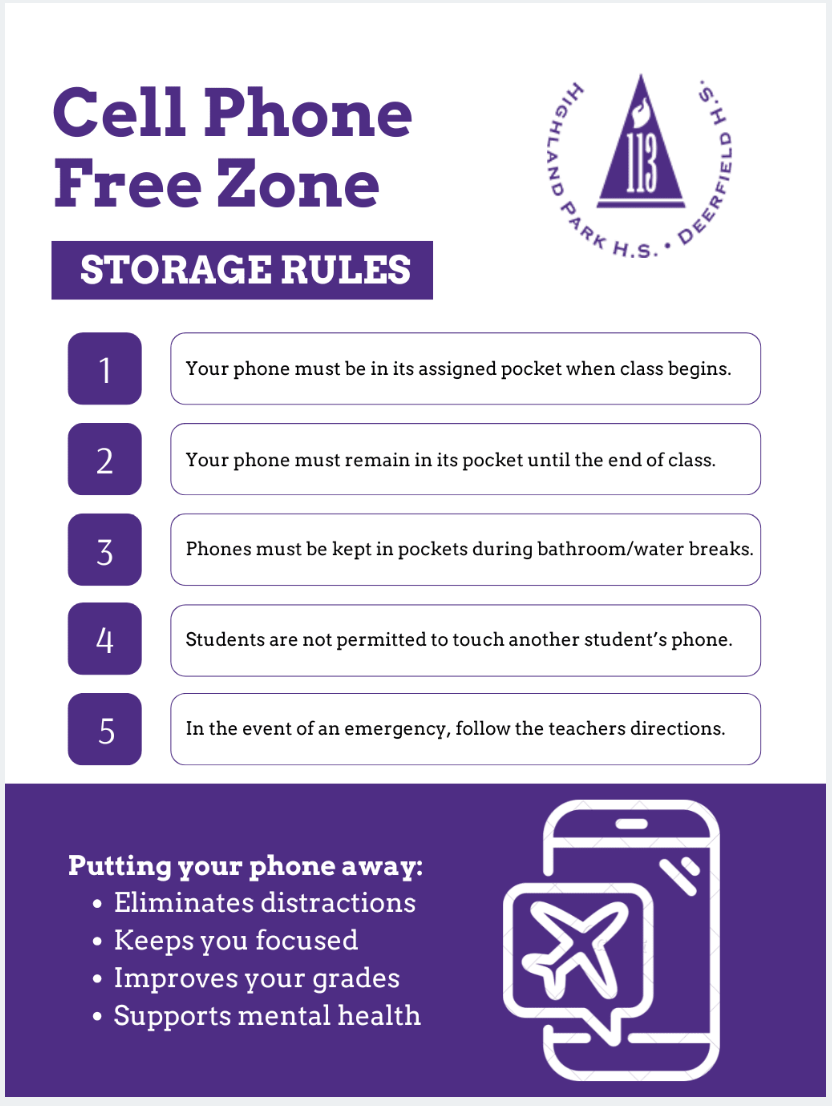
 | | As announced earlier this year, to promote student engagement and learning as well as increase security, District 113 is implementing a district-wide policy governing student cell phone use and personal devices this year. “No Cell, Bell to Bell” means cell phone use will not be permitted during class and/or scheduled time, like assemblies. Students will be required to silence their phones or put them on airplane mode and store them in the designated phone pouch, which will be available in all instructional and support spaces. Phones may be used before or after school, during passing periods, and at lunch. Also beginning this fall, 9th and 10th grade students will be required to use their district-issued Chromebook during class/instructional time. Students in 11th and 12th grades will be permitted to use their personal devices during the upcoming school year only on the secure District 113 network. During the 26-27 school year, all students will be required to use district-issued devices.
To learn more about this initiative, please consider attending the online community conversation on Wednesday, August 6, from 6:30 to 7:30 p.m. Click for more information.
| |
Move to the "I Love U Guys"
Standard Response Protocol
| | |
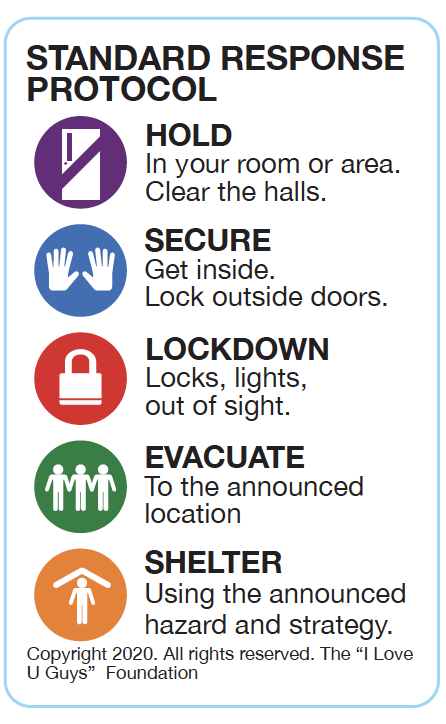
District 113 is moving from the ALICE emergency response framework to the "I Love U Guys" standard response protocol. The protocol is currently being used by over 50,000 school districts, agencies, and organizations worldwide, including local entities such as Districts 106, 109, 112, and the City of Highland Park.
This protocol is an “all-hazards” plan that establishes five core actions and directives to implement in a school emergency:
Your student may already be familiar with the Standard Response Protocol (SRP), as it has been previously implemented in Districts 106, 109, and 112 at the elementary and middle school levels. Additionally, many of these procedures were already in use at the high school level prior to this formal adoption. To that end, in the coming weeks, we will review these protocols with our students to prepare them for our school-wide drills. These drills are an important part of ensuring that everyone knows what to do in the event of an emergency and can respond quickly and calmly.
We understand that discussions about safety can raise concerns, but please know that our goal is to equip our students and staff with the knowledge and skills necessary to handle any emergency situation effectively. We encourage you to talk with your child about the SRP so that they are prepared and feel confident in their ability to follow the procedures.
| | Ongoing and Continued Safety Procedures | | As part of our continued commitment to providing a safe and secure learning environment, we want to remind you of the safety procedures in place at Highland Park High School and Deerfield High School. | | |
K9 Weapons Detection Teams
Our K9 Weapons Detection Teams will be circulating our campuses during arrival and throughout the school day.
- At Highland Park High School, Officer Izaiah Britton and K9 Sue will be on duty.
- At Deerfield High School, Officer Melodie Weatherred handles K9s Jera and Clue.
- There is a backup K9 at Deerfield to support both buildings and ensure consistent coverage if one of the K9s is not available.
These teams are an important part of our proactive safety efforts.
| |
Electronic Weapons Detection Systems
Both schools are equipped with Electronic Weapons Detection Systems at building entrances. These systems will be used to randomly screen students for weapons during arrival.
Here’s how the process works:
-
All students will scan their student ID upon entry.
-
A computer program will randomly assign numbers to each scan and select a small percentage of students for screening each day.
-
The selection process is indiscriminate—any student can be selected, including on multiple or consecutive days.
Students selected for screening will be given specific instructions at the time of screening. In general, students should expect to remove their Chromebook from their backpack and other metal objects from their bags and their person.
After the start of the first period, all individuals entering the building will be screened for weapons before being allowed inside.
| | |
Anonymous, Two-Way Encrypted Tip Line
District 113's tip line through WeTip 2.0 offers the following enhanced features and functionality:
- 24/7/365 live operator monitors tips
- Two-way anonymous communication = Encryption provides the ability to collect more actionable information while enabling tip submitter to remain anonymous
- Verbal and written tips can be submitted in 13 languages
Submit online, or use the dedicated D113 hotline for call/text: 844-224-1521.
| | |
Test of the Emergency Notification System August 11 at 10:05 a.m.
through ParentSquare
| | |
To ensure we can reach you in an emergency, District 113 will conduct a test of its emergency notification system to all D113 staff, students, and parents/guardians on Monday, August 11, at 10:05 a.m.
The test will be sent by:
Text - to the cell phone number on file in Infinite Campus (students and parents/guardians) and Skyward (staff)
Phone call - to the phone number on file in Infinite Campus (students and parents/guardians) and Skyward (staff)
Email - to the email address on file in Infinite Campus (students and parents/guardians) and Skyward (staff)
Parents/Guardians and Students
- Parents/Guardians will be contacted using the information provided through registration or annual update in Infinite Campus
-
Parents/Guardians can verify/update their email addresses/phone numbers in the Infinite Campus Parent Portal
- Students will be contacted through email and by call/text if their parent/guardian entered their student’s cell phone number in Infinite Campus in the IC Parent Portal
Staff
- Staff will be contacted by using the information the staff member provided in Skyward
-
Staff should follow these instructions describing how to check information to ensure it is current and to ensure their information is in the right location in Skyward
Students, Families, and Staff:
If you do not receive all formats of the emergency test on August 11, fill out this short form.
| | ParentSquare - Activate Your Account; Set Your Preferred Language, Delivery Preferences | |
- District 113 will send a message through text and email today asking you to activate your District 113 ParentSquare account if you have not previously done so.
- Enter the email or phone number on file (provided at registration or updated through the IC Parent Portal). The information must match the IC Parent Portal for the ParentSquare system to recognize you.
- Once activated, you can sign in to your ParentSquare account to select your personal language preference
- You can also choose your delivery preferences - receive messages as they are sent or receive them all at once at 6 p.m. - note that this setting does not affect any emergency messages.
- Please also see the next box if you have dual roles, as in you are both a staff member and parent/guardian.
| | ParentSquare Changing Account Management for Some Users | | ParentSquare has announced that users with accounts combined across multiple districts or roles, like combined Parent/Staff accounts, will be separated into an account for each district or role. For more detailed information, please visit the ParentSquare web page on the District 113 website. | |
|
Click to connect with District 113
-
Haga clic para conectarse con el Distrito 113
| | | | |