Welcome to ITS Powertivity eNews | September 2025

Florida Gulf Coast University log on Powertivity Tips banner
 

We're here to help you SOAR!

Today's newsletter is 987 words... a 3.7-minute read.

 
OneDrive cloud icon

This issue dives into OneDrive, exploring its benefits, why it's a smart Cloud storage solution, and why it's important to transition to it if you haven't already.


Use FGCU's OneDrive to store and share files securely!

 
Girl gasping in front of laptop

The problem: You recently lost files stored on your desktop and don't want to make that mistake again. But where can you store files so they are secure, backed up, and can be shared with your colleagues?


The solution: Use FGCU's OneDrive file storage solution to store and share needed files.


Why use OneDrive:

Use OneDrive to securely sync files between your computer and the Cloud, to get to your files from anywhere - your computer, mobile device, or OneDrive.com. Any changes made online or in your OneDrive folder are automatically synced. You can work offline in File Explorer, and updates will sync once you're back online.


This secure file storage location also gets backed up nightly, which means that if you lose a file, it can be restored!


How to use OneDrive:

Getting Started with OneDrive to learn more.


OneDrive is available by default for any FGCU-managed device. If you don't have it, access the Sync Files with OneDrive in Windows article to learn how to install the OneDrive app (also covers Mac OS and Web).


Go deeper with Share Folders and Network Storage at FGCU.


*Note: Do not store Restricted Data on OneDrive. 

Bottom line: OneDrive is a secure place to store FGCU files and share files (seamless collaboration) with peace of mind knowing it's backed up nightly.

Zoom & MS Teams Security Reminder


Please remember that Zoom and MS Teams are unsafe places to share restricted data. The same guidelines apply for handling restricted data when web conferencing.


Go deeper with restricted data.

"Phew!" ~ Just in time tips!

FGCU's OneDrive provides

5 TB of storage!


Click to access the OneDrive vs SharePoint vs Teams Infographic

Be confused no longer!


Windows 11 is coming to you soon!

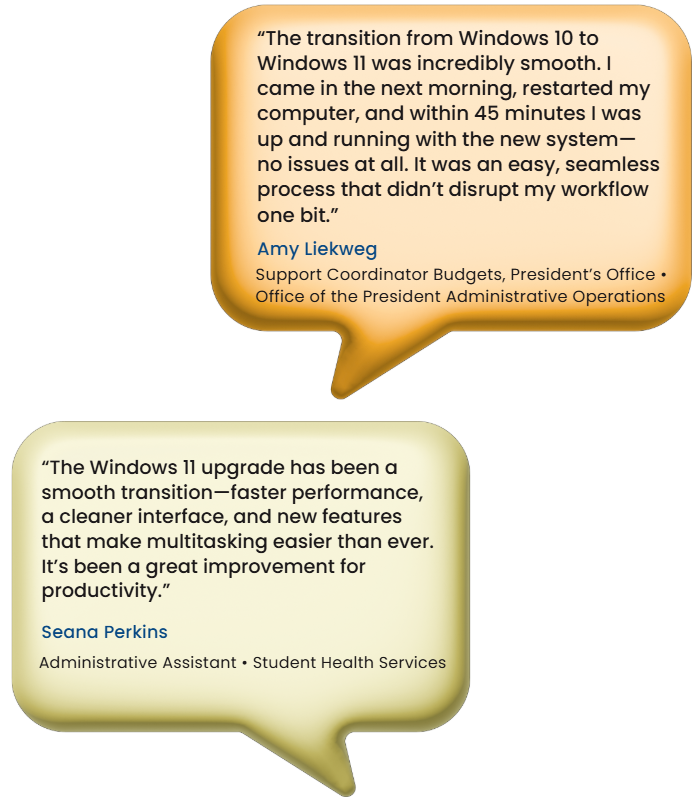
Two testimonial quote bubbles The first says The transition from Windows 10 to Windows 11 was incredibly smooth I came in the next morning restarted my computer and within 45 minutes I was up and running with the new system no issues at all It was an easy seamless process that didn’t disrupt my workflow one bit from  Amy Liekweg with the President's Office and the second one says The Windows 11 upgrade has been a smooth transition faster performance a cleaner interface and new features that make multitasking easier than ever Its been a great improvement for productivity by Seana Perkins with Student Health Services

We are off and running with the Windows 11 rollout, coordinated with each department's property manager, ensuring you receive comprehensive guidance and dedicated support throughout the transition. Windows 11 promises a more efficient, secure, and user-friendly experience.


For a quick look at its main features, watch key features overview (4:13).


To learn more about Windows 11, visit the Tech How To site.

ITS Employee Spotlight

Profile photo of Clinton Nitz

Introducing ITS Endpoint Deployment Manager | Network Security, Clinton Nitz.


How long have you been with FGCU, and what brought you here?

15 years. I was drawn by the opportunity to contribute to an environment that directly supports education. My background in technology and management aligned well with FGCU’s evolving needs, and I was excited to help modernize and streamline technology for students, faculty, and staff.


Can you describe your role in IT in a way that someone outside of technology would understand?

My team ensures your computer is ready to go when you walk into a classroom or office. I manage how devices are set up, secured, and updated across campus. Whether it’s installing software, resolving login issues, or preparing machines for a new semester. We keep technology running smoothly so others can focus on teaching, learning, and working.


What part of your job do you find most rewarding when it comes to helping FGCU students, faculty, or staff?

One of the most rewarding aspects of my role is seeing how my work directly impacts the university as a whole. I enjoy identifying and solving roadblocks that affect our success, especially when those solutions improve the experience for students, faculty, and staff.

Yellow and blue 3D looking magaphone


What's something surprising or little-known about your work in IT?

People often don’t realize how much planning goes into replacing or upgrading classroom computers. It’s not just about buying new machines, it involves warranty tracking, software compatibility, budgeting, and coordinating with faculty to understand their needs, all while ensuring the process doesn’t disrupt their work.


What's one piece of advice or insight you'd share with other FGCU employees about working with IT?

Reach out early and often. Whether you're planning a new software rollout or experiencing a technical hiccup, involving IT from the start helps us support you more effectively. We’re here to collaborate, not just fix things after they break.


What do you enjoy doing outside of work?

Outside of work, I enjoy spending time with my family and reading whenever I can find the time.


Is there a project or achievement you're especially proud of at FGCU?

I’m especially proud of the successful rollouts of new software we’ve completed over the years. These initiatives required coordination across departments, troubleshooting complex issues, and ensuring a smooth transition for all our customers. Each deployment is an opportunity to advance FGCU’s technology and improve the campus experience.


Thanks for helping FGCU run smoothly behind the scenes, Clinton! Your work keeps our campus connected, supported, and ready for success.

Like to see a specific powertivity topic covered?

Send your suggestion to: itschange@fgcu.edu

How beneficial are the Powertivity tips to you? (1 sec. click)
1-star        2-stars        3-stars        4-stars        5-stars

Need to report an issue or have a question?

Contact the University Help Desk:


helpdesk@fgcu.edu or 239.590.1188


Be your own help desk, click to visit the Knowledge Base

 
FGCU ITS Logo image
 

Empowering the University Community to achieve new digital possibilities