|
One Cool Tip Newsletter
November 21, 2025
| Your daily dose of tech-savvy brilliance! | |
😀Greetings!, Happy Friday Funday, Cool Tipper!
Get ready to streamline your digital life with simple, actionable tips delivered straight to your inbox.
Today's Cool Tip Theme: Google Infinite Drums
IN THIS ISSUE
- 🚨 "Publisher's Clearing House" Scam.
- 🛡️ Data Breach News.
- 🚀 Productivity Prompt.
- 🖼️ Holiday Planning Prompt.
- 🥁 AI Drum Machine.
- 🎮 Online Gaming Tips and Tricks.
- 🕺 Hampster Dance Nostalgia.
- 🎨 AI Art Review.
- 🎻 Music Fun.
New here? Subscribe to the One Cool Tip Newsletter for daily updates. It's FREE!
-
😂 Laugh with Us! Enjoy our Tech Joke of the Day, Haiku and Cool Tip Comics.
-
🌐 Stay Informed! Check out ICYMI, and our One Cool Tip Video.
Today's Tech Trivia
Answer at the end of this newsletter.
| |
| Which early audio format was the first widely adopted way to store digital music on PCs? | | | |
🚨Don’t Fall for the “Publisher’s Clearing House” Scam🚨
Scammers are impersonating law enforcement and claiming you've won a big prize from Publisher’s Clearing House but there's a catch: they demand payment upfront for “taxes” or “fees.” This is a scam.
What to watch for:
- Calls or texts saying you’ve won a sweepstakes you never entered
- Requests for payment via gift cards, wire transfers, or crypto
- Fake caller IDs showing “Sheriff’s Office” or government names
Real sweepstakes never ask for money to claim a prize. If you get one of these calls, hang up and report it to your local authorities.
And in Other News...
- Synthient Stealer Log Threat Data Breach
A massive breach involving Synthient Stealer logs has exposed over 1.3 million records of sensitive data, including email addresses, passwords, and device info. This data was harvested by malware and later leaked online.
What it means for you:
If your email or credentials were captured by this stealer malware, they may now be circulating on dark web forums. This breach wasn’t tied to a single company; it’s part of a broader threat landscape where infected devices silently leak personal data.
What to do now:
- Visit Have I Been Pwned and check your email.
- If listed, immediately change passwords and enable two-factor authentication.
- Run a full malware scan on your devices.
- Monitor accounts for suspicious activity.
Stay proactive: Avoid downloading unknown files, and keep your antivirus software updated. Read our earlier Have I Been Pwned Cool Tip,
| | |
🚀 Make It a Great Week!
Copy/Paste this AI-powered prompt. Try it in the One Cool Tip AI Companion (free ChatGPT account required) or Copilot, Gemini or ChatGPT:
Help me make today a great day at home and work. First, ask me for my top three priorities for work and my top three for home.
Then create a simple plan for the day with:
• a focused morning work block,
• two quick wins I can finish in under 10 minutes,
• one home task I can complete during a break,
• a short midday reset routine,
• and an evening wind-down plan.
Keep the schedule flexible and encouraging.
| | | |
🖼️ Cool ChatGPT AI Prompt of the Day
Try this ChatGPT prompt:
“Help me get ready for the holidays. First, ask me about my plans, budget, travel needs, gift list, and any deadlines. After I answer, create a simple holiday readiness plan that includes:
• a short checklist for this week,
• two quick wins I can finish today,
• a gift and shopping plan based on my budget,
• home and tech tasks I should prepare for,
• and one stress reducing suggestion.
Keep it organized, realistic, and easy to follow.”
| | |
How Google Turns 50,000 Everyday Sounds Into Your Next Beat
This remarkable AI tool transforms ordinary noises like dog barks, sneezes, and footsteps into a massive, searchable library of percussion, letting anyone make unique musical loops. It is an approachable, powerful demonstration of machine learning applied to creativity that redefines what a drum machine can be.
Think about the soundscape of your daily life.
The click of a keyboard, the whoosh of a coffee machine, a distant car horn.
Do you hear music?
Most people do not.
We filter these noises out as background static.
But what if those mundane sounds, broken down and categorized by artificial intelligence, could become the building blocks of a fresh, original musical composition?
Here's a Cool Tip: Try Google's Infinite Drum Machine.
Google's Infinite Drum Machine takes that exact question and turns it into a captivating, hands-on answer.
This AI experiment shifts the paradigm from using pre-programmed electronic drums to building beats out of the massive, untapped acoustic universe around us.
It is not just a toy for musicians; it is a profound illustration of how machine learning can categorize and unlock the hidden creative potential in everyday data.
Feature Explanation
The Infinite Drum Machine is an interactive, web-based tool from Google Arts & Culture and the Magenta team, part of their “AI Experiments” series.
It takes over 50,000 ordinary sounds from the Google AudioSet dataset and organizes them into a vast, three-dimensional visual map based on machine learning.
You select four sounds, like a cough, a squeaky toy, a car engine, and a dog bark, and arrange them into a repeating rhythmic pattern, a beat loop.
Google trained a neural network model to listen to all 50,000 sounds.
The AI did not know what they were; it only learned how similar they sounded to one another.
The system then plotted all the sounds onto a scatter plot where similar-sounding items are grouped together.
For example, all the “taps” and “clicks” cluster in one area, while sustained noises like “engines” or “applause” might occupy a different, more distant section of the map.
The map uses a technique called t-SNE (t-distributed Stochastic Neighbor Embedding) to simplify the high-dimensional sound data into the 2D visual layout you see.
It democratizes sound design and composition. Instead of complex digital audio workstations, anyone can intuitively explore a world of audio, revealing surprising connections the AI found.
It turns categorization into creativity, offering a unique sonic palette unavailable in standard music software.
What You’ll Gain
- Discover unique sound pairings that professional producers might never consider.
- Rapidly prototype beats for videos, podcasts, or background music using everyday sounds.
- Gain an intuitive understanding of how machine learning categorizes and maps complex data.
- Break through creative blocks by moving away from traditional synthetic drum sounds.
Step-by-Step Instructions
Here's how to do it.
The Infinite Drum Machine is designed primarily for a web browser on desktop or mobile, offering the most stable and visual experience.
Microsoft Web/Desktop
-
Open your web browser and go to the Infinite Drum Machine.
-
Select "Start Playing."
-
A dense, scattered constellation of small white dots will appear. This is the entire 50,000-sound library. You can pan and zoom in the space to explore similar-sounding clusters.
-
Use the visual map to click and drag the large crosshair to a cluster of dots. Alternatively, use the search bar at the top to type in a sound category, like "Footsteps" or "Metal."
-
Adjust the sequencer at the bottom to add beats or remove beats
-
Click the Play button to hear your loop.
-
Use the Tempo slider to increase or decrease the speed.
| | fig. 1 - Google Infinite Drum Machine | | |
iOS / Android
- The process is nearly identical as the tool is web-based. Use the mobile browser of your choice.
-
Open Chrome or Safari and navigate to the Infinite Drum Machine.
- Tap and drag your finger to explore the sound map.
- Access the Sequence tab and tap the boxes to program your beat.
- Older or slower mobile devices may experience slight lag due to the large amount of data being rendered in the browser.
Pros and Cons
Pros:
-
Creative Potential: It encourages genuinely original beat-making by using non-traditional, often surprising, sound sources like siren or cat meow as percussion elements.
-
Educational Value: It provides a compelling, visual demonstration of how unsupervised machine learning clusters similar data points without human labels, making abstract AI concepts concrete for educators.
-
No Barrier to Entry: Completely free, browser-based, and requires zero musical or technical knowledge to start creating and sharing.
Cons:
-
Limited Customization: You are restricted to only four tracks and cannot adjust individual sound parameters like volume, pitch, or reverb, limiting professional use.
-
Data Set Bias: The results are entirely dependent on the quality and variety of the initial 50,000-sound AudioSet. If a sound is not in the set, the machine cannot find it.
-
No Export Function: You cannot easily download the audio file of your finished loop for use in external music production software without recording the output separately. This is a clear limitation for business users like podcasters or video editors.
Configuration Guide
The Infinite Drum Machine is a single, contained web experience with minimal internal configuration.
Feature Access
This is a free experiment provided by Google Arts & Culture.
It is accessible to anyone with an internet connection and a web browser.
- Who Gets It: All internet users globally.
- Versions/Editions: It is a single, universal web application. There are no paid or "Pro" versions.
- Region/Rollout: Fully rolled out and stable since its release in 2016.
- Subscriptions: Not required.
Score
Criterion | Score | Justification
Value 9
Excellent educational tool and highly effective creative prompt, offering a massive, unique sound library for free.
Usability 10
Extremely intuitive interface: the drag-and-drop map and simple step sequencer make it instantly approachable for all users.
Wow Factor 8
The sheer scale of 50,000 categorized sounds and the visual map of sound similarity is impressive and deeply engaging.
Total: 27/30 🌟 Excellent
The Infinite Drum Machine is a truly remarkable demonstration of how AI can map vast datasets into a beautiful, creatively useful interface, vastly superior to basic online step sequencers.
Key Takeaways
The Infinite Drum Machine transforms the abstract concept of machine learning into a tangible creative tool, making sound design accessible to everyone.
By visually organizing over 50,000 sounds, it encourages users to explore and compose music using acoustic elements they typically ignore, leading to surprisingly original results.
It serves as an excellent, free resource for educators and hobbyists looking to understand AI clustering and break traditional musical boundaries.
Cool Tip Snapshot
-
Feature Name: The Infinite Drum Machine
-
Platform(s): Web
-
Quick Benefit: Easily create unique beat loops from a library of 50,000 everyday sounds organized by AI.
-
Access Type: Free
Try It Yourself
Visit the Infinite Drum Machine website today to transform everything from dog barks to keyboard clicks into the rhythm of your next project.
We encourage you to share the unique beat you create with us in the comments, subscribe to the One Cool Tip newsletter for more hidden tech gems.
Please share this Cool Tip with your team, family, and friends.
READ MORE
Read the Full Cool Tip
| | |
Help support One Cool Tip. Use this Amazon link when you shop online.
Look at these Cool Products:
|
-
🎧 Sony WH-1000XM5 Wireless Noise Canceling Headphones: Hear every subtle sound of your AI-generated beats with industry-leading noise cancellation and audio clarity. Black Friday Deal Save 38% $248. Check it out on Amazon!
-
🎛️ Akai Professional MPK Mini Play: A compact keyboard and pad controller that can be used to physically perform your digital drum loops and compositions. Save 12% Overall Pick! $113.52 Check it out on Amazon!
-
🎤 Blue Yeti USB Microphone: An excellent, high-quality microphone for recording your own unique sounds to potentially feed into similar AI categorization projects. Save 32% Amazon's Choice! $94.99 Check it out on Amazon!
Prices accurate at time of publication
| | |
🆒Tell Me More
-
Massive Dataset: The 50,000 sounds used in the Infinite Drum Machine come from Google's AudioSet, a large-scale collection of human-labeled audio events.
-
The Magenta Project: This tool is part of Google’s Magenta project, which explores the role of machine learning in the process of creating art and music.
-
Similarity, Not Meaning: The AI clusters the sounds purely on acoustic similarity, meaning it groups a dog bark next to a car horn if their spectral properties are similar, completely ignoring the sound's actual identity.
-
Web Standard Reliance: It is fully accessible across modern browsers because it relies on widely available web standards like WebGL and Web Audio API, maximizing accessibility.
⏩Quick Tips
- 🔍 Filter Your Search: Use the category filters (Animal, Music, Human) on the sound map to quickly narrow the 50,000 samples and find a coherent set of sounds.
- 📏 Adjust Tempo First: Before programming a complex beat, adjust the tempo slider to the speed you envision for your final composition.
- 🔄 Rapid Audition: Quickly sample new sounds by clicking an existing sound in the sequencer tracks and selecting a replacement from a nearby cluster on the map. This lets you swap elements without losing your beat.
- 🎧 Use Headphones: The experience is best when using quality headphones, allowing you to clearly distinguish the subtle textures and timing of the everyday sound samples.
| | ✅ More Must-Read Tech Tips | |
|
📄 Check out these Cool Tips:
Playing games online?
- 📡 Stable Connection: Use a wired Ethernet connection instead of Wi-Fi for competitive gaming. This drastically reduces latency and dropped packets, giving you a more reliable, faster connection.
- 🔒 Secure Accounts: Enable two-factor authentication (2FA) on all your gaming accounts and platforms (like Steam, Xbox, PlayStation). This adds a critical second layer of security to prevent unauthorized access and theft.
- 🗣️ Manage Voice Chat: Use the mute or block functions liberally to silence toxic players and maintain a positive gaming environment. Most games allow you to mute individual players directly in the scoreboard or social menu.
- ⏰ Set Play Limits: Use built-in console or PC tools to schedule mandatory breaks or set time limits for yourself. This promotes digital wellness and prevents burnout from long gaming sessions.
- 💾 Cloud Saves: Verify that your game's cloud saving feature is enabled to back up your progress automatically. This ensures you will not lose hours of progress if your local hard drive fails or you switch devices.
| |
👀 How Do I Watch the Hampster Dance?
Do you remember the Hampster Dance?
The iconic website that took the internet by storm in 1999?
If you're feeling a wave of nostalgia, you're not alone.
The simple yet addictive animation of hamsters dancing to a catchy tune captured the hearts of millions and became a cultural phenomenon.
Discover more HERE.
| |
🤔 Have You Ever Wondered How to Unleash Your Inner Artist?
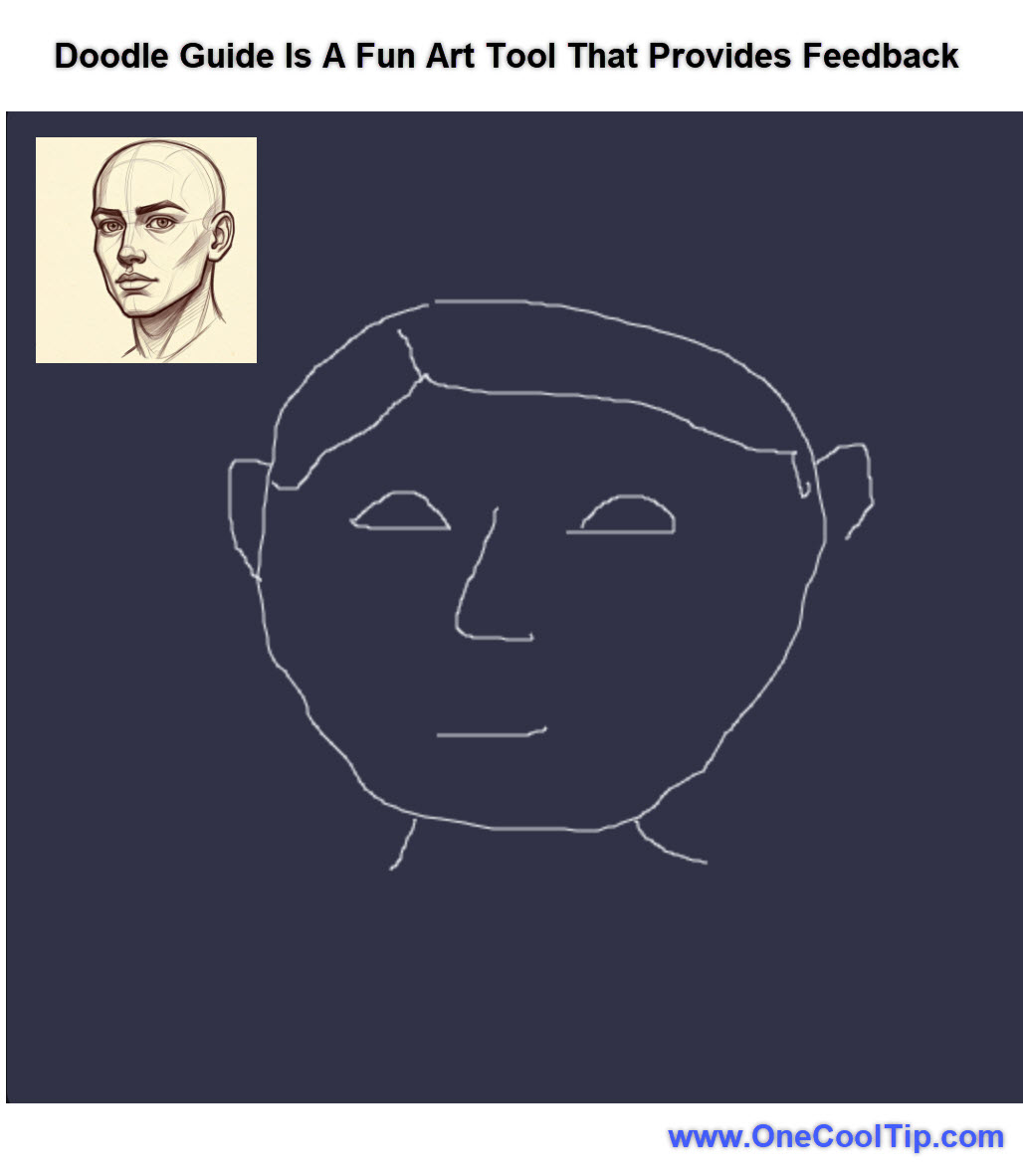
Have you ever wished for an art teacher who could provide instant feedback on your sketches, even your most casual doodles?
Here's a Cool Tip: Use Doodle Guide to Review Your Artwork.
This experimental feature analyzes your drawings in real-time, offering helpful suggestions and generating AI images based on your creations.
As you sketch, the AI analyzes your strokes and provides audio-visual commentary, offering insights and suggestions for improvement.
Once you've finished your doodle, the AI generates its own image based on your input, giving you a fascinating glimpse into how the machine interprets your artwork.
Here's how to do it.
-
Navigate to the Doodle Guide, goo.gle/DoodleGuide.
-
Use your mouse or touchscreen to draw anything that comes to mind.
-
Once you've finished your doodle, Doodle Guide generates an AI image based on your drawing.
-
Compare the AI drawing to your original work and see how the AI interpreted your artistic vision.
-
It also offers insights into your drawing technique and suggests areas for improvement.
-
The more you use Doodle Guide, the more you'll learn about your drawing style and how to refine your skills.
Google's Doodle Guide is a fascinating example of how AI can be used to enhance creativity and learning.
Find our more HERE.
| | |
🙋♂️ Here's How to Play Music with Viola the Bird.
Ever wished you could play a musical instrument without years of practice?
What is Viola the Bird?
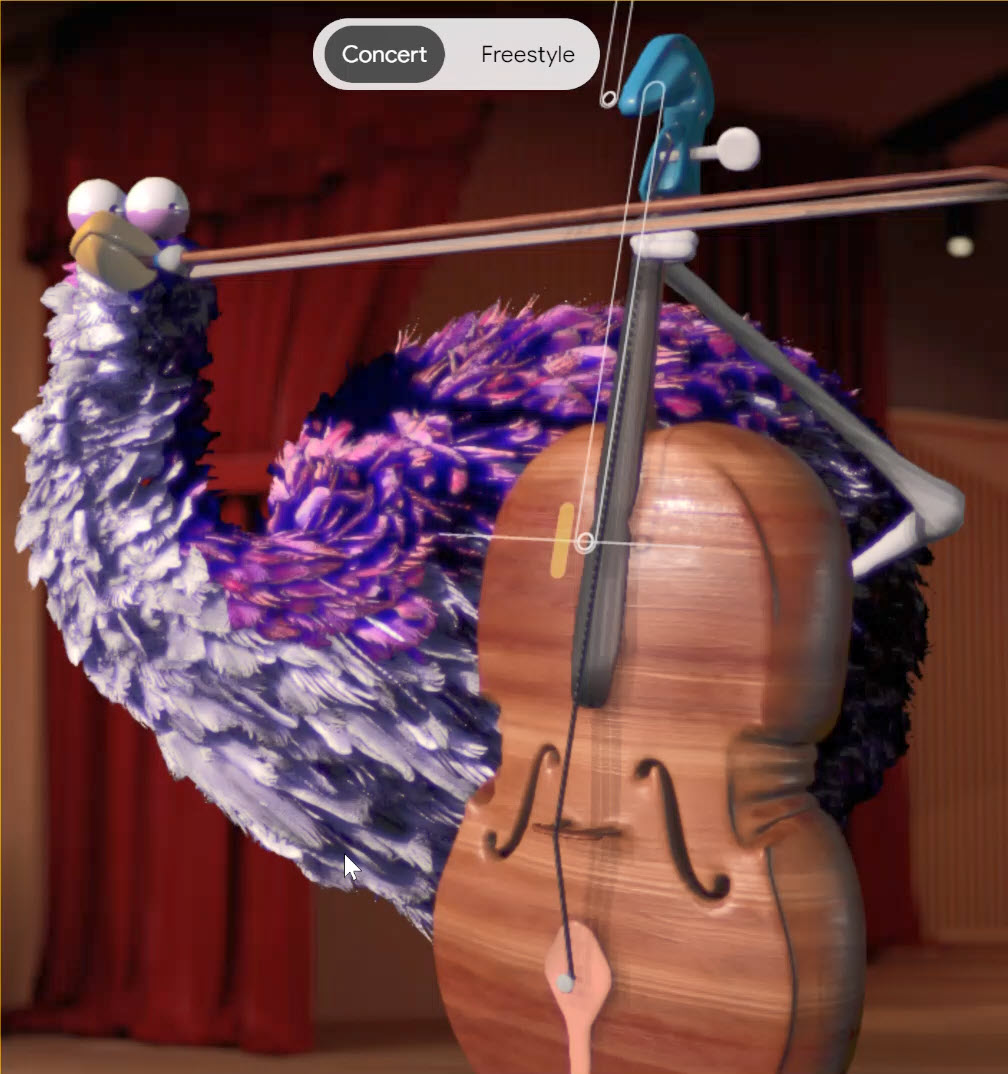
Viola the Bird is a whimsical, interactive website that lets you "play" a virtual cello or violin.
Powered by machine learning, it translates your mouse movements into realistic musical notes.
How to Use Viola the Bird: Step-by-Step Guide
- Go to the Viola the Bird experiment on Google Arts & Culture https://artsandculture.google.com/experiment/viola-the-bird/nAEJVwNkp-FnrQ?hl=en
- Select either the cello or violin.
- You'll see a virtual instrument and the adorable Viola the Bird waiting for your lead.
- Gently move your mouse horizontally across the strings to produce notes. Moving higher on the strings creates higher pitches and vice versa. Experiment with speed and motion to create different musical effects.
- Play Along to Music (Concert Mode): For a structured experience, try "Concert Mode" and play along to famous musical pieces.
- Get Creative (Freestyle Mode): Select "Freestyle Mode" to compose your own melodies!
Viola the Bird offers a delightful way to dip your toes into the world of music.
Learn more HERE.
| | |
❓Did you share this newsletter with three friends yet?
😎 Cool Facts
-
2 Million Segments: The source data for the experiment, Google's AudioSet, contains over 2 million human-labeled 10-second sound segments drawn from YouTube videos, creating the massive library. Source.
-
$6.34 Billion: The global Digital Audio Workstation (DAW) market was valued at approximately $3.21 billion in 2024 and is projected to nearly double to $6.34 billion by 2032, showing the rapid growth of music creation tools. Source.
-
60%: Approximately 60% of independent musicians and creators are currently using AI tools, such as those for composition and mastering, in their music projects. Source.
⌨️Today's Cool Keyboard Shortcuts
-
Spacebar: Play/Stop the current sequence loop instantly.
-
Up/Down Arrows: Adjust the Tempo slider by small increments while in the Sequence tab.
-
Drag and Drop: Quickly assign a new sound by clicking a sound dot on the map and dragging it directly into one of the four sound slots.
😜 Tech Joke of the Day 😅
Why did the drum loop get fired?
It kept repeating itself.
🔎 Do you have a Cool Tip or tech question? Email us at onecooltip.com@gmail.com.
| | |
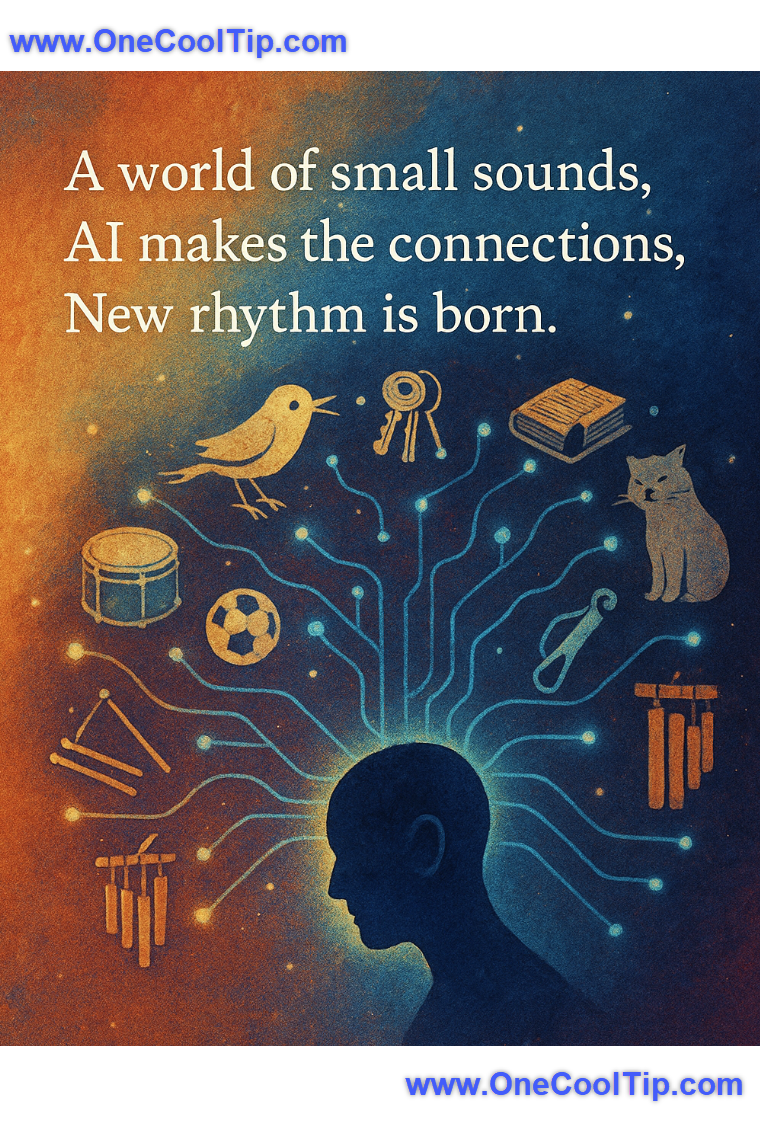
A world of small sounds,
AI makes the connections,
New rhythm is born.
| |
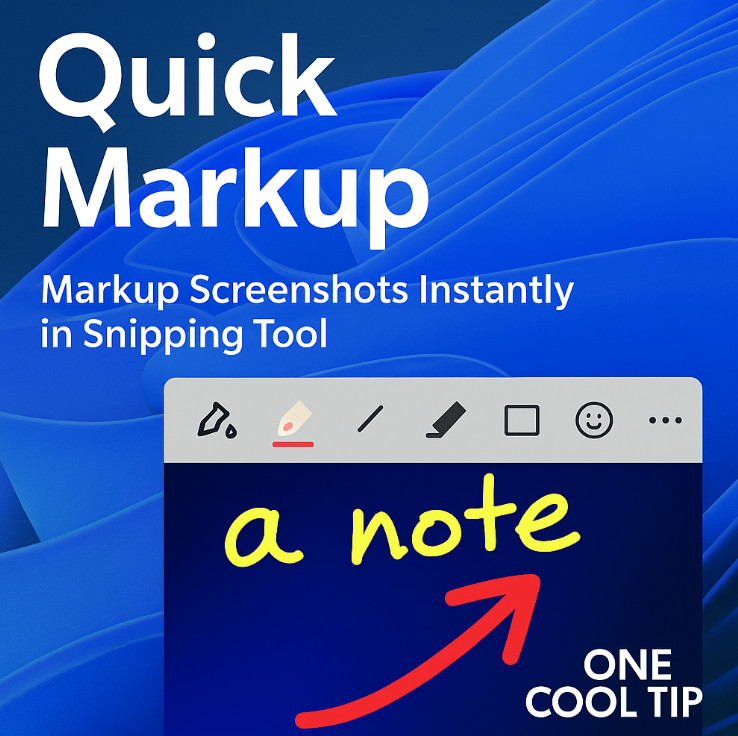
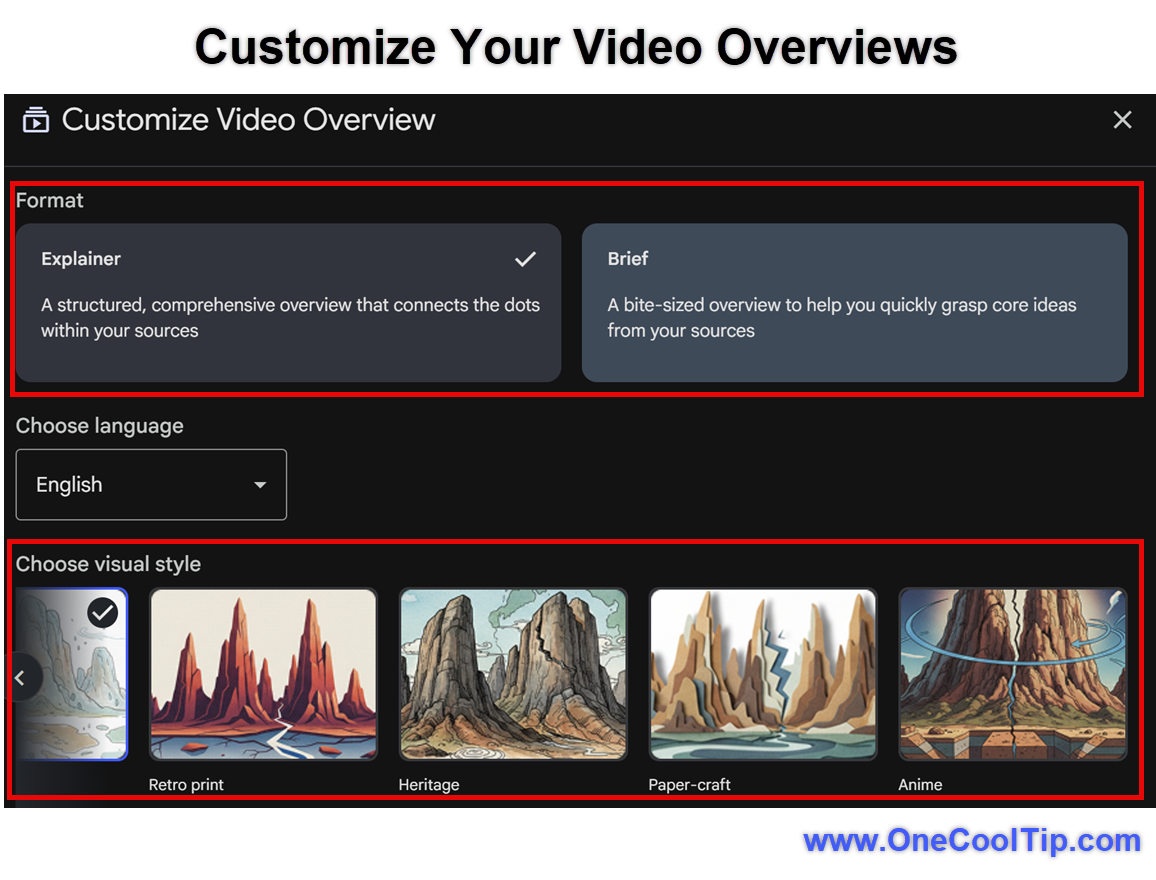
| 🤔 Which real-world sound would you most want to use as a bass drum (kick)? | | | | Did You See These Cool Tips This Week? | | | | How to Add Backgrounds in Messages on iPhone | Apple now lets you place colorful or themed backgrounds behind entire conversation threads in iOS. It is a simple way to highlight a point, add energy to a conversation, or help readers follow key updates. | | | | Snipping Tool Quick Markup: Faster Screenshots, Smarter Notes | Take a screenshot, add instant markup, and share without leaving the Snipping Tool. | | ICYMI - In Case You Missed It ... | | | | How Google's Nano Banana Supercharges NotebookLM Video Overviews | NotebookLM just received a major upgrade. Google has added Nano Banana, a visual intelligence model that can turn your written materials into narrated videos complete with custom illustrations. | | When your cat drops a beat before you do. | | |
Trivia Answer: B) MP3
The MP3 format, created by the Fraunhofer Institute, became the first truly mainstream digital music format for home users.
It achieved huge popularity in the late 1990s because it could compress audio to a fraction of a CD’s size with acceptable quality.
This breakthrough changed personal listening, powered early file sharing platforms, and paved the way for digital music players.
----------
Tomorrow's Cool Tip is waiting to amaze you.
Until then, go forth and conquer the tech world with your newfound knowledge!
Be sure to visit www.OneCoolTip.com for Cool Tech Tips for a Cooler Life!
And if you Like One Cool Tip, please support with TipJar!
Enjoy!
Rodger
Chief Cool Tipper
onecooltip.com@gmail.com
| | |
3️⃣
If you enjoy the One Cool Tip newsletter, please forward this newsletter to THREE friends or colleagues or share it on social media using the links below.
Leave a Tip!
Share this One Cool Tip Newsletter!
| |
| What do you think of today's OneCoolTip newsletter? | | | |
Please Share the One Cool Tip Newsletter!
You asked for it. You got it. There is now a One Cool Tip Newsletter archive. Did you delete a newsletter and want to read it again? Check it out HERE.
Want to help One Cool Tip grow? Please forward this email using the link above. And if you see an OCT social media post, please LIKE, COMMENT and SHARE!
Have you subscribed to the One Cool Tip YouTube channel? Subscribe HERE.
| | Connect with One Cool Tip!! | | |
|
As an Amazon Associate, One Cool Tip may earn a small commission from qualifying purchases.
Our media content is intended solely for informational purposes only. Please do not construe anything here as legal, tax, investment, financial, marital or other advice.
Copyright © 2025 | www.OneCoolTip.com | All Rights Reserved
|
| | | |