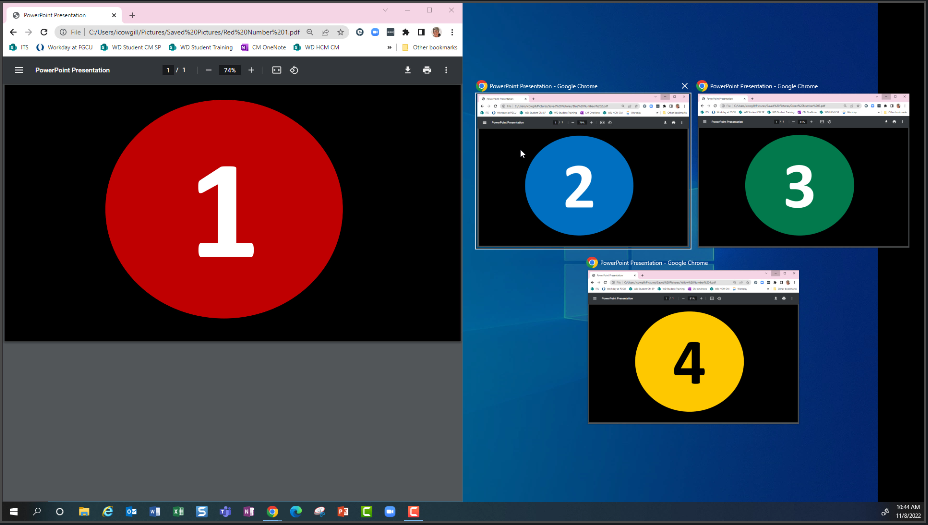
Optimize Screen Space with Windows Snap
Welcome to ITS Powertivity Tips! | November 2022 | Issue 5
We're here to help you SOAR!
Optimize Screen Space with Windows Snap
The problem: Feeling a little cluttered with open windows on your screen?
The solution: Use Snap to arrange all your open windows using the mouse, keyboard, or the Snap Assist feature.
Click to learn more
"Phew!" ~ Just in Time Tips!
Customizing Your Windows Taskbar

The problem: Notice others working more quickly between needed apps?

The solution: Work smarter, not harder by customizing your Windows taskbar.
Customize your Taskbar to work for you
Gone are the days of accessing the Start button to navigate to a needed application. You can pin apps to your taskbar to use quickly when needed. You can also hide, change the location, enlarge, rearrange buttons on the taskbar, and change the settings of the taskbar. How cool is that?!


Click to learn more

For Mac:
This same flexibility is also available to Mac users (referred to as the Dock rather than the Taskbar).

Click to learn more
Like to see a specific powertivity topic covered?
Send your suggestion to: itschange@fgcu.edu
Need to Report an Issue or Have a Question?
Contact the University Help Desk:

helpdesk@fgcu.edu or 239.590.1188

Be your own help desk, click to visit the Knowledge Base