|
Organize Your AI Work with Claude Projects
Claude Projects turns scattered AI conversations into organized workspaces for specific subjects, clients, or recurring tasks. Each project can contain related chats, reusable instructions, and reference files.
A long list of unrelated AI conversations quickly becomes difficult to manage.
Instructions for one assignment are buried in an old chat, reference files must be uploaded again, and Claude may need the same background information every time you begin a new conversation.
Here’s a Cool Tip: Create a Claude Project for work you repeat.
Claude Projects offers a more organized approach.
You can create a dedicated workspace for a newsletter, research assignment, household project, class, client, or vacation.
Inside the project, Claude can use shared instructions and uploaded reference material across multiple conversations.
Projects are available to all Claude users.
Free accounts can create up to five projects.
Paid plans provide expanded project knowledge through retrieval-augmented generation, commonly called RAG.
Feature Explanation
A Claude Project is a self-contained workspace containing related conversations, project instructions, and an optional knowledge base.
For example, a small-business owner could create a project called “Monthly Marketing” and add:
- A brand style guide
- Product descriptions
- Customer profiles
- Approved terminology
- Instructions about tone and formatting
- Separate chats for email, social media, and campaign ideas
Project instructions tell Claude how to respond throughout that project.
Project knowledge provides source material that Claude can reference across the project’s conversations.
However, placing several chats inside the same project does not automatically give every chat access to everything discussed in the others.
Information that Claude should consistently reference must be added to the project knowledge base or project instructions.
Claude also lets users move existing conversations into projects, star frequently used projects, and archive completed ones.
What You’ll Gain
- Keep related Claude conversations in one workspace.
- Reduce repeated explanations with reusable project instructions.
- Give Claude consistent access to selected reference material.
- Separate client, school, travel, creative, and personal work.
- Archive completed work without permanently deleting it.
Step-by-Step Instructions
Here's how to do it.
Web/Desktop
-
Sign in to Claude, claude.ai.
-
Select Projects from the left sidebar. You can also go directly to `claude.ai/projects`.
-
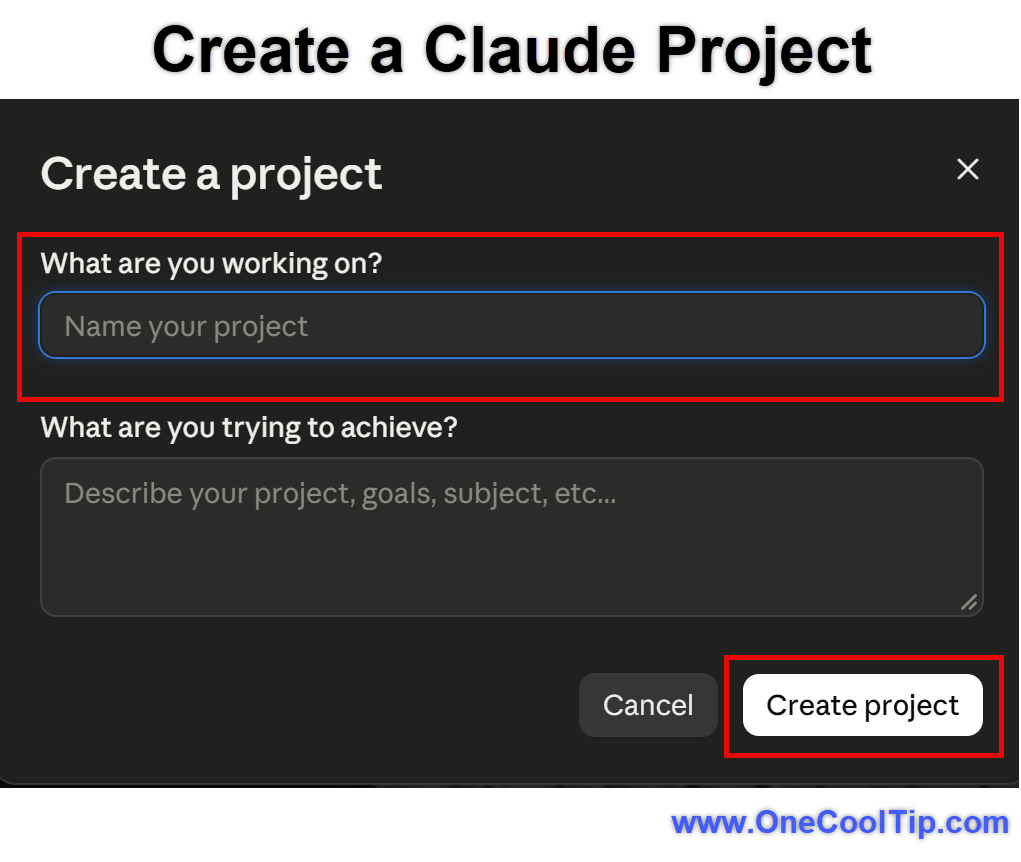
Select + New Project in the upper-right corner.
-
Enter a descriptive project name and an optional description.
-
If you use a Team or Enterprise account, choose whether the project should remain private or be available to your organization.
-
Open the project and select the + button in the project knowledge area.
-
Upload relevant documents, reference material, text, or code.
-
Select Set project instructions.
-
Enter standing directions that Claude should follow in the project.
-
Select Save instructions.
-
Start a new chat from inside the project.
|