|
One Cool Tip Newsletter
October 13, 2025
| Your daily dose of tech-savvy brilliance! | |
😀Greetings! Happy Monday, Cool Tipper!
Get ready to streamline your digital life with simple, actionable tips delivered straight to your inbox.
Today's Cool Tip Theme: OpenAI ChatGPT Prompt Packs
IN THIS ISSUE
- 🚨 Scam Alert.
- ✈️ Qantas Data Breach Warning.
- 🗓️ AI Prompt for Productivity.
- 🎨 Image Prompt of the Day.
- 💡 OpenAI Prompt Packs.
- 🗣️ Read Aloud Feature.
- 🎙️ Advanced Voice Mode.
- 🖥️ New Windows App.
New here? Subscribe to the One Cool Tip Newsletter for daily updates. It's FREE!
-
😂 Laugh with Us! Enjoy our Tech Joke of the Day, Haiku and Cool Tip Comics.
-
🌐 Stay Informed! Check out ICYMI, and our One Cool Tip Video.
🔔 Is your email provider (Gmail, Yahoo, Outlook...) not delivering the newsletter?
Check the Junk folder - Move the newsletter to your Inbox. And reply to this email with a “Hey, Rodger” or “I got it.” That tells your mail service you want this newsletter!
Today's Tech Trivia
Answer at the end of this newsletter.
| |
| What does GPT stand for in AI models like ChatGPT? | | | | |
3️⃣
If you enjoy the One Cool Tip newsletter, please forward this newsletter to THREE friends or colleagues or share it on social media using the links below.
Leave a Tip!
Share this One Cool Tip Newsletter!
| |
🚨Sextortion Scam Targets Email Users with Fake Video Threats🚨
If you receive an email claiming to have hacked your webcam and recorded compromising footage, don’t panic.
It’s a sextortion scam, and it’s making the rounds again.
These emails often start with “Hello pervert” and threaten to release a video unless you pay a ransom, usually in cryptocurrency.
The scammers may include your real password (leaked from old data breaches) to make the threat feel credible.
But in most cases, no video exists, and your device hasn’t been hacked.
Here’s how to protect yourself:
- Don’t respond or pay. It only encourages further targeting.
- Change your passwords immediately, especially if the email includes one you’ve used.
- Enable two-factor authentication on all accounts.
- Report the email as phishing to your provider.
- Cover your webcam when not in use (a simple sticker works).
And in Other News...
- Qantas Data Breach. Customer Info Leaked to Dark Web
If you’ve flown with Qantas recently, check your inbox and passwords. A major cyberattack has exposed sensitive customer data, including travel records, contact details, and partial payment info now circulating on the dark web.
Here’s what to do right now:
- Change your Qantas account password and any reused passwords elsewhere.
- Enable two-factor authentication on all travel and financial accounts.
- Monitor your email and bank statements for suspicious activity.
- Be wary of phishing emails pretending to be from Qantas or travel services.
Read more from Qantas Airlines about this data breach.
| | |
🚀 Make It a Great Week!
Copy/Paste this AI-powered prompt. Use with your favorite AI assistant: Gemini, Copilot, Grok, DuckAI, Meta and ChatGPT.
"I want to start my week with intention. My role is [insert your role or industry]. The type of work I do is [describe briefly]. I feel most productive when [describe the mood, setting, or flow]. Help me design my ideal Monday routine with small, realistic habits that make me feel focused, creative, and balanced—without listing specific tasks."
| | | |
🖼️ Cool ChatGPT AI Prompt of the Day:
"Create a realistic line drawing or ink-style sketch of the uploaded faces, matching every facial feature, proportion, and expression exactly as in the reference image. Use fine, detailed blue and white ink lines, and place the drawing on a notebook-style background for texture and contrast."
| |
🤖One Cool Tip AI Companion
| |
Do you want online tech help?
Check out the NEW and improved One Cool Tip AI Companion, powered by ChatGPT.
Log in with ChatGPT or create a FREE ChatGPT account.
One Cool Tip AI Companion
| | |
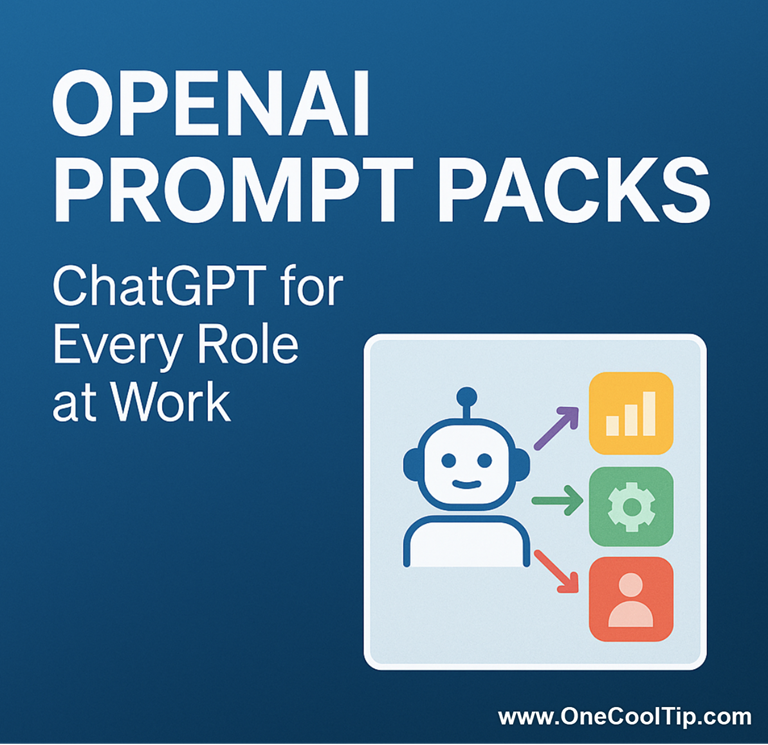
OpenAI Prompt Packs: ChatGPT for Every Role at Work
OpenAI’s new Prompt Packs give professionals in every field a running start. These curated prompt collections help people in sales, marketing, HR, and other jobs work faster and think smarter with ChatGPT.
Imagine if every job came with its own guidebook for using ChatGPT.
Here's a Cool Tip: Try the OpenAI Prompt Packs.
OpenAI Prompt Packs provide ready-to-use prompts designed for real workplace roles like engineers, marketers, and managers.
Each pack shows what’s possible and helps you produce results more quickly.
The Prompt Packs are available through OpenAI Academy.
Instead of trying to figure out how to phrase your request, you can start from prompts that already work.
Feature Explanation
Prompt Packs are organized sets of prompts grouped by profession or goal.
Each one includes examples, templates, and use cases so you can get practical results right away.
Popular packs include:
-
ChatGPT for Sales: Tools for writing outreach emails, analyzing data, and creating visuals.
-
ChatGPT for Marketing: Prompts for campaign planning, competitive analysis, and creative ideas.
-
ChatGPT for Engineers: A library of technical prompts for debugging, documentation, and system design.
-
ChatGPT for Product Teams: Templates for strategy, UX research, content writing, and analytics.
-
ChatGPT for HR and IT: Support for recruiting, writing policies, solving tech issues, and automating tasks.
-
ChatGPT for Executives and Managers: Prompts that help with leadership, goal-setting, and team communication.
-
ChatGPT for Government and Public Service: Focused on reports, budget briefs, and policy preparation.
These packs help professionals move from general chatting with AI to structured, outcome-driven results.
What You’ll Gain
- Faster work and more accurate output.
- Professionally written starting points for prompts.
- Consistent quality across reports and presentations.
Step-by-Step Instructions
Here's how to do it.
-
Go to academy.openai.com.
-
Select Prompt Packs under Work Users or Prompting.
-
Choose your job area, such as marketing, IT, or HR.
-
Or Search for Prompt Pack.
-
Open a pack and explore the example prompts.
-
Copy and paste your prompt into ChatGPT.
-
Customize the prompt to fit your situation.
-
Save or pin your favorites for reuse.
fig. 1 - Use Prompts Packs for ChatGPT
Pros and Cons
Pros:
- Easy to access and free for most ChatGPT users.
- Tailored to specific roles and real tasks.
- Encourages good prompt-writing habits.
Cons:
- Some packs are text-heavy and could use more visuals.
- Not yet integrated with outside business tools.
- The best experience comes with ChatGPT Plus or higher plans.
Configuration Guide
- There’s no setup needed.
- Log in to your ChatGPT account and explore the packs.
- Users with ChatGPT Plus, Team, or Enterprise subscriptions will see faster responses and better formatting options.
Feature Access
- Availability: Free on OpenAI Academy
- Users: All ChatGPT users, including Plus, Team, and Enterprise plans
- Format: Prompt libraries that open directly in ChatGPT
Score
Criterion| Score | Justification
Value 10
Saves hours of prompt writing and improves quality immediately.
Usability 9
Simple interface and easy to start using.
Wow Factor 9
Profession-specific prompt libraries that make ChatGPT truly job-ready.
Total: 28/30
Excellent. Strongly recommended for anyone who uses ChatGPT at work.
Key Takeaways
Prompt Packs make ChatGPT more useful by giving each role a head start.
You don’t need to invent prompts from scratch.
These packs save time, improve output quality, and help you get the best results from AI.
Try It Yourself
Visit OpenAI Academy Prompt Packs and try the one that fits your job.
Then share your favorite prompts with coworkers or your team.
Subscribe to OneCoolTip.com for more practical tech tips like this.
READ MORE
Read the Full Cool Tip.
| | |
Help support One Cool Tip. Use this Amazon link when you shop online.
Look at these Cool Products:
|
-
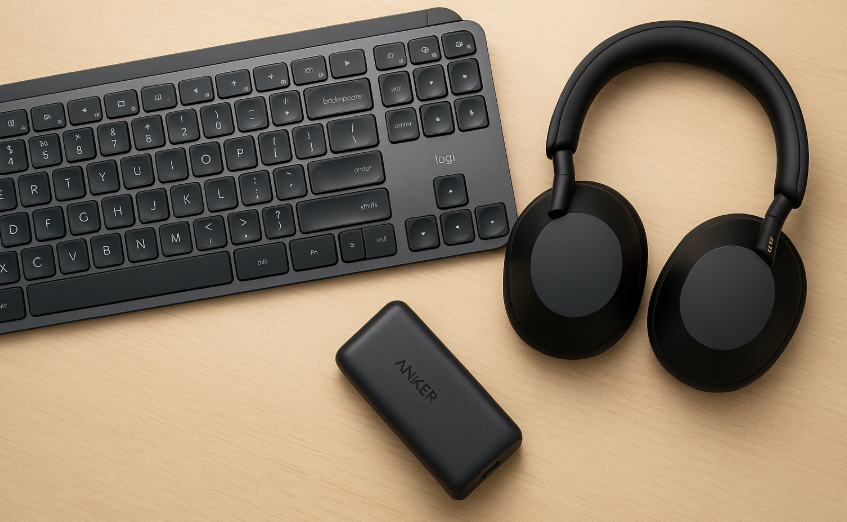
⌨️ Logitech MX Keys S Wireless Keyboard: Ergonomic typing comfort for long ChatGPT sessions.👉 Check it out on Amazon!
-
🎧 Sony WH-1000XM5 Noise-Canceling Headphones: Noise-canceling clarity for focused writing and AI brainstorming.👉 Check it out on Amazon!
-
🔋 Anker Nano Power Bank (30W, USB-C): Keep your phone powered during mobile work sessions. 👉 Check it out on Amazon!
| | |
🆒Tell Me More
- Prompt Packs are curated collections of ready-to-use prompts tailored for specific job roles.
- Each pack includes structured examples for tasks like marketing, HR, engineering, or management.
- Government and education-specific packs help public and academic users apply AI safely and efficiently.
⏩Quick Tips
-
💬 Browse by role: Visit academy.openai.com and filter by your profession to find prompts that fit your work.
-
📁 Save your favorites: Bookmark your best-performing prompts for quick reuse.
-
🔍 Modify, don’t memorize: Adjust examples in Prompt Packs to match your company’s tone or goals.
-
📈 Share with your team: Prompt Packs are perfect for standardizing output across departments, especially marketing, support, and HR.
| | ✅ More Must-Read Tech Tips | |
👀 How Do I Use ChatGPT's Read Aloud Feature?
Have you ever wished for an easier way to consume lengthy articles or need a helping hand to make text-based content more accessible?
ChatGPT's Read Aloud feature is a game-changer in AI-driven voice technology.
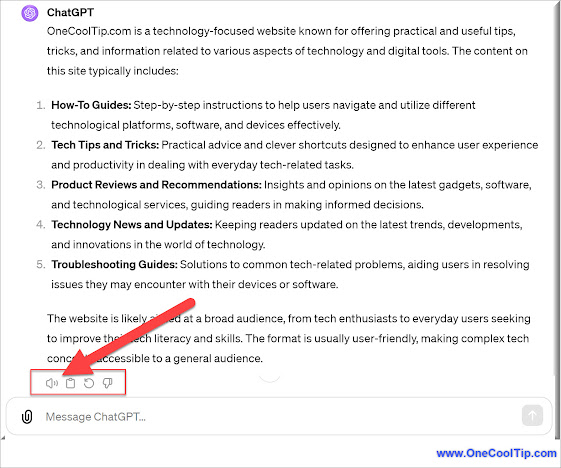
Read Aloud in the context of ChatGPT refers to a feature that employs text-to-speech (TTS) technology to audibly read out the responses generated by ChatGPT.
This functionality enhances the user experience by providing an auditory version of the text responses, which can be particularly beneficial for users with visual impairments, reading difficulties, or those who prefer listening over reading.
Here's how to do it.
- Open ChatGPT on your preferred platform (web, mobile app, etc.).
-
For the web, go to: https://www.chatgpt.com/ .
-
ChatGPT for iOS
-
ChatGPT for Android
- Compose your query or message to ChatGPT
-
Press Send Message.
-
Click or tap the Read Aloud button to enable voice narration.
Transform your reading into listening with just a click.
Discover more HERE.
| |
🤔 Have You Ever Wondered How to Use ChatGPT's Advanced Voice Mode?
Have you ever imagined speaking to AI as easily as you talk to a friend?
ChatGPT's Advanced Voice Mode is a leap in that direction, enabling users to interact with AI seamlessly through speech.
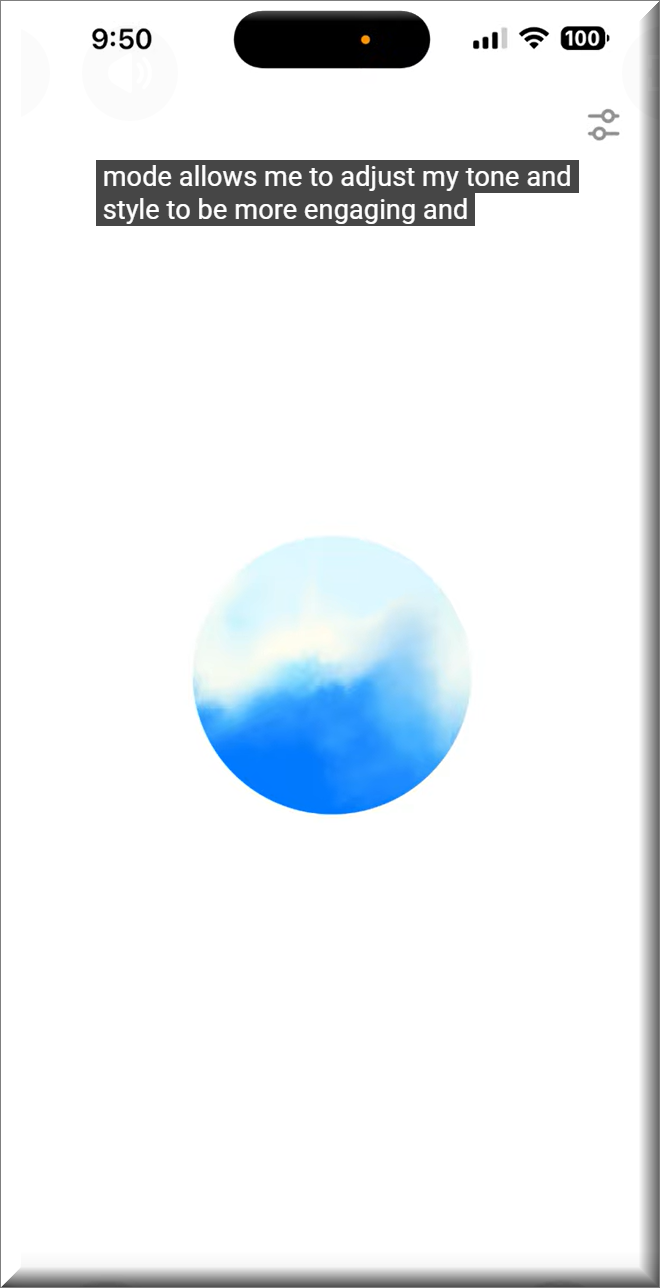
ChatGPT's Advanced Voice Mode allows users to speak directly to the AI, and receive responses in real-time.
The new voice feature began rolling out to Plus and Team subscribers this week.
This voice mode is perfect for users on the go, those with disabilities, or anyone looking for a more intuitive way to interact with AI systems.
Here's how to do it.
- Open ChatGPT on your mobile device
-
Ensure you're using the latest version of the ChatGPT app, as the voice feature is part of the most recent update. (iOS / Android)
- Click the speech icon in the lower-right.
- Converse with ChatGPT.
The voice mode encourages more natural, conversational interactions with AI, making it more approachable for non-technical users.
Find more HERE.
| | |
🙋♂️ Here's How to Unlock Efficiency with the New ChatGPT Windows App.
Have you ever wished for a more seamless way to access ChatGPT, without the need for a web browser?
The ChatGPT Windows App offers a streamlined, efficient experience for anyone seeking the power of AI at their fingertips.
The app is available now to all users.
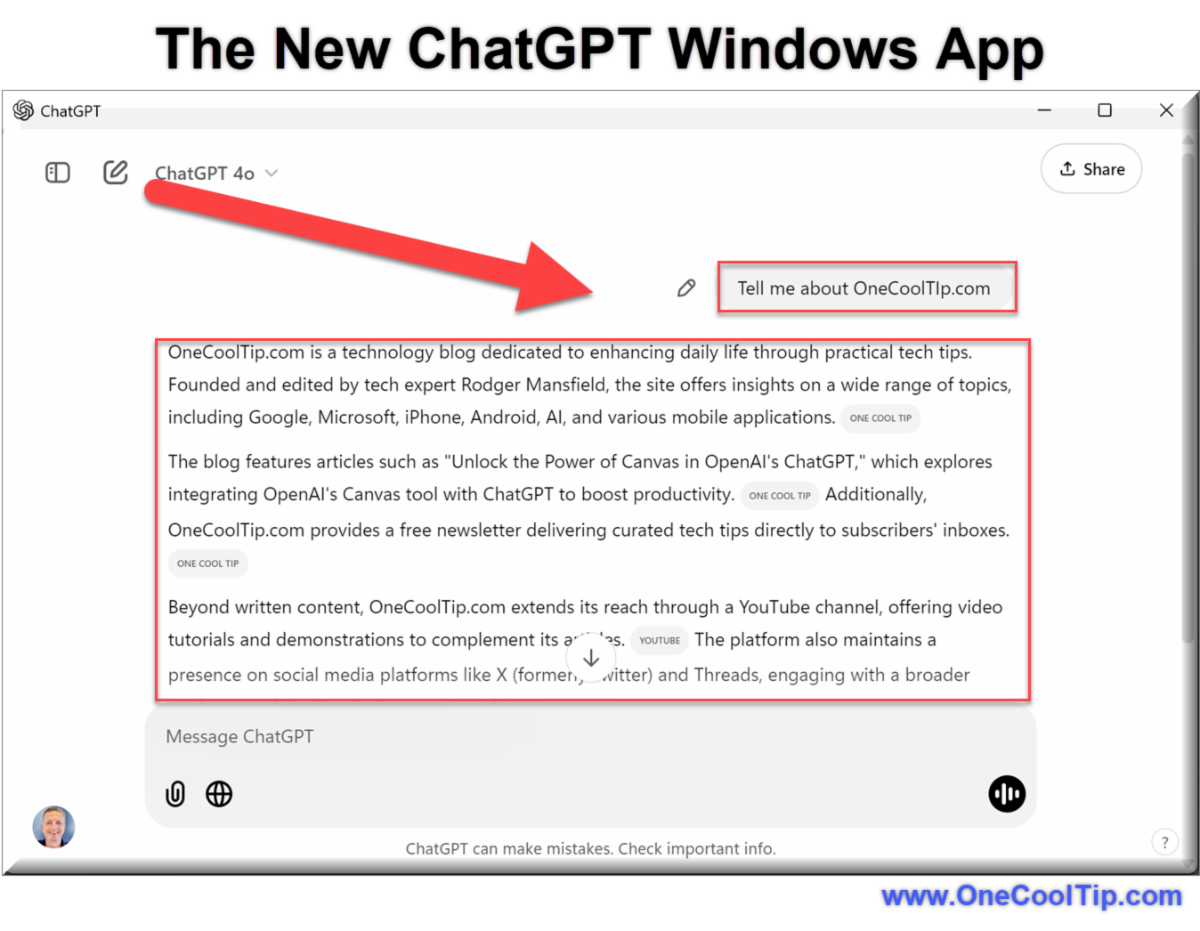
The ChatGPT Windows App brings ChatGPT directly to your desktop, providing an uninterrupted and convenient way to use OpenAI’s AI assistant.
Here's how to do it.
-
Visit the Microsoft Store to download the ChatGPT Windows app,
-
Run the downloaded installer and follow the on-screen instructions to install the app.
-
Once installed, open the app and log in using your OpenAI credentials.
- Familiarize yourself with the interface. You’ll find easy-to-access features and shortcuts to start interacting immediately.
-
Right-click the app icon and select “Pin to Taskbar” for easy access.
- Enter your prompt to start!
The advantages of using the ChatGPT Windows App are numerous.
It saves time, offers convenience, and ensures a clutter-free, focused environment without browser tabs distracting you.
The app also integrates easily into your desktop setup, allowing for fluid use alongside other tools.
The ChatGPT Windows App is a game-changer for those looking for an efficient way to access OpenAI’s capabilities without relying on a web browser.
Learn more HERE.
| | |
❓Did you share this newsletter with three friends yet?
😎 Cool Facts
-
50-70%: Advanced, structured prompting can improve the accuracy of LLMs on complex tasks by 50% to 70% compared to simple prompts. Source.
-
170%: Job postings mentioning Generative AI terms jumped by 170% year-over-year, confirming that structured AI skills like prompt engineering are now essential. Source.
-
1 Million+: High-quality instruction-tuned LLMs are trained on datasets containing millions of unique examples, giving the AI the competence to execute complex, multi-step instructions from Prompt Packs. Source.
⌨️Today's Cool Keyboard Shortcuts
Windows (ChatGPT Web):
-
Ctrl + / - Open shortcuts menu
-
Ctrl + Shift + O - Open a new chat
-
Ctrl + Shift + I - Open “Custom Instructions” settings
😜 Tech Joke of the Day 😅
I tried to use the "ChatGPT for Executives" prompt pack to write my grocery list.
It came back with "Optimize supply chain efficiency; acquire three units of Kale."
🔎 Do you have a Cool Tip or tech question? Email us at onecooltip.com@gmail.com.
| | |
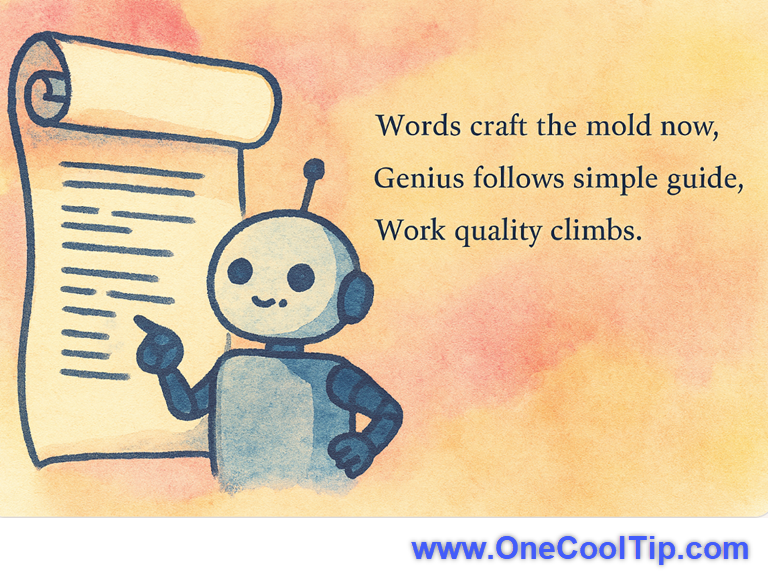
Words craft the mold now,
Genius follows simple guide,
Work quality climbs.
| |
| 🤔 How do you use ChatGPT most often at work? | | | |
Did You See These Cool Tips This Week?
| | | | Learn with NotebookLM: Smarter Study Tools for Students and Professionals | Google's NotebookLM recently added new, personalized features that instantly generate citable flashcards, quizzes, and even AI-guided tutoring, transforming passive document review into efficient, active knowledge retention. | | | | USPS Launches New Informed Delivery Mobile App | The U.S. Postal Service has reimagined its popular Informed Delivery experience with a brand-new mobile app, giving users more control, real-time package tracking, and a streamlined view of their incoming mail, all in one modern interface. | |
ICYMI - In Case You Missed It ...
| | | | Turn PowerPoint Slides into Animated GIFs | Create looping, lightweight presentations perfect for email, social, and more without the fuss of video exports. | | Even ChatGPT has learned the sacred IT ritual: if all else fails, reboot your humanity. | | |
Trivia Answer: B) Generative Pre-Trained Transformer
GPT stands for Generative Pre-Trained Transformer, a type of AI model that generates human-like text based on the input it receives.
These models are trained on vast amounts of text data and can be fine-tuned for specific tasks.
----------
Tomorrow's Cool Tip is waiting to amaze you.
Until then, go forth and conquer the tech world with your newfound knowledge!
Be sure to visit www.OneCoolTip.com for Cool Tech Tips for a Cooler Life!
And if you Like One Cool Tip, please support with TipJar!
Enjoy!
Rodger
Chief Cool Tipper
onecooltip.com@gmail.com
| |
| What do you think of today's OneCoolTip newsletter? | | | |
Please Share the One Cool Tip Newsletter!
You asked for it. You got it. There is now a One Cool Tip Newsletter archive. Did you delete a newsletter and want to read it again? Check it out HERE.
Want to help One Cool Tip grow? Please forward this email using the link above. And if you see an OCT social media post, please LIKE, COMMENT and SHARE!
Have you subscribed to the One Cool Tip YouTube channel? Subscribe HERE.
| | Connect with One Cool Tip!! | | |
|
As an Amazon Associate, One Cool Tip may earn a small commission from qualifying purchases.
Our media content is intended solely for informational purposes only. Please do not construe anything here as legal, tax, investment, financial, marital or other advice.
Copyright © 2025 | www.OneCoolTip.com | All Rights Reserved
|
| | | |