One Cool Tip Newsletter

April 25, 2025

Your daily dose of tech-savvy brilliance!

😀Hello Rodger, Happy Friday, Cool Tipper!


Get ready to streamline your digital life with simple, actionable tips delivered straight to your inbox.


Today's Cool Tip Theme: Brickit


IN THIS ISSUE


  • 🚨 Stay Safe from Scams.
  • 🎁 Free ChatGPT Plus for Students.
  • ✍️ Boost Your Gratitude with AI.
  • 🖼️ LEGO Your Photos with ChatGPT.
  • 🧱 Unlock LEGO Creativity with BrickIt.
  • 🎨 Create Digital Sand Art.
  • 🌍 Build Your Own World with Sandspiel.
  • ✨ Create Stunning Digital Art with WeaveSilk.


New here? Subscribe to the One Cool Tip Newsletter for daily updates. It's FREE!


  • 😂 Laugh with Us! Enjoy our Tech Joke of the Day, Haiku and Cool Tip Comics.


  • 🌐 Stay Informed! Check out ICYMI, and our One Cool Tip Video.


🔔 Is your email provider (Gmail, Yahoo, Outlook...) not delivering the newsletter? 


Check the Junk folder - Move the newsletter to your Inbox. And reply to this email with a “Hey, Rodger” or “I got it.” That tells your mail service you want this newsletter!


Today's Tech Trivia


What year was LEGO's signature interlocking brick design patented?


A) 1950

B) 1958

C) 1965

D) 1973


Answer at the end.

3️⃣

If you enjoy the One Cool Tip newsletter, please forward this newsletter to THREE friends or colleagues or share it on social media using the links below.


Share this One Cool Tip Newsletter!

X Share This Email
LinkedIn Share This Email
Pinterest Share This Email


🔥Hot Topics 🔥

🚨Tech Tip Alert: Beware of New FBI-Flagged Scam! 🚨


The FBI has issued a warning about a bold new scam targeting unsuspecting individuals. Scammers are using sophisticated tactics to impersonate trusted organizations, tricking victims into sharing sensitive information or making payments. Stay vigilant and protect yourself!


Quick Tips to Stay Safe:


  • 🛡️ Verify Before You Trust: Always double-check the source of any unexpected communication, especially if it involves personal or financial details.


  • 🔒 Secure Your Accounts: Use strong, unique passwords and enable two-factor authentication wherever possible.


  • 📞 Contact Directly: If in doubt, reach out to the organization directly using official contact information, not the details provided in the suspicious message.


And in Other News...


  • Free ChatGPT Plus for Students in the US and Canada!


OpenAI is offering two free months of ChatGPT Plus for eligible students in the US and Canada. This promotion provides access to advanced AI features, perfect for boosting productivity, learning, and creativity.


Quick Tip: Verify your student status through SheerID on the OpenAI website to claim this offer. Don't miss out—it's only available for a limited time!


Learn more HERE.


  • 🚀 Boost Your Gratitude!


Copy/Paste this AI-powered gratitude prompt to share your thanks to a colleague. Use with your favorite AI assistant: Gemini, Copilot, Grok, DuckAI, Meta and ChatGPT.


"Write a sincere and professional thank-you message to a colleague I worked with this week. Mention that I appreciated their help on [brief description of task/project], highlight one thing they did especially well, and keep the tone friendly and warm."

✨ Optional Add-on:

"Make it suitable for email or Slack, and include a short, upbeat closing line that reinforces team spirit."


  • Try THIS!


🖼️ Cool ChatGPT AI Prompt of the Day: Transform Your Photos!


  • Upload a photo.
  • Enter this prompt: "Create this image in LEGO style.


Today's Cool Tip


How to Unleash Your Inner Master Builder with the Brickit App


Do you have a mountain of LEGO bricks gathering dust? 


Have you ever wished there was a way to easily figure out what to build with them? 


The Brickit app is here to revolutionize your LEGO building experience. 


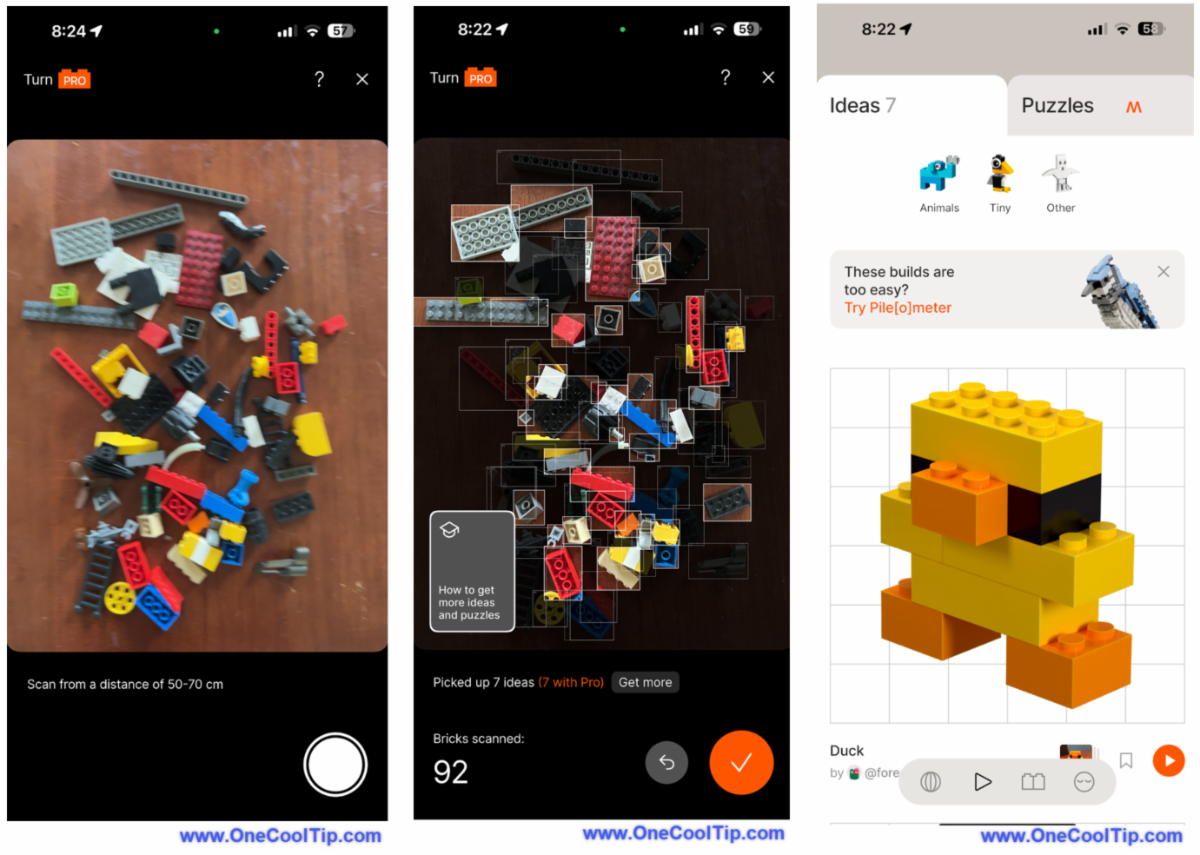
This innovative app uses the magic of AI to scan your scattered bricks and suggest exciting new creations. 


It’s like having a digital LEGO master builder right in your pocket!


What is the Brickit App?


Brickit is a mobile app available for both iOS and Android devices that helps you build new creations from your existing LEGO collection. 


Simply spread out your bricks, take a photo, and the app will identify the pieces and suggest models you can build. 


It provides step-by-step instructions and even highlights the location of the needed bricks in your pile.


Key Features and Benefits


  • AI-Powered Scanning: Brickit uses advanced image recognition to quickly and accurately identify your LEGO bricks.
  • Creative Inspiration: Discover hundreds of building ideas tailored to the bricks you have.
  • Step-by-Step Instructions: Easy-to-follow guides make building a breeze, even for complex models.
  • Brick Locator: The app highlights the exact location of the bricks you need, saving you time and frustration.
  • Community Sharing: Share your creations with other LEGO enthusiasts and get inspired by their designs.


Why is Brickit Important?


Brickit breathes new life into your old LEGO bricks, turning clutter into creativity. 


It eliminates the frustration of searching for the right pieces and sparks imagination by suggesting builds you might never have considered. 


Whether you’re a seasoned builder or just starting out, BrickIt makes the LEGO experience more enjoyable and accessible.


How to Use the Brickit App: Step-by-Step Guide


Here's how to do it.


  1. Download the Brickit app from the App Store or Google Play Store.
  2. Spread your LEGO bricks on a flat surface, ensuring they are not overlapping too much. The app works best with at least 150 bricks.
  3. Open the app and tap the "Scan" button. 
  4. Follow the on-screen instructions to take a photo of your bricks.
  5. The app analyzes your photo and generates a list of suggested builds.
  6. Select a model that interests you.
  7. The app provides step-by-step instructions, similar to those found in LEGO sets.
  8. Tap on a brick in the instructions, and the app highlights its location in your scanned pile.
  9. Follow the instructions to build your model. Once complete, you can share your creation with the Brickit community.


Pros and Cons


Like any technology, Brickit has its strengths and weaknesses.


Pros:


  • Inspires Creativity: The app helps you discover new and exciting ways to use your existing LEGO collection.
  • Saves Time: The brick locator feature eliminates the time-consuming search for specific pieces.
  • Easy to Use: The app is intuitive and user-friendly, making it accessible for all ages.
  • Community Features: Sharing and discovering builds adds a social element to the LEGO experience.
  • Free to Use: The core features of the app are free, with an optional Pro subscription for additional features.


Cons:


  • Scanning Limitations: The app may not accurately identify all bricks, especially if they are heavily overlapping or poorly lit.
  • Color Agnostic: Brickit doesn't consider brick color when suggesting builds, which may limit the aesthetic of some models.
  • Subscription Costs: Some advanced features are locked behind a subscription paywall.
  • Device Dependence: Requires a smartphone or tablet with a decent camera for optimal performance.


The Brickit app does not require any specific configuration. 


Simply download and install it on your iOS or Android device and follow the on-screen instructions.


Key Takeaways


The Brickit app is a game-changer for LEGO enthusiasts of all ages. 


It transforms a jumbled pile of bricks into a source of endless creative possibilities. 


With its AI-powered scanning, step-by-step instructions, and brick locator feature, Brickit makes building with LEGOs more fun, accessible, and inspiring.


Try It Yourself


Ready to unleash your inner master builder? 


Download the Brickit app today and start exploring the amazing things you can build with your LEGO collection! 


READ MORE


Read the Full Cool Tip

Cool Thoughts

🆒Tell Me More


  • Brickit uses your smartphone’s camera and AI to analyze LEGO bricks and suggest buildable projects.


  • It can identify over 1,600+ unique LEGO pieces.


  • You get step-by-step instructions tailored to your own bricks.


  • It marks where each piece is located in your scanned pile.


  • The app works on both iOS and Android, and a web version is in development.


⏩Quick Tips


  • 📸 Scan Bricks Like a Pro: Ensure good lighting and a single-layer layout when scanning bricks to improve recognition.


  • 📱 Update the App: Regular updates add new build suggestions and improve scanning accuracy.


  • 🧩 Sort by Project Type: Use filters in the app to pick themes like vehicles, animals, or architecture.


  • 🔎 Use the Brick Finder: Tap any needed brick in a project—Brickit highlights it in the scanned pile!


  • 🧒 Make It a Family Activity: Let kids choose builds and follow instructions together—it’s educational and fun.


✅ More Must-Read Tech Tips.

👀 How Do I Build Digital Sand Art?


Remember making those multi-colored sand in the bottle crafts when you were young?


Relive the fun of your youth with this Friday Funday Cool Tip:  https://thisissand.com/


ThisIsSand allows you to drop multi-colored sand piles to create amazing works of art.


ThisIsSand can be played in a laptop/desktop web browser (thisissand.com) OR with the Thisissand app on iOS (iPhone) or Android devices.


Get the mobile app from the Apple App Store or the Google Play Store.


Discover more HERE. 

🤔 Have You Ever Wondered How to Build a World?


Are you looking for a fun and creative way to spend your free time? 


Do you enjoy playing games that let you create your own world? 


If your answer is yes, then check out this Friday Funday Cool Tip:  Sandspiel.club! 


This web-based game allows you to experiment with sand and other materials to create different landscapes and structures. 


Here's how to start creating your own world.


  1. Go to Sandspiel.club.
  2. Click on the material you want to use and drag it to the screen. 
  3. Add as much or as little of each material as you like. 
  4. Mix different materials to create new colors and textures. 
  • When you mix sand and water, you'll get wet sand. 
  • If you mix sand and fire, you'll get glass.


Aside from the materials, there are various tools that you can use to manipulate your creation.


These include a brush, eraser, dropper, and fan. 


Enjoy!


Find more HERE. 

🙋‍♂️ Here is How to Create Stunning Digital Art


Need to be creative during a boring call?


Don't want to make a mess with crayons and paint?

Then try making some digital art.


Check out this Friday Funday Cool Tip: WeaveSilk


Weavesilk.com is a website that allows you to create beautiful digital art with ease. 


It’s an interactive platform that lets you draw with your mouse or finger and create mesmerizing patterns and designs.


The website has a simple interface that makes it easy to use. 


You can choose from a variety of colors and brush sizes to create your own unique designs. 


Weave Silk


The website also has a feature that allows you to save your creations so you can come back to them later.


Unfortunately, it only works on a PC. A paid version is available for iPhones and iPads.


If you’re looking for a fun way to express your creativity or just want to relax and unwind, Weavesilk.com is definitely worth checking out!


Enjoy!


Learn more HERE. 

❓Did you share this newsletter with three friends yet?


⌨️Today's Cool Keyboard Shortcuts


🔍 Pin Your Favorite Builds

  • Long-press a project suggestion and tap “favorite” to save it to your build list for later. Great for setting up weekend builds with the kids.


👁️ Use Zoom to Inspect Brick Details

  • During the build steps, pinch-to-zoom helps you double-check tiny pieces—especially helpful for more complex models or mini builds.


✍️Today's Haiku


Scattered plastic dreams,

Brickit scans and shows the way,

A fish, a tree, joy.


🔎 Do you have a Cool Tip or tech question? Email us at onecooltip.com@gmail.com.


😜 Tech Joke of the Day 😅


Why don’t LEGO fans ever get lost?


Because they always follow the instructions!


Cool Tip Pulse

🤔 How do you prefer to organize your LEGO collection?
🧱 By color
📦 By type
🏗 By set
🎲 Randomly


Fuel Your Adventure

Try Big Mike's Jerky!


bigmikesjerky.com


Did You See These Cool Tips This Week?

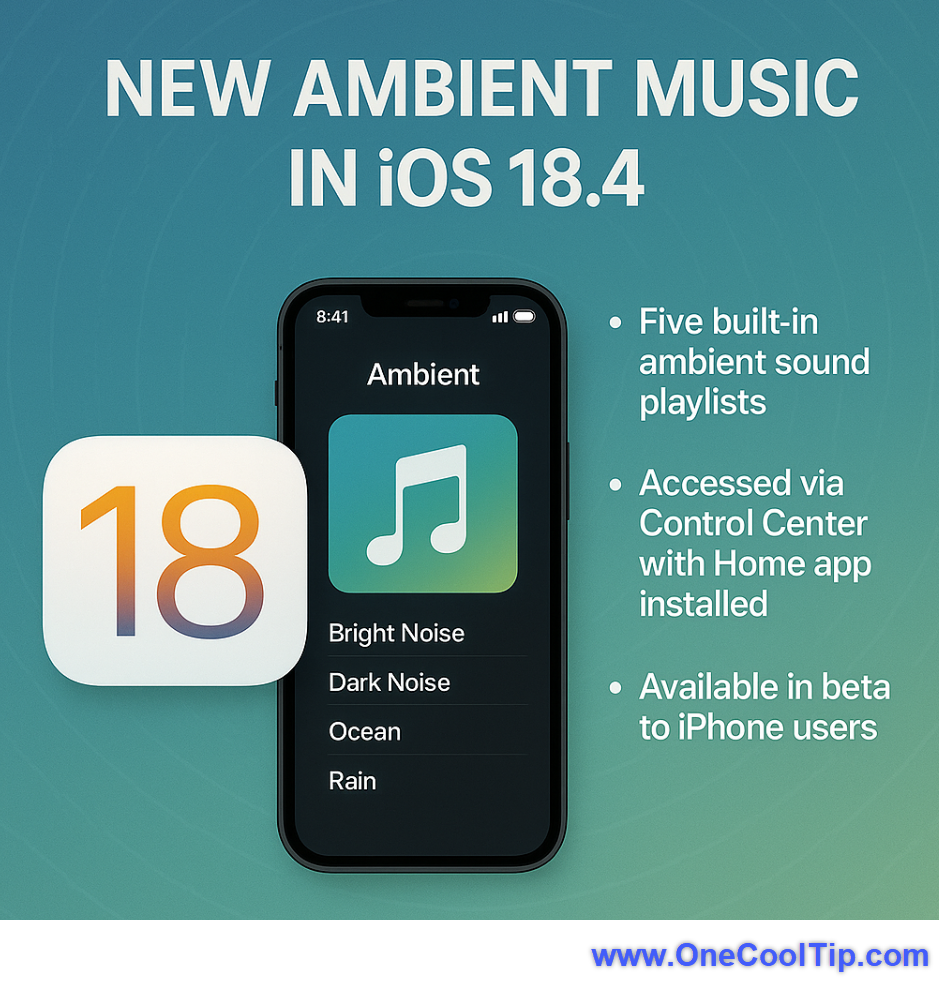
Unlock Serenity with iOS 18.4's Hidden Ambient Music Feature

Apple's iOS 18.4 introduces a discreet yet powerful Ambient Music feature, offering curated soundscapes directly from the Control Center. Designed to enhance focus, relaxation, and well-being, this feature is accessible to all users without requiring an Apple Music subscription.​

Read the One Cool Tip

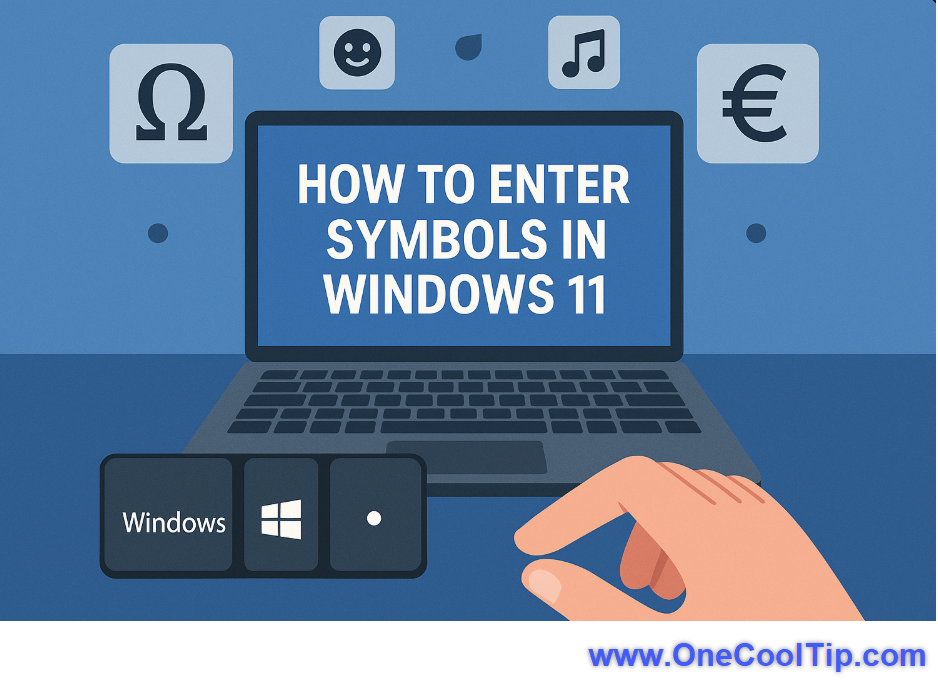
How to Master Symbols in Windows 11

Unlock the full potential of your Windows 11 keyboard with this expert guide to entering symbols. Learn how to access hidden characters, use shortcuts, and boost your productivity.

Read the One Cool Tip


Find Your Adventure

Looking for your next adventure?


Call Denise at Travel For You.

314.660.3039


Sign Up for the Monthly Newsletter - Deals and Specials


http://www.travelforyouvacations.com/


https://www.facebook.com/TRAVEL.FOR.U/


ICYMI - In Case You Missed It ...

Google Gemini's New Audio Overview Brings Documents to Life

Google's Gemini Audio Overviews transforms documents into spoken summaries, enhancing accessibility and saving time. This Cool Tip explores how to use this feature and its benefits.

Read the One Cool Tip


One Cool Tip Video

How to Create Custom Emojis


Do you love emojis? 


Want to take your emoji game to the next level? 


Watch


Cool Tip Comics

When smart homes meet sharp bricks, even Alexa can’t save your soles. 🧱🤣


See You Tomorrow

Trivia Answer: B) 1958


In 1958, LEGO patented the unique stud-and-tube interlocking design that gave the bricks their iconic “click” and compatibility.


This design revolutionized toy building by allowing stable, versatile constructions and is still the standard today.


----------


Tomorrow's Cool Tip is waiting to amaze you.


Until then, go forth and conquer the tech world with your newfound knowledge!


And be sure to visit www.OneCoolTip.com for Cool Tech Tips for a Cooler Life!


Enjoy!


Rodger

Chief Cool Tipper

onecooltip.com@gmail.com


What Do You Think?

What do you think of today's OneCoolTip newsletter?
👍 Great
😐 OK
👎 Terrible

Please Share the One Cool Tip Newsletter!


You asked for it. You got it. There is now a One Cool Tip Newsletter archive. Did you delete a newsletter and want to read it again? Check it out HERE.


Want to help One Cool Tip grow? Please forward this email using the link above. And if you see an OCT social media post, please LIKE, COMMENT and SHARE!


Have you subscribed to the One Cool Tip YouTube channel? Subscribe HERE.

X Share This Email
LinkedIn Share This Email

Connect with One Cool Tip!!

Facebook  X  Instagram  Web  Pinterest  YouTube  LinkedIn
 

As an Amazon Associate, One Cool Tip may earn a small commission from qualifying purchases.


Our media content is intended solely for informational purposes only. Please do not construe anything here as legal, tax, investment, financial, marital or other advice.


Copyright © 2025 | www.OneCoolTip.com | All Rights Reserved