Windows 11 Prevention
Over the past few months we have sent out a couple reminders about how it may be in your best interest to avoid Windows 11 on computers used for business purposes at this time. This is because Windows 11 remains a newer technology and Microsoft has yet to be made aware of issues as well as business programs not being designed to function on the platform and potentially not being supported.
In the past few weeks, we have seen a number of issues with Windows 11 updates causing issues with Outlook accounts as well as with printers. While it seems we have been able to resolve many of these issues, it should be noted that HP does have a note out that their printers may stop functioning on systems that have one of their printers installed and then undergo the upgrade process. While the hope is this issue is able to be fixed soon, it serves as an example of the things that are still being worked out with the upgrade.
Why is my computer prompting me?
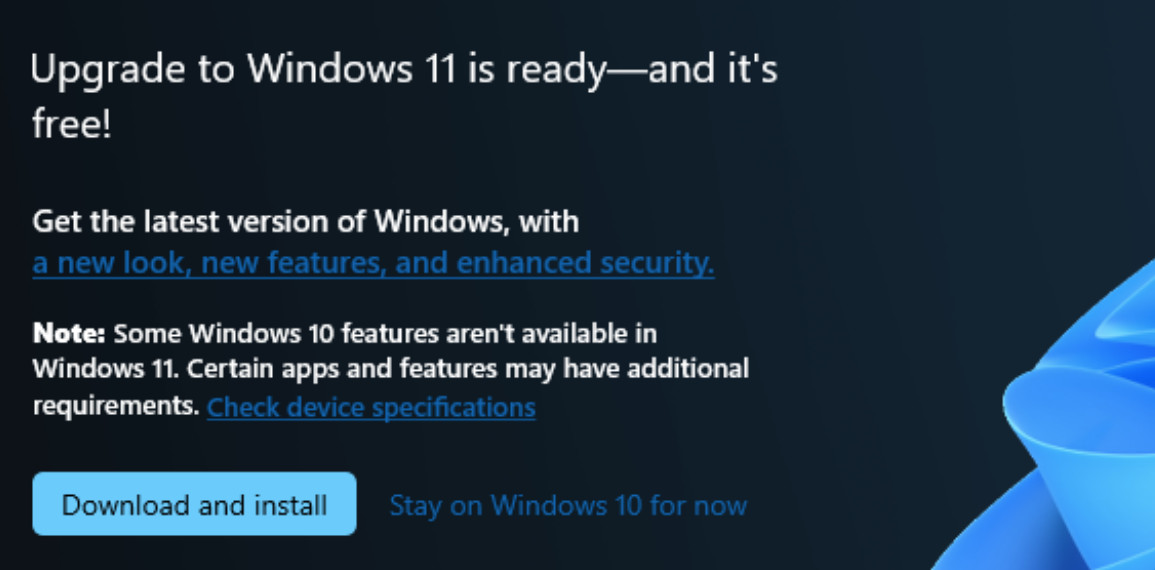
Windows loves to bring up prompts to suggest that, if your system is currently in the set of units they'd like to move, that you upgrade. It's best to close out of these or click no if there's an option. It's important to note that, as in the image below, they often make the only button looking option to proceed to download Windows 11, but there should be a clickable text option on the screen, often a blue on blue text, that will let you decline the upgrade (in the below image, there is the text, "Stay on Windows 10 for now").
For domain environments, there is also a group policy that could be put in place to keep computers at a certain update level which will prevent the update to Windows 11. This will just need to be updated as new major updates are released.