Greetings!

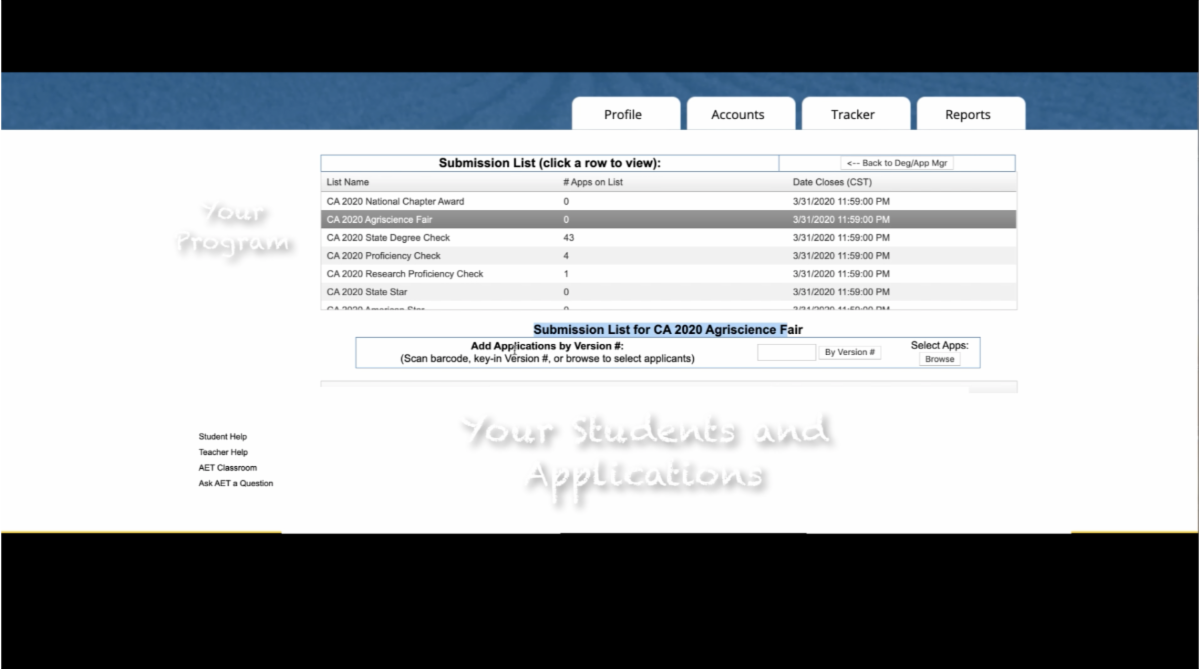
Happy Friday! We just wanted to share a NEW AET tool that helps you and your student review feedback from online applications. We now have the State Submission & Feedback button on both the teacher and student sides of AET. The student can now review feedback directly versus you having to share that with them in some other way.
We also have the 2021-2022 school year subscription open now. Learn more about both of these topics below:

Reviewing Application Feedback
We have a few resources to help you use this online submission and feedback tool:

  1. Chapter Application Approval Process Video
  2. Frequently Asked Q&A Guide


You can view all other resources on our Teacher Help page under AET Connections!
Link to the 4-minute video HERE!
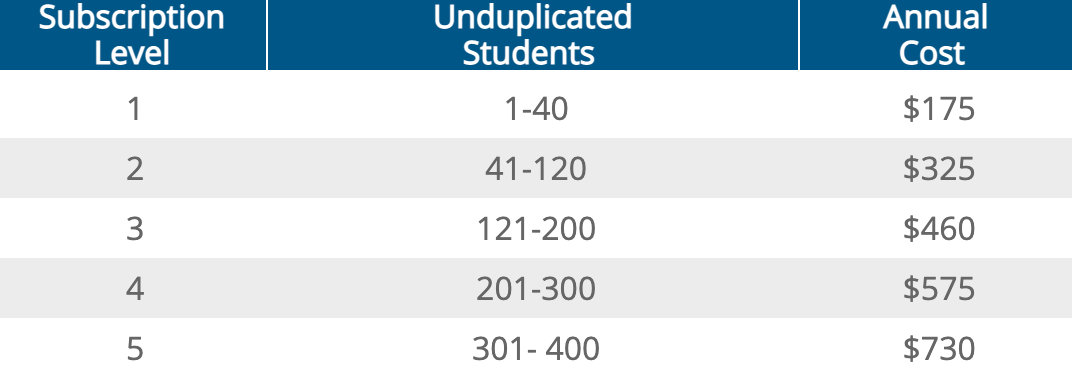
Subscribe for the 2021-2022 School Year
If you have a level of subscription determined in your account you can follow the steps below to subscribe for the 21-22 school year:

  1. Go to the PROFILE tab of your Teacher Account in AET
  2. Choose "Option 8. AET Invoices"
  3. You can click "Renew Now" and it will subscribe you until October 15th of 2022
  4. If your chapter's "Renew Now" button is greyed out please email info@theaet.com to get your level updated!
Visit our Sign Up page for more information!
Email us at info@theaet.com with questions!