|
Beware of Dropbox Links: A Growing Phishing Threat
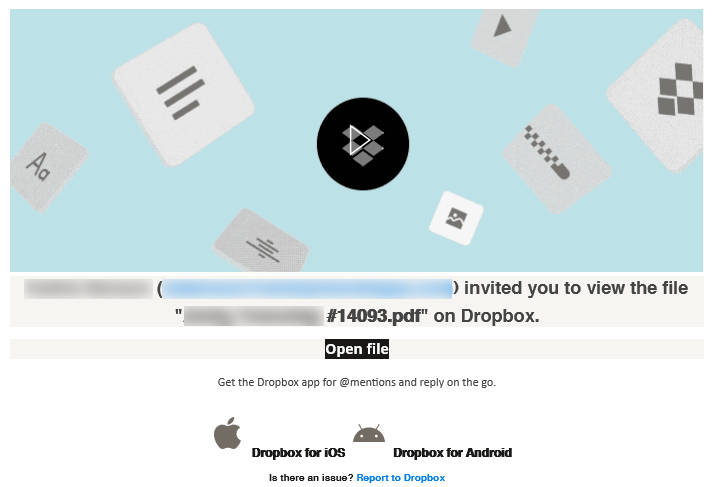
In today’s digital landscape, phishing attacks continue to evolve, and one of the increasingly popular tactics involves Dropbox links. Cybercriminals often leverage trusted file-sharing services to lure unsuspecting users into clicking malicious links. Once clicked, these links can lead to fraudulent login pages designed to harvest personal information or deliver malware directly to the victim's device. This method exploits the familiarity and trust associated with well-known platforms like Dropbox, making it all the more crucial to remain vigilant.
Staying informed about the latest phishing tactics is essential in safeguarding your personal information. In one of the more common methods we are seeing recently, a bad actor who compromises an email account will create or reset the password to get into the user's Dropbox account. This enables the bad actor to continue to send emails via Dropbox even after the email account itself is remediated.
Utilize security measures such as two-factor authentication on your accounts to add an extra layer of protection is a must. For file share sites like Dropbox, having that MFA setup ahead of time could prevent the bad actor from being able to gain access in the first place. Additionally, if it isn't already setup, the bad actor could use a compromised email account to login to the Dropbox account and setup MFA for themselves - a move which will lock you out of the account because the bad actor is the only one with the MFA needed to get in.
To protect yourself, always verify the sender before clicking on any links, especially if the message seems unexpected or out of character. While it's always a good idea to check the email address for any discrepancies, one should also consider reaching out to the sender directly through a separate communication channel (ie not email). With this most recent type of attack, double-checking becomes even more important because in a compromise like this, the bad actor can send the file using a legitimate Dropbox no-reply address that includes a known user's email address as the account it's being shared from.
This is especially important when it is a document/email you were not expecting and/or the file requires you to sign in for unknown reasons. It is also important to avoid entering your login credentials unless you are absolutely certain of the link’s authenticity. This is how a bad actor can parlay one compromised account into many very quickly.
Should you have any questions or would like support regarding phishing attempts or cybersecurity other issues, please feel free to reach out to our offices and we can answer any questions for you, discuss strategies to help prevent a compromise, or even potentially assist in remediation (should it be needed).
|