|
P2P
NEW Punchout Feature Returns to Requisition
When returning to eVA from a punchout catalog, eVA will now return to the Requisition instead of returning you to the Shop page. NOTE, you are still able to return to the punchout catalog and add items to the requisition. You also will still be able to manage your draft requisitions by clicking on the shopping cart from the Search Products screen. An updated video will be posted March 3 to the Buyer Training page under eVA Guides, Catalogs titled How to Shop Punchout Catalogs.
CONTRACTS
Deleting Contract Documents
Users must navigate to the round of the contract where the document was added to delete the document. Even though the document grid displays the trash can icon, if you are not on the round that the document was added to, the user is NOT able to delete the document from the grid.
For example, the contract is currently on Round 4. The buyer wants to delete Document ABC, which was added to the contract in the Round 2 amendment. Even though the trashcan will appear next to Document ABC in Round 4, clicking on the trashcan icon will not delete Document ABC. The buyer must go to Round 2 of the contract to delete Document ABC.
SOURCING
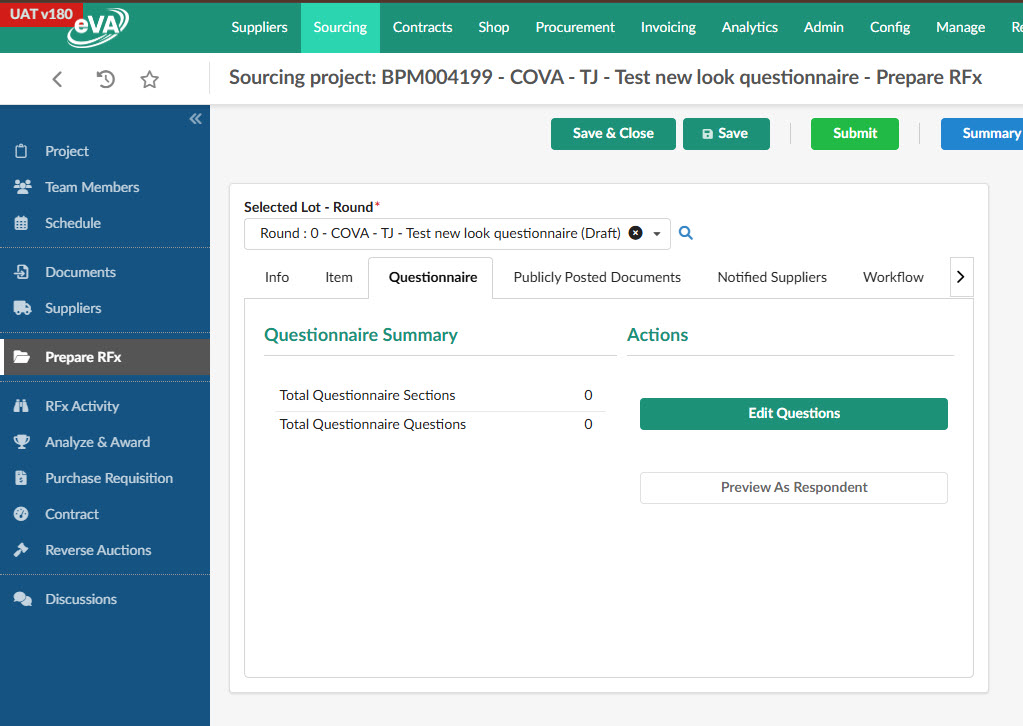
NEW Questionnaire Look
The Questionnaire has a new look, but the functionality has not changed. Users still click Edit Questions to create a questionnaire.
|