|
Contents:
- It's not magic, it's planning
- Upcoming events - summer edition
- RSVP - This is the way
- How to configure your cellphone calendar to see the pack and den events - if you want to... we know you want to do this
- Is your tent smelling "funny"?
- Leaders needed - Yes, I'm looking at you
- Message from the Cubmaster - A Scout is Kind
|
It's not magic, it's planning
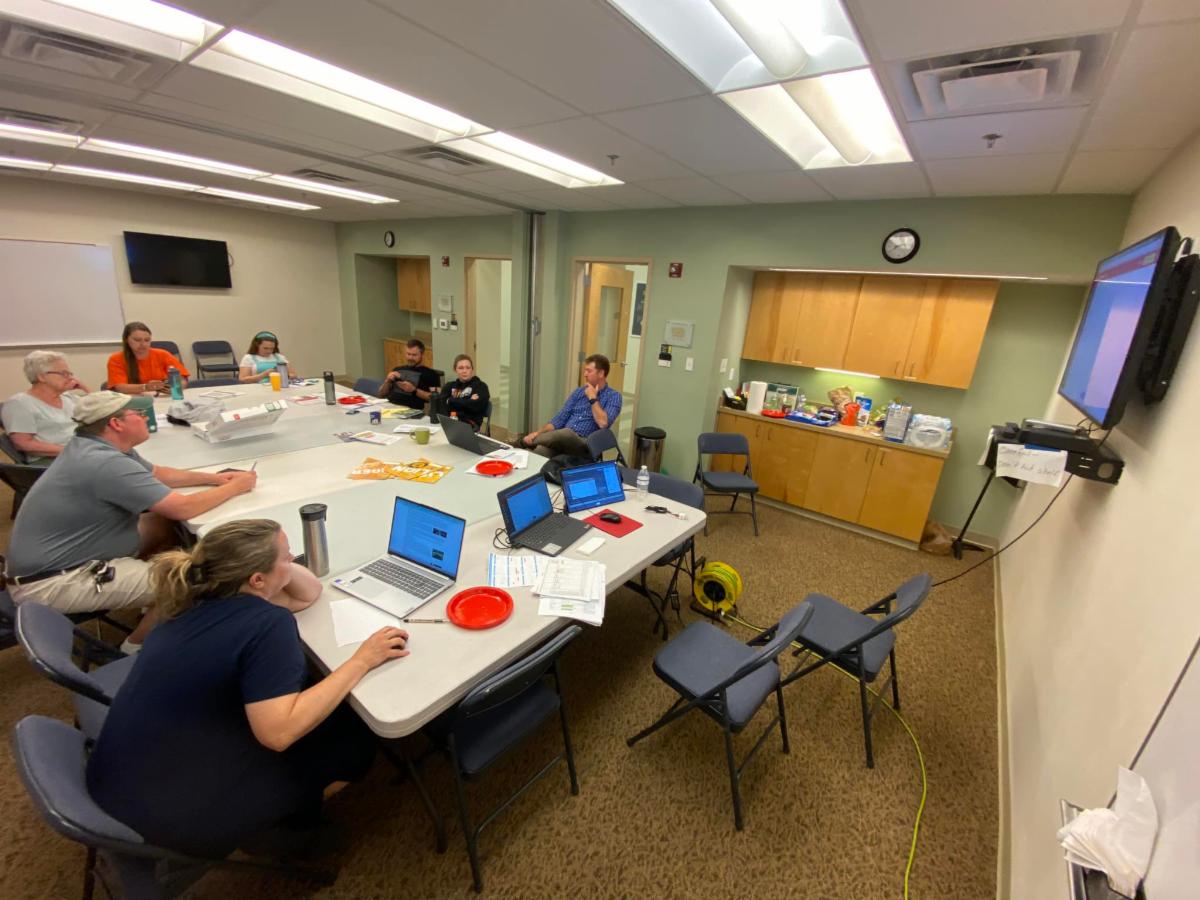
Every year our passionate group of Pack Leaders spend several hours planning the program execution and schedule all the events for the upcoming year.
This year during the meeting, we reviewed the pack leadership current status, identified gaps and reviewed our succession planning. We planned all the events until the beginning of June 2025 (set the date, identified events coordinators, and proposed tentative locations). We also reviewed the pack's finances, decided the date and location for the Pack Leaders' Summit and discussed this year's recruitment strategy.
In addition, we reviewed the feedback received via the paper survey during Cub-O-Matic and the on-line annual survey, and after reading each response we extracted the achievable recommendations to implement asap. Some of the recurring comments and recommendations were: same-rank multi-den meetings, more outdoors den adventures, provide advanced dates of events for planning, shorten the awards section and the announcements during pack meetings.
We hear you loud and clear, and we already started implementing your valuable feedback. The one you can see right-away is the calendar: The whole year of events is scheduled in the Scoutbook calendar
Documents from this meeting you may want to read are:
-
Annual Planning Meeting 2024-2025 (main document)
- Pack Leaders
-
Planned Events (you may want to print this one and post it in the fridge every so often)
- Feedback to paper survey (distributed during Cub-O-Matic)
- Feedback to the on-line annual survey
Items 1, 2 & 3 are live documents; we keep updating them throughout the year as needed, and remember that the official and most up-to-date events information is the Scoutbook calendar.
|
Upcoming events
Summer edition
The following are the planned events for the next 3 months (dates and locations are subject to change. Ask your Den Leader and/or consult the pack's Scoutbook calendar for updated info and the whole year scheduled events):
June
-
06/02: Pack Committee Annual Planning Meeting (Pack Leaders)
-
06/06: Arrohattoc District Roundtable Meeting (Pack Leaders)
-
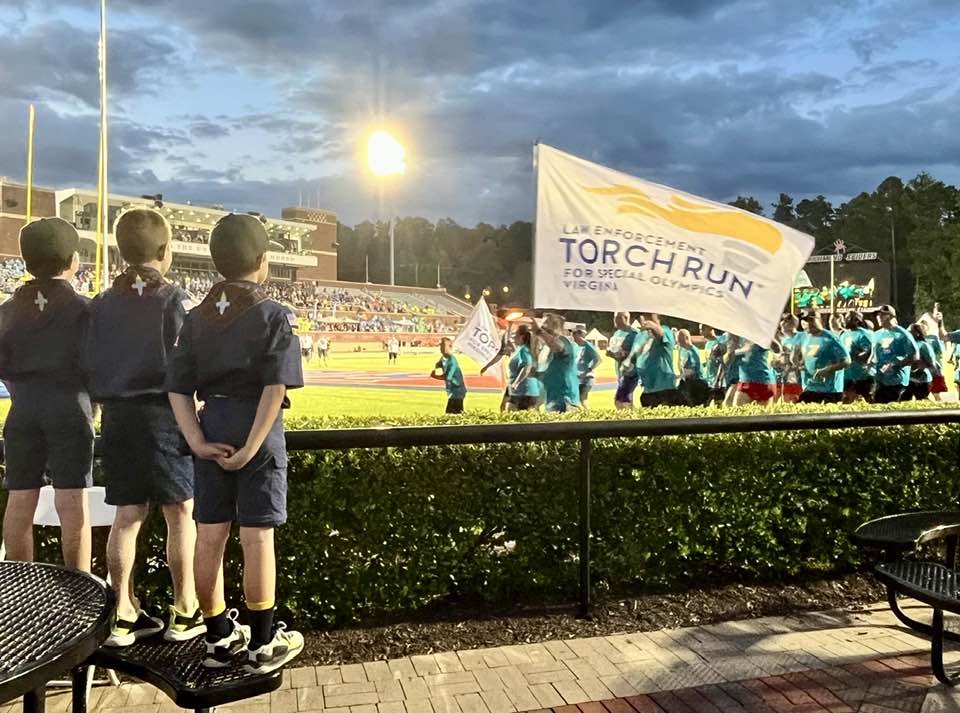
06/07: Special Olympics Opening Ceremony
-
06/08: Richmond Kickers
- 06/10-14: Cub Scout Day Camp, Deep Run Park (registration closed)
- 06/23-26: Cub Scout Summer Camp at Cub Adventure Camp (sign up at the pack store)
- 06/28: Flags Out at VAWM
- 06/29: Family Scouting Night with the Tri-City Chili Peppers, Shepherd Stadium Colonial Heights (patch and fireworks)
July
- 07/04: 4th of July parade @ Hampton Park
- 07/10: Outdoor Cooking Competition
- 07/12: Flag Collection at VAWM
- [New!] 07/19-21 P2831 Summer Campout
- TBD: Le Tour de P2831 (Bike rodeo) (date, time and location TBD)
- 07/26: Scout Night at the Diamond, (patch, post-game movie and Kona Ice (no campout))($13)
August
- 08/02: Flatwater Kayaking Trip (signup at the pack store, limited spots, training for parents required. signup will disappear once the limit is reached)
- 08/07: Water bottle Rockets
- 08/10: Fishing Fun Day at Chester Club Lake
- 08/11: Richmond Raceway scout experience, Richmond raceway, (campout, track walk, patch)
- 08/24: Back to School get together
- 08/25: First den meetings
September
- 09/13: Pack Meeting/Yearly Kickoff!
Notes:
- All events were planned during the Pack Annual Planning Meeting in June 2024, and can be accessed in this file.
- All these events are scheduled in the Scoutbook calendar. You must access the calendar (either via Scoutbook, Scouting app or iCal subscription in your smartphone) to see all the details and RSVP if needed. Some of them are pending details, location confirmation and/or are weather permitting.
|
RSVP
This is the way
You may have noticed some events have an "RSVP" note and some not. Typically, we use the RSVP when we need a head-count in order to determine how much food, water, refreshments, etc. are needed for the event, or how many event patches we need to order, or how many craft materials we need to buy. If the headcount is wrong we will not buy enough or buy in excess.
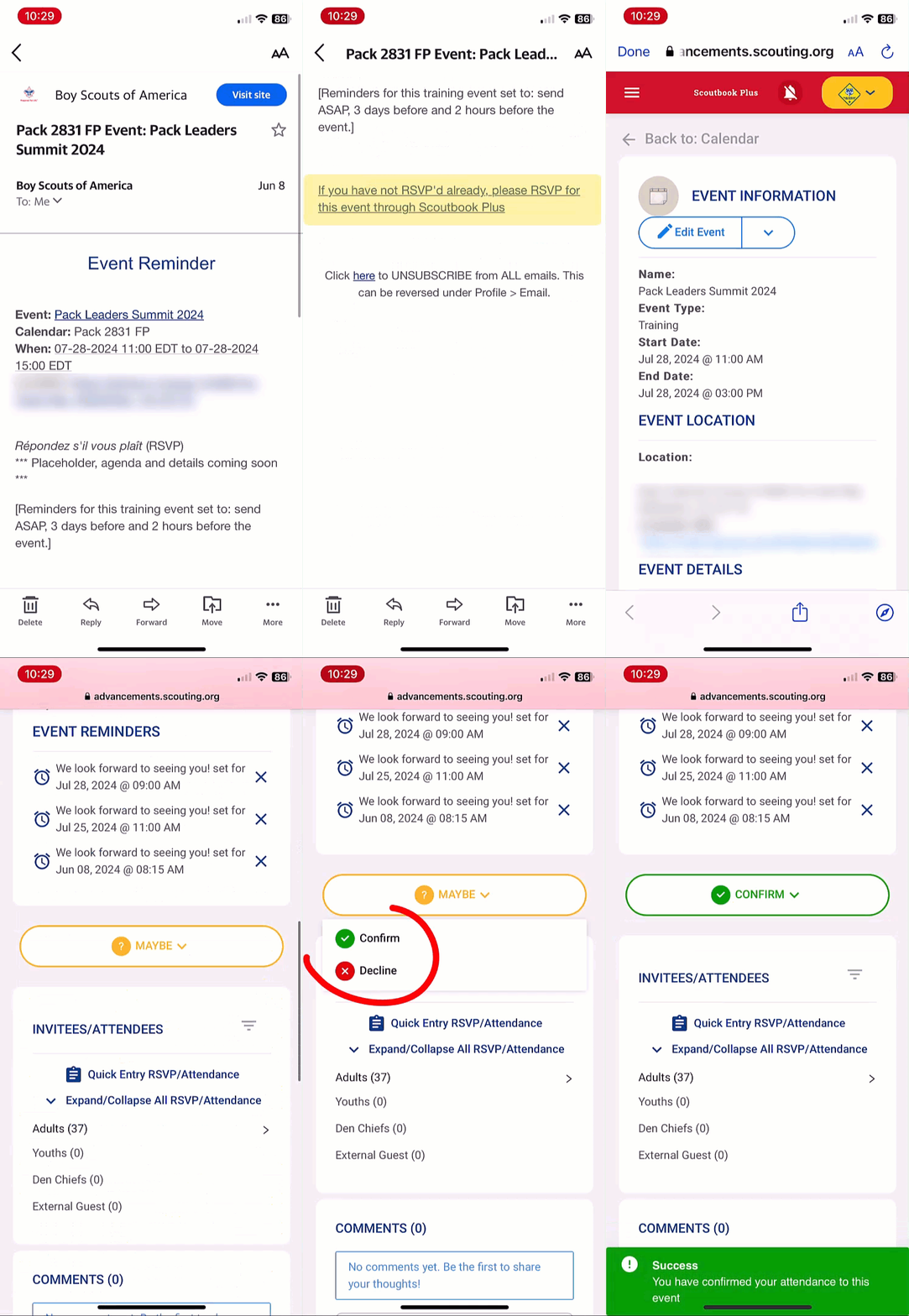
So next time you receive a reminder in your email about an upcoming event that requires you to RSVP (pack or den event), please follow this procedure:
From the Scoutbook calendar, select the event.
- If you are using your smartphone, scroll down until you see a "?Maybe" button. If you are using a PC or Mac, the button is at the top of the right-hand side column
- Click the "?Maybe" button
- Select the appropriate option (yes if you are planning to go, no if you can't make it to the event). Marking "no" is important as well, because you are letting us know that you saw the message and can't make it to the event.
- Do this for all individuals invited in your family (scout(s), adults, leaders)
- That's it.
From the email reminder:
- Click the link to RSVP from the email (Sign in to Scoutbook if needed)
- The hyperlink will open the event.
- If you are using your smartphone, scroll down until you see a "?Maybe" button. If you are using a PC or Mac, the button is at the top of the right-hand side column
- Click the "?Maybe" button
- Select the appropriate option (yes if you are planning to go, no if you can't make it to the event).
- Marking "no" is important as well, because you are letting us know that you saw the message and can't make it to the event.
- Do this for all individuals invited in your family (scout(s), adults, leaders)
- That's it.
Homework: Give it a try and RSVP for the Tri-City Chili Peppers Scouting night event, next June 29, 2024
|
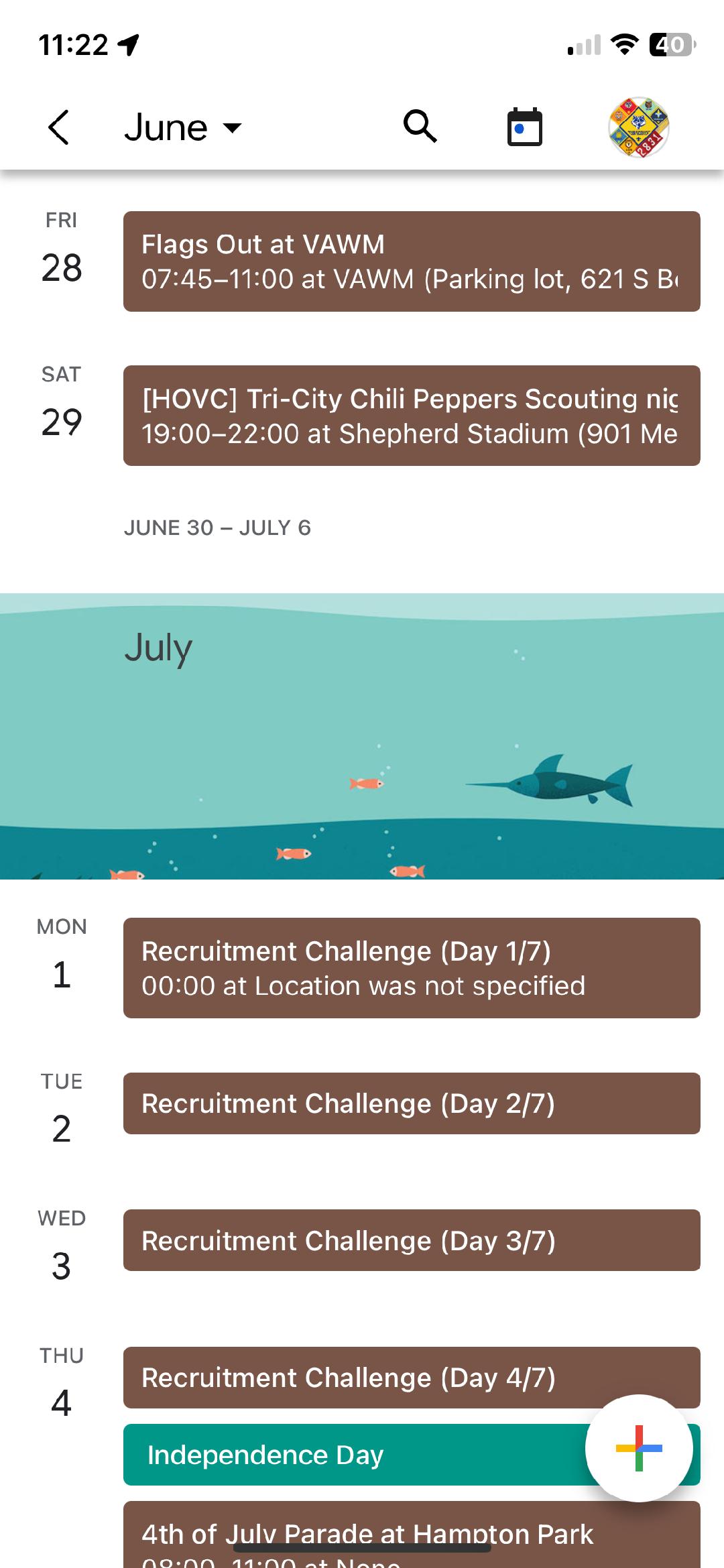
How to configure your cellphone calendar to see the pack and den events
If you want to... we know you want to do this
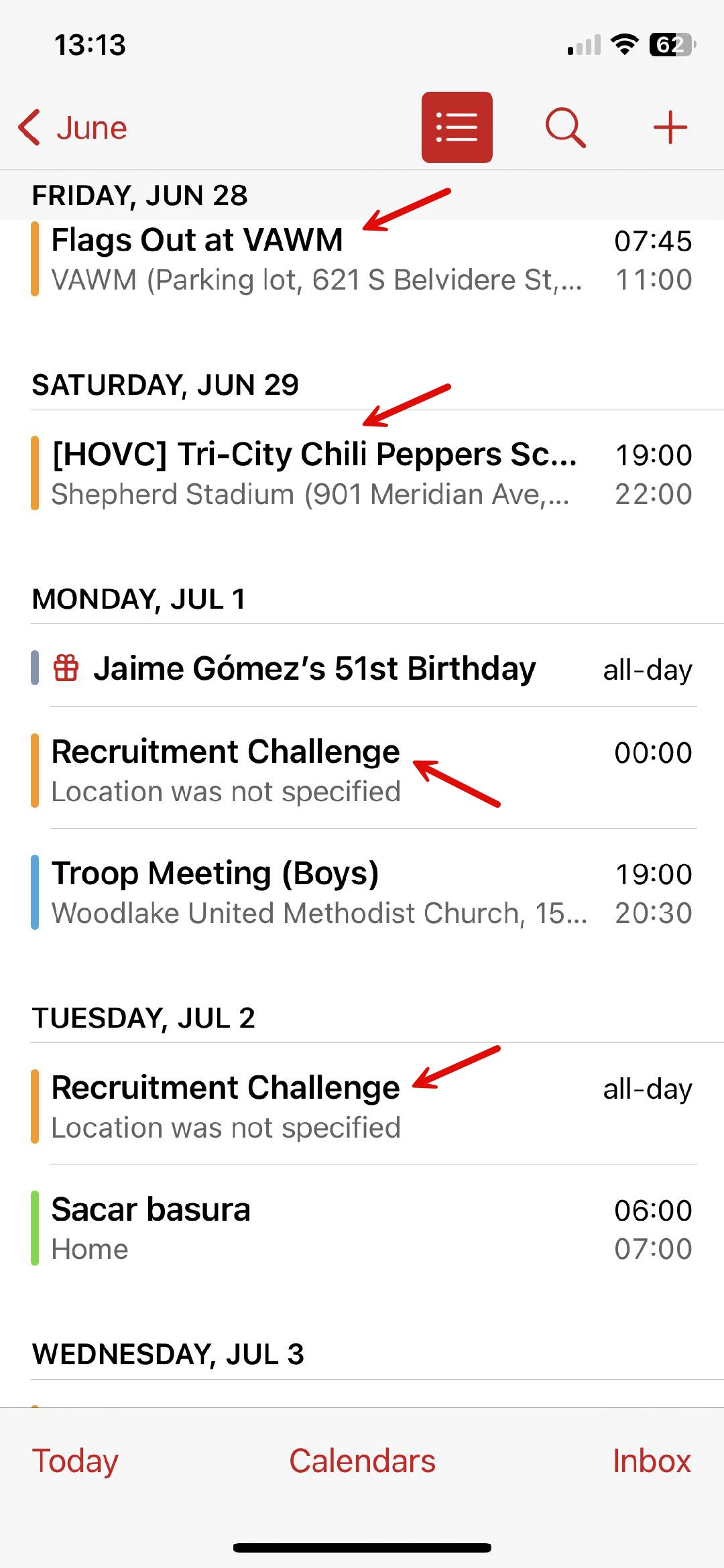
Along with the planning theme and the recurring request of communicating the scouting events dates and details in advance, this short set of instructions are intended for you to add the pack and den calendars to your cellphone's calendar, as a tool for you to keep track of your personal events and the pack events in a same location.
Having the pack and den calendars merged with your personal calendar has great advantages. Some of those advantages that come to mind are: having a visual reference and prevent schedule conflict when scheduling family or personal events while wanting to participate in scouting activities, get map directions by touching the address of the event, and having access to the up-to-date events of the pack at all times since all the info is automatically synchronized and any changes are reflected almost immediately (well, that is a true statement for iOS devices; Google Calendar has known issues updating the calendar automatically).
| |
iPhone Calendar:
- Login to Scoutbook, open the dashboard, scroll down and select "My Calendar" That will open "Scoutbook Plus Calendar"
- Scroll down until you see "Pack 2831 FAMILY. Select the blue icon (Copy url)
- Open the iPhone's calendar
- At the bottom, select "Calendars"
- At the bottom, select "Add Calendar"
- From the pop-up menu, select "Add Subscription Calendar"
- Paste the URL you copied on step 2
- Select the "Subscribe" button
- Optional: change the Account from "iCloud" to "On My Phone"
- You can change the color of the calendar from the default
- From the title field, you can rename it (ex. "Pack 2831"; that will be the name of the calendar)
- When done, from the upper right-hand corner of the screen, select "Add"
- Repeat step 2, but this time copy the URL for your cub scout's den, and then repeat steps 3 ~ 12 (you may use a different color, and make sure to rename to your den #) Do you have more than one cub scout?
- At this point you are an expert on how to subscribe to den calendars, go ahead and go wild! :)
Sounds complicated or like magic? Here's a 2:30 min video, that shows in real-time this process.
| |
Google Calendar:
Note: There is a known issue about events in the merged calendars from Scoutbook with Google calendar may not update automatically in Google calendar. If you choose to follow this procedure, please know that it is a snapshot in time. You may need to remove the calendar and subscribe to it again every so often, until they come up with a permanent solution. Nonetheless, it is extremely useful to have a placeholder to know right away of any conflicts.
- Login to Scoutbook, open the dashboard, scroll down and select "My Calendar" That will open Scoutbook Plus Calendar
- Scroll down until you see "Pack 2831 FAMILY. Select the blue icon (Copy url)
- In a separate tab, open the Google's calendar
- Form the right-hand side column, under "My calendars", select the "+" icon next to "Other Calendars"
- From the pop-up menu, select "Subscribe to calendar"
- On the left-hand menu, Add calendar, select "From URL"
- In the "URL of calendar" field, paste the URL you copied on step 2
- Select the "Add calendar" button
- Go back to the calendar, voilà!
- Repeat step 2, but this time copy the URL for your cub scout's den, and then repeat steps 3 ~ 9 Do you have more than one cub scout?
- At this point you are an expert on how to subscribe to den calendars, go ahead and go wild! :)
We hope this process help you; if you have questions or got stuck in any of the steps, ask Pablo next time you see him :)
|
Is your tent smelling "funny"?
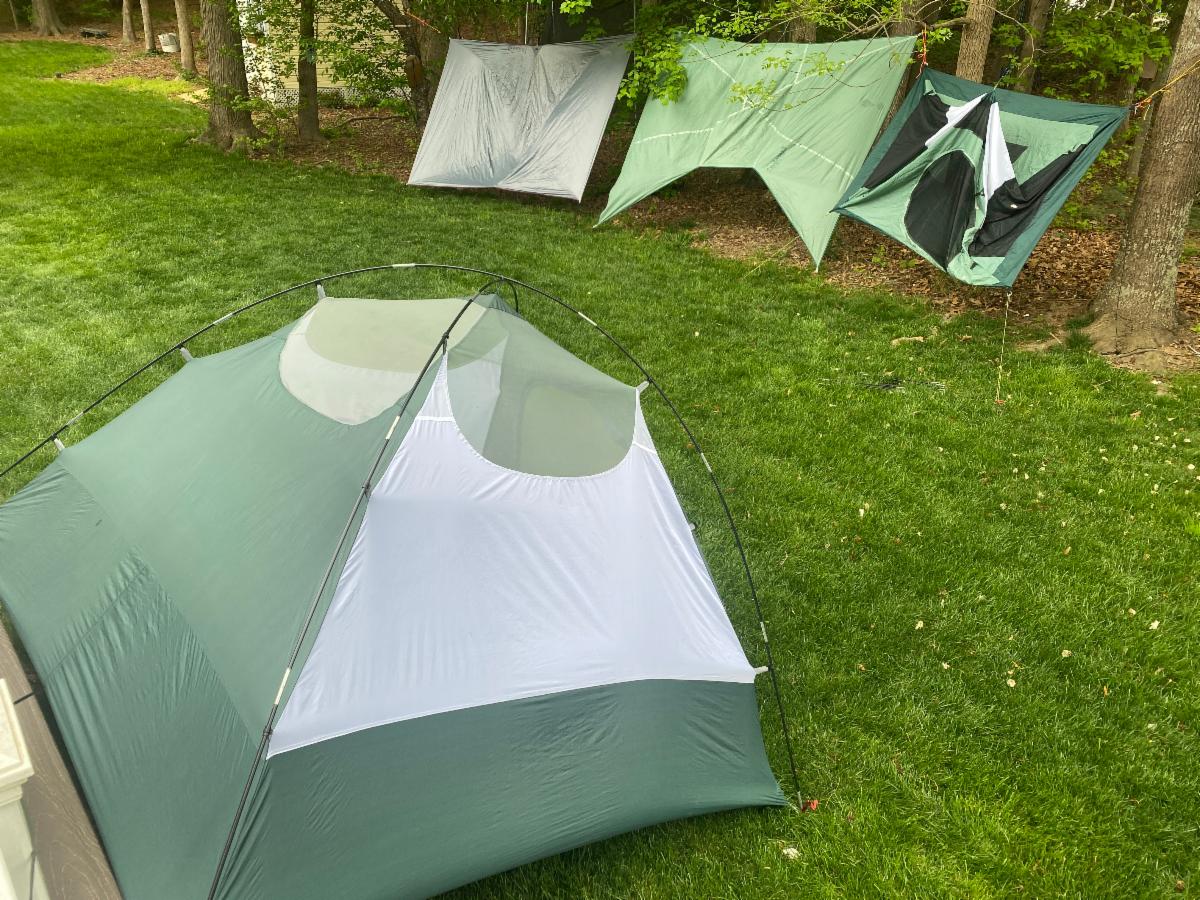
Pack 2831 loves camping, and after every campout our Outdoors Chair remind us to set up the tent again as soon as we get back home (in the backyard, or in the garage if it is raining.) But why do we bother setting up the tent again right after a camping trip?
On that final morning of camping, we rise early, disassemble and pack up our gear before the first sip of coffee, eager to head home. Even if the previous night was dry, there's often lingering dew or condensation in the tent that, with time, can grow mold and that distinct musty odor, which isn't quite as charming on our next season campout.
By setting up the tent at home and allowing it to thoroughly dry (usually a couple of hours will do), we not only prevent that unpleasant experience but also prolong the lifespan of our beloved "home away from home."
But what if we were exhausted and forget to let the tent dry before stowing it away for months? or what if we inherited an old tent from a family friend, that has been collecting dust over a decade and it is dirty and smelling like a museum?
That happened to me last month, and I was determined to rescue three beautiful tents, so I did my research and followed these instructions, that I hope you find helpful (if needed).
| |
Video references:
-
How to clean a tent (2min. video, REI)
-
How to waterproof a tent (3min. video, REI)
Cleaning products:
-
Nikwax Tech Wash (10oz, $10.95)
-
GEAR AID Revivex Odor Eliminator (10oz, $11.95)
-
Nikwax Tent & Gear Solarproof (17oz, $18.25)
-
GEAR AID Seam Grip+WP (1oz, $8.99)
$50.14+tax, versus the cost of 3 new tents. Hmmm... [The scout is thrifty]
|
Leaders Needed
(Yes, I'm looking at you)
With some of the pack leaders crossing over to the troop next year we are in need of adult leaders who are willing to take over their responsibilities in the following areas:
Communications Chair, Recruitment Chair, and NOVA STEM Counselors. If you feel passionate about any of these areas, at your earliest convenience please contact the Cubmaster and the Committee Chair who will provide more details about these core positions, to ensure we give continuation of operations to the pack. The Pack’s Key3 will thoroughly assess the qualifications of all candidates and make a selection.
Remember that the pack runs thanks to adult volunteers. The more volunteers the easier it is to execute the program. Learn more about how to volunteer in cub scouting and/or how to become a trained leader.
|
Message from the Cubmaster - A Scout is Kind
It’s June, which means we’re half way through our Trail of Values!
Have you been keeping up with your monthly attribute tracking?
So far, we’ve worked on being Trustworthy, Loyal, Helpful, Friendly, & Courteous
Like many of our values, KIND is not about performing a single action, but about how we treat others every day.
How would you describe being KIND?
In what ways are you KIND? How about your parents, or friends, or teachers?
As we walk the Cub Scout Trail of Values, we’re gathering all the ways you can be a Great Scout! At the end of the trail, you’ll receive a patch; but more importantly, you’ll have picked up habits that you’ll always have with you.
Keep up the great work! We’ll see you on the next stop!
|
Questions, comments or concerns about the pack?
Send an email to:
|
| | | |