|
Make Your Drive Quieter and Smarter With New Waze AI Features
Waze is adding powerful Gemini AI capabilities to customize your commute, minimize interruptions, and improve route accuracy. Learn how to activate these new features for a calmer, smarter driving experience.
Driving through city traffic is stressful enough without your navigation app talking over your favorite playlist or missing your preferred shortcut.
We all have specific driving habits, and a single navigation approach often falls short.
Here is a Cool Tip: Upgrade Your Daily Commute with the Newest Gemini Features in Waze.
Waze is addressing these common frustrations by rolling out a suite of intelligent updates designed to adapt to how you actually drive and ride.
Feature Explanation
Waze announced several significant updates powered by Gemini AI to improve how users interact with the map.
These enhancements focus on making the app more personalized and far less intrusive.
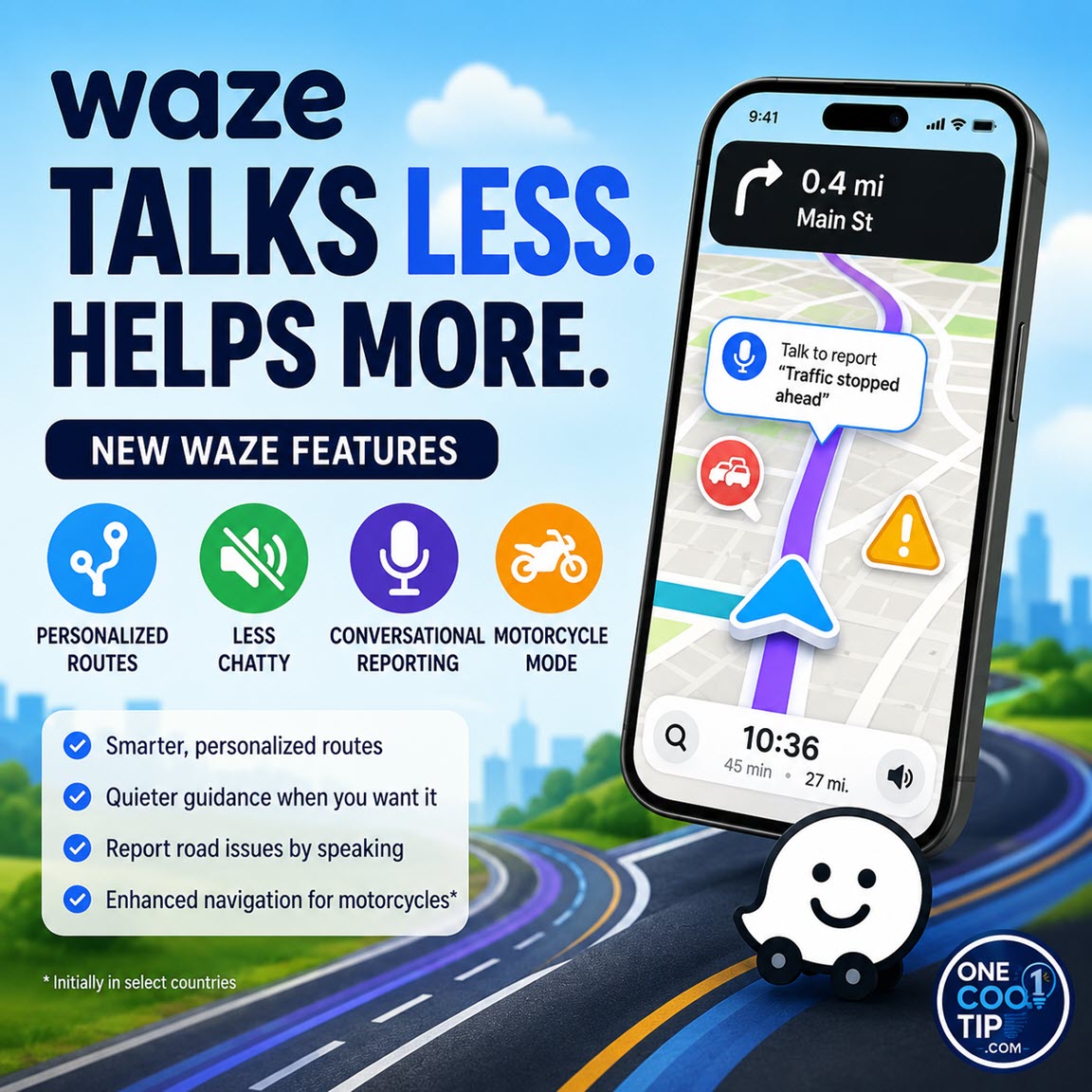
First, the new Less Chatty mode reduces the frequency of voice prompts.
Instead of announcing every minor detail, the app prioritizes critical alerts like upcoming turns, lane changes, and road hazards.
This allows you to focus on the road and your music.
Second, personalized navigation learns your driving habits over time.
If you consistently take highways over surface streets with stoplights, Waze begins suggesting those preferred route types automatically.
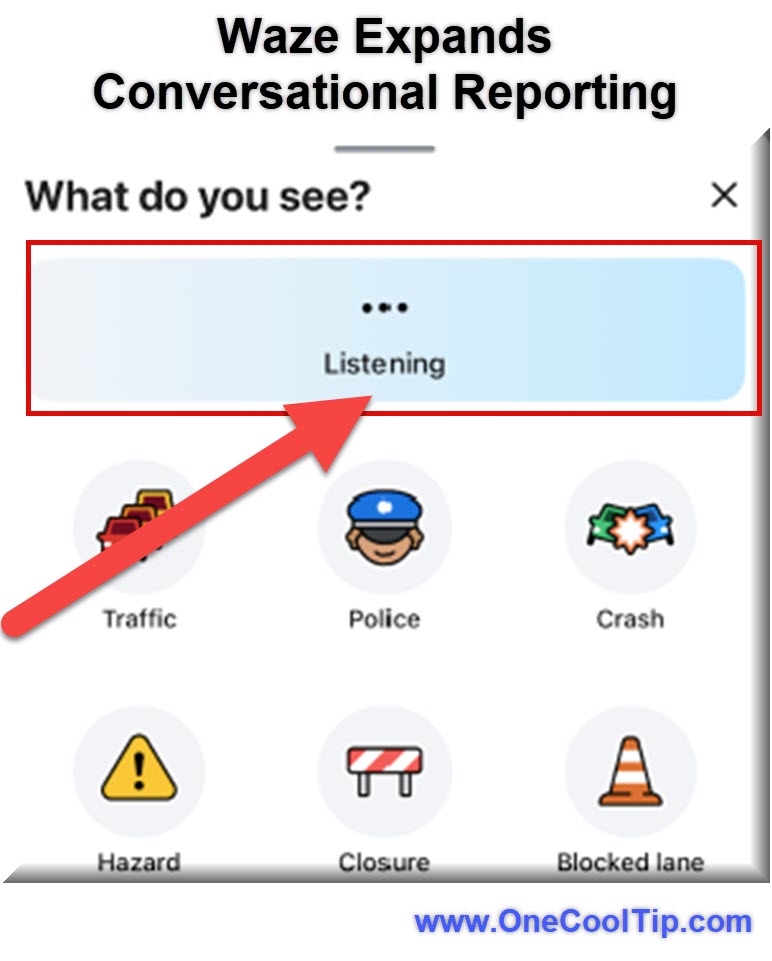
Third, Waze expanded its Conversational Reporting.
Originally designed to report traffic incidents using natural language, you can now use it to suggest map updates, such as a new road closure, simply by talking.
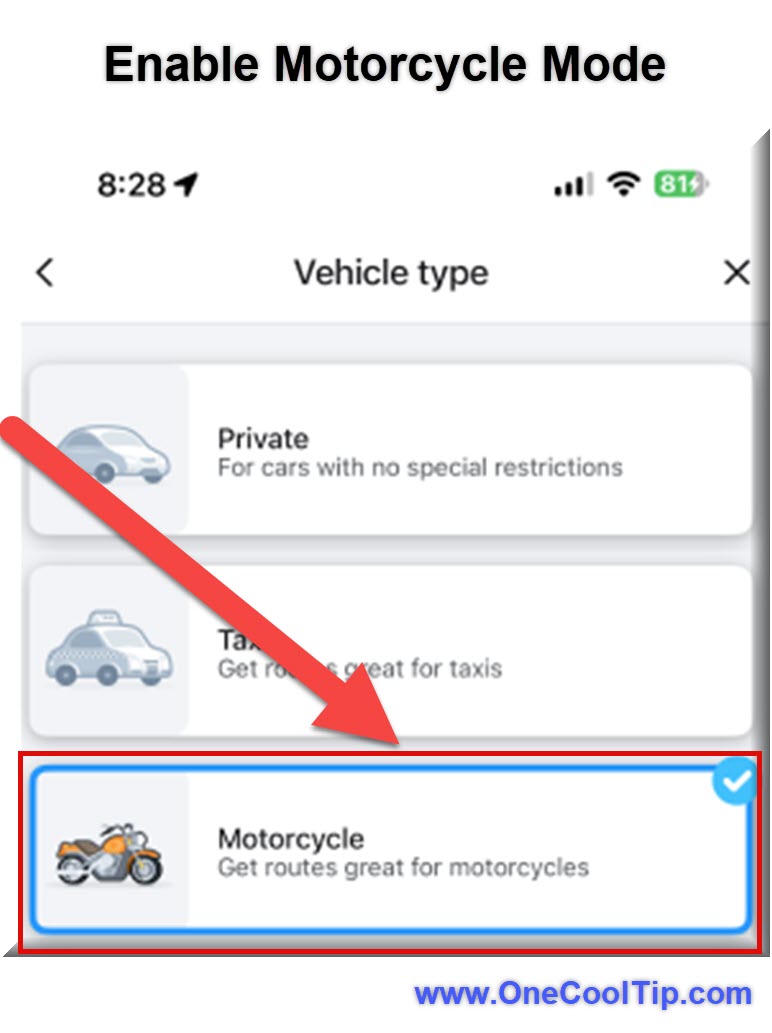
Finally, a dedicated Motorcycle Mode caters specifically to two-wheeled vehicles by suggesting narrower streets and highlighting hazards like potholes and raised crosswalks.
These tools benefit daily commuters, frequent travelers, and motorcyclists by solving the core problems of noisy navigation and inefficient routing.
What You'll Gain
- Save time by receiving route suggestions tailored to your personal driving habits.
- Reduce confusion and annoyance by minimizing unnecessary voice interruptions.
- Improve map accuracy by reporting road closures and hazards using simple voice commands.
- Make daily riding safer with routing specifically designed for motorcycles.
Step-by-Step Instructions
Here's how to do it.
iPhone/iPad:
-
Open the Waze app on your iOS device.
-
Tap the menu icon and navigate to Settings.
-
Select "Voice and sound" to locate the "Voice directions" options.
-
Choose the "Less Chatty" setting to minimize interruptions.
-
For reporting, tap the voice search icon and speak naturally to report a hazard or map update.
Note: This is rolling out to users.
Android:
-
Open the Waze app on your Android device.
-
Tap the menu icon and navigate to Settings.
-
Select "Voice and sound" and find the voice guidance preferences.
-
Select the "Less Chatty" option.
-
To use Conversational Reporting, tap the microphone icon and tell Waze what you see on the road.
Note: This is rolling out to users.
Conversational Reporting
- Open the Waze app.
- Tap the voice search icon.
- Speak naturally to report a hazard or a map update.
- How it works:
- Instead of navigating menus or tapping multiple small icons while driving, you can use natural language.
- You can simply talk to the app to report traffic incidents, slowdowns, hazards, outdated addresses, or new road closures.
Note:
Ensure your device has an active internet connection so the AI can process your voice commands correctly.
|