Computer technology made easy with SeniorNet!


Since 1999 SeniorNet, now FSL SeniorNet, a program of Family Service League, has provided a welcoming environment for teaching seniors, 50 and older, how to use technology. We invite beginners to advanced students to join us for hands-on instruction learning to use smartphones, tablets, laptops, desktop computers and more. Below are upcoming classes that you may find interest you, or, more importantly, need.

WINTER SEMESTER

Prepare for vacation with

FSL SeniorNet.


Winter Semester Overview

for Classes at


Huntington Lab

Bay Shore Annex

Blue Point Cottage

Yaphank Longwood

We are changing our email cycles to bi-weekly -

so see you every two weeks from now on.

SCROLL DOWN FOR OUR TECH TIP

SPOTLIGHT ON PHOTOGRAPHY:


Mac folks - take a look at our Mac Photos class and learn how to view and organize your photos on your Mac.


Smartphone Photography - Already know who to take a photo with your smartphone but want them to be more professional? Lean how in our Smartphone Photography class.

HUNTINGTON LAB CLASSES

FSL SeniorNet at Family Service League, Olsten Family Center

790 Park Avenue, Huntington, NY 11743 1-631-470-6757

THE COMPUTER

  • PC Computing Basics 2 starts on Mar 5
  • Exploring Files and Folders with Windows 11 starts Mar 16

MOBILE DEVICES

  • iPhone: Getting Started starts on Feb 3
  • iPhone: What's Next starts on Feb 24

MEDIA

  • Mac Photos: Organizing Your Pictures starts on Feb 11
  • Canva: An Introduction starts on Mar 2
  • Smartphone Photography starts on Mar 11


BAY SHORE ANNEX

FSL SeniorNet at Family Service League, South Shore Iovino Family Center

1444 Fifth Avenue, Bay Shore, NY 11706 1-631-647-3100

INTRODUCTORY CLASSES

  • Google Docs: Beginners starts on Feb 5

MOBILE DEVICES

  • iPhone: Getting Started starts on Mar 3

THE COMPUTER

  • PC Computing Basics 2 starts on Feb 3
  • Exploring Files and Folders for Windows 11 starts on Mar 2

THE INTERNET

  • Artificial Intelligence: Hands On on Mar 11


BLUE POINT COTTAGE

9 Montauk Highway, Blue Point, NY 11715

Call: 631-470-6757

THE COMPUTER

  • PC Computing Basics 2 starts on Mar 5


YAPHANK - LONGWOOD

210 Meadows Blvd. West, Yaphank, NY 11980

Call: 631-470-6757

FREE WEBINARS

  • Smartphone Photography on Feb 11
  • Google: More than a Search Engine on Mar 10
  • Traveling with Your Smartphone on Mar 24

PUBLIC SERVICE ANNOUNCEMENT

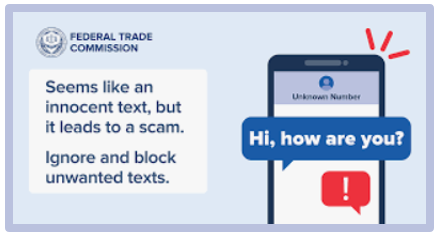
"Hi, How are you?" Text Scam

Typosquatting Phishing Trick


Hackers are using a new typosquatting phishing trick, or visual trick, by swapping letters with other letters to make the sender’s email look legit.

  • Letters in domains like Microsoft are being switched, “r n - rn” for m.
  • Replacing the letter "O" with a zero "0".
  • Changing the domain name from .com to .co
  • Adding words that seem to make sense.
  • Don't click on a link to reset your password unless you asked for it to be changed.


Watch this video from Instagram to learn how to spot it and what you can do to stay safe from credential and identity theft online. After clicking the link, you get the pop-up from Instagram, just "x" it out as you do neither need to sign-up nor log-in.


https://www.instagram.com/reel/DT85k2xkSd-/?utm_source=ig_web_button_share_sheet&igsh=ZDNlZDc0MzIxNw==

Facebook  Email  Web