|
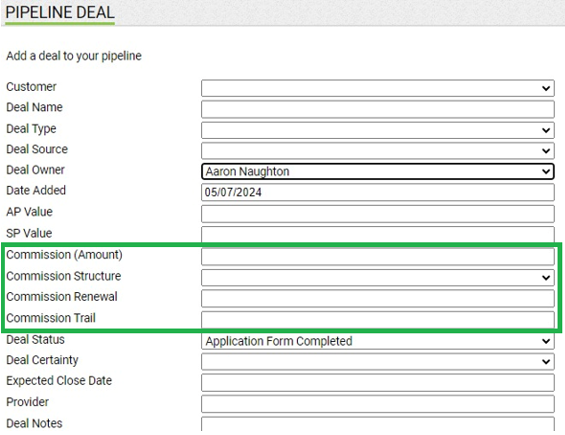
When adding a deal to your Sales Pipeline, you now have the option to enter Commission details for that deal as follows;
- Commission Amount (this replaces "Deal Value")
- Commission Structure
- Commission Renewal
- Commission Trail
You can enter the Commission Amount, select the Commission Structure from your list of existing structures that have been created and add any renewal or trail.
In the Sales Pipeline page, you can view your Commission details for your deals by clicking in to the deal itself, and also in the Excel reports for both Active and Closed deals. You can create these reports by selecting your desired option under Tasks / Actions on this screen.
|