Check Your UPS Batteries
There are times when the power goes out, something which can be a great inconvenience for those of us who rely on computers or other electronics to complete work. Even worse is that these sudden jolts of electricity followed by a lack of it can do damage to the devices. Luckily, there is a way to protect against that.
What Is A UPS?
A UPS is like a power strip and a battery combined. It not only provides protection from damage that surges could cause, but acts as a back-up option that will allow devices to continue to run seamlessly for short periods in the event of a brief surge while allowing users to save what they are working on and properly shutdown devices in the event of a larger-scale blackout.
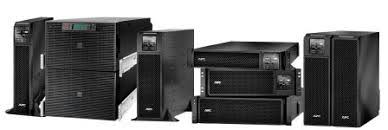
There are so many models of the units that vary in size from smaller than a keyboard (typically used to support a single workstation) to larger than a desk drawer (often used in server rooms to protect them) that it can be difficult to know what is a UPS. The easiest way to know is if there are other items drawing power from it and it isn't a standard power strip, it is likely a UPS battery.
What Is There To Check?
A UPS, like all rechargeable batteries, has a finite lifespan. Luckily, the manufacturers realize this and typically make replacement batteries available to swap out when the batteries have issues.
In order to know whether one of your UPS may need a new battery, it is a good idea to have someone check them out every month or so. Many units are setup with a display that will indicate via something like a flashing light that the battery should be replaced. Units may also emit a beeping noise to try and get your attention to let you know to replace a battery.
It is important that when you are looking to replace a battery that you take note of the product number as this is the key to getting the proper replacement battery.