Learn21's Weekly EdTech Update

April 23, 2026

The People Keeping School Technology Running Deserve Better Tools

By Alyssa Villarreal, Strategic Account Manager, PDQ

Every year, school districts across the country invest heavily in educational technology. New devices, new platforms, new initiatives. The goal is always the same: better outcomes for students and staff. And yet there's a persistent gap that rarely makes it into the budget conversation — the gap between what districts adopt and what their IT teams can realistically support. The exciting new reading programs, the shiny device refresh, the brand new tech that showed up over the summer. Let's be honest, anything with a plug.

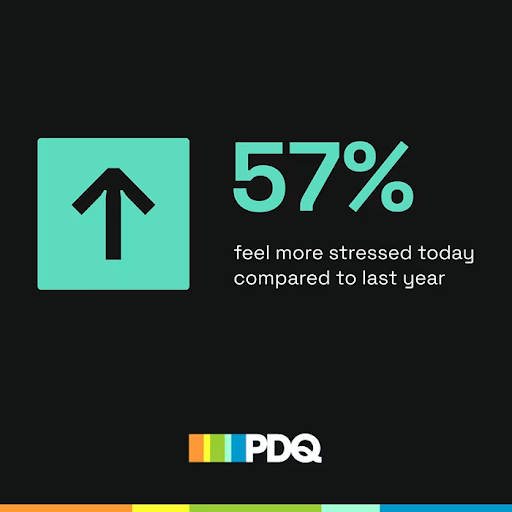
According to PDQ's 2026 State of Sysadmin survey, more than half of education IT professionals (51%) manage 1,500 or more devices — more than double the rate of sysadmins overall — and 57% say they're more stressed than they were a year ago. These are the people responsible for making sure every device in every classroom is patched, secure, updated, and ready when a teacher walks in. They are also the help desk, the security team, and the person who gets a call in the middle of a school assembly because something stopped working. The expectation that technology will just work hasn't gotten smaller. The teams responsible for delivering on that expectation often have.

For EdTech leaders, this matters beyond the IT closet. When devices aren't managed effectively, instructional time suffers. When vulnerabilities go unpatched, districts face real security risk. When IT teams are overwhelmed, the initiatives that leadership adds to the to-do list don't get the support they need to succeed. Device management isn't a back-office function. It's the foundation everything else is built on.


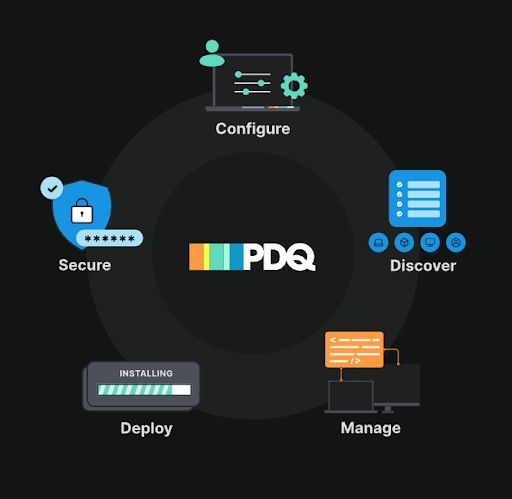
This is the problem PDQ was built to solve, and it didn't start in a boardroom. (Well, we do have one at HQ, and we just call it the "bored room." Message me for proof.) It actually started with sysadmins who were genuinely frustrated with tools designed for enterprise environments and handed to school IT teams with a shrug and a thick manual. Tools that assumed a full department, a dedicated server room, and hours to spend on configuration. So they built something different: a full device management suite covering remote desktop, software deployment, patch management, vulnerability scanning, and more, designed from the ground up for the user doing the work with limited time, limited staff, and unlimited responsibility.


Today, PDQ is used by thousands of educational institutions across the globe, from K-12 districts to universities, including more than 150 districts across Ohio and Kentucky that rely on it as part of their daily IT operations. We've built strong partnerships with education communities across several other states as well, and what we've learned from those relationships shapes everything we do.


Recently, I was on a call with a school district in Virginia that had been using PDQ products for some time. They mentioned they wished a specific feature was available. I took that feedback directly to our product team, and within seven days, the feature rolled out. I want to be up front that this isn't always going to be the case, but it reflects something we genuinely strive for: improving our tools based on feedback from actual customers, not just roadmap assumptions. When the people using your software every day tell you something isn't working, that's the most valuable data you can get.


If you want to see what education IT teams are really up against, our 2026 State of Sysadmin report is worth your time. Each year, we survey more than 1,000 IT professionals across industries, including education, to get a real picture of what's working, what's broken, and what keeps sysadmins up at night. The findings are a window into what's actually happening on the ground in school districts across the country. Download the report here, and feel free to reach out at alyssa.villarreal@pdq.com.

Media Literacy Minute

Minnesota Moves to Ban AI Companion Chatbots for Minors

A bipartisan Minnesota Senate bill would prohibit companies from allowing people under 18 to access AI companion chatbots, with advocates arguing that these tools cannot recognize when a young person is in crisis and may keep them engaged rather than directing them to real human support. This Minnesota Daily piece is a timely read for educators and school leaders watching how states are drawing lines around AI and youth safety.


Children Deserve Richer Media — Not Just Brighter Screens

From The Giving Tree to The Hunger Games, media intended for children and young adults carries meaning beyond what we give it credit for. Young audiences are more capable of engaging with that depth than we often assume. This Daily Iowan opinion piece pushes back on the trend toward overstimulating, low-substance content and makes a case for libraries and thoughtful media as essential tools for developing imaginative, empathetic, and intellectually curious kids. A worthwhile read for educators who believe media quality matters.


Teaching Students to Spot AI-Generated Scientific Misinformation

AI can now produce convincing scientific explanations complete with citations and professional-looking visuals, making it harder than ever for students to distinguish legitimate research from hallucinated outputs. This Times Higher Education piece makes the case for "inoculation theory" as a classroom strategy: exposing students directly to AI-generated misinformation and guiding them through verification, so they build the critical instincts to recognize it in the wild. A practical read for any educator working on media or AI literacy across disciplines.

From Informed to Influential: The EdTech Laws Being Written Right Now

By Danni Tymitz

Laws that shape what happens in classrooms, on school devices, and inside student data systems are being written right now and often without meaningful input from the educators who will have to implement them. That was the central message when the EdTech Leaders Alliance (ETLA) team took the stage at CoSN 2026 in Chicago, presenting their session, Policy Power: Demystifying the Legislative Process for Educators. Carly Ghantous, Erica Shumaker-CETL, Danni Tymitz-CETL, and Amy Tudor-CETL made the case that staying informed isn't optional anymore. It's a professional responsibility.


Three Reasons to Pay Attention

During the session, we framed legislative engagement around three straightforward ideas. First, watching what's happening helps you anticipate changes before they land on your desk. Ohio's student data privacy law, SB 29, is a perfect example. It didn't appear out of nowhere. More than 40 states already had similar laws in place, so districts that were paying attention weren't caught flat-footed when it arrived. Second, being informed means you can advocate proactively, not just react. You can share your perspective, communicate with colleagues, and help shape the direction of policy rather than just comply with whatever passes. Third, and most fundamentally, it's about protecting students. Every piece of proposed legislation deserves the question: Is this actually in the best interest of kids, their learning, and their futures?


What's Moving Right Now

The ETLA team is currently tracking legislation in four key areas affecting K-12 education technology: screen time, accessibility, media literacy, and cybersecurity. Here's a snapshot of what's happening across the country.


Screen Time

This is one of the most active legislative areas right now. Two laws have already been signed in Utah — one increasing parental oversight of school-issued devices, another requiring age-based screen limits and device restrictions by grade level. Bills are advancing in Virginia, Tennessee, Vermont, and several other states, with proposals ranging from outright bans on devices in K-5 classrooms to requirements that ed tech vendors register and certify their products annually. Some of the more extreme proposals treat screen time as an addictive behavior, and some lack basic protections for students with IEPs or 504 plans. ETLA is watching this space closely and even created a resource to help develop your own Parent Technology and Screen Time Training event.


Accessibility

This one is already here. Under Title II of the ADA, all public school districts must ensure their websites and mobile applications meet WCAG 2.1 Level AA accessibility standards. The deadline for larger districts (serving 50,000 or more people) is April 24, 2026. Smaller districts have until April 26, 2027. Keep in mind that the population count includes all community members, not just students enrolled in the district. If you haven't started your accessibility audit, now is the time. ETLA has you covered with our Web Accessibility Guidance Resource if you’re not sure where to get started. 


Media Literacy

In 2024, the ETLA team conducted a national research project mapping media literacy legislation across all 50 states. They found that just under half of states have passed some form of media literacy instruction law, while 15 states have made no attempt at all, and 13 more have tried and stalled. Looking at the data geographically, the team noticed that successful legislation tends to cluster by region, suggesting that states are learning from their neighbors. If your state hasn't acted, finding a nearby state with a working model could be the fastest path forward.


Cybersecurity

K-12 cybersecurity is underfunded and underestimated and the numbers show it. According to CoSN’s Cybersecurity Report, sixty-one percent of school districts rely on general operating funds rather than dedicated cybersecurity budgets. Only 27% view phishing as high-risk, and just 13% flag ransomware as a major threat. Meanwhile, the federal MS-ISAC program that provided free cybersecurity training to districts has been eliminated. States are starting to step in: Arkansas and Texas have led the way with enacted legislation covering cybersecurity insurance, AI use policies, and coordinated cyber response programs. The key recommendations from this work include designating a cybersecurity lead at the state education agency level, mandating district risk assessments, and requiring vendors to meet minimum cybersecurity standards.


How to Use Your Voice

The second half of the session was practical and action-oriented. We walked through how to track legislation using tools like GovTrack.us, state legislature tracking sites, and Google Alerts set up around key education technology topics. For advocacy, the message was simple: you don't have to be a lobbyist to make a difference. Calling or emailing your legislators, submitting written testimony, and engaging your school community all count. CoSN's advocacy page offers templates and action tools specifically designed to help educators communicate with lawmakers about ed tech issues. AI tools can even help you draft testimony if you're not sure where to start.


For first-time advocates, the advice was straightforward: do your research, be authentic, and start small. You don't need to weigh in on every bill. Pick one issue that matters to your students and your district, learn it well, and make one contact. The sample script the team shared can take less than a minute to deliver. Include your name, your zip code, your school district, the bill number, and whether you support or oppose it. That's it. Legislators and their staff track those calls to get a feel for how the community will react to proposed legislation. 


The Bottom Line

Legislation that affects education technology, student privacy, classroom devices, and school cybersecurity is being introduced every single week. The educators who understand how these processes work — and who show up to participate — have real influence over outcomes. Our message wasn't that this is easy or that it requires a huge time commitment. It was that the cost of disengagement is too high. Students need people who understand what happens in schools to be part of the conversation happening in statehouses and the chambers of Congress.

Big Ideas

Big ideas image

I would have guessed that France would have been a Mac

France is breaking up with Microsoft Windows. Citing the need to "regain control of our digital destiny," the French government plans to migrate some of its computers from Windows to Linux, starting with its digital agency, DINUM. No timeline or preferred Linux distribution was announced. The move is part of a broader push for "digital sovereignty," driven by growing frustration with U.S. tech dependence amid political volatility. France already dropped Microsoft Teams for a French-made video tool, and now it's eyeing its health data platform too. Basically, France is doing a full American tech cleanse, one open-source package at a time. 


Speaking of saving money

Districts have been buying EdTech the same way people buy gym memberships — full price, good intentions, zero follow-through. More than 65% of purchased EdTech licenses typically go unused, with districts paying full price for products that collect digital dust. Enter outcomes-based contracting (OBC) — a model where vendors only get fully paid if students actually use and benefit from the tools. The approach builds in shared accountability: districts must commit to ensuring students use tools at the levels necessary to produce results, forcing everyone to take implementation seriously. The unexpected bonus? Districts that adopt this model end up buying fewer tools overall, because the process forces leaders to clearly define what problem they're actually trying to solve before signing anything. Fresno Unified is already piloting the model with Curriculum Associates, meeting weekly with the vendor to adjust in real time rather than waiting until contract end to discover what didn't work. Turns out, paying for results instead of promises is a radical concept!

X Share on X
LinkedIn Share on LinkedIn

www.learn21.org

LinkedIn        X        YouTube        Instagram