|
April 24, 2026 - Issue 183
The Many Faces of Microsoft Outlook
| |
This Week
Which Version of Microsoft Outlook is for Me?
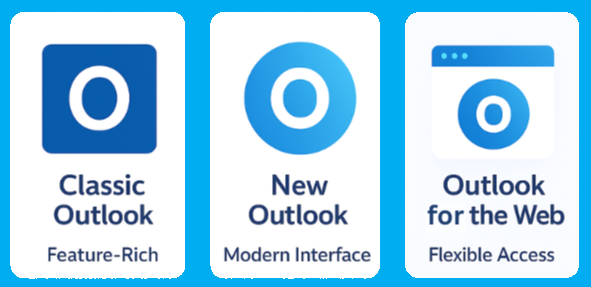
| | Today Microsoft Outlook exists in several forms. While they share a name, they differ very much in design, features, and intended use. In today's issue of "Cybersecucity Friday" we will learn the key differences between Outlook Classic, the New Outlook, and Outlook.com. | | Although Outlook Classic, the New Outlook, and Outlook.com share branding, they serve different purposes. Understanding these differences helps users choose the right tool—and reduces frustration when features behave differently across versions. | | Outlook Classic (Desktop App) | | |
Outlook Classic is the traditional desktop application that has been part of Microsoft Office for decades.
Key Characteristics
- Installed locally on Windows or macOS
- Part of Microsoft 365 or Office perpetual licenses
- Rich feature set designed for power users
Strengths
- Advanced email rules and automation
- Full offline access to mail, calendar, and contacts
- Strong support for PST/OST files
- Deep integration with Exchange, shared mailboxes, and add-ins
- Extensive customization options
Limitations
- Heavier system resource usage
- Slower feature updates compared to newer platforms
- Complex interface for casual users
Best for:
Enterprise users, administrators, and anyone who relies on advanced Outlook features or offline access.
This is the normally the best version to use at work. It has all the features you need to read, compose and manage your email while collaborating in meetings and sharing documents.
| | |
The New Outlook is Microsoft’s modern replacement for Outlook Classic, built on web technologies and designed to unify the Outlook experience across platforms.
Key Characteristics
- Desktop app with a web-based architecture
- Closely aligned with Outlook.com and Outlook on the web
- Still evolving, with features added gradually
Strengths
- Faster performance and cleaner interface
- Consistent experience across devices
- Improved integration with Microsoft services (To Do, Loop, Calendar)
- Automatic updates with new features
Limitations
- Some advanced features from Outlook Classic are missing or simplified
- Limited offline functionality compared to Classic
- Reduced support for legacy workflows (PST-heavy usage, deep customization)
Best for:
Users who want a modern, lightweight Outlook experience and don’t rely on advanced legacy features.Teens are increasingly turning to AI chatbots for advice because the interaction feels private, nonjudgmental, and always available. However, experts warn that these tools lack the emotional understanding and safety oversight needed for real guidance. Young people may not question the accuracy of AI responses, making them vulnerable to misinformation or unhealthy advice.
| | |
Outlook.com is Microsoft’s free, web-based email service accessible through any modern browser.
Key Characteristics
- Runs entirely in a web browser
- Uses Microsoft accounts (Outlook.com, Hotmail, Live)
- No installation required
Strengths
- Accessible from anywhere on any device
- Always up to date
- Clean, modern interface
- Integrated with Microsoft Calendar, People, and OneDrive
Limitations
- Requires an internet connection
- Fewer advanced features than desktop apps
- Limited administrative and enterprise controls
Best for:
Personal users, light email usage, and anyone who prefers browser-based access.
| | Which Outlook Should You Use? | | |
Let's keep your choice simple and easy to make.
-
Choose Outlook Classic if you need maximum control, offline access, and advanced features.
-
Choose the New Outlook if you want a modern, simplified experience with frequent updates.
-
Choose Outlook.com if you want easy, browser-based email without installing software
| | |
Microsoft Outlook now comes in three main versions, and while they share a name, they serve different needs.
Outlook Classic
The traditional desktop app. It offers the most features, strong offline access, advanced rules, and support for PST files. Best for power users and enterprise environments.
New Outlook
A modern, streamlined desktop app built on web technology. It’s faster and simpler, with frequent updates, but some advanced Classic features are still missing. Best for users who want a clean, up-to-date experience.
Outlook.com
The web-based version accessed through a browser. It requires no installation and is always current, but has fewer advanced features. Best for personal or light email use.
Final Thoughts
- Classic = power and control
- New Outlook = modern and simple
- Outlook.com = anywhere, anytime access
| | Next week we are going to look at the Top 5 scams that are being inflicted on today. The more you know, the safer you - and your organization is. | | |
William Mann, CGCIO | Borough of West Chester | | | | | |