| |
|
| |
“You never change things by fighting the existing reality. To change something, build a new model that makes the existing model obsolete.”
—Buckminster Fuller |
|
|
| |
|
|
| |
|
|
|
| |
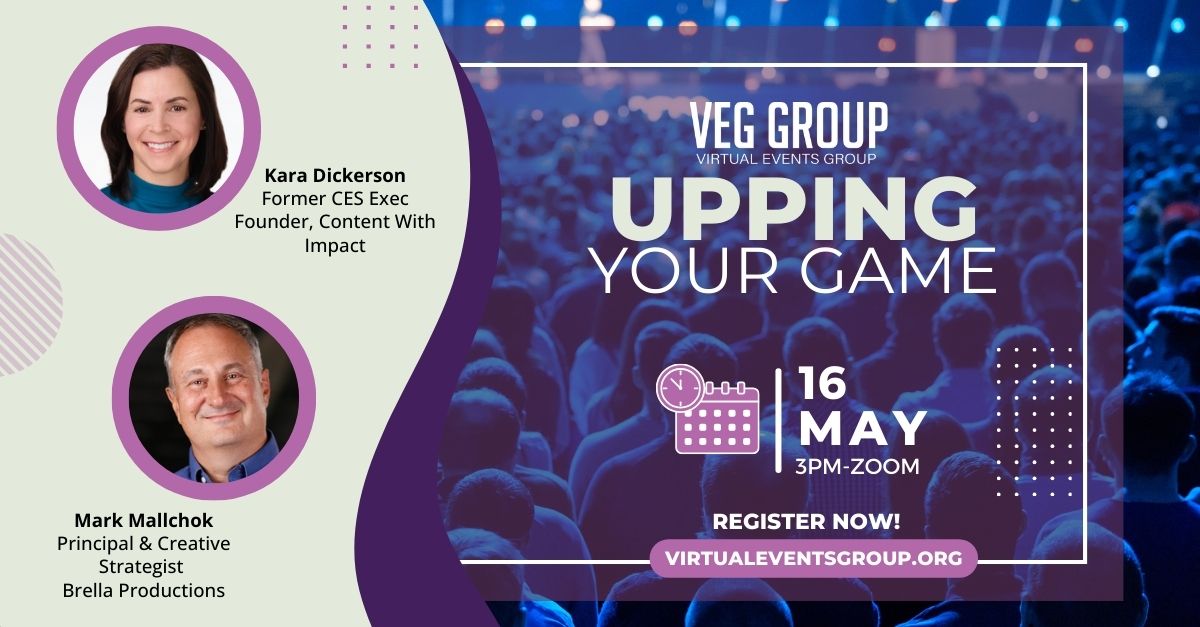
| At the May 16th VEG online meetup you'll hear from Kara Dickerson, former exec at CES and founder of Content with Impact. She’ll walk us through
trends that are impacting events and conferences that every speaker should know about. Then, Mark Mallchok of Brella Productions will show you how to make your online virtual meetings look
better. |
| |
|
|
| |
|
| |
| How the Bottom of Your Screen Can Grow the Top of Your Audience |
|
| |
|
| |
|
| |
There’s no better way to grow your audience and to become more accessible to the audiences you already have than to use subtitles and closed captioning in your online video productions. These tools are quickly becoming a defacto standard for both event tech and streaming platforms. And since many of them now rely on AI, they’re more capable than ever. You should be experimenting with how best to use them.
First, a bit of terminology. In all cases we’re talking about real-time video or audio, not media that has been converted in advance:
Closed Captioning is when the audio track you’re listening to is represented as text, usually on the bottom of the viewing screen. The audio in the video is being converted to text using text-to-speech software and can typically be turned off by the viewer. Good examples of AI-driven closed captioning software include Verbit, Speechify and Interprefy.
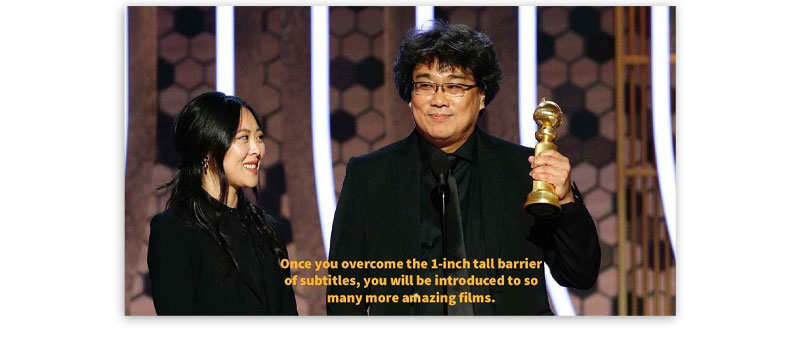
Subtitles are most commonly shown in a variety of different languages, similar to subtitles in a foreign film. Like captions, subtitles are also superimposed onto the streaming video during playback. Many closed captioning systems now can provide multi-language translations. Other multi-language translators are derived atop AI platforms like Open AI’s Whisper. |
| |
|
 |
| |
Subtitles are typically superimposed on the screen to translate various languages.
Image credit: The Golden Globes via YouTube |
| |
|
| |
Transcriptions are a text-based version of material that was originally produced in video or audio format. Transcripts can be displayed below the original video or audio file, in a side panel, or made available after a presentation/meeting as a separate resource.
Transcriptions done with AI like Otter are often used as notetakers during meetings, providing summaries of what was said in the audio, but also allowing you to edit snippets, and organize meeting notes. Zoom also provides transcripts of meetings for those who have paid Zoom accounts.
Other popular note-taking AIs include Fireflies and Nota. |
| |
|
 |
| |
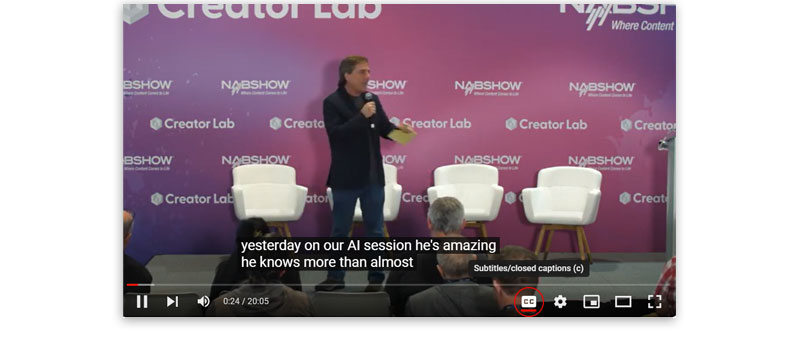
| A good way to get familiar with closed captioning is to take it for a spin in YouTube. Just click on the CC icon at the bottom right. You can do the same for TikTok videos by tapping the Captions button on the left side of the screen. And Zoom lets you enable captions by pressing the Show Captions button. In some apps you can also choose which language to display. MS Teams has you go to your meeting controls at the
top of the screen and select More, then Language and speech. Vimeo, Riverside and others offer closed captioning and often subtitling as well. |
| |
|
| |
Underlying these features are powerful technologies typically based on Automatic speech recognition (ASR). The technology breaks the
speech into bits it can interpret, converts it to a digital format, and finally analyzes the content. Be advised; they can make mistakes. (Have you ever talked to your car or an Alexa?) They can get confused especially when people are talking over each other as they often are in meetings. Captions and subtitles are oblivious to what else is on your screen so your
captions may block things you want your viewers to see. If it’s a high-stakes meeting with industry-specific jargon (law, medicine, government), there are a number of professional, third-party transcription, captioning and translation programs that may produce better results.
And remember, if you’re hosting a meeting where you know the attendees will want closed captioning or multi-language capabilities, you should take a moment at the start to explain the functionality and how to enable it. |
| |
|
| |
Companies come and companies go, but links to them, and advice to use them remain. Nowhere is this more true than the quickly changing events space. Do a search for “best event platforms” and undoubtedly you’ll find HopIn (now RingCentral) and Hubilo (now scaled back to webinars only) high on the list of links.
Here at VEG we are constantly revisiting our database of platforms, services and tools as the player’s shift. We start by searching for dead links using scrubbing routines to identify non-responsive URLs, but the rest requires eagle eyes. If you hear of a product that’s gone under, been acquired or just decided to change its name, please let us know at info@virtualeventsgroup.org. We know that once something gets reviewed and posted on the website it’s unlikely to go away. Advice? Check the date of the review you’re reading and stay away from the old ones. |
| |
|
| |
More and more event platforms are adding the words “featuring AI” to their descriptions. But a closer look reveals that a lot of them have just glorified chatbots or the ability to query your event information to extract details. While we’re not yet at the point where you can say “Presto, AI, make me an event,” some of the new AI features can be pretty
useful.
- ON24 has an Intelligent Engagement Platform, where AI guides you through actions like segmenting your audience and choosing their personalized actions.
- MEETYOO’s AI Assistant takes their 3D immersive event environment and adds AI to pre- and post-meeting planning, creating summaries, snipping key content and more.
- GlobalMeet has an impressive implementation of AI for events production. Some of their AI features include automatically adjusting a virtual event to manage face framing, panning and zooming. They’re also using AI to make sure that the speaker is always the one in focus, and
they’re using voice and visual detection to allocate screen space properly.
- SPARK from PCMA is a suite of tools that uses AI to help you organize your entire event.
Expect to see more innovative uses of AI in virtual events in the coming months. |
| |
|
| |
Bold Contributions
Congrats to Julius Solaris, founder of Boldpush, for earning the Outstanding Contributions Award at last week’s EventTechLive. Not sure that we always agree with his outspoken opinions (celebrity speakers are soooo yesterday, people crave live events for everything) but his insights and enthusiasm send ripples throughout the events community.
Kids and AI
Joshua Garrett, Chief Creative Officer at Readyland, LLC and Vice President, Development, at Creativity, Inc., hit the nail on the head, recognizing that most AI-enhanced kids’ toys are basic chatbots. He believes that so much more
can be done. On May 23rd, I’ll be moderating a virtual panel with Josh, Seth Raphael, Martin Horstman and Keren Ruth W, who are looking at AI for kids in novel ways.
Wall Street Green Digital
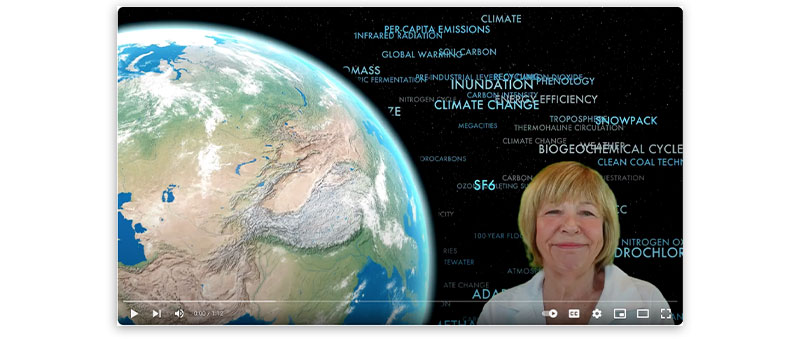
We’ve partnered with Peter Fusaro, founder and CEO of Wall Street Green, to create Wall Street Green Digital,
a 12-hour, worldwide, virtual event that brings climate change stakeholders from all over the world together. Find out how to get involved.
|
| |
|
 |
| |
| Video credit: Wall Street Green Digiltal |
| |
|
| |
| The audience gathers before Session 1 of TED2024: The Brave and the Brilliant, on Monday, April 15, 2024. Vancouver, BC, Canada. Photo credit: Gilberto Tadday / TED |
| |
|
| |
 |
| |
| Sign up to get us in your inbox. |
| |
|
|
|
| |
|
|
| |
|
|
|
|
|