β€Š

One Cool Tip Newsletter

September 27, 2026

Your daily dose of tech-savvy brilliance!

πŸ˜€Greetings! Happy Sunday, Cool Tipper!


Get ready to streamline your digital life with simple, actionable tips delivered straight to your inbox.


Cool Tip Theme: More Gemini Connected Apps.

ο»Ώ

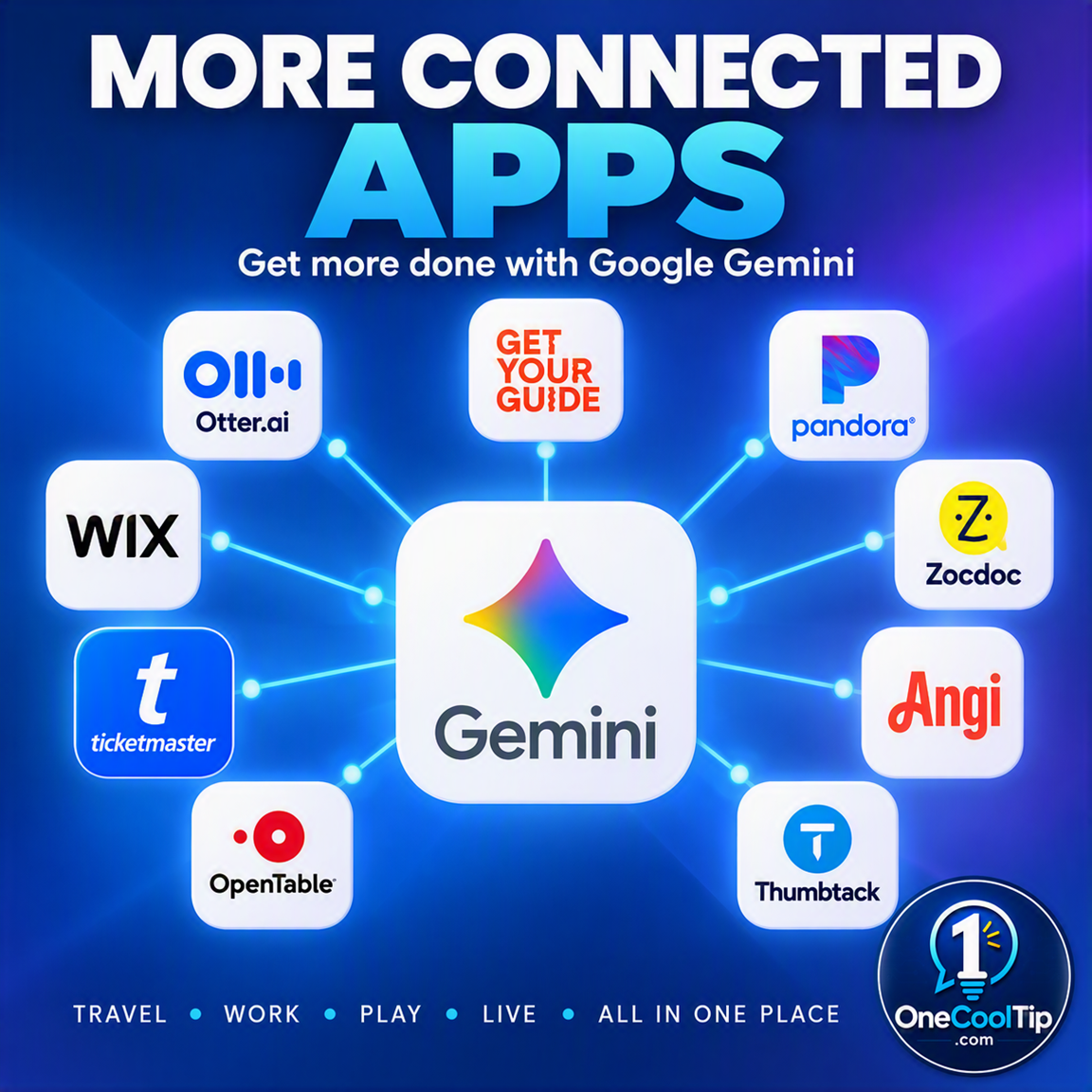
Google Gemini now connects directly with Airtable, Peloton, Adobe, and more. Learn how to manage projects, design assets, and plan workouts in one tab.


New here? Subscribe to the One Cool Tip Newsletter for daily updates. It's FREE!

3️⃣

If you enjoy the One Cool Tip newsletter, please forward this newsletter to THREE friends or colleagues or share it on social media using the links below.


Leave a $$$ Tip!


Share this One Cool Tip Newsletter!

X Share This Email
LinkedIn Share This Email
Pinterest Share This Email

🚨The Travel Mistake That Could Get Your Battery Confiscated🚨


Packing for a flight?


Don't toss your spare batteries or power banks into checked luggage.


The Federal Aviation Administration says spare lithium batteries, including power banks and portable chargers, must be carried in your carry-on bag and kept in the aircraft cabin.


These batteries can overheat and, in rare cases, catch fire, which is why flight crews are trained to respond to battery incidents in the cabin.


Before traveling, make sure battery terminals are protected by keeping batteries in their original packaging, using a battery case, or covering the terminals with tape.


If a device or battery starts overheating, smoking, or swelling during a flight, notify the flight crew immediately.


A quick battery check before heading to the airport can help you avoid delays, confiscated items, and unnecessary travel headaches.


And in Other News...


  • Why the World's Biggest AI Rivals Are Suddenly Talking


Artificial intelligence is becoming so powerful that governments are starting to treat it as a global issue, similar to trade, security, and diplomacy.


During the recent summit, the United States and China agreed to establish a new Super Intelligence (SI) Dialogue to discuss the potential benefits and risks of advanced AI systems.


The two countries also agreed to create a communication channel for reporting and discussing significant AI-related incidents.


This is a sign that AI is moving beyond experimental technology and becoming a topic of international cooperation and oversight.


Supporters see these discussions as a way to encourage innovation while reducing risks.


Others view them as an important step toward greater accountability and transparency.


Either way, the fact that major world powers are coordinating on AI issues shows just how significant these technologies have become for our future.

Cool Tip Poll

πŸ€” Which new Gemini connected app integration are you most excited to try?

Cool Deals of the Day

Help support One Cool Tip. Use this Amazon link when you shop online.


Check out these Cool Deals:

πŸ’» Logitech MX Master 3S Wireless Mouse: Navigate your new AI workflows with ultimate precision.

Save 10%. Now $89.99. 4.6 Stars. Check it out on Amazon!


⌨️ Keychron K3 Version 2 Keyboard: Type your Gemini prompts faster with this sleek, low-profile keyboard.

Look!πŸ‘‰ Now $84. 4.3 Stars. Check it out on Amazon!


πŸ“± Google Pixel 9 Pro (Renewed): A powerful device to run Gemini features.

Look!πŸ‘‰ Now $500. 4.0 Stars. Check it out on Amazon!


ο»Ώ*Prices accurate when originally published.

One Cool Tip may earn a commission from qualifying purchases.

Fuel Your Adventure

Try Big Mike's Jerky!ο»Ώ


bigmikesjerky.com


Now on TikTok!


Today's Cool Tipο»Ώ

Manage Your Life From One Screen With Gemini Connected Apps


Google just expanded Gemini with over a dozen new connected apps for productivity, creativity, and lifestyle. You can now manage projects, design websites, and track your fitness directly within your Gemini chat.


We all know the pain of having too many browser tabs open at once. 


You try to plan a project, check an apartment listing, and update your workout schedule simultaneously. You jump from screen to screen and lose your train of thought along the way. 


Google is rolling out a massive update to Gemini, bringing your favorite third-party services directly into the AI interface.


Instead of switching tabs, you can pull data from Airtable, design visuals with Adobe, or search for tickets on SeatGeek right inside your Gemini chat box.


Here’s a Cool Tip: Type the "@" symbol in Gemini to instantly call up your favorite connected apps.


Feature Explanation


Connected Apps, also known as extensions, allow Google Gemini to talk to external software and services. 


Google introduced a new wave of these integrations today across three main categories: productivity, creativity, and lifestyle.


You link your third-party accounts to your Google account through the Gemini settings menu. 


Once connected, Gemini retrieves information from those services and performs tasks on your behalf. 


You simply type a prompt, tag the app you want to use, and let the AI do the heavy lifting.


This integration turns Gemini from a simple chat assistant into a centralized control hub for your digital life. 


You no longer need to copy text from a chat window and paste it into a project management tool. 


The AI handles the transfer for you. 


Professionals juggling multiple project boards, creators designing daily visual assets, and anyone trying to organize their personal schedules will save a tremendous amount of time. 


It eliminates the constant context switching that ruins focus and productivity. This feature is currently rolling out globally.


What You’ll Gain


  • Save time by executing commands across multiple platforms from a single chat interface.
  • Reduce confusion when organizing complex projects across different software suites.
  • Improve daily workflows by letting AI automatically format and export data to tools like Airtable or monday.com.
  • Make daily work easier by generating creative assets with Adobe or Picsart without leaving your brainstorming session.


Step-by-Step Instructions


Here's how to do it.


Web/Desktop:


  1. Open your web browser and go to gemini.google.com.
  2. Click on the Settings gear icon in the lower left corner.
  3. Select Personal Intelligence then Connected Apps.
  4. Scroll through the list of available integrations like Airtable, Adobe, or Peloton.
  5. Click the Connect button next to the app you want to link and follow the on-screen prompts to authorize your account.
  6. Return to the main chat window, type the "@" symbol, select your connected app, and enter your prompt.


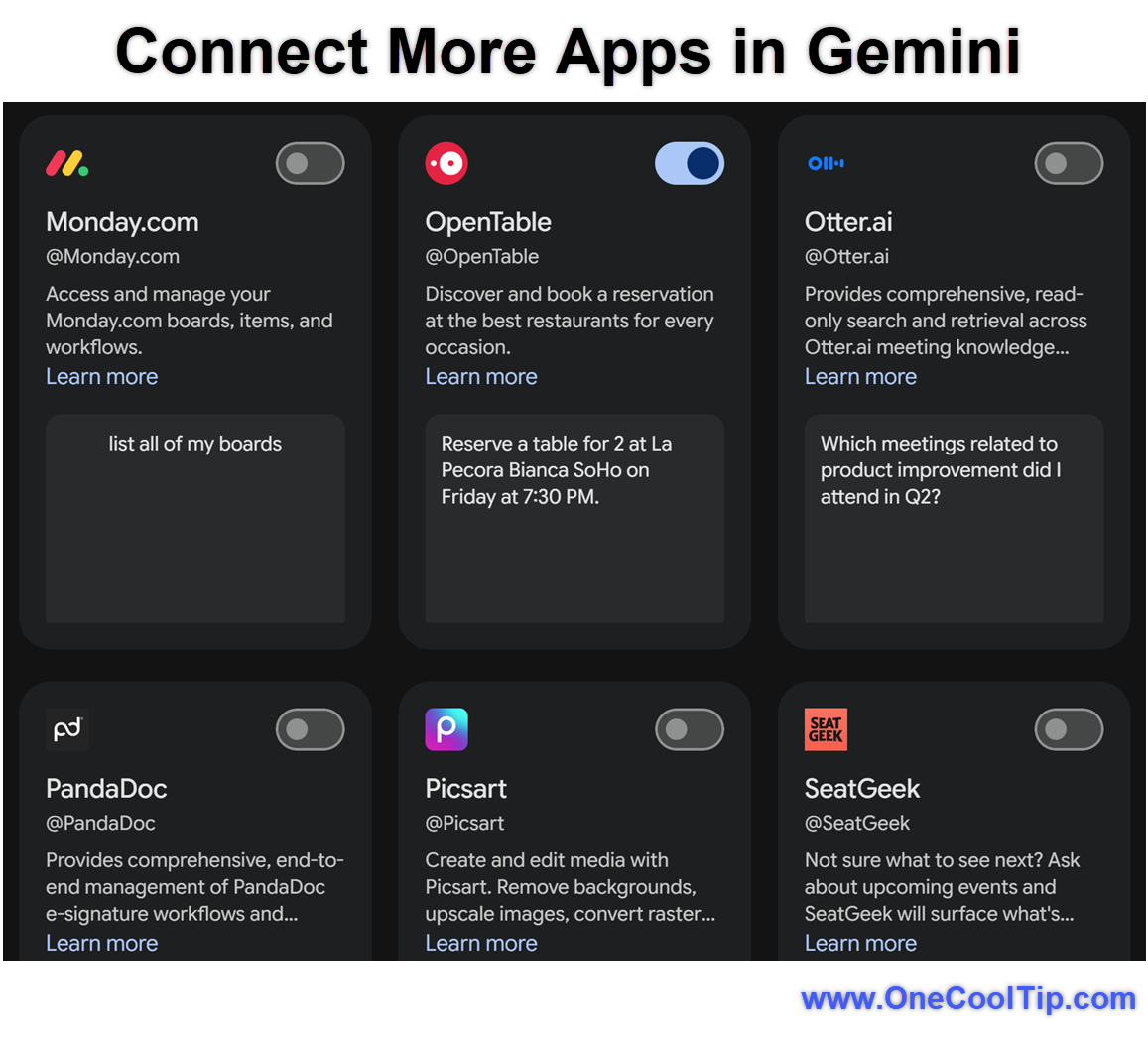
fig. 1 - Connect More Apps in Gemini

Android:


  1. Open the Google Gemini app on your Android device.
  2. Tap your profile picture in the top right corner.
  3. Select Personal Intelligence then Connected Apps.
  4. Find the service you wish to enable, such as SeatGeek or Squarespace, and tap the toggle switch to connect it.
  5. Start a new chat, type "@" followed by the app name, and make your request.


iPhone/iPad:


  1. Open the Google app and tap the Gemini tab at the top of the screen.
  2. Tap your profile icon to access the settings menu.
  3. Select Personal Intelligence then Connected Apps.
  4. Toggle the switch next to your desired app to link your accounts.
  5. In your next prompt, mention the app by using the "@" symbol to pull in specific data.


Pros and Cons


Pros:


  • Streamlines your workflow by keeping you in one interface for both brainstorming and execution.
  • Expands the utility of your existing subscriptions to services like Adobe and monday.com.
  • Simplifies lifestyle planning with direct access to Apartments.com and Experian.
  • Reduces cognitive load by letting the AI manage data formatting and transfer.


Cons:


  • Requires granting Google access to your third-party account data.
  • You must have active accounts or subscriptions with the connected services to use their full features.
  • Voice dictation features through Wispr AI may struggle in noisy environments.
  • The rollout is happening gradually, meaning some apps may not appear in your account immediately.


Feature Access


The new wave of connected apps is currently rolling out globally starting today, September 23, 2026.


This feature is available on the web, Android, and iOS. Access to specific apps like Peloton, Adobe, or PandaDoc requires you to have an existing account with those platforms. 


Availability may vary by region and language. Enterprise and Google Workspace users may find that their administrators need to approve or enable these extensions before they become visible in the settings menu.


Score

Criterion |  Score (0-10)  |  Justification
Value |  9
These integrations save significant time by removing the need to constantly switch tabs between different platforms.
Usability |  8
The "@" mention system is intuitive, though setting up multiple app authorizations takes a few minutes upfront.
Wow Factor |  8
Watching an AI effortlessly pull data from a workout app and then create a project board in seconds is highly impressive.
Total: 25/30 |  πŸŒŸ Excellent
This update transforms Gemini into a powerful command center for your favorite productivity and lifestyle tools. It makes Google's offering highly competitive for users who want deep integration with third-party ecosystems.


Key Takeaways


The latest update to Google Gemini allows you to connect external tools like Airtable, Adobe, and Peloton directly to your AI chat. 


You can create graphics, manage projects, and monitor your lifestyle goals from a single interface. 


By using simple "@" mentions, you streamline your daily tasks and eliminate the hassle of managing countless browser tabs.


Cool Tip Snapshot


  • Feature Name: Gemini Connected Apps.
  • Platform(s): Web, Android, iOS.
  • Quick Benefit: Manage external apps directly inside Gemini chats.
  • Best For: Business users, creators, and productivity enthusiasts.
  • Access Type: Free (Third-party subscriptions may be required).
  • Difficulty: Easy.


Try It Yourself


Open up Gemini today, type the "@" symbol, and see which of your favorite apps you can connect to simplify your workflow! 


Let me know how much time it saves you in the comments below, subscribe to the One Cool Tip newsletter, and share this article with your family, friends, and coworkers.


READ MORE


Read the Full Cool Tip.

Check Out These Cool Tips & Tricks


  • Quick Tagging: Type @ - Instantly bring up a list of available apps in any chat window.


  • Project Management: Sync monday.com - Ask Gemini to turn your meeting notes directly into action items on your project board.


  • Creative Briefs: Use Adobe - Generate mockups and visual ideas based on a text description without opening a separate design program.


  • Fitness Tracking: Connect Peloton - Ask Gemini to summarize your recent workouts and suggest a routine for the upcoming week.


  • Property Search: Search Apartments.com - Tell Gemini your budget and preferred neighborhood to get a curated list of rental options.


  • Financial Monitoring: Check Experian - Quickly request an overview of your recent credit activity right from your secure chat session.


  • Database Entry: Update Airtable - Instruct Gemini to format raw text data into structured columns and push it to your database.


  • Event Planning: Tag SeatGeek - Find the best ticket prices for a local concert by simply asking your AI assistant.


  • Website Building: Draft in Webflow - Use Gemini to write the copy for a landing page and send the layout instructions straight to Webflow.

ο»Ώ

  • Document Automation: Create with PandaDoc - Ask Gemini to draft a standard contract and have it formatted securely for signing.

ICYMI - In Case You Missed It ...

Recover a Locked Apple Account the Right Way


A locked Apple Account can block access to iCloud, purchases, subscriptions, and other Apple services. The exact warning matters because Apple uses different recovery procedures for security locks, inactive accounts, and disabled Media & Purchases access.


Read the Full Version.


Read the Newsletter Version.

Looking for your next adventure?


Call Denise at Travel For You.

314.660.3039


Sign Up for the Monthly Newsletter


http://www.travelforyouvacations.com/


https://www.facebook.com/TRAVEL.FOR.U/


See You Tomorrow

Tomorrow's Cool Tip is waiting to amaze you.


Until then, go forth and conquer the tech world with your newfound knowledge!


Be sure to visit www.OneCoolTip.com for Cool Tech Tips for a Cooler Life!


And if you Like One Cool Tip, please support with TipJar!


Enjoy!

ο»Ώ


Rodger

Chief Cool Tipper

onecooltip.com@gmail.com


What Do You Think?

What do you think of today's OneCoolTip newsletter?
Positive        Neutral        Negative
X Share This Email
LinkedIn Share This Email

Connect with One Cool Tip!

Facebook  X  Instagram  Web  Pinterest  YouTube  LinkedIn
β€Š

As an Amazon Associate, One Cool Tip may earn a small commission from qualifying purchases.


Our media content is intended solely for informational purposes. Please do not construe anything here as legal, tax, investment, financial, marital or other advice.


Copyright Β© 2026 | www.OneCoolTip.com | All Rights Reserved


β€Š