ā€Š

One Cool Tip Newsletter

January 10, 2026

Your daily dose of tech-savvy brilliance!

šŸ˜€Greetings! Happy Saturday, Cool Tipper!


Get ready to streamline your digital life with simple, actionable tips delivered straight to your inbox.


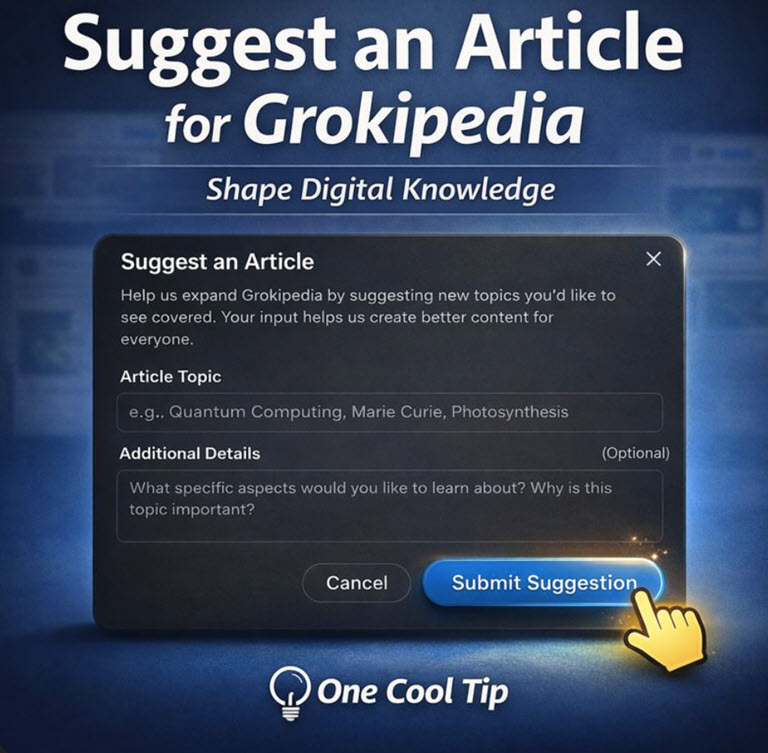
Cool Tip Theme: Suggest an Article for Grokipedia


New here? Subscribe to the One Cool Tip Newsletter for daily updates. It's FREE!

3ļøāƒ£

If you enjoy the One Cool Tip newsletter, please forward this newsletter to THREE friends or colleagues or share it on social media using the links below.


Leave a Tip!


Share this One Cool Tip Newsletter!

X Share This Email
LinkedIn Share This Email
Pinterest Share This Email

FBI Warns of Malicious QR Code Attacks (Quishing)


The FBI has issued a new FLASH alert warning that North Korean state‑sponsored hackers are using malicious QR codes to steal credentials and bypass multi‑factor authentication.


The campaign targets U.S. organizations connected to foreign policy, but the attack method can impact any business where employees scan QR codes with personal phones.


Why it matters:


QR codes bypass traditional email security because employees scan them with mobile devices that sit outside corporate protections.


Once scanned, victims are redirected to fake login pages impersonating Microsoft 365, Okta, or VPN portals.


What’s happening


Attackers embed malicious QR codes in spearphishing emails. When scanned, the code sends the victim to an attacker‑controlled site that:


  • Collects device and identity details
  • Presents a mobile‑optimized fake login page
  • Steals credentials and session tokens
  • Bypasses MFA and takes over accounts
  • Uses the compromised mailbox to send more phishing emails


The FBI notes multiple confirmed incidents in 2025 involving spoofed advisors, embassies, and conference invitations.


What to do right now


  • Train employees to distrust unsolicited QR codes, even if they appear to come from trusted contacts.
  • Verify QR code requests through a second channel before scanning.
  • Require phishing‑resistant MFA for sensitive systems.
  • Use mobile device management (MDM) to inspect QR‑linked URLs before opening.
  • Monitor logins after any QR scan for unusual activity.
  • Report suspicious QR‑based phishing to your local FBI field office or IC3.gov..


Cool Deals

Help support One Cool Tip. Use this Amazon link when you shop online.


Check out this Cool Deal:


šŸŽ§ Sony WH-1000XM5 Headphones - Focus while researching and writing suggestions. $398. Check it out on Amazon!


*Prices accurate when originally published.

One Cool Tip may earn a commission from qualifying purchases.

Fuel Your Adventure

Try Big Mike's Jerky!


bigmikesjerky.com


Now on TikTok!


Today's Cool Tip

How to Suggest an Article for Grokipedia


Suggesting an article to Grokipedia lets everyday users influence what gets documented, explained, and preserved in an emerging, community-driven knowledge base. If you spot a missing topic or an incomplete entry, you can help shape what others learn next.


Have you ever searched for a topic online, found it trending everywhere, and then realized there is no clear, neutral explanation of it anywhere? 


That gap between what people talk about and what gets formally documented is exactly where Grokipedia is positioning itself. 


Here's a Cool Tip:  Suggest an article to Grokipedia.


The platform now invites users to suggest what should exist, not just react to what already does.


Feature Explanation


Grokipedia is an emerging, crowdsourced reference project connected to the broader Grok and X ecosystem. 


Unlike traditional encyclopedias that rely on long editorial cycles, Grokipedia starts earlier in the knowledge lifecycle.


Instead of waiting for a topic to become fully established, users can suggest articles while ideas, products, or cultural moments are still forming. 


These suggestions signal demand. 


If enough interest or relevance exists, contributors and editors can develop full entries later.


What You’ll Gain


  • Influence what topics get documented early.
  • Help clarify emerging ideas before misinformation spreads.
  • Participate without writing a full article.
  • Shape reference content in real time.


Step-by-Step Instructions


Web


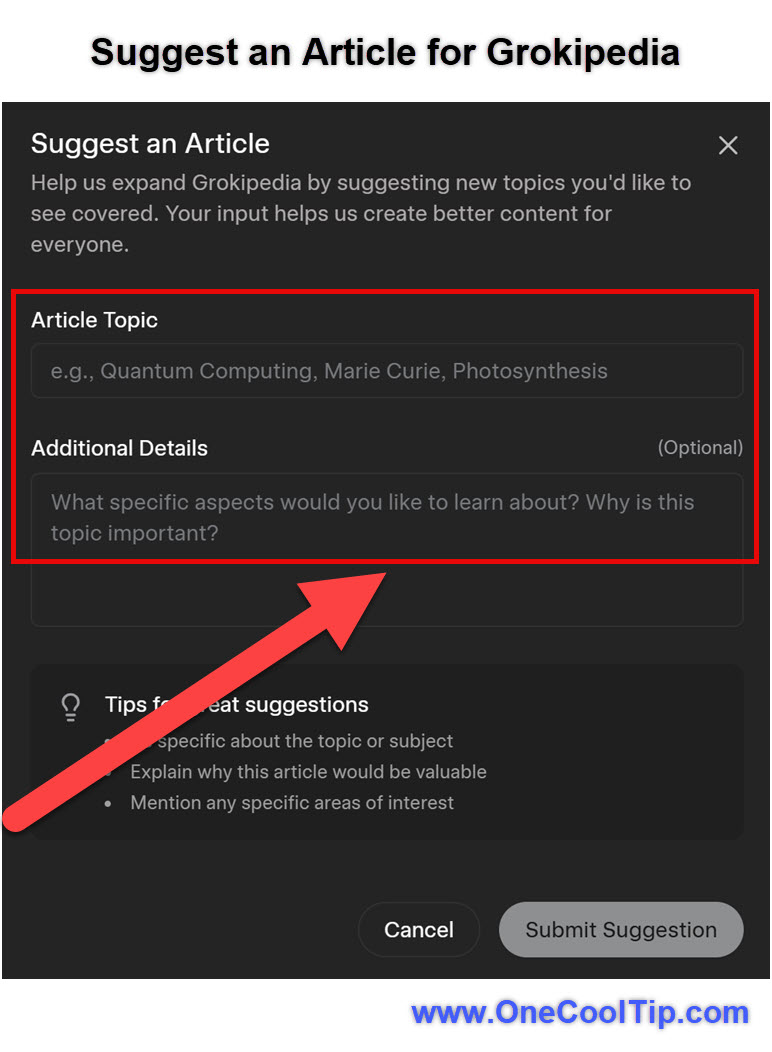
  1. Go to grokipedia.com.
  2. Log in with your X account.
  3. Select the "Suggest Article" in the top-right corner.
  4. Complete the requested information for "Article Topic" and "Additional Information".
  5. Select "Submit Suggestion".


Note:


  • Be specific about the topic or subject.
  • Explain why this article would be valuable.
  • Mention any specific areas of interest.


fig. 1 - Suggest an Article Example

Pros and Cons


Pros


  • Extremely low barrier to participation.
  • Encourages early documentation of new ideas.
  • Community-driven rather than editor-gated.


Cons


  • No guarantee your suggestion becomes an article.
  • Editorial criteria are still evolving.
  • Limited transparency on prioritization today.


Feature Access


  • Who gets it: Anyone with an X account.
  • Platforms: Web.
  • Cost: Free.
  • Status: Available to all users.


Score

Criterion | Score (0–10) | Justification
Value 8
User influence over reference content is meaningful, especially for emerging topics.
Usability 9
The form-based submission model is fast and intuitive.
Wow Factor 7
Subtle rather than flashy, but powerful in long-term impact.
Total: 24 /30 šŸ‘ Good
Grokipedia article suggestions trade polish for speed, making them more agile than traditional encyclopedic workflows.


Key Takeaways


Grokipedia lowers the barrier between noticing a knowledge gap and acting on it. 


Even a single, well-framed suggestion can influence what gets explained next. 


This is participation without overhead.


Cool Tip Snapshot


  • Feature Name: Grokipedia Article Suggestions.
  • Platform(s): Web.
  • Quick Benefit: Shape future reference content.
  • Access Type: Free.


Try It Yourself


The next time you see a concept trending with no clear explanation, suggest it to Grokipedia. 


Share this article with your team, family, and friends, leave a comment with your suggested topics, and subscribe to the One Cool Tip newsletter for daily insights.


READ MORE


Read the Full Cool Tip.

Check out these Cool Tips & Tricks for Suggesting an Article for Grokipedia:


  • Search First: Always check if the topic already exists before suggesting. Grokipedia grows fast, and duplicates waste time. Visit grokipedia.com, type your topic in the search bar, and review results thoroughly.


  • Create Account: Log in with your X, email, Google, or Apple account to unlock suggestion features. Anonymous users can't submit proposals. Head to the site, click Log In, and complete the quick registration.


  • Use Suggest Button: When a search returns no results, tap the "Suggest Article" option that appears. This is the direct path to proposing new content. Simply follow the prompt after an unsuccessful search.


  • Be Specific: Provide a clear, focused topic title instead of vague ideas. Precise suggestions like "Quantum Computing Breakthroughs 2025" get prioritized over broad ones. Enter the exact title in the suggestion form.


  • Explain Relevance: Include a short reason why the topic matters now. A strong rationale increases approval chances since Grok reviews for importance. Add 1-2 sentences about timeliness, impact, or uniqueness in the explanation field.


  • Add Key Details: Suggest core facts, sources, or angles to guide the AI generation. Helpful context helps Grok create a better initial draft. Paste reliable links or bullet points in the submission notes.


  • Follow Guidelines: Stick to neutral, factual topics and avoid controversial or low-value ideas. Grok rejects biased or spam suggestions to maintain quality. Review the platform's content rules before submitting.


  • Submit & Wait: Hit submit and let Grok evaluate your proposal. Approved topics get generated in updates, often quickly. Check back periodically for new articles.


  • Suggest Edits Too: For existing pages, highlight text and use "Suggest Edit" to improve accuracy. This complements new article suggestions. Right-click or tap highlighted text on any article to open the pop-up form.


  • Share Ideas on X: Post your suggestion publicly and tag @grok or @xAI for visibility. Community buzz can highlight worthy topics. Write a clear post with your idea and link to Grokipedia for extra attention.

ICYMI - In Case You Missed It ...

ā€œHey Copilotā€ on Windows 11: Hands-Free Help That Actually Saves Time


Get quick answers, launch apps, and draft content by saying ā€œHey Copilot.ā€ Here’s how to turn it on and use it well.


Read the Full Cool Tip.

Read the Newsletter Version.

Looking for your next adventure?


Call Denise at Travel For You.

314.660.3039


Sign Up for the Monthly Newsletter


http://www.travelforyouvacations.com/


https://www.facebook.com/TRAVEL.FOR.U/


See You Tomorrow

Tomorrow's Cool Tip is waiting to amaze you.


Until then, go forth and conquer the tech world with your newfound knowledge!


Be sure to visit www.OneCoolTip.com for Cool Tech Tips for a Cooler Life!


And if you Like One Cool Tip, please support with TipJar!


Enjoy!


Rodger

Chief Cool Tipper

onecooltip.com@gmail.com


What Do You Think?

What do you think of today's OneCoolTip newsletter?
Positive        Neutral        Negative
X Share This Email
LinkedIn Share This Email

Connect with One Cool Tip!!

Facebook  X  Instagram  Web  Pinterest  YouTube  LinkedIn
ā€Š

As an Amazon Associate, One Cool Tip may earn a small commission from qualifying purchases.


Our media content is intended solely for informational purposes only. Please do not construe anything here as legal, tax, investment, financial, marital or other advice.


Copyright Ā© 2026 | www.OneCoolTip.com | All Rights Reserved


ā€Š