Coming November 5: New Open House Module
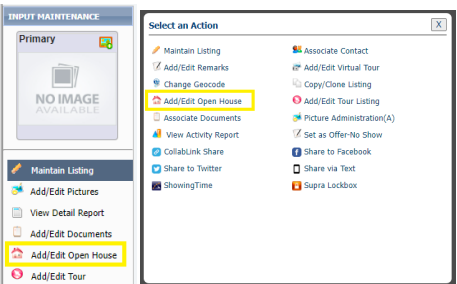
Starting Tuesday, November 5, how open houses and broker opens are entered and searched for in Paragon will change. In short, you will now add open houses from the listing input & maintenance screen or from the Select an Action menu. This quick access will streamline workflow.
| |
Active open houses will be automatically moved to the new Open House Module on November 5, so there is no need to re-enter what is already in Paragon. | |
The New Collab Center: A Better Buyer Experience
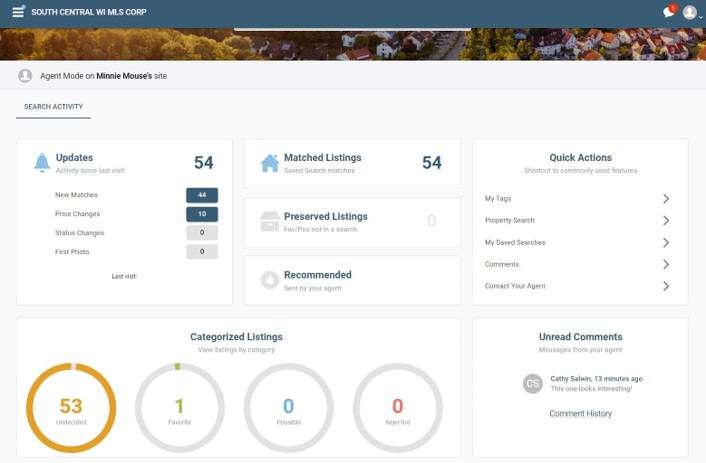
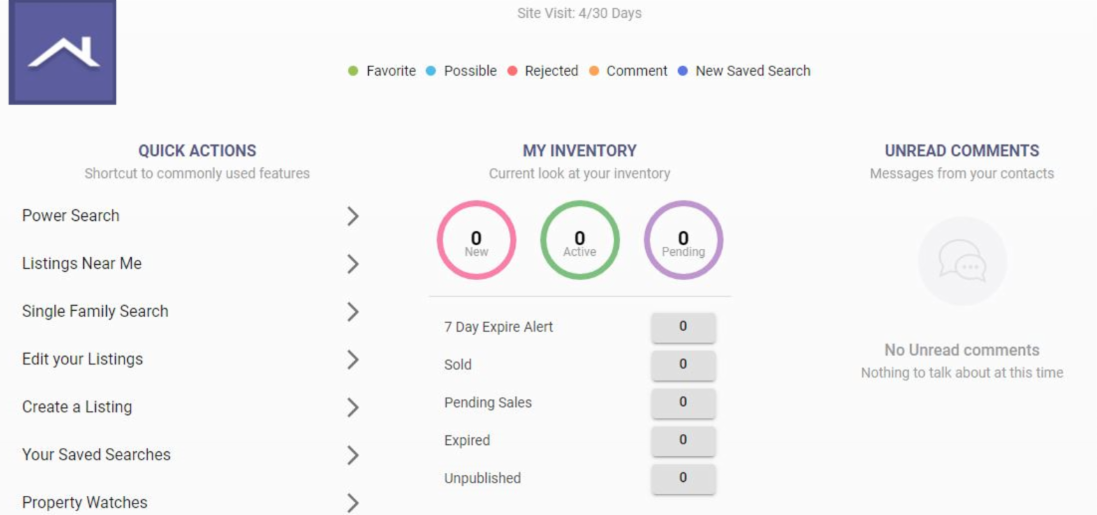
The responsive design of Paragon’s new Collaboration Center provides a robust and seamless experience across all devices—smartphone, laptop, tablet, or desktop. Agents can quickly set up personalized buyer and seller portals with rich content and an interactive dashboard.
| |
|
Through their personalized portal, buyers can:
- View new matches, changes, and agent-recommended listings
- Mark homes as favorites, possible, or rejected
- Add comments, compare, and tag listings
- Communicate easily and request showings with their agent
- Search homes and save searches (if enabled by agent)
- Use a mortgage calculator
| |
Looking for a Way to Print/Save All Associated Documents Together?
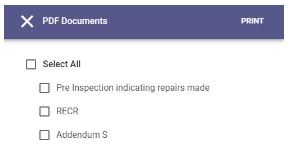
Within the Paragon ConnnectView, there is an option to easily print/save all associated documents together as a single PDF.
| |
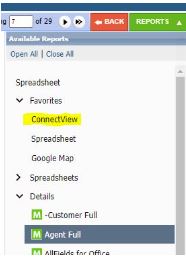
In Paragon, while viewing a listing, click the green REPORTS button in the upper right corner.
Select the ConnectView.
If it isn’t in your Favorites, find it under Specialty Views.
Once in ConnectView:
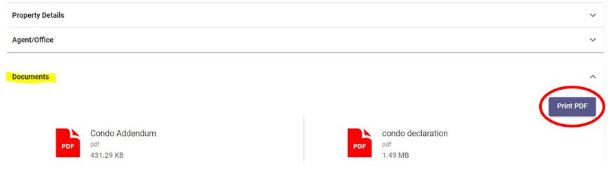
Scroll down and click the Documents bar to display all attached documents.
| In the top-right corner, click the Print PDF button. | Clicking this button lets you combine some or all documents into a single PDF file, which you can print or save. | |
Inaccurate Data Reporting
When viewing a listing in Paragon, the Correction button can be found in the toolbar directly above the listing information:
| | |
|
|
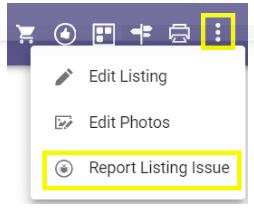
In Paragon Connect, the Report Listing Issue button can be found within the three-dot menu in the upper right corner:
To report a data inaccuracy or rule violation, click this button and type a quick note to MLS staff. We will contact the listing agent to resolve the issue.
The reporting agent’s name is kept confidential, as we want all members to feel comfortable reaching out with questions and concerns.
| |
CubiCasa Tours
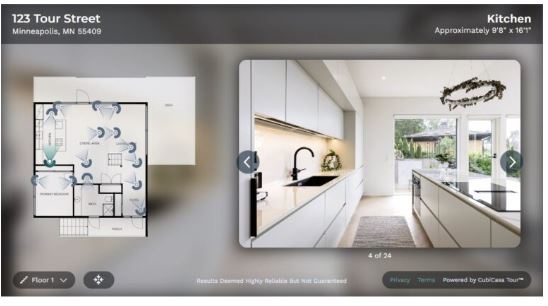
You can use CubiCasa floor plans to easily create an interactive virtual tour for your listing. After making your scan, purchase the Plus or Plus 3D plan at a 25% member discount. Then upload your listing photos and CubiCasa will automatically place them on the floor plan and create an interactive tour. You will get a link to the tour to add to your listing.
| |
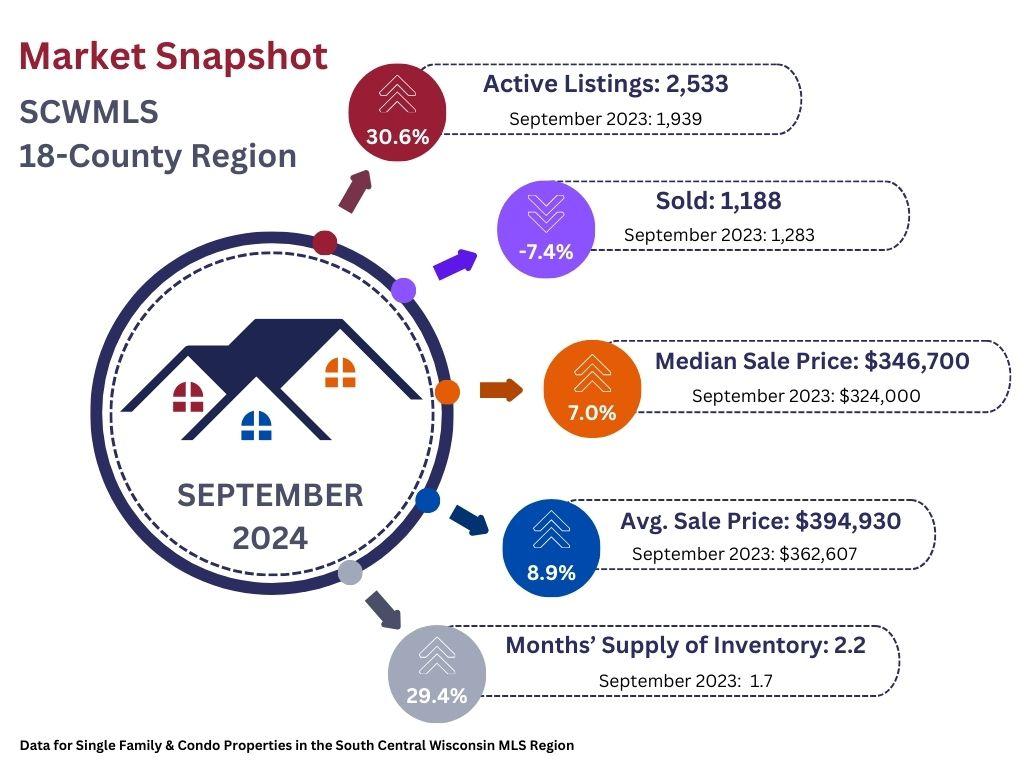
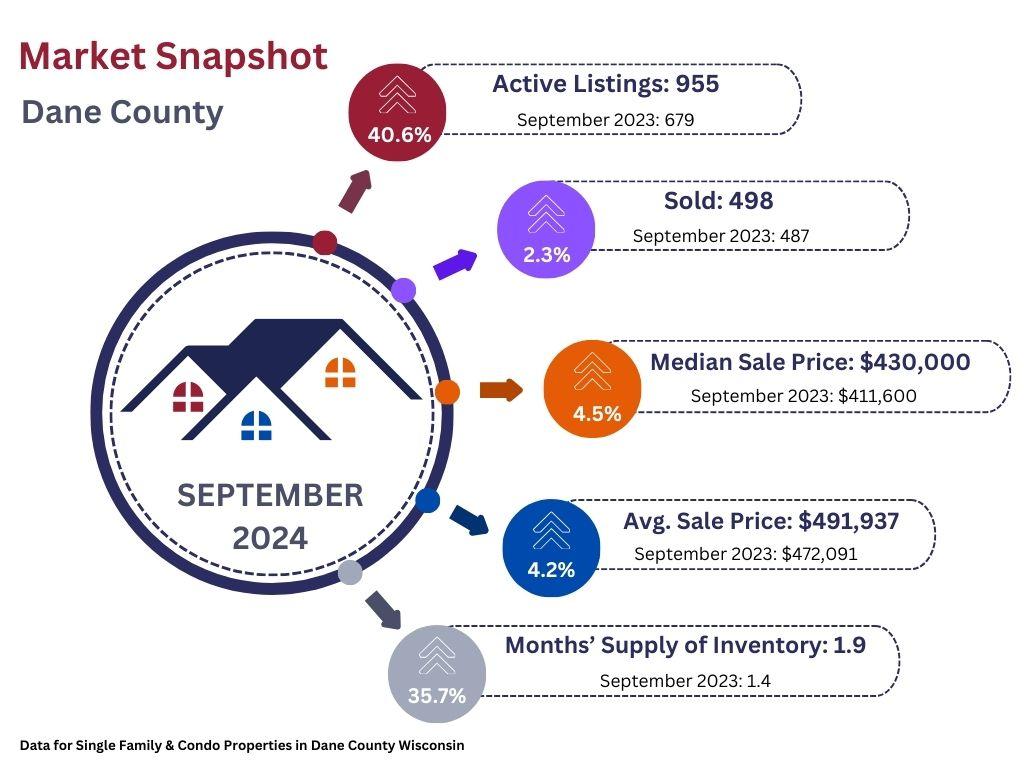
Inventory, Supply, & Prices Continue to Rise | |
UPCOMING TRAINING OPPORTUNITIES | |
|
Paragon Basics
Virtual Learning
| |
Join us online for this free, introductory session on the most common and helpful features in Paragon.
Next Session:
Date: December 6, 2024
Time: 9:30 a.m. - 11:30 a.m.
Location: Webinar
| |  |
|
Paragon Basics
In Person
| |
Bring your laptop or tablet for this introductory session on the most common and helpful features in Paragon.
Next Session:
Date: November 22, 2024
Time: 9:00 a.m. - 12:30 p.m.
Location: SCWMLS Office
| | |
|
Map Search Virtual Learning
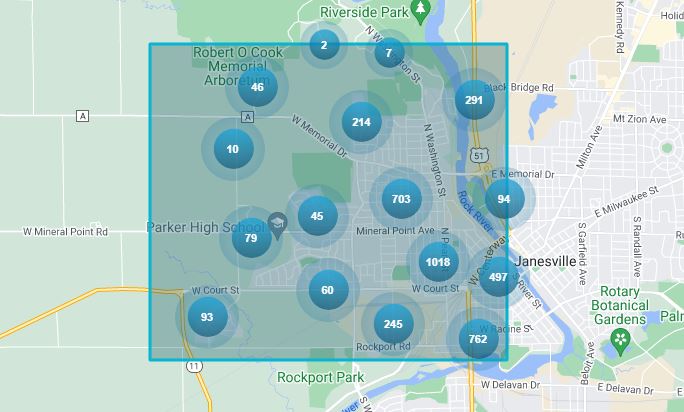
Learn to use Paragon's Map Search functions to hone in on specific geographies and opportunities quickly.
Next Session:
Date: November 8, 2024
Time: 9:00 a.m. - 9:30 a.m.
Location: Webinar
| |
|
Collab Center
Virtual Learning
The Collab Center can help with property notifications and provide buyer preference insights. Learn to build sites for your buyers.
Next Session:
Date: November 15, 2024
Time: 10:00 a.m. - 10:30 a.m.
Location: Webinar
| |
|
Paragon Connect
Virtual Learning
Join Dave for a 30-minute class via Zoom where you will learn how to use the mobile version of Paragon, Paragon Connect, on your smartphone.
Next Session:
Date: November 14, 2024
Time: 10:00 a.m. - 10:30 a.m.
Location: Webinar
| | | | |