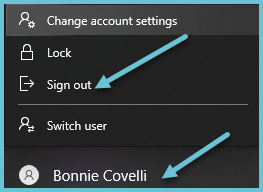
Logging off secures your computer and files from people who are not authorized to see them. It ensures your work is saved and your files are closed properly. If your desktop computer at work unexpectedly shuts off overnight or during the weekend, you might lose data if you didn't log off.
The difference between "locking" (Lock Workstation) and "logging out/signing out" (Logout) is what happens to your applications. Locking the computer means your apps are still ON and running. Logging/signing off will CLOSE all applications before signing out of the session