IT'S TECH THURSDAY AT ABI
Microsoft Teams
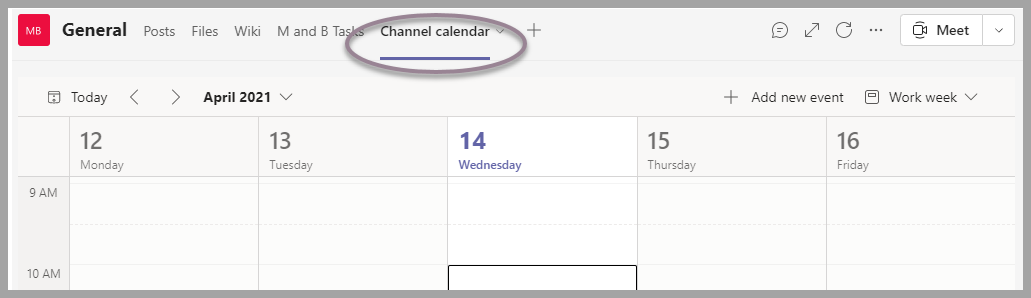
CHANNEL CALENDAR
MEET MICROSOFT TEAMS CHANNEL CALENDAR
Microsoft Teams is a collaboration tool designed for organizations or groups and is structured with a group, or team, focus in mind. Working together on a project or as a team with a common objective often requires a place where team members can see important dates for events, objectives, and deadlines related to the groups work. Real-life examples include a vacation calendar for a group of people, upcoming industry conferences of interest to a team of people, or a recurring meeting for a project. Here is another addition to the Microsoft Teams road map.

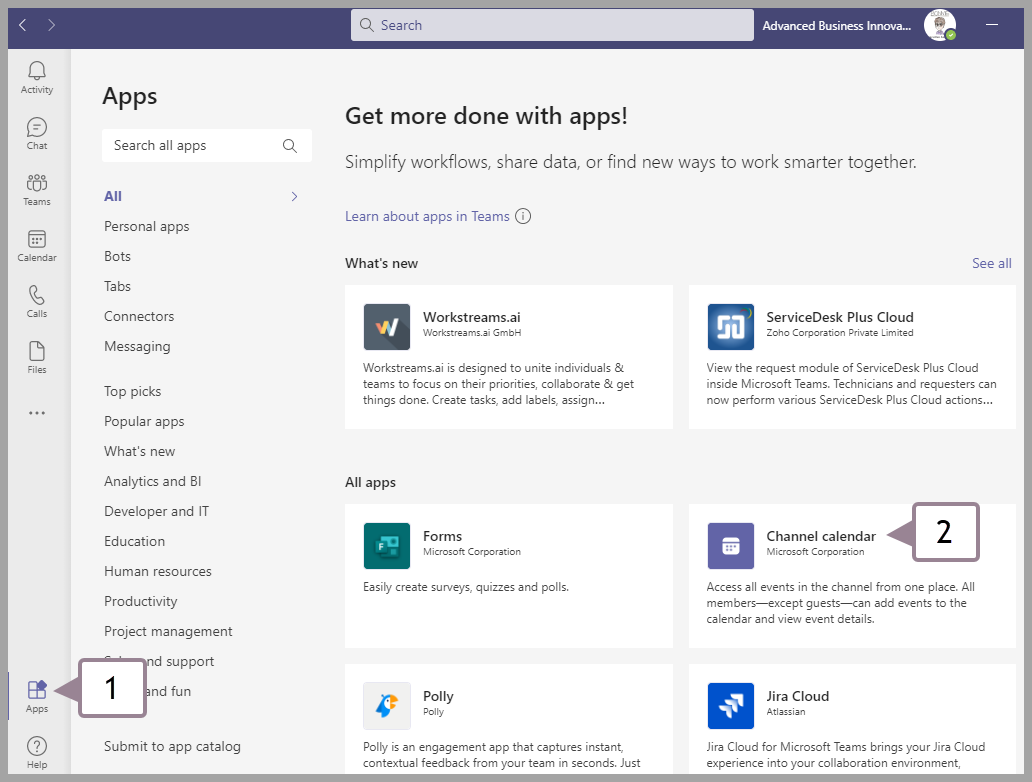
How to Find & Install the Teams Calendar App
Follow steps 1 & 2 below
or Search for "channel calendar" at the top of the search bar
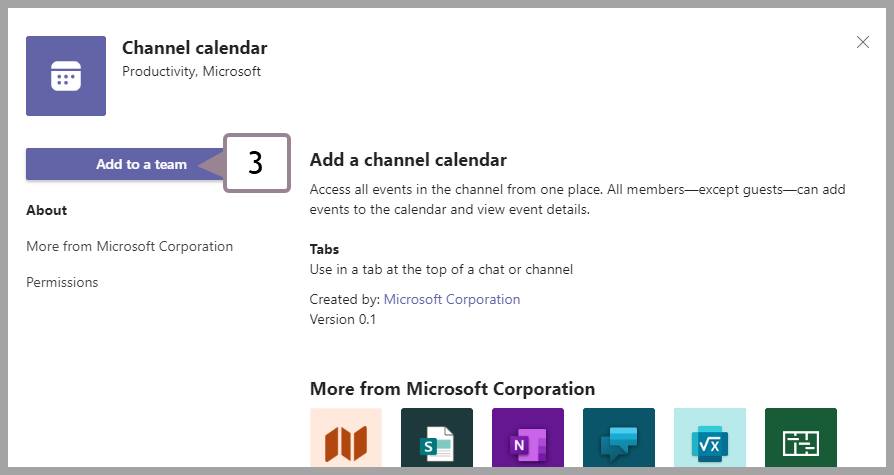
Press "add in a Team" - to add the channel calendar.
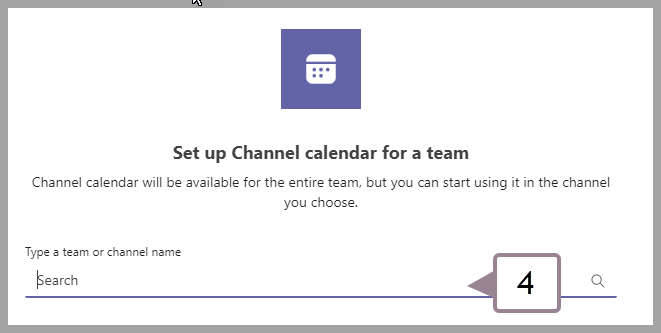
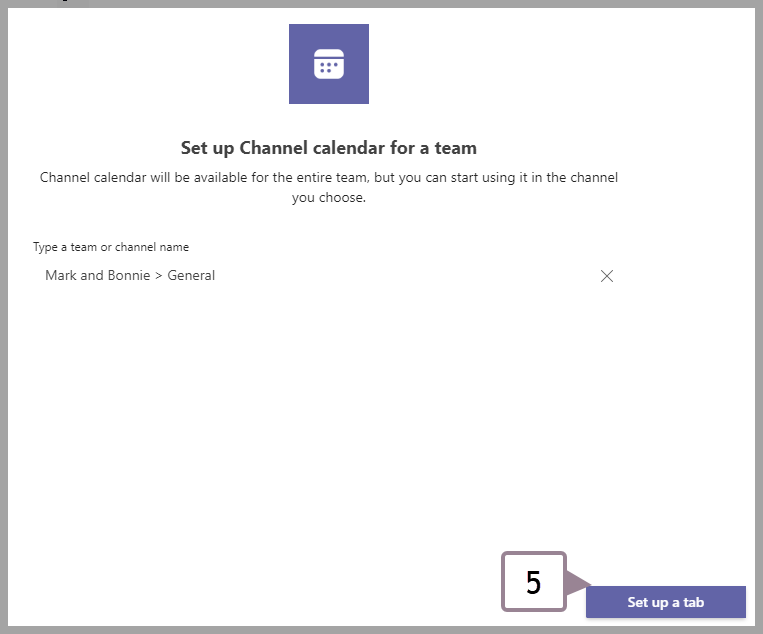
Choose between all Teams where you want to create a calendar.
Give the new calendar a name.
Choose whether you want to notify everyone.
Your calendar has been created!
Easily set new tasks and rules that everyone on your team can access. (except guests)
Tasks are always managed by the original creator
Tasks are managed by the creator and can only be changed by the administrator. Just like in Microsoft Outlook, Microsoft Teams. For additional information click here.
For suggestions, questions, or to add your employees to this email list contact bonnie@abinnovations.com
Thank you for joining us on #ABIMSPtechthursday