IT'S TECH THURSDAY AT ABI
MICROSOFT TEAMS
BACKGROUND
How to blur the background in Microsoft Teams
Blurring the background is just one cool trick in Microsoft Teams to help clean up or hide background messes during calls & help protect your privacy. But please note: blurring or replacing your background might not always stop sensitive information from being seen by call participants.

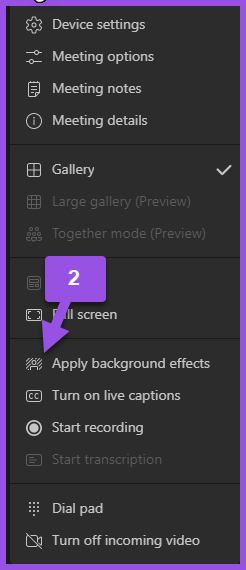
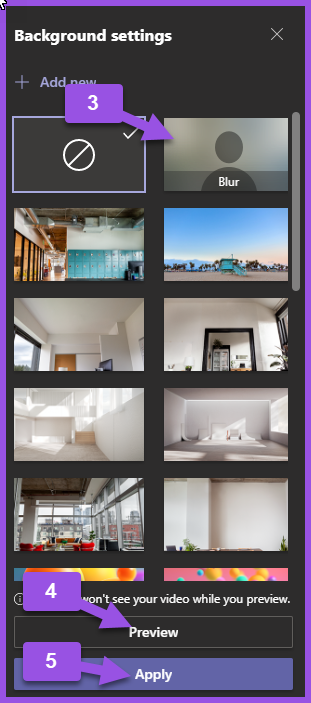
DURING A SCHEDULED MEETING
(1) Go to Meeting Controls & More Actions
(2) Apply Background Effects
(3) Select Blur
(4) Select Preview
(5) Select Apply
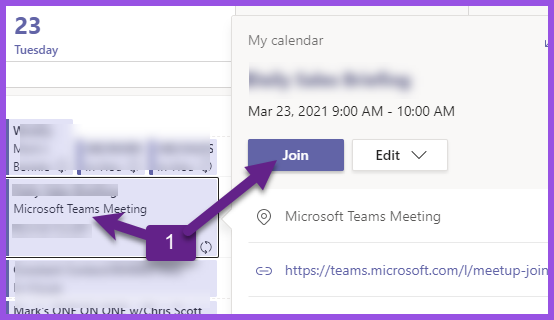
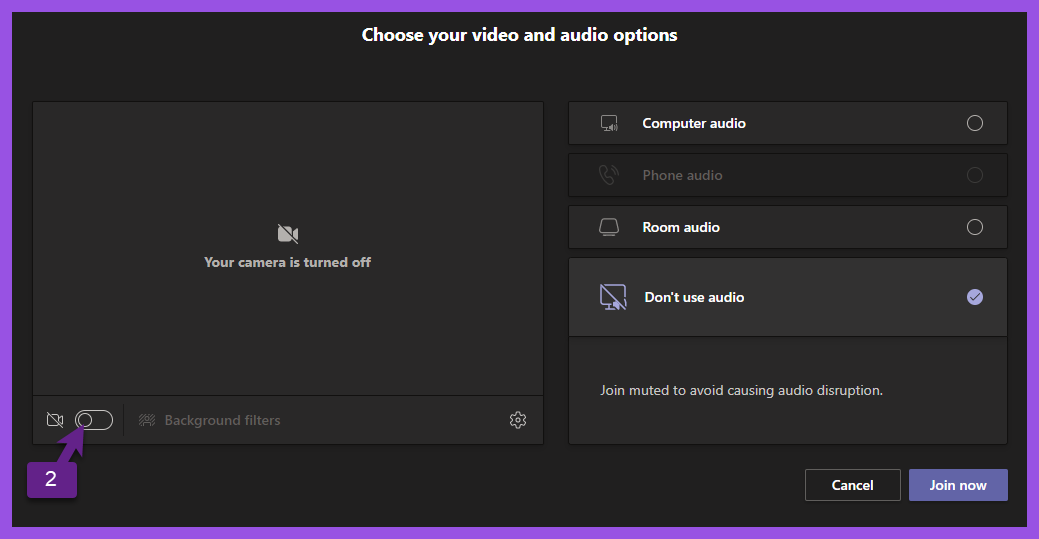
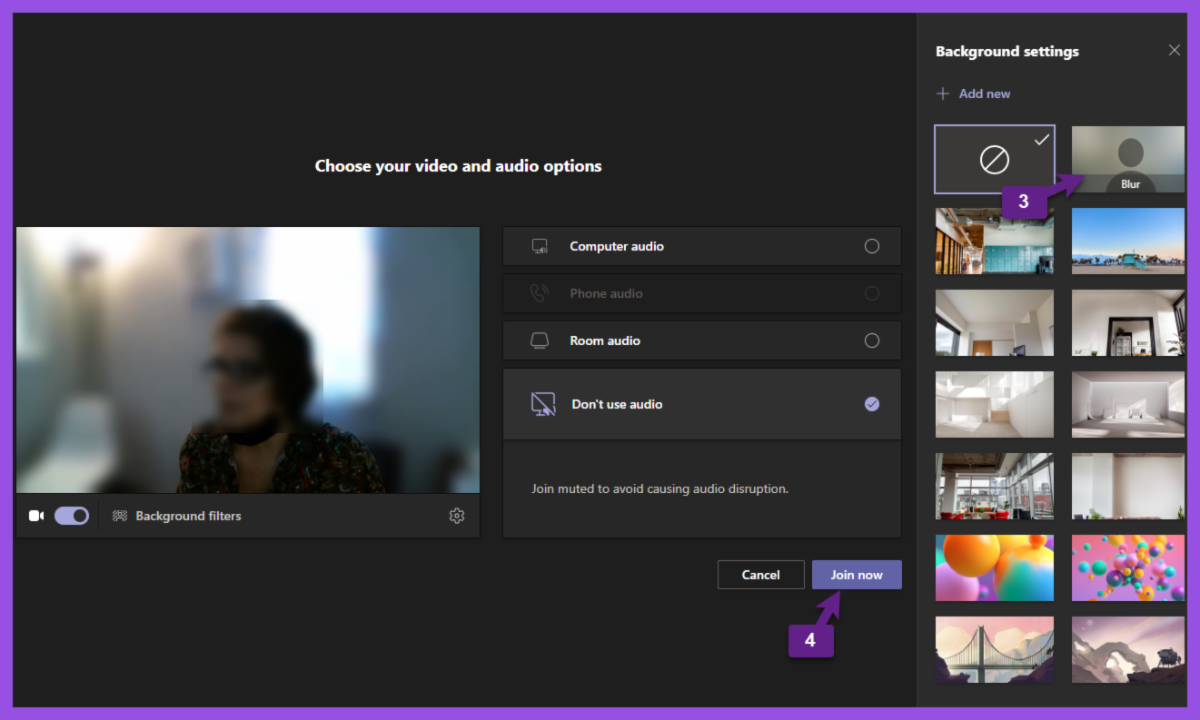
BEFORE A SCHEDULED MEETING
(1) Open Microsoft Teams
Select Scheduled Meeting to Join
Click Join
(2) Enable Slider
(3) Select Blur
(4) Join Meeting
For suggestions, questions, or to add your employees to this email list contact bonnie@abinnovations.com
Thank you for joining us on #ABIMSPtechthursday