|
One Cool Tip Newsletter
July 28, 2025
| Your daily dose of tech-savvy brilliance! | |
😀Hello Rodger, Happy Monday, Cool Tipper!
Get ready to streamline your digital life with simple, actionable tips delivered straight to your inbox.
Today's Cool Tip Theme: Google Career Dreamer
IN THIS ISSUE
- 🚨 Allianz Data Breach Alert.
- 📚 Internet Archive News.
- 🔞 UK Age Verification.
- 🚀 AI Office Assistant Prompt.
- 📝 AI Document Summary Prompt.
- 📈 Today's Cool Tip.
- ✏️ Master Word Outlines.
- 🎨 Perfect PowerPoint Shapes.
- ✅ Excel Checkboxes.
New here? Subscribe to the One Cool Tip Newsletter for daily updates. It's FREE!
-
😂 Laugh with Us! Enjoy our Tech Joke of the Day, Haiku and Cool Tip Comics.
-
🌐 Stay Informed! Check out ICYMI, and our One Cool Tip Video.
🔔 Is your email provider (Gmail, Yahoo, Outlook...) not delivering the newsletter?
Check the Junk folder - Move the newsletter to your Inbox. And reply to this email with a “Hey, Rodger” or “I got it.” That tells your mail service you want this newsletter!
Today's Tech Trivia
What was Google’s first major foray into the online job search space for small businesses before launching Career Dreamer?
A) Google InternMatch
B) Google Hire
C) Google Resume AI
D) Google JobSeeker
Answer at the end of this newsletter.
| | |
3️⃣
If you enjoy the One Cool Tip newsletter, please forward this newsletter to THREE friends or colleagues or share it on social media using the links below.
Share this One Cool Tip Newsletter!
| | |
🚨Allianz Data Breach🚨
On July 16, 2025, Allianz Life suffered a major cyberattack that compromised personal data for the majority of its 1.4 million customers, financial professionals, and employees. Hackers exploited a third-party cloud-based CRM system using social engineering tactics to gain access.
🔐 What You Should Do:
- Monitor your accounts for suspicious activity.
- Change passwords linked to Allianz services.
- Watch for phishing attempts posing as Allianz communications.
- Consider credit monitoring if you're a customer.
Allianz has notified the FBI and plans to alert affected individuals starting August 1.
Stay vigilant.
Data breaches like this can have long-term ripple effects.
And in Other News...
- Internet Archive Joins Federal Depository Library Network
Big news for digital researchers! The Internet Archive has officially been designated a Federal Depository Library, expanding public access to U.S. government publications in the digital age.
🔎 Why It Matters:
- You will be able to explore federal documents directly through the Archive’s digital-first platform.
- This move strengthens the ecosystem of open knowledge, think Wikipedia, academic research, and civic education.
🧠 Cool Tip: Bookmark Internet Archive’s blog to stay updated on new government resources as they’re added. Universal access just got a major upgrade.
-
UK Enforces Online Age Verification
As of July 26, 2025, the U.K. is now enforcing strict age checks on pornography websites and platforms hosting potentially harmful content. Sites like Reddit, X, and Grindr are requiring users to verify their age using selfies or government-issued IDs to comply with the Online Safety Act.
🔍 Why It Matters:
- This could set a global precedent for mandatory online age verification.
- Privacy advocates warn of risks tied to storing sensitive ID data.
🧠 Cool Tip: If you're in the U.K., consider using privacy-focused tools and stay informed about how your data is handled. And if you're outside the U.K., this might be a glimpse of what's coming to your region.
| | |
Try this AI prompt!
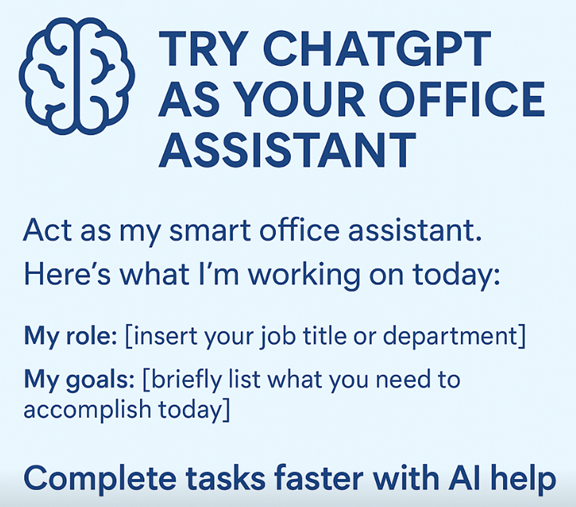
Copy/Paste this AI-powered prompt. Use with your favorite AI assistant: Gemini, Copilot, Grok, DuckAI, Meta and ChatGPT.
“Act as my smart office assistant.
Here’s what I’m working on today:
• My role: [insert your job title or department]
• My goals: [briefly list what you need to accomplish today]
• Tools I’m using: [e.g., Outlook, Excel, Google Docs, Teams]
• Challenges I’m facing: [e.g., time crunch, hard-to-write emails, organizing info]
Based on this, help me:
- Prioritize my tasks
- Draft or polish emails, summaries, or documents
- Suggest any AI shortcuts or automations
- Keep me focused and on track throughout the day”
| | |
-
🖼️ Cool ChatGPT AI Prompt of the Day:
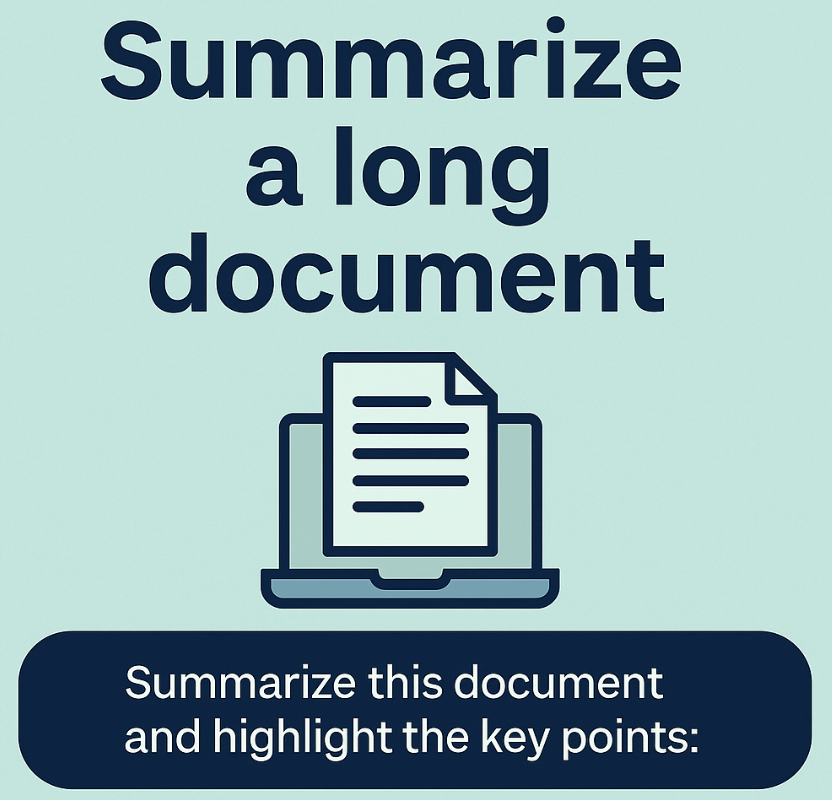
“I have a document I'd like to quickly understand.
Here is the text:
[Paste/upload your document, transcript, article, or report]
Please do the following:
- Give me a concise summary in 5 bullet points
- Highlight any key actions, deadlines, or decisions
- Identify any confusing jargon or terms and explain them simply
- Suggest how I could use or respond to this information if I’m [insert your role: manager, teacher, project lead, etc.]”
| | |
How Google Career Dreamer is Reshaping Professional Growth
Ever feel like the professional world is constantly shifting beneath your feet, making it impossible to plant roots and truly grow?
In this ever-evolving landscape, simply "applying for jobs" often feels like throwing darts in the dark.
What if you had a personalized roadmap, designed to not only highlight in-demand skills but also connect you directly with the training and opportunities to acquire them?
Here's a Cool Tip: Try Google Career Dreamer.
What is Google Career Dreamer?
Google Career Dreamer is a personalized career guidance platform.
It uses the vast data and insights Google has gathered on job market trends, in-demand skills, and educational pathways to offer tailored recommendations.
Think of it as a smart, digital career counselor that understands the nuances of various industries and can pinpoint the exact skills employers are looking for right now.
It goes beyond simple job listings by identifying the "skill gaps" in your current profile and then pointing you towards the most efficient ways to bridge those gaps.
Google Career Dreamer can help you identify the next logical step, whether it’s a specific certification, a new area of study, or even a different type of role within your current field.
What You'll Gain
-
Clear Career Paths: Discover well-defined routes to in-demand roles.
-
Skill Gap Identification: Pinpoint exactly what skills you need to acquire.
-
Tailored Learning: Get recommendations for relevant Google Career Certificates and resources.
Step-by-Step Instructions
Here's how to do it.
Desktop
-
Navigate to the Google Career Dreamer homepage, grow.google/career-dreamer/.
-
Sign in with your Google account.
-
Answer the questions about your current role, desired career trajectory, and your general interests.
-
Google Career Dreamer presents potential career paths.
-
The platform compares your existing skills against the requirements of your chosen paths, highlighting areas where you need to upskill.
-
Google Career Dreamer suggests relevant Google Career Certificates (for example, IT Support, Data Analytics, Project Management, UX Design) and other learning resources to help you acquire the identified skills.
-
Track your progress within the platform, staying motivated and seeing your growth in real time.
For Mobile (iOS/Android):
- While there isn't a dedicated "Google Career Dreamer" app, the platform is fully responsive and works seamlessly in your mobile browser.
- You can access all features, explore paths, and track progress just as you would on a desktop.
- This makes it incredibly convenient for learning on the go, whether you're commuting or taking a quick break.
Pros and Cons
Pros:
- Its approach is incredibly insightful, using vast data to identify specific career paths and skills.
- A significant advantage is its connection to Google Career Certificates, which are highly regarded by employers and provide practical, job-ready skills.
Cons:
- While comprehensive, the recommendations are heavily skewed toward fields where Google has significant data and offers relevant certifications.
- The platform identifies skill gaps, but individuals still need to dedicate time and effort to complete the recommended training.
Feature Access
- Google Career Dreamer is generally accessible to anyone with a Google account.
- While the Google Career Certificates themselves have associated costs (though financial aid and scholarships are often available), the core Career Dreamer platform for exploring paths and identifying skills is free to use.
Score
Criterion Score Justification
Value Score: 9/10
This feature excels at providing actionable pathways for career growth, directly addressing the common problem of feeling lost in a dynamic job market by highlighting specific skills and relevant training.
Usability Score: 8/10
The platform is intuitive and easy to navigate, with a clear interface that simplifies complex career planning into manageable steps, requiring no special technical skills to get started.
Wow Factor Score: 7/10
While not overtly flashy, the "wow" comes from its powerful, data-driven personalization that genuinely feels like having a personal career coach, offering surprising and practical insights.
Total Score: 24/30 Good.
Worth adopting for most users. Google Career Dreamer is a solid tool that offers significant value for anyone looking to navigate their career path more effectively.
Key Takeaways
Google Career Dreamer is a powerful, personalized tool that demystifies career development by identifying in-demand skills and connecting users to relevant learning pathways, primarily through Google Career Certificates.
It's an excellent resource for anyone seeking to upskill, reskill, or simply gain clarity on their next professional move in today's rapidly changing job market.
Try It Yourself
Ready to take control of your career trajectory?
Head over to Google Career Dreamer today and start exploring your potential!
READ MORE
Read the Full Cool Tip
| | |
Help support One Cool Tip. Use this Amazon link when you shop online.
Look at these Cool Products:
|
- 💻 HP Spectre x360 Laptop: A versatile and powerful laptop ideal for online learning, coding, and remote work, giving you the flexibility to grow your skills anywhere. Check it out on Amazon!
- 💡 Addtam LED Desk Lamp with USB Charging Port: Ensure you have optimal lighting for your study sessions while keeping your devices charged. A well-lit workspace boosts focus and productivity. Check it out on Amazon!
- 📖 "Atomic Habits" by James Clear: This book provides actionable strategies for building good habits and breaking bad ones, perfect for staying disciplined with your self-paced career development journey. Check it out on Amazon!
- 🪑Marsail Ergonomic Office Chair: Invest in your comfort during long study or work hours. A good chair can prevent strain and improve focus, making your learning experience more enjoyable. Check it out on Amazon!
| | |
🆒Tell Me More
-
Skill Gap Analysis: It doesn't just show you jobs; it analyzes your current skills against desired roles and highlights exactly what training you need to bridge any gaps.
-
Google Career Certificate Integration: The platform seamlessly recommends relevant Google Career Certificates (like Data Analytics, UX Design, IT Support), which are recognized by employers for their practical, job-ready skills.
-
Data-Driven Insights: Google leverages its vast understanding of job market trends to provide highly accurate and personalized career recommendations.
-
Free Exploration: While certificates may have costs, the core Google Career Dreamer platform for exploring paths and identifying skills is completely free to use.
-
Accessible Learning: Many recommended learning paths are self-paced and designed for busy professionals, allowing you to learn on your own schedule.
⏩Quick Tips
- 🔍 Explore Diverse Paths: Don't limit yourself to obvious choices. Browse various career paths suggested by the tool. You might discover exciting opportunities you hadn't considered.
-
Here's how to do it: Click through different industry or role categories to see the range of options Google presents.
- 📚 Leverage Certificate Previews: Before committing to a full certificate program, take advantage of any free introductory modules or course overviews.
-
Here's how to do it: Look for "Preview Course" or "Learn More" links next to recommended certificates.
- 📊 Track Your Progress Actively: Use the platform's tracking features to monitor your skill acquisition and certificate completion. This keeps you motivated and provides a clear overview of your development.
-
Here's how to do it: Check the "My Progress" or "Dashboard" section regularly to see your completed modules and skills gained.
- 📱 Access On the Go: Remember, Google Career Dreamer is fully responsive on mobile. Use your commute or spare moments to explore paths or review learning materials.
-
Here's how to do it: Simply open the Google Career Dreamer website in your smartphone's browser; no special app is needed.
| | |
✅ More Must-Read Tech Tips
| |
👀 How Do I Use Word Outline?
When creating a new document, the biggest challenge is to get started with your thoughts.
One way to do that is to outline your thoughts so that you can see how you want your document to be organized and structured.
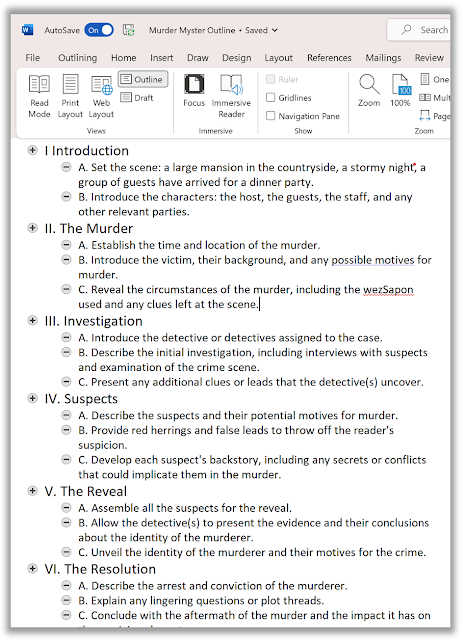
Microsoft 365 Word has a powerful feature that can help you create and structure your documents more efficiently: the Outline feature.
The Outline feature allows you to view your document as a hierarchy of headings and paragraphs, and easily rearrange them by dragging and dropping.
To use the Outline feature, follow these steps:
-
Open Word and select View > Outline.
-
This automatically generates an outline and opens the Outlining tools.
- If your document has headings (any heading levels from H1-H9), you’ll see those headings organized by level.
- If your document doesn’t have headings and subheadings yet, you can add them by using the buttons on the Outlining toolbar or tab to promote and demote heading levels.
-
To rearrange your outline, simply drag and drop any heading or paragraph to a new location.
- You can also collapse or expand any level of your outline by using the arrows next to the headings.
The Outline feature is a great way to organize your thoughts and ideas before writing your document.
It can also help you save time and effort by creating presentations from your existing content.
Try it out today and see how it can improve your productivity!
Discover more HERE.
| |
🤔 Have You Ever Wondered How to Draw a Perfect Straight Line, Square or Circlie in PowerPoint?
When using Microsoft Word, Excel, Outlook or PowerPoint, you can add shapes, such as boxes, circles, and arrows, to your documents, email messages, slide shows, and spreadsheets.
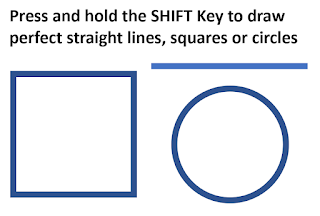
But how do you get a perfect circle rather than an oval? Or a square rather than a rectangle? Or a straight line rather than a jagged one?
The secret Cool Tip is to press and hold the SHIFT key when dragging the mouse to create the shape.
-
Here's how to do it:On the Insert tab, click Shapes
-
Click the shape icon you want to draw, click anywhere in the workspace and drag to place the shape.
-
To create a perfect line, square or circle (or constrain the dimensions of other shapes), press and hold Shift key while you drag to create the shape.
Find more HERE.
| |
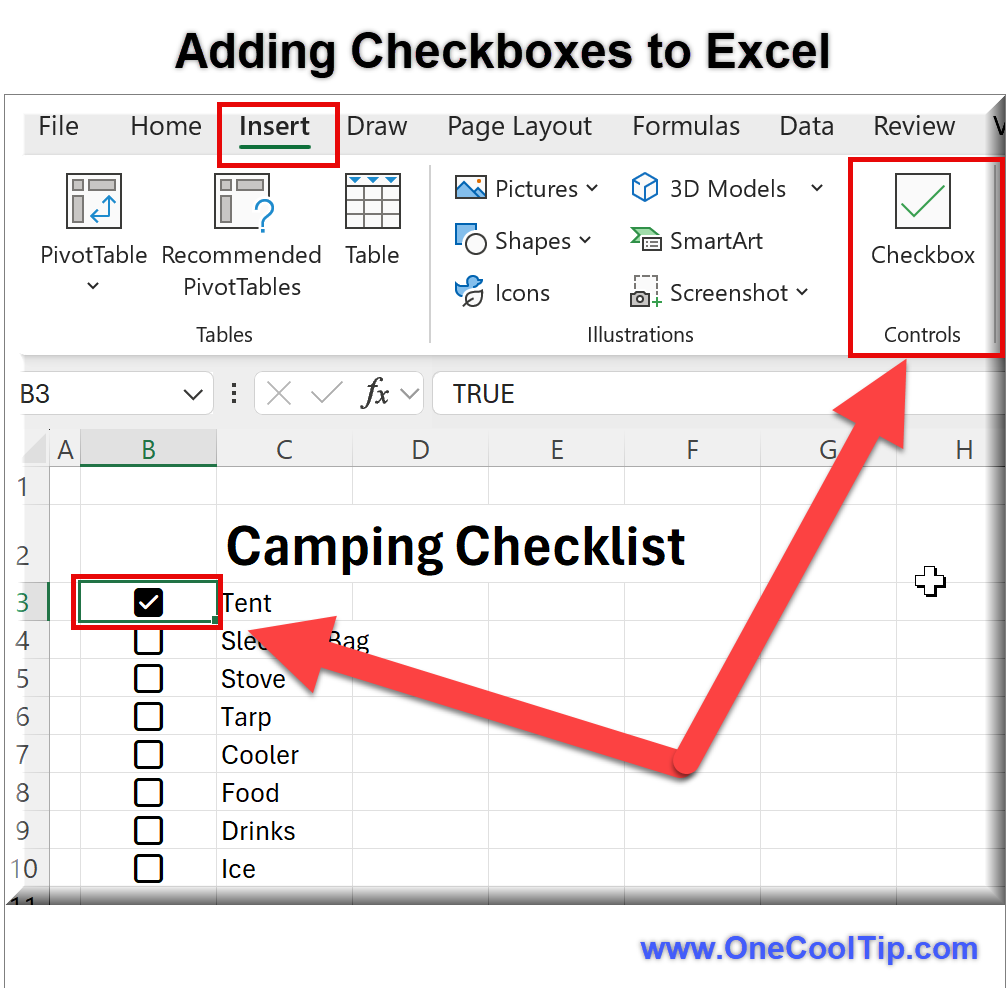
🙋♂️ Here's How to Insert Checkboxes in Excel!
Have you ever needed a quick way to track tasks, create to-do lists, or collect survey responses within an Excel workbook?
Here's a Cool Tip. Use the "checkbox" feature in Excel.
They are great for checklists, managing tasks and visualizing your data at a glance.
With just a few clicks, you can insert checkboxes into any cell, making your spreadsheets more dynamic and user-friendly.
Whether you’re managing project tasks or designing a feedback form, checkboxes can streamline your workflow.
Here's how to do it.
To insert Checkboxes
- Select the range where you want checkboxes.
- Select Insert > Checkbox
To check or uncheck a Checkbox
- Click on the checkbox.
- Select one or more checkboxes and press Space.
To remove Checkboxes
- Press the Delete key.
If any of the checkboxes were checked, Delete will uncheck them. Press Delete again to remove them.
Checkboxes make data entry intuitive for users and are clear visual indicators of selected options.
Checkboxes have multiple uses:
- Use checkboxes to track completed project milestones.
- Create an event registration form with checkboxes for attendance options (e.g., “Attending,” “Maybe,” “Not Attending”).
- Automatically tally responses in linked cells.
By mastering checkbox insertion in Excel, you’ll enhance your spreadsheets’ functionality and user experience.
Whether you’re organizing tasks, collecting feedback, or managing event RSVPs, checkboxes are your secret weapon.
Try them out today!
Learn more HERE.
| | |
❓Did you share this newsletter with three friends yet?
😎 Cool Facts
-
3-6 Months: Complete an online certificate program on your own terms, typically in just 3-6 months with under 10 hours of flexible study per week.
-
75%: Make your resume highly competitive with a credential directly from Google. 75% of certificate graduates report a positive career outcome (like a new job, promotion, or raise) within six months of completion.
-
$96,000+: These certificates provide a clear path to roles in high-demand fields, with a median salary of $96,000+ across certificate fields.
-
1.6M+: You can learn valuable, job-ready skills even with no prior experience. These fields have seen 1.6M+ job postings, showing vast opportunities.
⌨️Today's Cool Keyboard Shortcuts
Cool Keyboard shortcuts:
-
Ctrl + F (Windows) / Cmd + F (Mac): Quickly find specific keywords on the Google Career Dreamer page (or any webpage) to locate relevant information about roles or skills.
-
Ctrl + Tab (Windows) / Cmd + Tab (Mac): Easily switch between different open tabs in your browser if you're comparing career paths or resources.
-
Ctrl + L (Windows) / Cmd + L (Mac): Instantly highlight the URL in your browser's address bar, useful for copying links to recommended courses or jobs.
😜 Tech Joke of the Day 😅
Why did the IT job applicant bring a ladder to the interview?
He heard the position was entry-level but had lots of “upward mobility.”
🔎 Do you have a Cool Tip or tech question? Email us at onecooltip.com@gmail.com.
| | |
Skills path unfolds,
Google lights the way forward,
Dreams begin to bloom.
| |
| 🤔 What best describes your next career goal? | | | |
Did You See These Cool Tips This Week?
| | | | How to Sign Out of All Devices on Disney Plus | |
Need to kick someone off your Disney+ account or just want a fresh login?
Here’s how to remotely sign out of all devices in seconds, whether you’re protecting your account after a password share or cleaning up old logins.
| | | | ChatGPT Agent: Automate Web Tasks from Plan to Spreadsheet with AI That Acts | Discover how ChatGPT Agent transforms ChatGPT from a conversation tool into a productivity powerhouse, saving time by autonomously handling multistep tasks across browsers, email, calendars, and documents. | |
ICYMI - In Case You Missed It ...
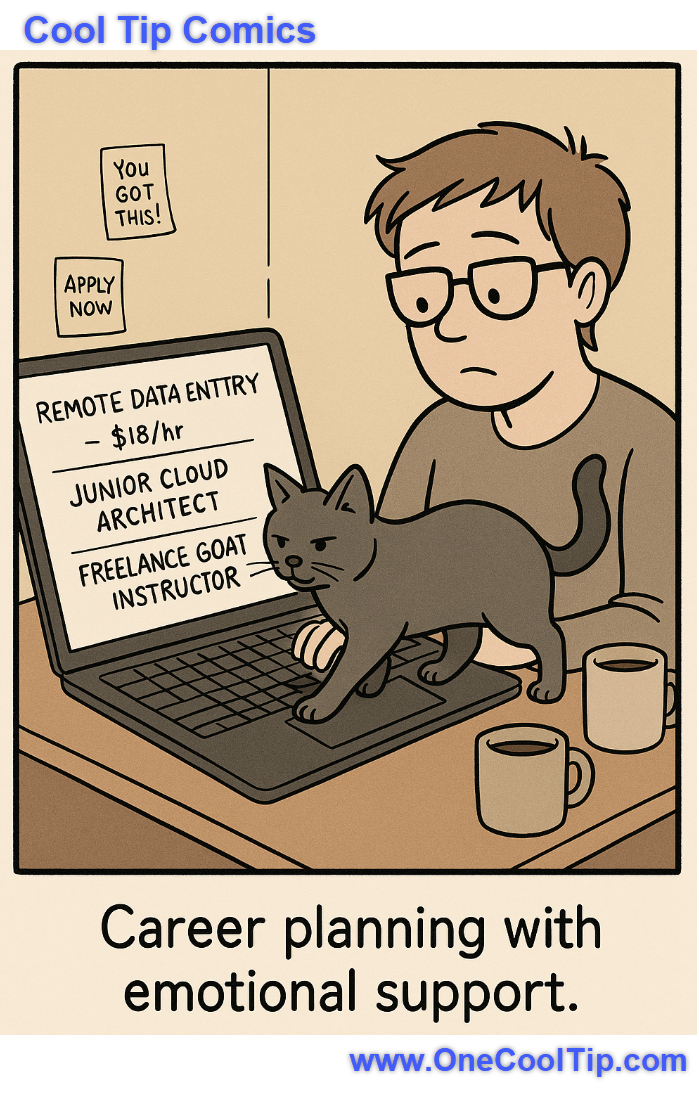
| | | | Take Back Control: How to Reset Suggested Content on Instagram (and Why You Should) | Tired of seeing irrelevant or repetitive posts? Learn how to reset your Instagram suggested content to get a fresh, tailored feed that better fits your interests. | | When your cat insists on being both your career coach and your technical difficulty. 🐾💼 | | |
Trivia Answer: B) Google Hire
Google Hire was launched in 2017 as a lightweight applicant tracking system aimed at small businesses, offering easy integration with G Suite.
However, it was quietly shut down in 2020, possibly due to market overlap and slow adoption.
Career Dreamer marks a fresh approach, one that empowers users rather than employers.
----------
Tomorrow's Cool Tip is waiting to amaze you.
Until then, go forth and conquer the tech world with your newfound knowledge!
Be sure to visit www.OneCoolTip.com for Cool Tech Tips for a Cooler Life!
And if you Like One Cool Tip, please support with TipJar!
Enjoy!
Rodger
Chief Cool Tipper
onecooltip.com@gmail.com
| |
| What do you think of today's OneCoolTip newsletter? | | | |
Please Share the One Cool Tip Newsletter!
You asked for it. You got it. There is now a One Cool Tip Newsletter archive. Did you delete a newsletter and want to read it again? Check it out HERE.
Want to help One Cool Tip grow? Please forward this email using the link above. And if you see an OCT social media post, please LIKE, COMMENT and SHARE!
Have you subscribed to the One Cool Tip YouTube channel? Subscribe HERE.
| | Connect with One Cool Tip!! | | |
|
As an Amazon Associate, One Cool Tip may earn a small commission from qualifying purchases.
Our media content is intended solely for informational purposes only. Please do not construe anything here as legal, tax, investment, financial, marital or other advice.
Copyright © 2025 | www.OneCoolTip.com | All Rights Reserved
|
| | | |