Team Leads vs. Private Leads
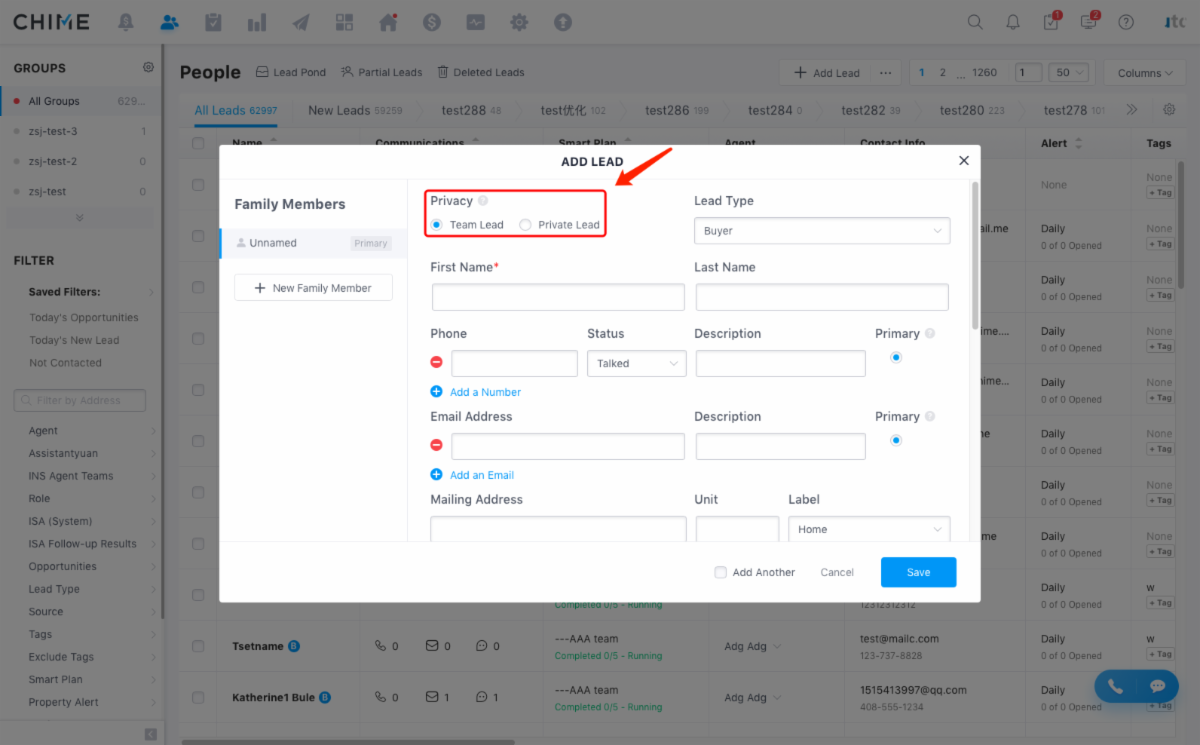
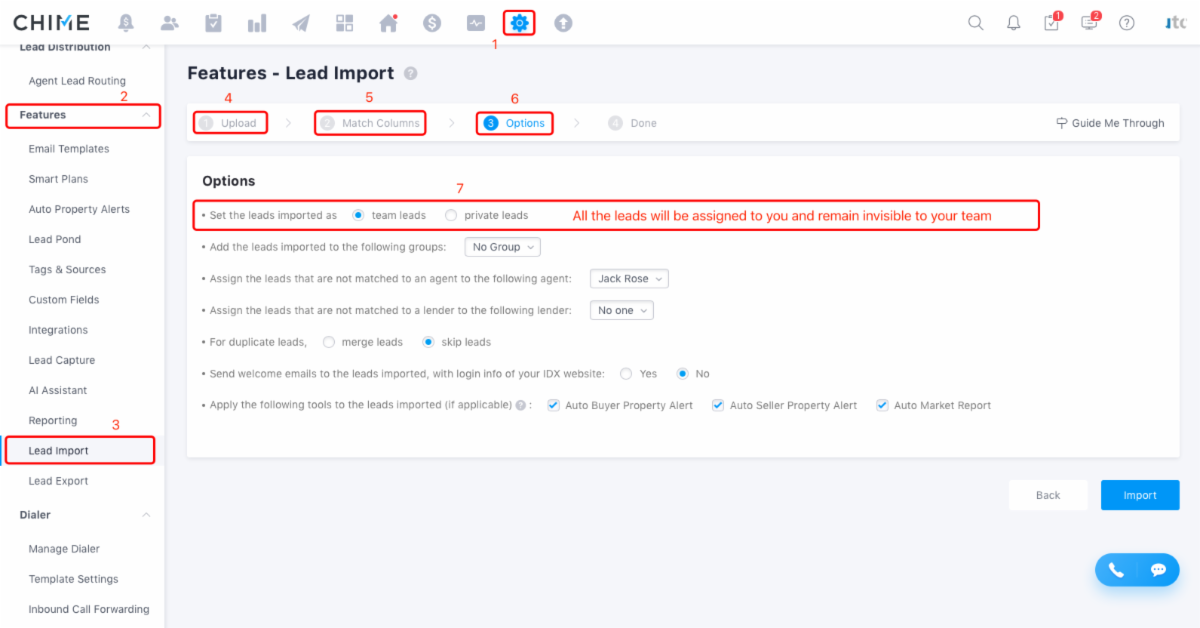
The default when you import or enter a lead yourself is Team Lead.
You have to manually change it to Private Lead.
Team Leads:
-These are SRG leads from our website or other sources.
-They have been added to Chime automatically, you typically do not have to add them.
-An SRG Admin, ISA, or Lead Manager can access all Team Lead.
-Anyone with access can see the lead profiles, reassign leads or add notes.
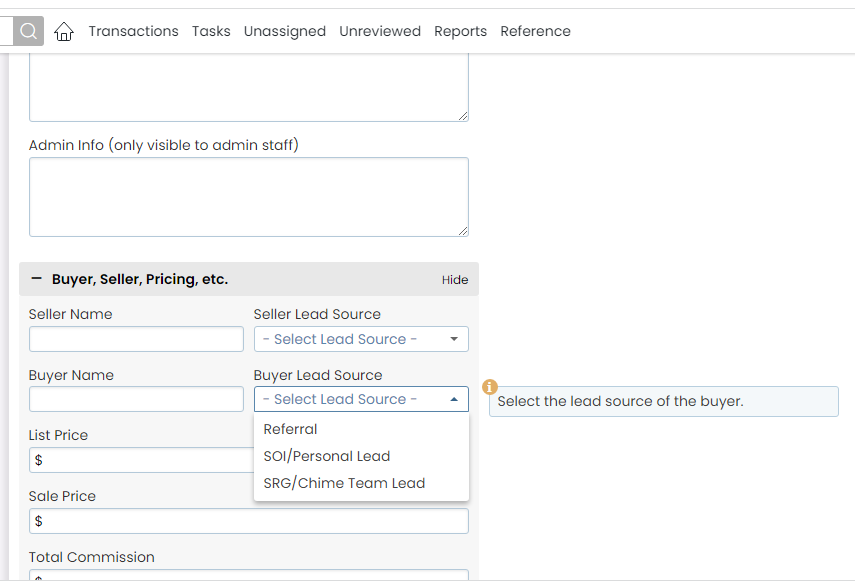
-If you close an SRG/Chime Team Lead, there is a split owed to SRG.
Personal Leads:
-These are your personal leads from your SOI.
-They are entered manually by you either individually, or by uploading them.
-Personal Leads should be entered as PRIVATE LEADS.
-No one has access to your Private Leads.
-No one can see your Private Leads unless you assign them to the lead. (i.e. adding a TC).
-If you close a Personal Lead, the SRG/Chime Team Lead split doesn't apply.