Let ABI show you how! It's Tech Thursday.
IT'S TECH THURSDAY AT ABI
WINDOWS 10
SNIP & SKETCH TOOL
This utility is included in Windows 10 Version 1809 and later.
It can take still screenshots of an open window,
rectangular areas,a free-form area, or the entire screen.
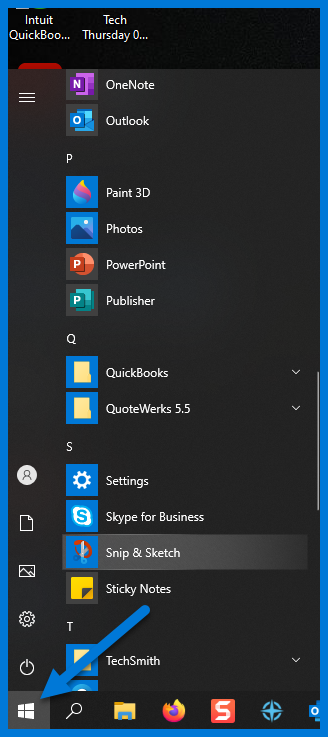
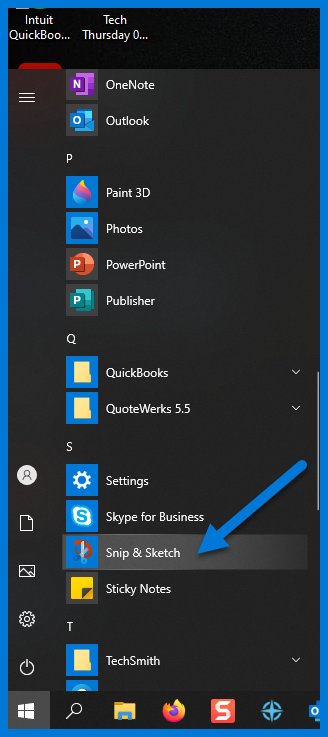
Here's how to launch Snip & Sketch...
Launch Snip & Sketch tool in two ways.
(1) press Windows key + Shift + S together and select the area, you want to capture
(2) type “Snip and Sketch” in the windows search bar and click on this too
l
For additional information regarding Windows 10
Snip & Sketch
Click here
For suggestions, questions, or to add your employees to this email list contact
bonnie@abinnovations.com
Thank you for joining us on #ABIMSPtechthursday
Connect with us