User Spotlight:
Progress Reports
Thank you to all faculty who completed an evaluation for a student during the progress report campaign. Support members of ALANA Mentors, Dual Enrollment Advisors, El Centro Staff, New Directions - Lori Wayson, Pathways - Irma Medina, Probation Advisors in ACT Center, SAMP Success Coaches, and TRIO SSS Staff sincerely appreciate your time in filling these out. 
  • We received 1657 (72%) responses from faculty. 
  • 38% of students who had an estimated grade of C or below during Progress Reports increased their grades by Midterms. 
  • 37% of students who were evaluated with a concern had a C or above by midterms
Need to refresher?
NextGen Academic Planning
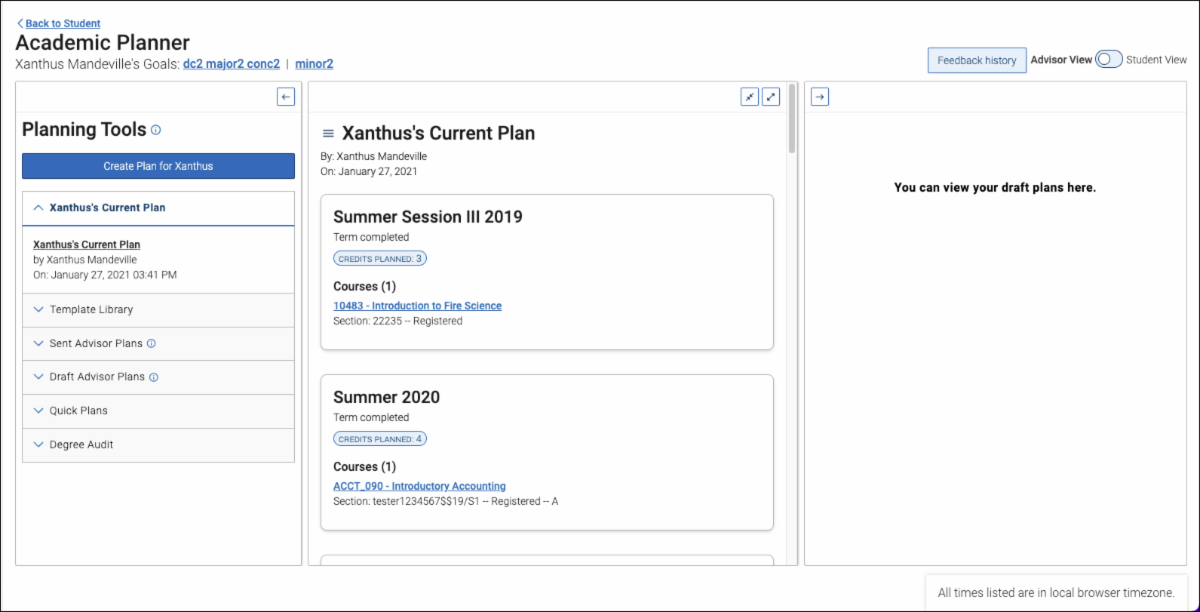
Academic Plans are a great way to help your students visualize their education journey and timeline here at HCC. 

My Dashboard
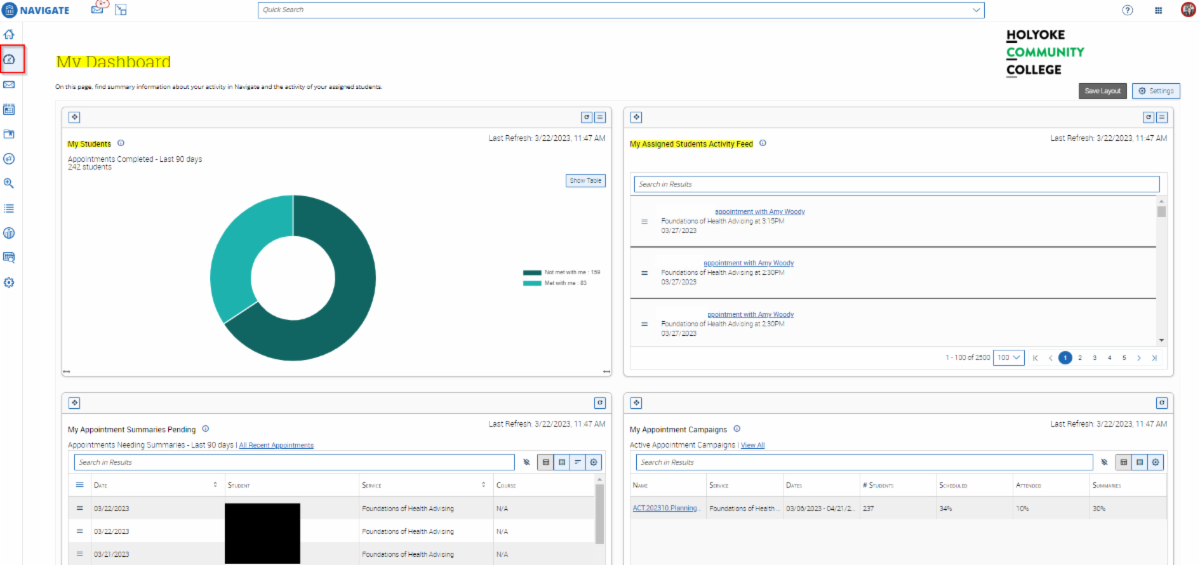
Your Dashboard is designed to help you be more productive and strategic when managing your unique student caseload. It gives you an at-a-glance, actionable information about students who are assigned to you and an overview of ongoing or recent activity. 

Staff members can adjust the layout of your Dashboard by using the (four corner arrows) button to drag widgets(sections) and arrange the dashboard accordingly. Save these changes by selecting Save Layout. Tiles can also be turned on or off by clicking the Settings button next to the Save Layout button and making changes in the panel that opens. By default, they are all turned on.
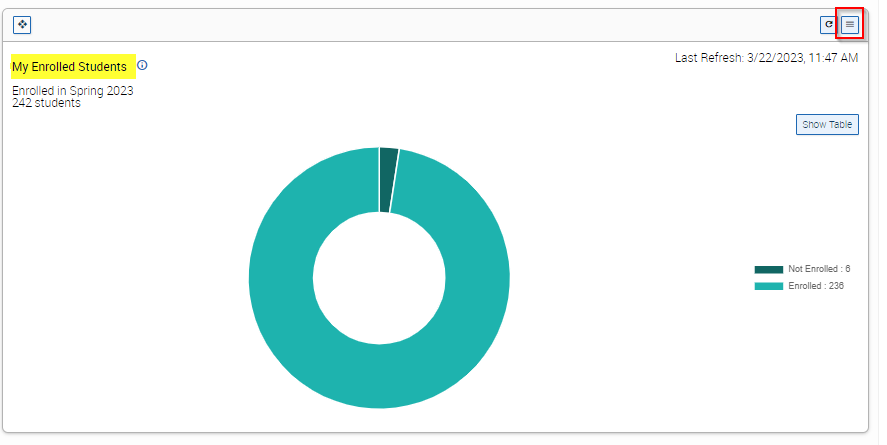
The "My Enrolled Students" widget(sections) shows a graph of your assigned students who are enrolled in a specific term. Using the hamburger icon on the right of the widget you can select the term, for example, Fall 2023. By clicking on the different color sections of the graph, you can get a list of your assigned students who have or have not enrolled in the Fall 2023 term.
Campaigns
There are several types of campaigns. Some are permission-based, so you may not have access to every type. Learn more about campaigns, guides, and videos on the HCC Navigate Google site.

Appointment Campaign: They enable staff and faculty to send messages with unique appointment scheduling links to students. What makes them so useful is that appointment campaigns give staff the ability to set criteria for their campaign. This means availability, location, and length of the appointment can be pre-set. 

Messaging Campaign: Email and/or Text(permission-based) Campaigns let staff reach out to specific student populations and encourage them to take certain actions with a link that is tracked.

Enrollment Campaign: Email message to specific student populations that will track their enrollment in the next or desired semester. Starting January 2023, texting is now an option as a nudge. 
If you have any questions please contact us at navigate@hcc.edu
Thank you,
HCC Navigate Leadership Team
HOLYOKE COMMUNITY COLLEGE
303 Homestead Ave., Holyoke, MA 01040