Scams follow the headlines,
thus the surge in Covid-19 scams which take many forms:
- Don't respond to texts, emails or calls about checks from the government. Don't rush or feel under pressure, take the time to think before you act!
- Ignore online offers for vaccinations. There are no products proven to treat or prevent Covid-19 at this time.
- Be wary of ads for test kits. The FDA recently announced approval for one home test kit, which requires a doctor’s order. But most test kits being advertised have not been approved by the FDA, and aren’t necessarily accurate.
- Hang up on robocalls. Scammers are using illegal robocalls to pitch everything from low-priced health insurance to work-at-home schemes. Best practice is to NOT ANSWER any unknown caller.
- Watch for emails claiming to be from the CDC or WHO. Use sites like coronavirus.gov and usa.gov/coronavirus to get the latest information. And don’t click on links from sources you don’t know.
- Do your homework when it comes to donations. Never donate in cash, by gift card, or by wiring money. Give.org is a reputable charity info site.
- Economic Impact Payments. Only use the IRS Website for legitimate information.
*from the FTC
|
|
Even the simplest things, like buying a bottle of hand sanitizer, feel hard right now. Many of us have anxiously turned to the web to search for solutions. Fraudsters are trying to capitalize on our behavior by creating fake websites.
Some of the fraudulent sites look like clones of legitimate government sites containing information about Covid-19 but also show malicious ads asking for your personal information. Other fake websites are stores that pretend to sell face masks and cleaning supplies but exist only to collect your credit card information. Then the scammers can use the information you unwittingly provided to gain access to your finances.
Check the website’s URL (web address). A phony site may look identical to a government or banking website, but the domain name in the address bar is a giveaway of a fake. Click on your address bar and look for bad domains ending in “com.co,” “.ma” or “.co” instead of more legitimate domains like “.com” or “.org.”
|
|
|
|
Robocallers have a reputation for sounding dumb, but in reality, they work hard for your money and are resourceful.
They do their homework on you and adapt to your responses. Most of the time, they “spoof” phone numbers, manipulating phone networks to ring your phone from numbers they aren’t actually calling from — including digits that belong to your bank or a government agency.
In extreme cases, two scammers work together — one is on the phone with your bank while the other is on the phone with you — asking you for personal information so they can immediately trick the bank’s customer support agent into granting access to your account.
So here’s what to do:
- Hang up the phone and call them back on a reputable number. Robocallers have been a nuisance for years, but now more than ever, we should be wary of any call from a business or an organization. If, for example, your bank calls with a fraud alert, hang up and call the customer service number on the back of your credit card and ask your bank whether it truly tried to call you.
- Caller ID can be spoofed. You think it's your bank calling, but the number has been spoofed. It's best to let the call go to voice-mail, then call them back at the reputable number, not the number they left in the voice-mail.
|
|
|
|
Email and Text Messages: Phishing
|
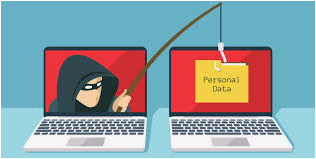
Phishing, in which a scammer impersonates someone to ask for your personal information, is one of the oldest internet scams.
But it still happens because it works.
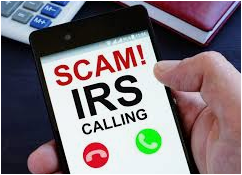
Fraudsters have adapted to the ever-changing news cycle in the pandemic. In emails and texts, they have worn several disguises, pretending to be the World Health Organization, the Centers for Disease Control and Prevention, the Internal Revenue Service and more.
Their emails and texts purport to have information about the virus or how people can get financial assistance. But their messages frequently contain links to websites asking for personal information, or they download files containing malware.
Here’s what to look out for:
- Check the sender. Similar to fake websites, fraudulent email addresses will look like legitimate ones but often be off by a character or two. Similarly, scam texts tend to come from phone numbers with more than 10 digits.
- Check, but don’t click on, hyperlinks. In most email programs, you can use your mouse cursor to hover over a link and see a preview of the page it will open. If the link looks suspicious delete it. In a text, generally avoid clicking on links from unknown senders — and don’t respond. NOTE: Only mark as spam if you are positive it is spam because tagging legitimate companies as spam causes issues for them in sending future emails.
|
|
|
|
The onus is on us to follow some best practices to protect our data security.
Those steps include:
- Like computer operating systems, Wi-Fi routers need security updates. Check the instruction manual for your router to log in to the settings and confirm if it’s running the latest version of its firmware, or software system.
- How old is your router? If your router is more than seven years old, it probably no longer gets security updates, so your best bet is to buy a new router.
- Make sure your router has a strong password and never the default password that may be taped to the device itself.
|
|
|
|
Fake Testing Sites / Unproven Treatments / Vaccines / Tests
|
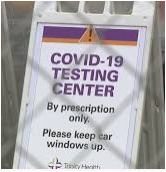
Federal, state and local law enforcement authorities are reporting an explosion of such scams as fraudsters move to capitalize on public panic over the fast-moving pandemic and the flood of federal money making its way to most Americans to help address the economic fallout.
Now, the pandemic has provided a new slant: Some calls are recycled versions of typical calls, with a reference to the Covid-19 thrown in to freshen the pitch.
- One call from a supposed “Covid-19 hotline” targets Medicare beneficiaries: “Because of the limited testing we are first taking Medicare members. Will the free at-home test be just for you or for you and your spouse?”
- The FDA’s website says that “at this time,” the agency “has not authorized any Covid-19 test for at-home testing, including self-collection of a specimen with or without the use of telemedicine.”
- Contact Tracing Scams: "Someone who came in contact with you tested positive or has shown symptoms for Covid-19 & recommends you self-isolate/get tested. More at COVID-19anon.com/alert."
|
|
|
|
Do you think your economic impact payment has landed in the hands of an identity thief? You can report it to the FTC and the IRS at the same time.
Here’s what to do.
- Visit IdentityTheft.gov, the government’s one-stop resource for people to report identity theft and get a personal recovery plan. Click “Get started.” The next page asks, “Which statement best describes our situation?” Click the line that says, “Someone filed a Federal tax return – or claimed an economic stimulus payment – using my information.” You’re on your way.
- IdentityTheft.gov will ask you some questions so that it can complete an IRS Identity Theft Affidavit (IRS Form 14039) for you, and submit it electronically to the IRS. You can include a personal statement too, to tell the IRS details about how your identity was misused to claim your economic impact payment. You also can download a copy of your completed Affidavit for your files. And, IdentityTheft.gov also will give you a recovery plan with steps you can take to help protect yourself from further identity theft. NOTE: Use IdentityTheft.gov to report suspected identity theft only.
- Check on the status of your Economic Impact Payment
- IRS Get My Payment
- Get your payment status
- See your payment type
- Provide your bank account information (in certain cases)
- You May Need:
- Your 2019 return, if filed, and
- Your 2018 return
- Data is updated once per day overnight, so there's no need to check back more than once per day.
Here's what NOT to do:
- No one from the government will call or email you asking for your social security, bank account or credit card numbers.
- Don't pay anyone who claims that they can expedite getting the relief check to you.
- Facebook posts are targeting older adults about grants to pay medical bills from a nonexistent "US Emergency Grants Federation."
- There is no need to call or sign-up to receive the check.
|
|
|
|
Special Note about Economic Stimulus Payments: NOT a SCAM!
|
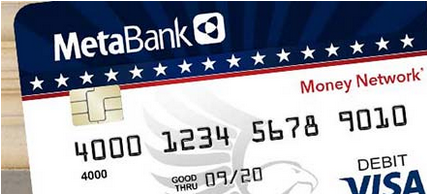
The IRS and the U.S. Treasury Department will begin sending economic stimulus payments on preloaded debit cards "Economic Stimulus Payment Card (EIP Card). For more information on the EIP Card >
Click Here. (
Sample shown above, yours may look different.)
The cards, which are being distributed to
some individuals without bank account information on file with the IRS, can be used online or at any retail location where Visa products are accepted.
The IRS’ financial agent, MetaBank, will send nearly 4 million payments on prepaid cards – allowing recipients to withdraw funds from in-network ATMs, make purchases and transfer funds to their personal bank accounts without incurring any fees. The mailed package will include activation instructions.
|
|
The Quarantine Puppy Scam
|
Stay at home orders might be leading some consumers to think that now is as good a time as any to get a new puppy. But an uptick in puppy scams can chew into your savings.
Don't jump without thinking twice at social media postings or online ads that have cute pictures of puppies for sale. The dog might not even be real, and you could be out $1,000 or more.
The Better Business Bureau is warning: "The coronavirus (COVID-19) pandemic has given scammers the idea to ask for money upfront, or to make excuses as to why buyers can’t see the pet in person -- before heartbroken, would-be pet owners figure out they have been conned."
Foster instead, from reputable sources: a few suggestions >
|
|
|
|
All of the precautions above may sound complicated, but if in doubt, turn back to something you learned in childhood and add a twist:
Never talk to strangers, especially when they ask for your personal information.
|
|
|
|
We're here for you - email us at
The Computer Help Desk supports students’ classroom learning, provides guidance with Windows and computer operations, and advice on selecting the computer for your needs.
Stay safe & healthy!
|
|
We want to keep you apprised of technology during this health crisis.
SeniorNet at FSL-LI is looking forward to re-engaging with everyone for our next semester.
|
|
|
|
|
|
|